I’m an interaction designer with a background in industrial design.
#Designer#Bubbly#EyeSmiler
Zoe (Xiaoyun) Zhou
Portfolio Desktop
Untitled
YEAR
ROLE
About
Hi, I’m Zoe
I’m a UX and Product designer.
I’ve been making things for as long as I can remember: drawing cartoons as a kid, then DIY projects as a teen. I designed my own clothes, built little tools, and for a while I seriously wanted to become a carpenter. Turns out design is just another kind of carpentry: measure carefully, understand how it’ll be used, and build something that works.
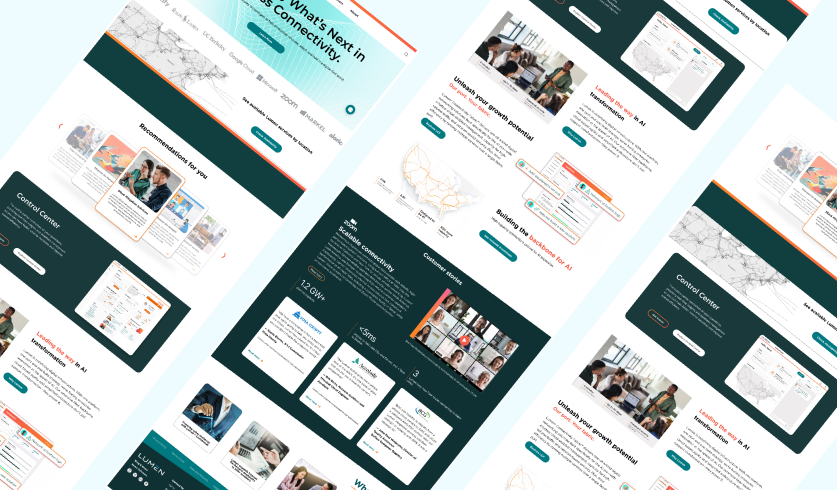
I studied Interaction Design at SCAD and landed my first role as a UI designer, which quickly grew into a fascination with the full user experience. Over the past 2+ years, I’ve worked on UX/UI across B2B SaaS, healthcare, communications, and e-commerce, including serving as UX Lead on a SCADpro collaboration with Lumen Technologies, solving problems that genuinely matter to the people using them.
What I love most is taking something complicated and designing it so clearly that a six-year-old could understand it.
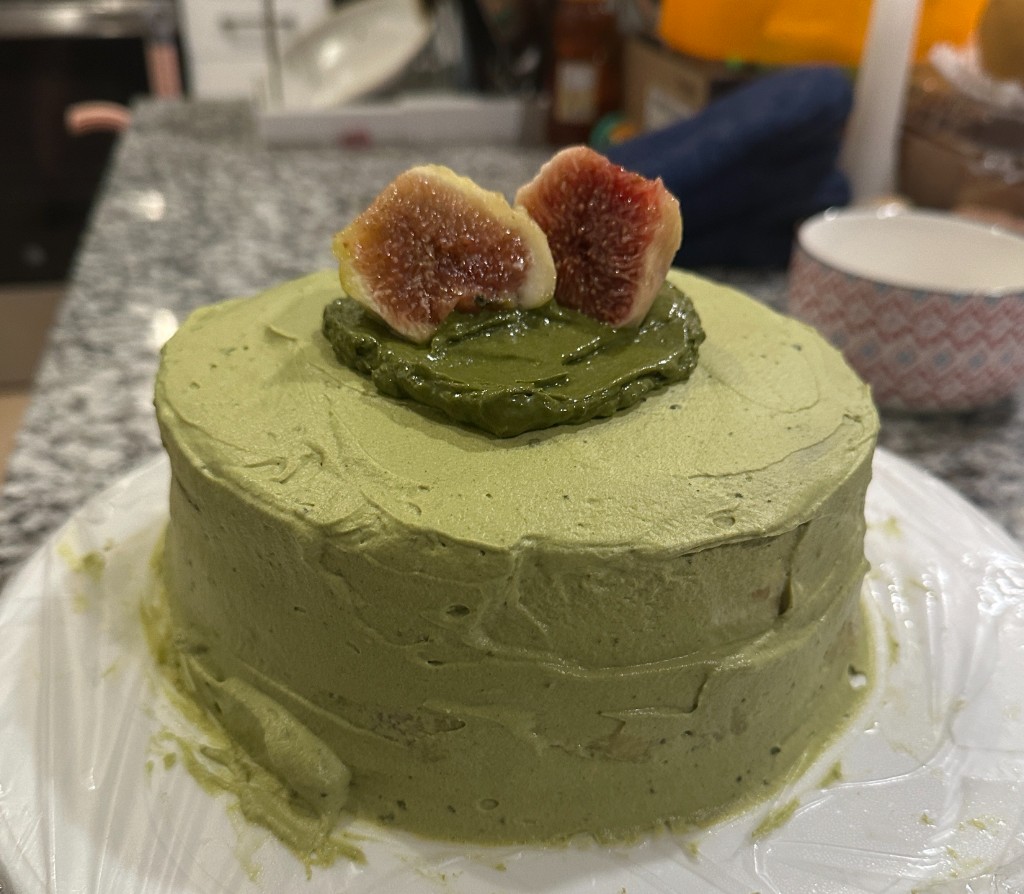
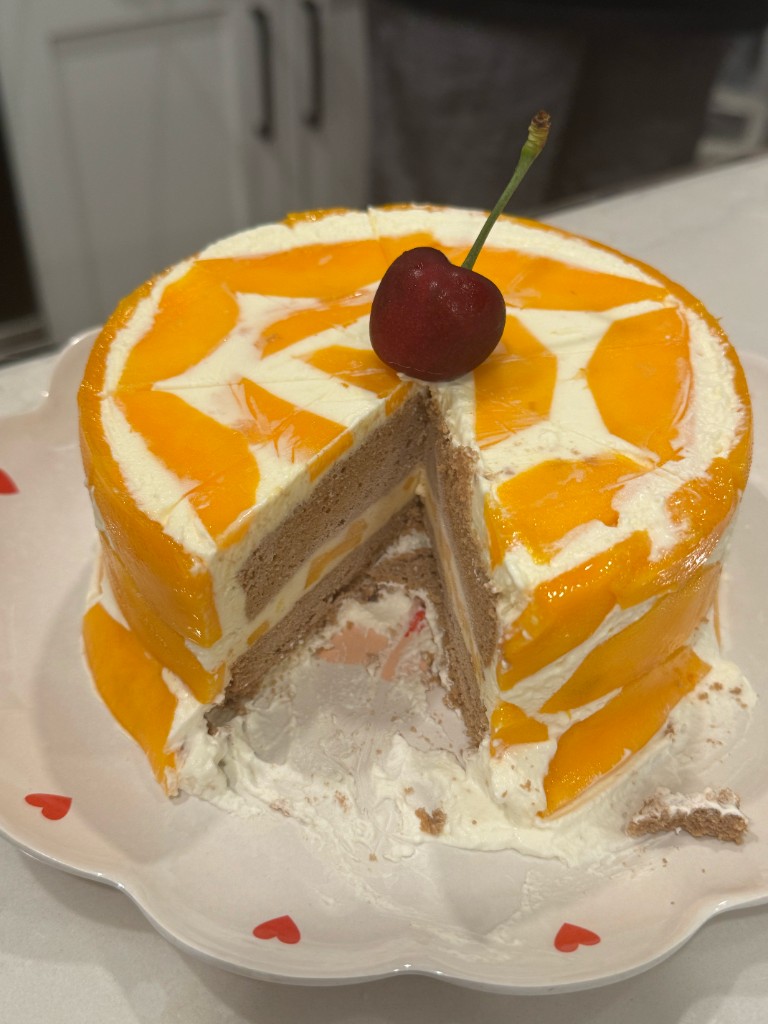
When I’m not working in Figma, Codex or one of my many AI tools, you’ll find me baking a cake in the kitchen, volunteering at an animal rescue center, or working under the strict “supervision” of my cat.
Stepping away from that little rectangle of a screen makes me feel alive. Honestly, some of my best design ideas have come from time spent with small, soft creatures like her. In those moments, my brain remembers that I’m a living creature too.
Got questions?
Want to work together?
Email me directly or fill out the form. Either way, you can expect to hear from me in less than 2 business days.
Redesigning How Enterprises Discover and Buy Connectivity Solutions
Estimated 15 min
Duration
Sep — Dec 2025
Team
Xiaoyun Zhou / SCADpro team
Role
UX Lead
Tools
A Self-Service Suite for Enterprise Connectivity Buyers
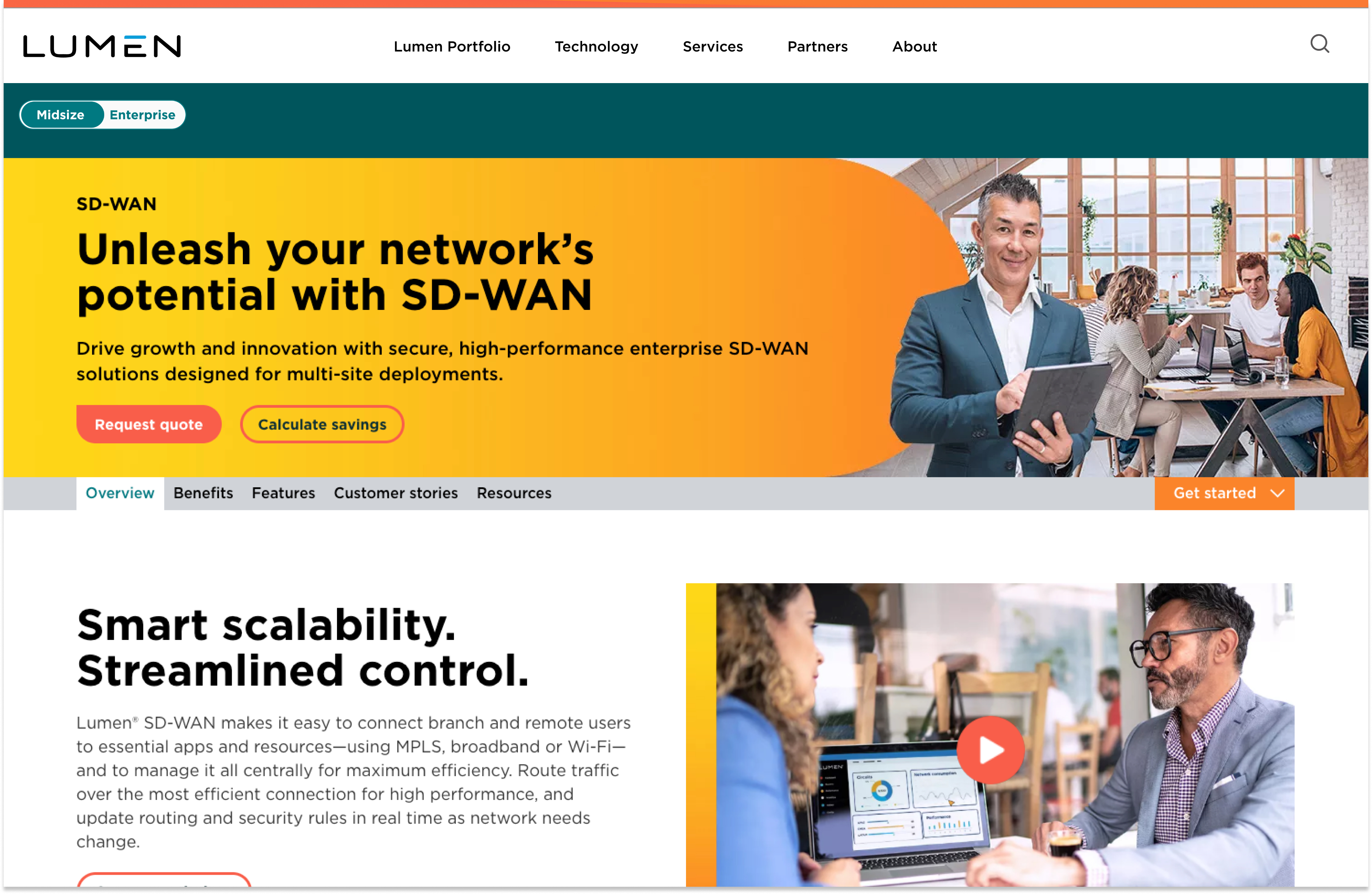
Lumen Technologies is a Fortune 500 global technology company providing fiber, cloud, and security solutions to enterprise businesses. This suite of self-service tools was designed to help enterprise buyers discover, qualify, and procure the right connectivity solutions for their organization.
Problem
Lumen's enterprise website lacked a clear path for business customers to discover, qualify, and purchase connectivity solutions. Buyers struggled to navigate the site to find relevant products, had no way to check what was available at their location, and could only get a proposal by going through a sales rep — leaving them overwhelmed before they ever reached a purchase decision.
Challenge
Working within a partnership with Lumen Technologies, we collaborated with a multidisciplinary team to redesign the enterprise customer experience — from discovery to conversion — in one semester.
Deliverables include: website information architecture, user research, customer personas, wireframes, and interactive prototypes.
Solution
This suite of self-service tools guides potential customers from initial discovery to a customized proposal, reducing friction in the sales process for both buyers and Lumen's sales team.
Features include:
Website Restructure — Redesigned information architecture with clear industry-specific paths
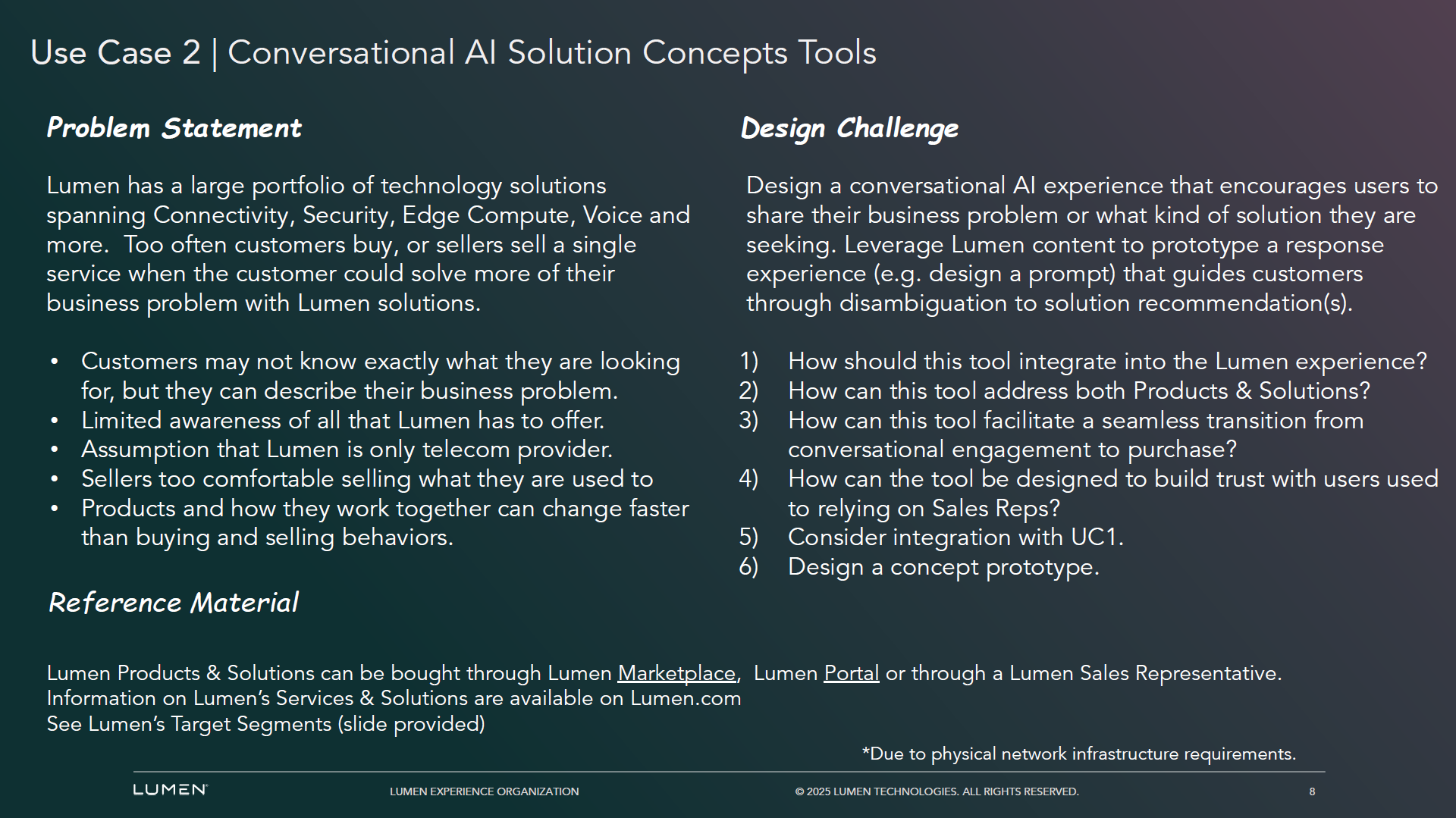
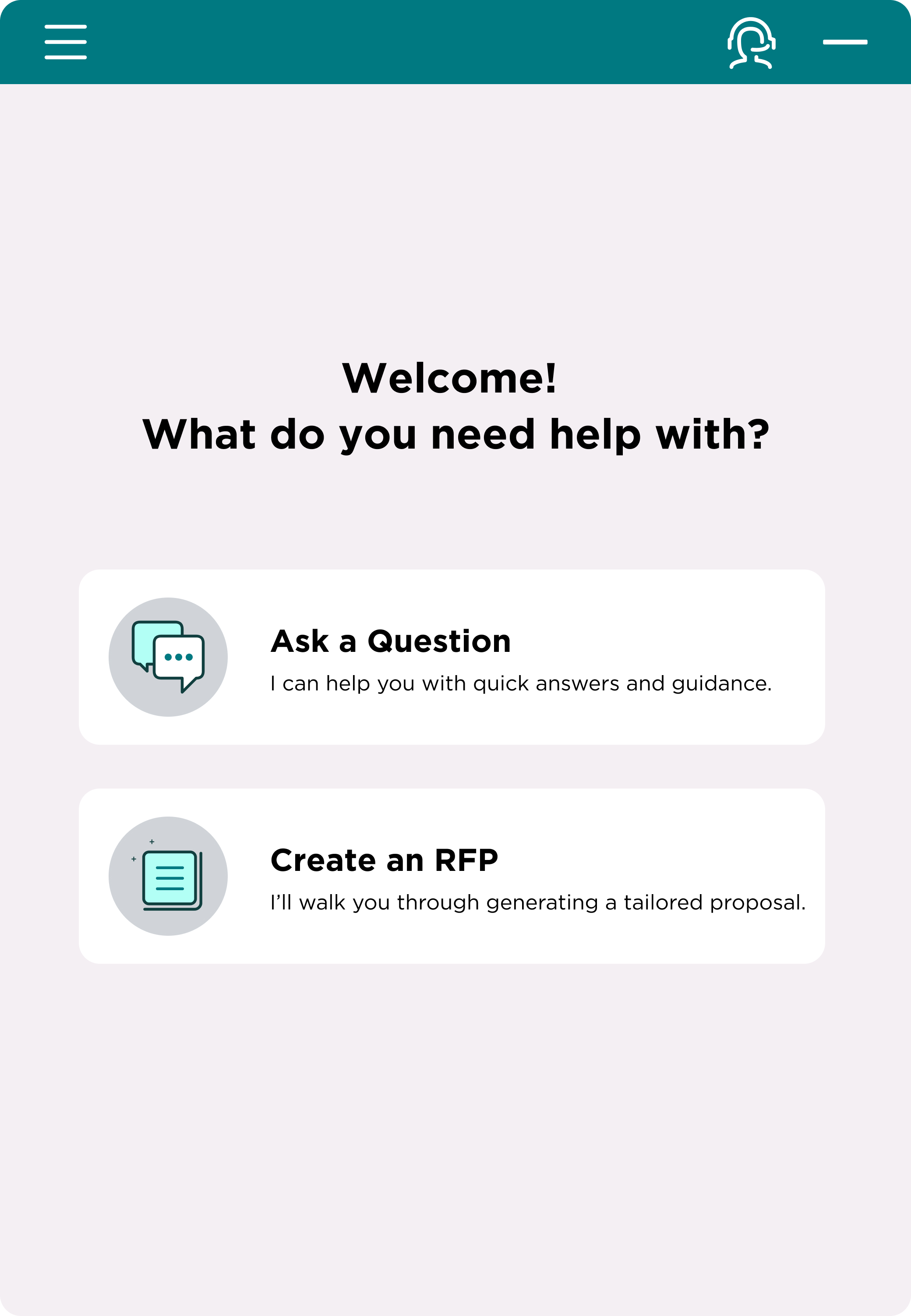
AI Chatbot — Conversational entry point for instant answers and RFP creation
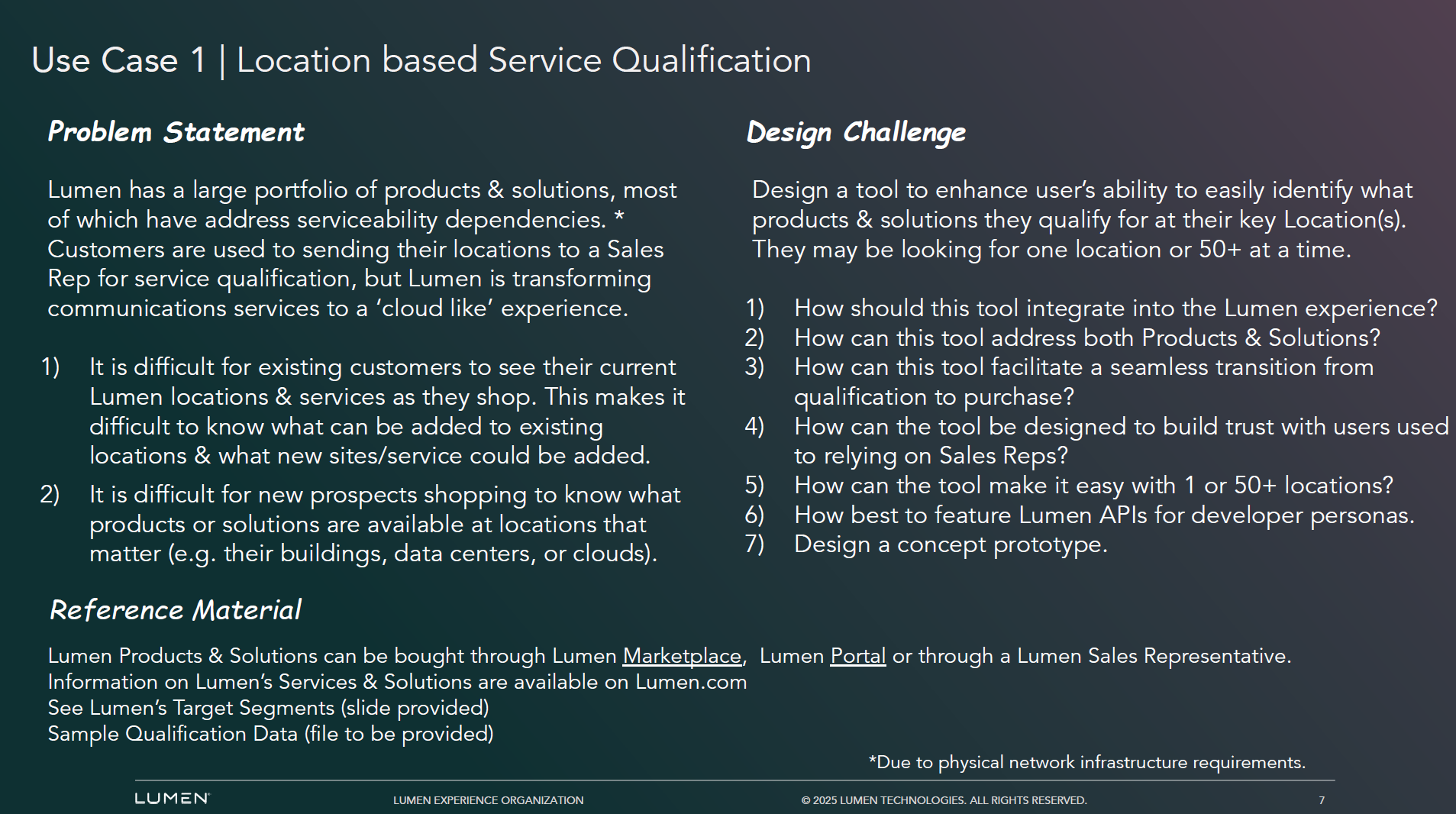
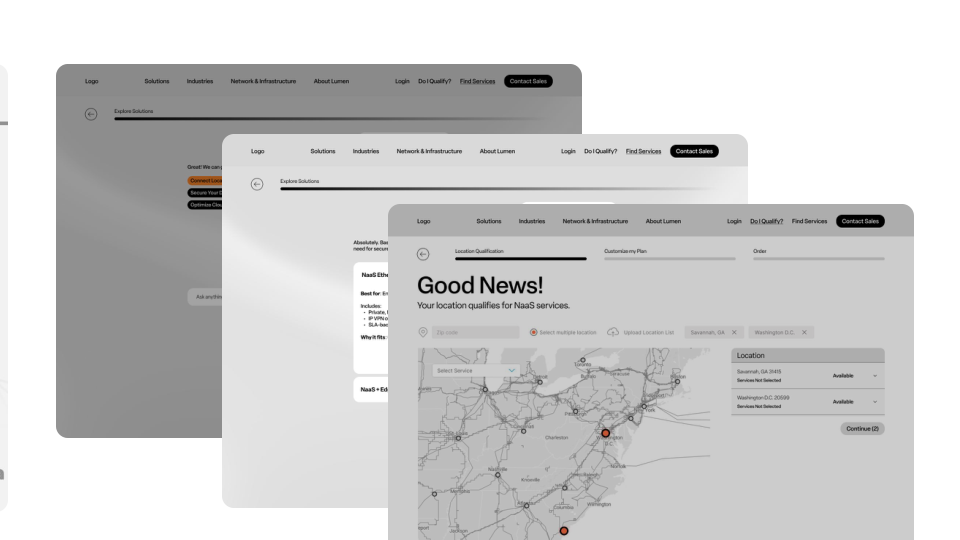
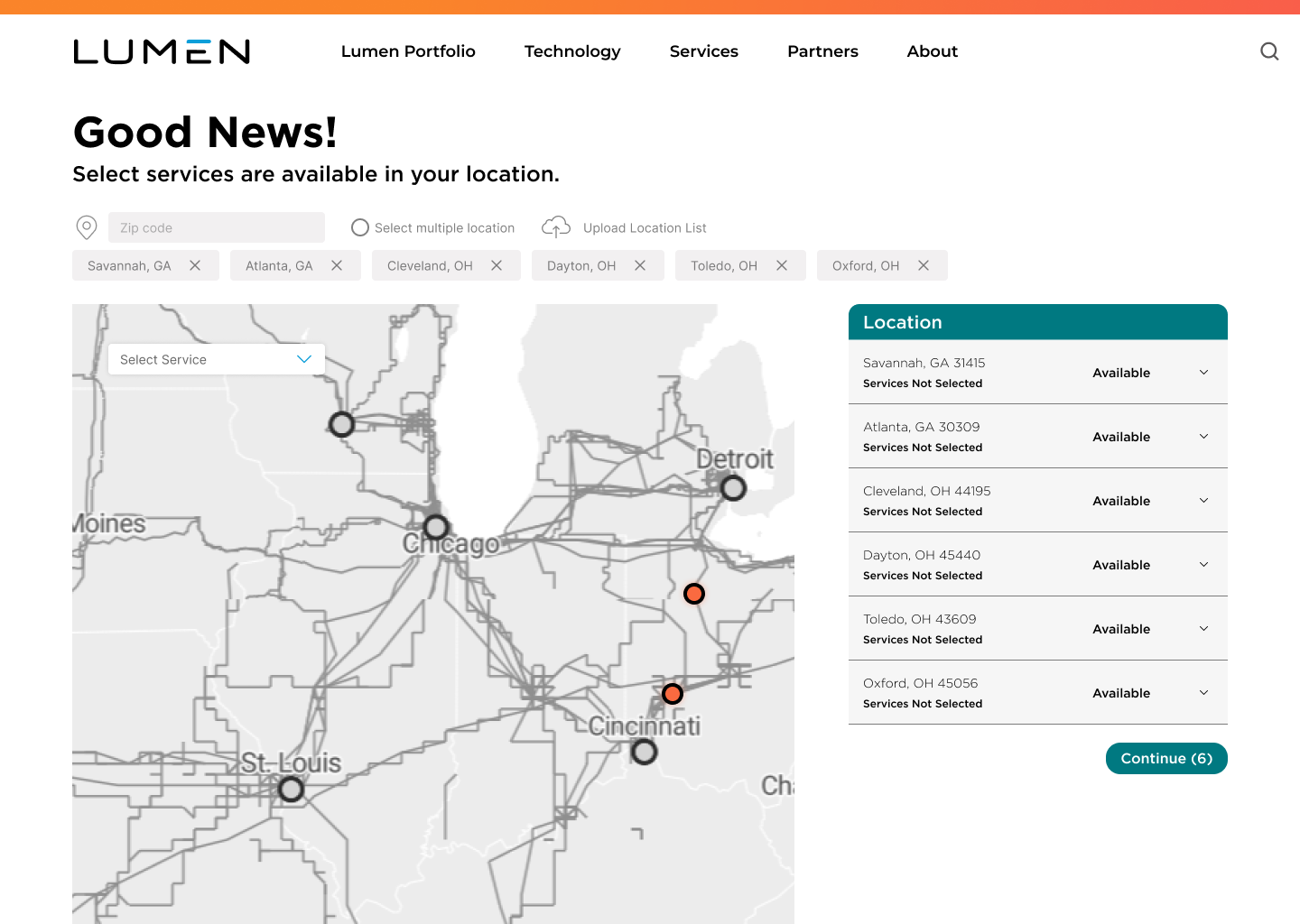
Location Qualifier — Filters available services and pricing based on business address
RFP Generator — 6-step guided flow to generate a customized proposal
Engineer Scheduling — Book a consultation with a Lumen engineer directly
Original Ask
How might we redesign the Lumen enterprise website experience to help potential business customers easily identify the right connectivity solutions for their specific needs and locations?
After conducting research into Lumen's current website and enterprise customer journey, we identified several key pain points that informed our design direction.
Discovery
We conducted two rounds of stakeholder interviews to understand both the technical constraints and the design vision behind Lumen's enterprise customer experience.
To kick off the discovery phase for this project, we began by conducting a series of interviews with the following individuals:
Round 1 — Engineering Team
1 Data Engineer
1 Field Engineer (On-site)
Round 2 — Design Team
1 UX Lead
1 UI Lead
3 Design Team Members
These two rounds of interviews gave us a comprehensive understanding of both the business constraints and design opportunities, which directly informed our key insights.
Research Synthesis
As a design team with no prior exposure to enterprise networking infrastructure, we quickly found that the technical language around APIs, portals, fiber uptime, and managed services created a steep learning curve. More critically, we discovered that much of the insight from engineering stakeholders centered on post-sale maintenance for existing customers — not the pre-sale discovery experience we were designing for. This misalignment became a defining challenge that sharpened our focus: we needed to design for someone who knows nothing about Lumen's products, just like us.
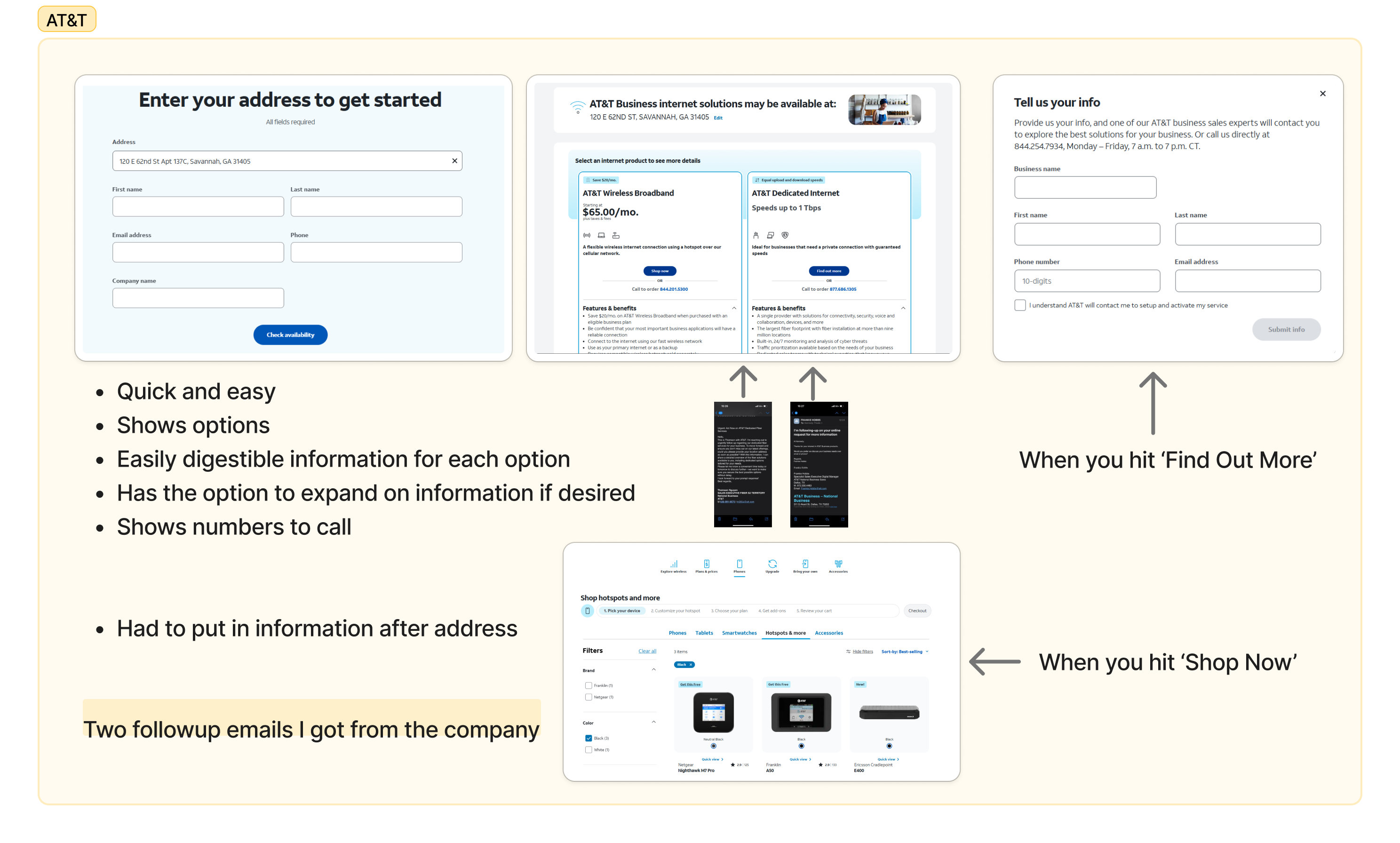
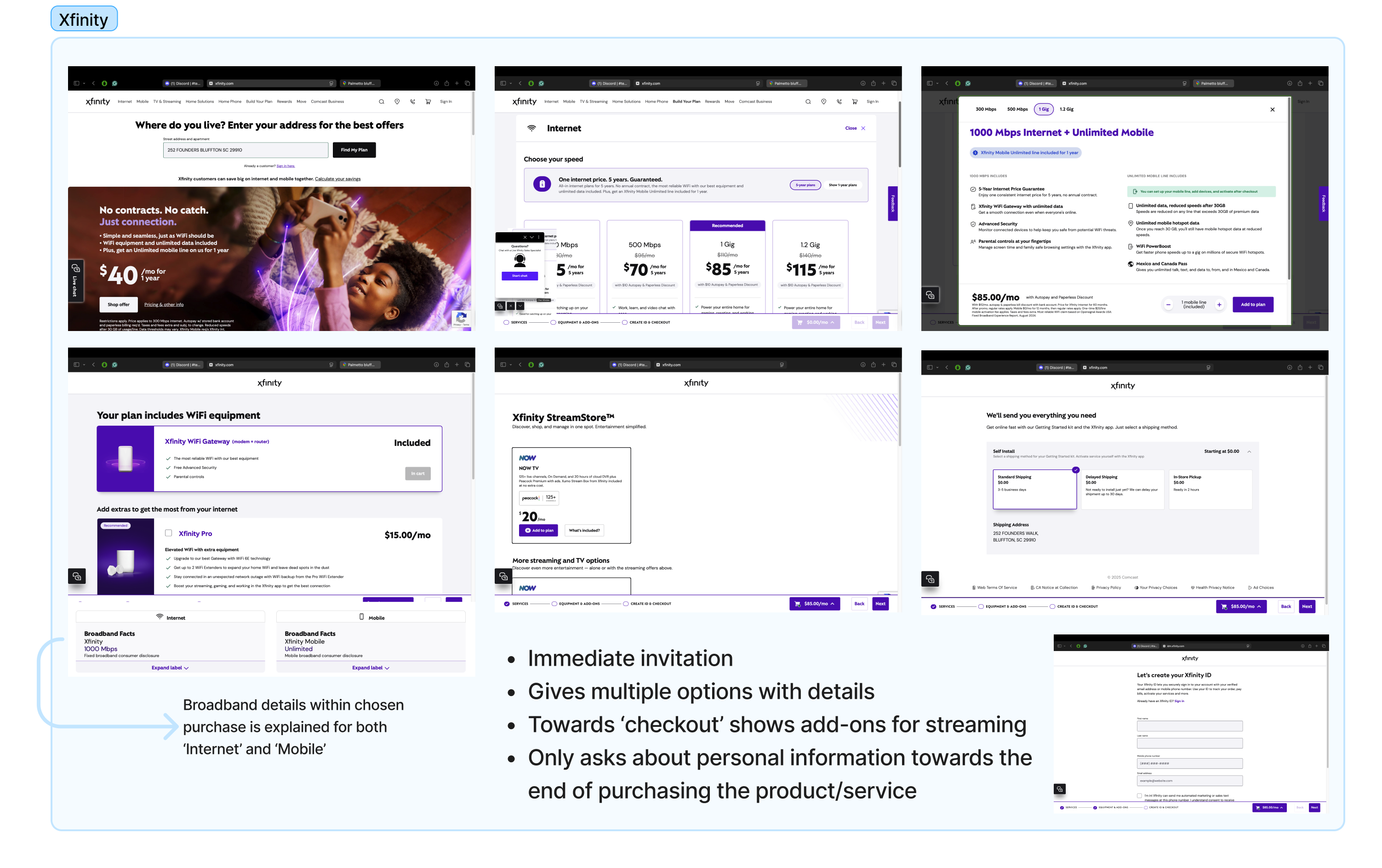
We analyzed how leading telecom and technology companies handle service qualification and self-service discovery, focusing on AT&T, Xfinity, Kinetic, AWS, and Live Oak.
When it came time to synthesize our findings, we quickly realized that insights from engineering and design stakeholders pointed in very different directions — requiring us to reframe our focus entirely around the pre-sale customer experience.
☁Future AI IntegrationStakeholders see AI as central to Lumen's next-generation service model
💬Chat ToolsA conversational entry point reduces friction in the discovery process
→Human HandoffComplex enterprise needs still require expert guidance at the right moment
☰ProcessesThe existing buying process lacks clarity, causing drop-off before purchase
Key Insights fell into these 3 opportunities:
Buyers struggle to navigate Lumen's website to find relevant products
Prospective customers have no self-service way to qualify available services by location
The proposal process relies entirely on human sales intervention every time
Persona
Rather than individual user personas, we developed three enterprise customer profiles grounded in our stakeholder interviews and secondary research on enterprise buying behavior. Each profile represents a different stage of business growth, with needs that map directly onto the three opportunities above: The Growing Innovator needs a simpler way to navigate the site, The Scaling Challenger needs to qualify services across multiple locations, and The Global Operator needs a faster path to a proposal without waiting on a sales cycle.
Define
Drawing from our research, we moved into Define to translate the three opportunities into clear design principles. Rather than a single problem to solve, we set five directives that shaped every design decision that followed.
The design solution must be:
Dynamic — Flexible and scalable, adapting to businesses from single locations to large enterprises
Tailored — Delivers personalized guidance based on the customer's specific business problems
Empowering — Enables customers to complete tasks without confusion or sales dependency
Connected — Provides a clear view of all Lumen channels as one unified experience
Dependable — Maintains accuracy and trust through consistent performance and transparent limitations
Problem Statement
As an enterprise buyer, I struggle to choose the right connectivity solution for my location and business needs because the decision feels complex, uncertain, and difficult to validate.
Hypothesis
We believe that giving enterprise buyers self-service tools to explore, qualify, and generate proposals for connectivity solutions will reduce their reliance on sales intervention for straightforward needs — while still routing complex cases to a Lumen engineer — resulting in a faster, more confident purchasing decision.
Ideate
Solution Session
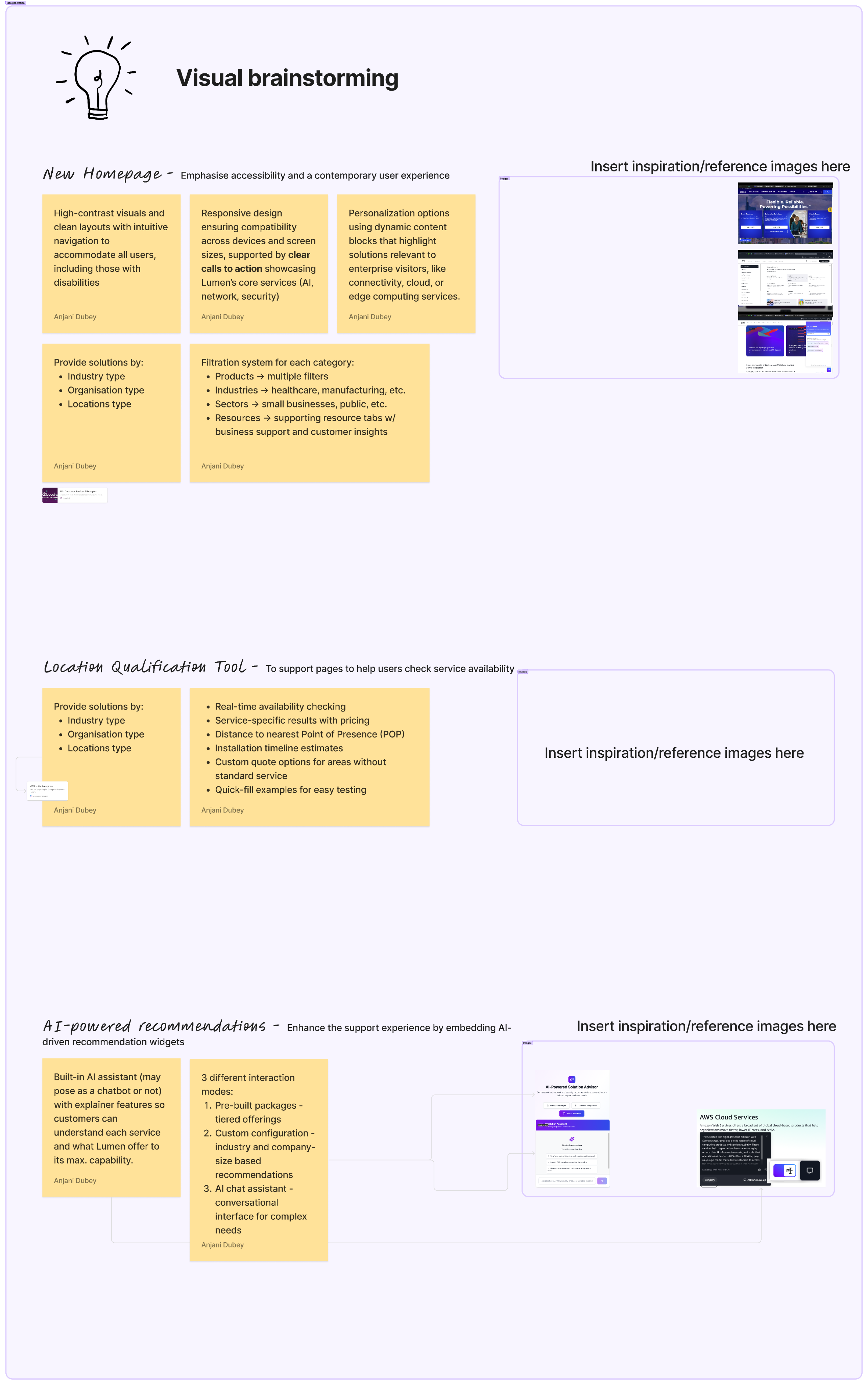
Following Define, we facilitated a solution session with the team, reviewing our research findings, design principles, and personas. Through visual brainstorming, we translated the 3 opportunities into three concept areas: homepage redesign, location-based service qualification, and AI-powered recommendations.
As a reminder, our research pointed to three core problems:
Buyers struggle to navigate Lumen's website to find relevant products
Prospective customers have no self-service way to qualify available services by location
The proposal process relies entirely on human sales intervention every time
We used these three problems to guide our How Might We statements:
So....
“How might we help buyers navigate Lumen's site to find products relevant to their business?”
“How might we help buyers self-serve their way to available services at their specific location(s)?”
“How might we let buyers generate a proposal without waiting on a sales rep?”
With our How Might We questions defined, we moved into concept development — creating mid-fidelity wireframes for two competing homepage directions and three self-service tools, which we then tested with early users to validate our design direction.
Mockups
The purpose of this selection of mockups is to illustrate the design iterations across five features: Website Restructure, AI Chatbot, Location Qualifier, RFP Generator, and Control Center.
Feature 01 — Website Restructure & AI Chatbot
Redesigning the enterprise homepage with a clear information hierarchy and embedding a conversational AI entry point to guide buyers from discovery to action.
Initial Concepts
The first idea put a location search on the homepage, so buyers would narrow their service area before they knew which services they wanted. Asking people to define a location that early still left them confused.
First Iteration
Location stayed an important filter, so we added clearer page transitions. While choosing a service portal, buyers could see whether that location could actually deliver the service.
Second Iteration
Building on the first iteration, we developed two competing homepage directions to test how much personalization to offer, and how to structure the content hierarchy.
Website A
An audience switcher with targeted recommendations. It asked buyers to identify themselves before they could explore.
Website B
Clear headlines, a prominent call to action, and customer stories. A simpler structure that let buyers explore freely without deciding who they were first.
AI Chatbot Initial Concept
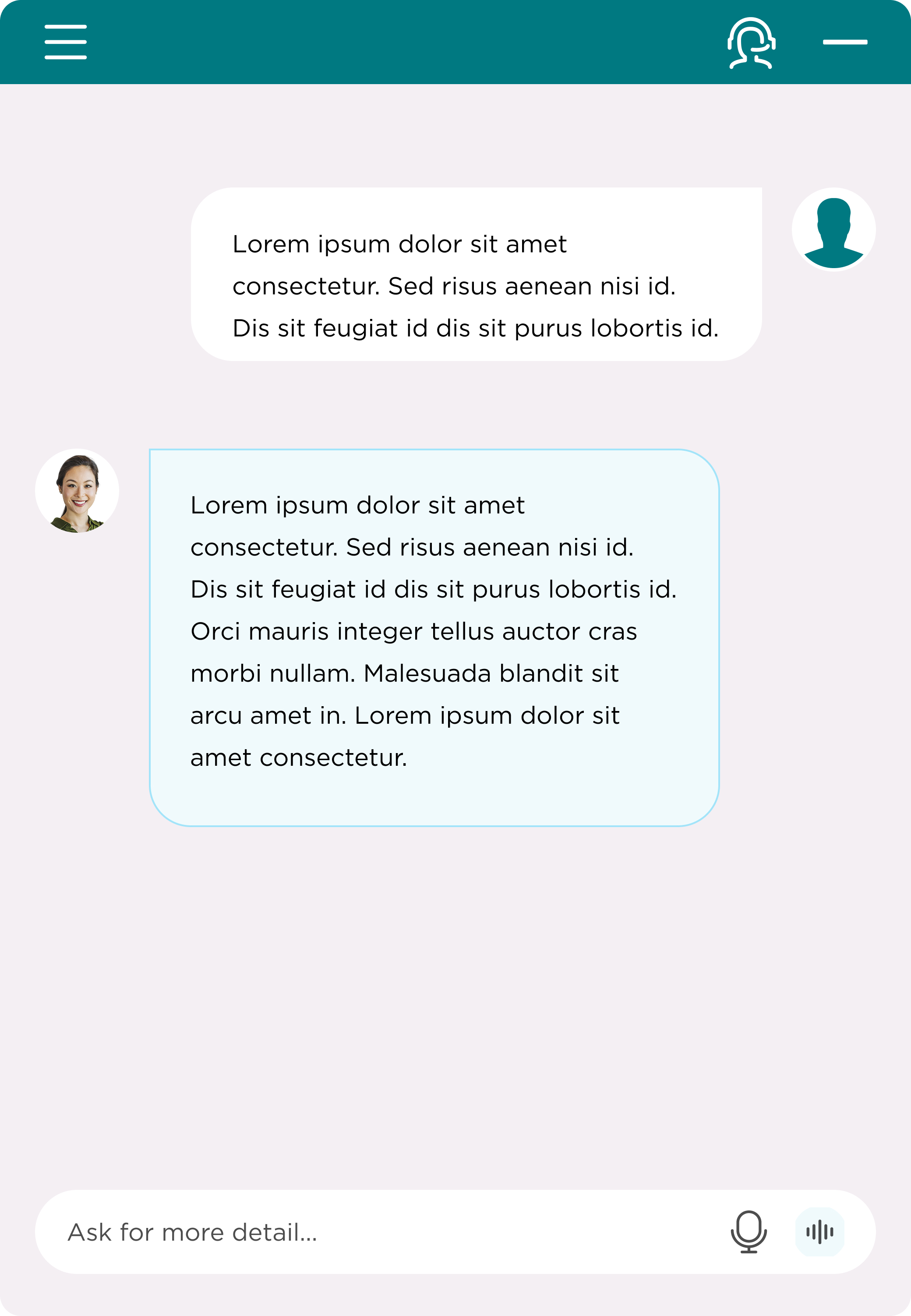
Alongside the homepage redesign, we designed a dedicated AI Chatbot as a conversational entry point — offering two clear paths: quick answers for users still exploring, and an RFP creation flow for users ready to move forward.
Backend AI Chat Tests
Feature 02 — Control Center
A unified self-service hub that guides enterprise buyers through discovery, expert consultation, and onboarding — all in one place.
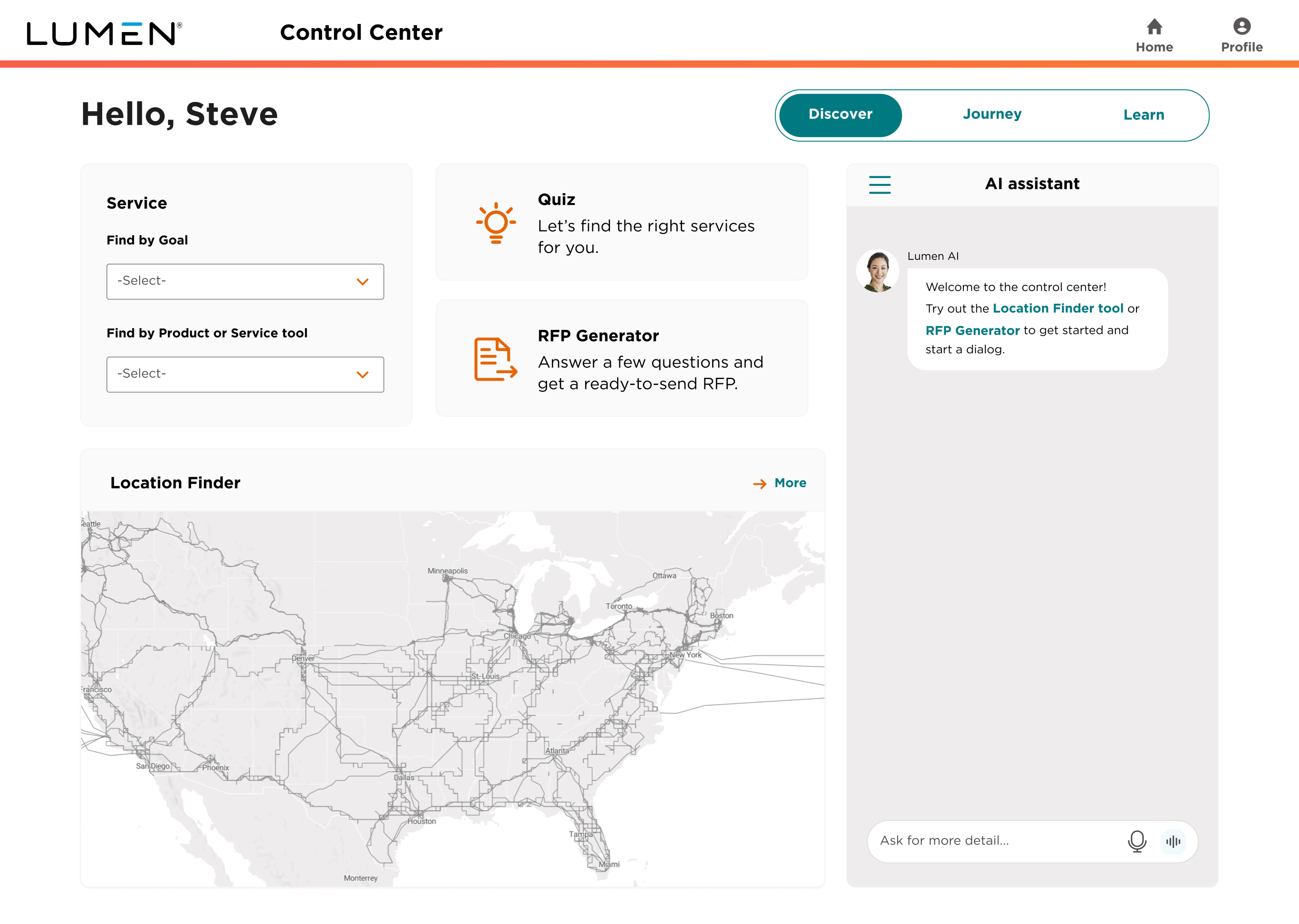
After establishing the homepage entry points, we designed the Control Center as the core destination for enterprise buyers — housing all self-service tools under three tabs: Discover, Journey, and Learn.
DiscoverJourneyLearn
The Discover tab serves as the primary self-service hub, giving enterprise buyers three tools to find and qualify the right Lumen solutions for their business.
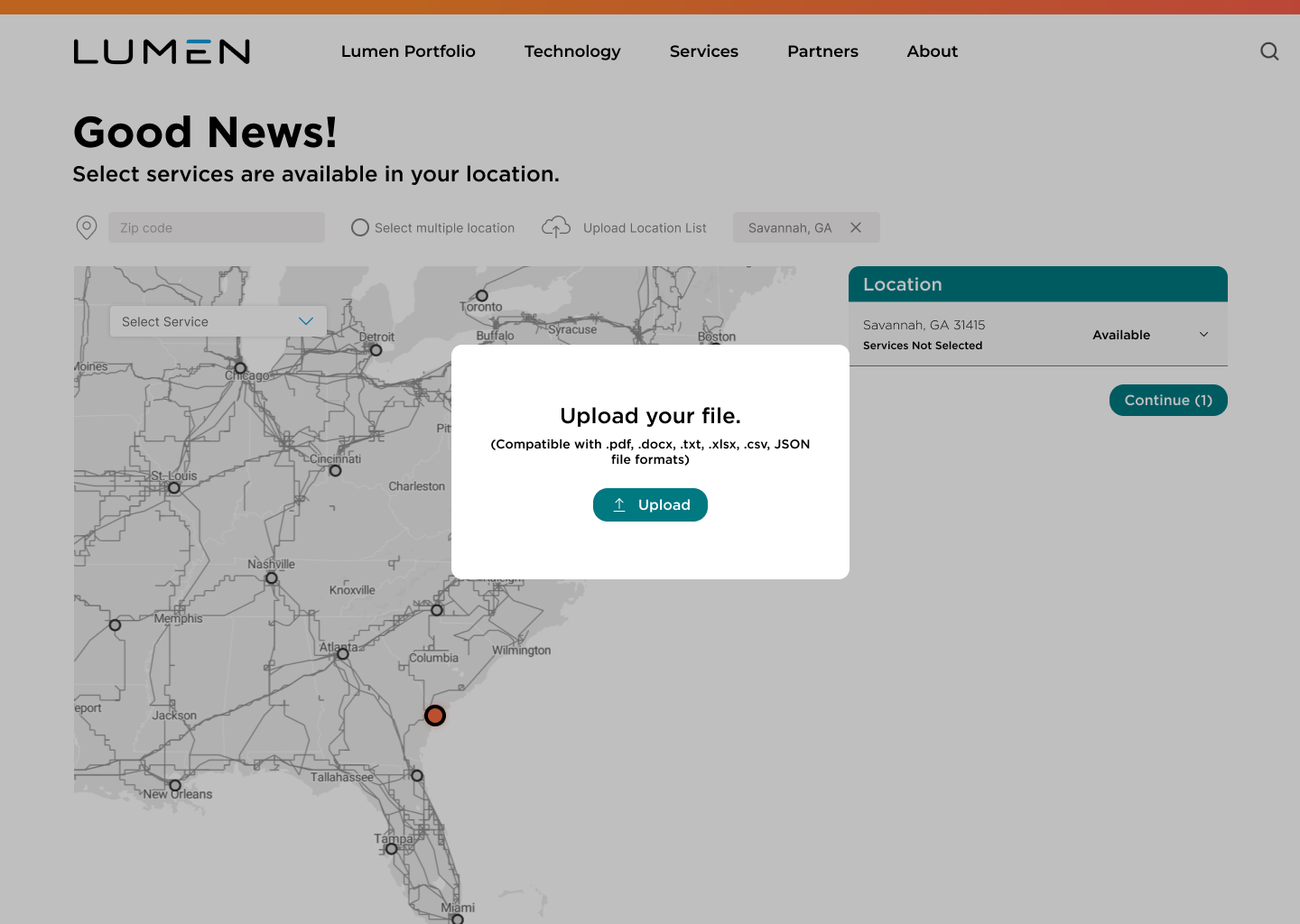
Tool 01 — Location Finder
Previously introduced as part of the homepage redesign, the Location Finder is fully integrated into the Control Center's Discover tab — allowing users to check service availability by address and upload multiple locations via CSV for bulk qualification.
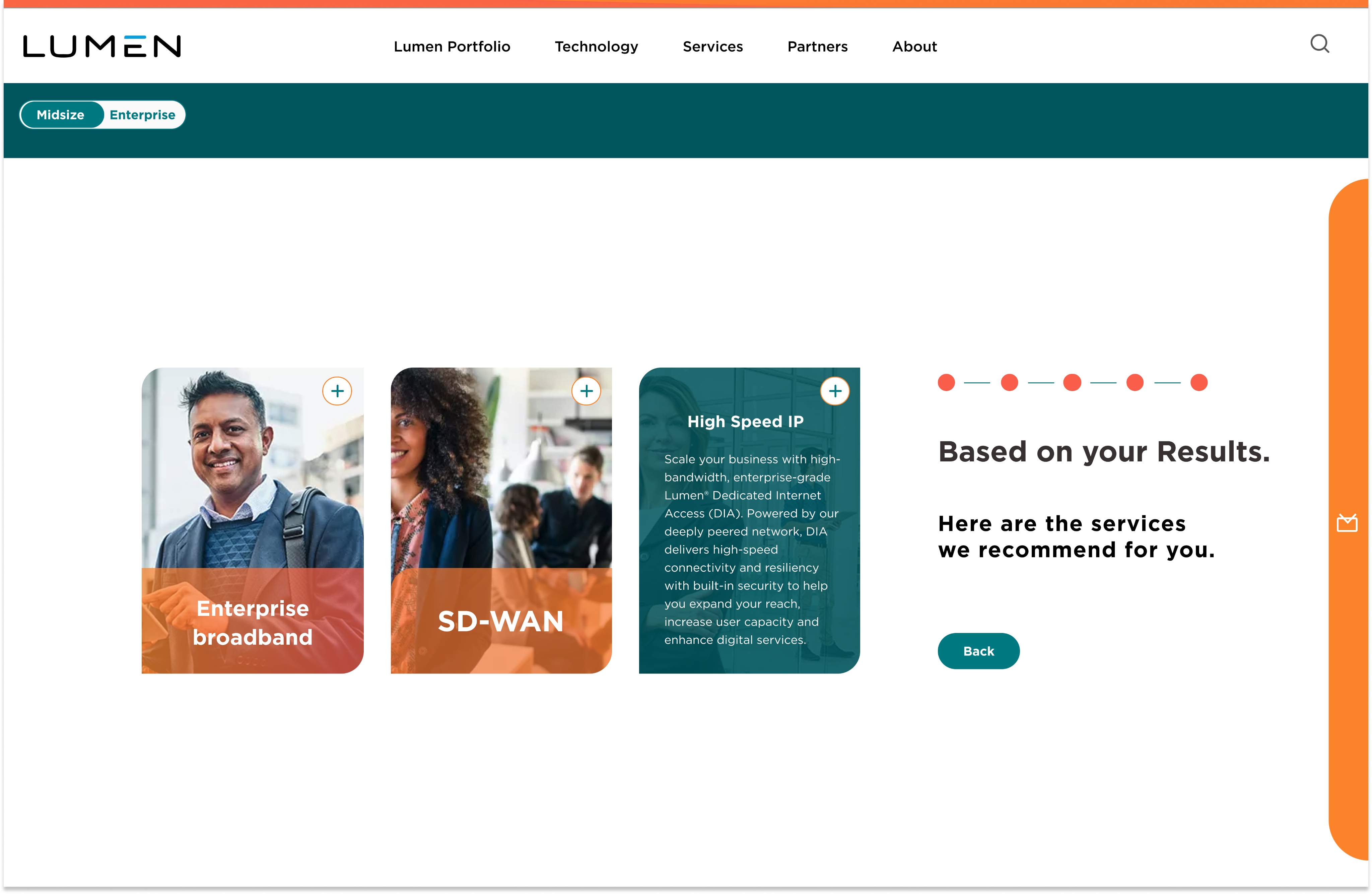
Tool 02 — Account Quiz
The Account Quiz guides buyers through a series of contextual questions about their industry, business size, and goals, then matches them with the top 2–3 Lumen products most relevant to their needs — along with brief product descriptions and links to product pages.
Tool 03 — RFP Generator
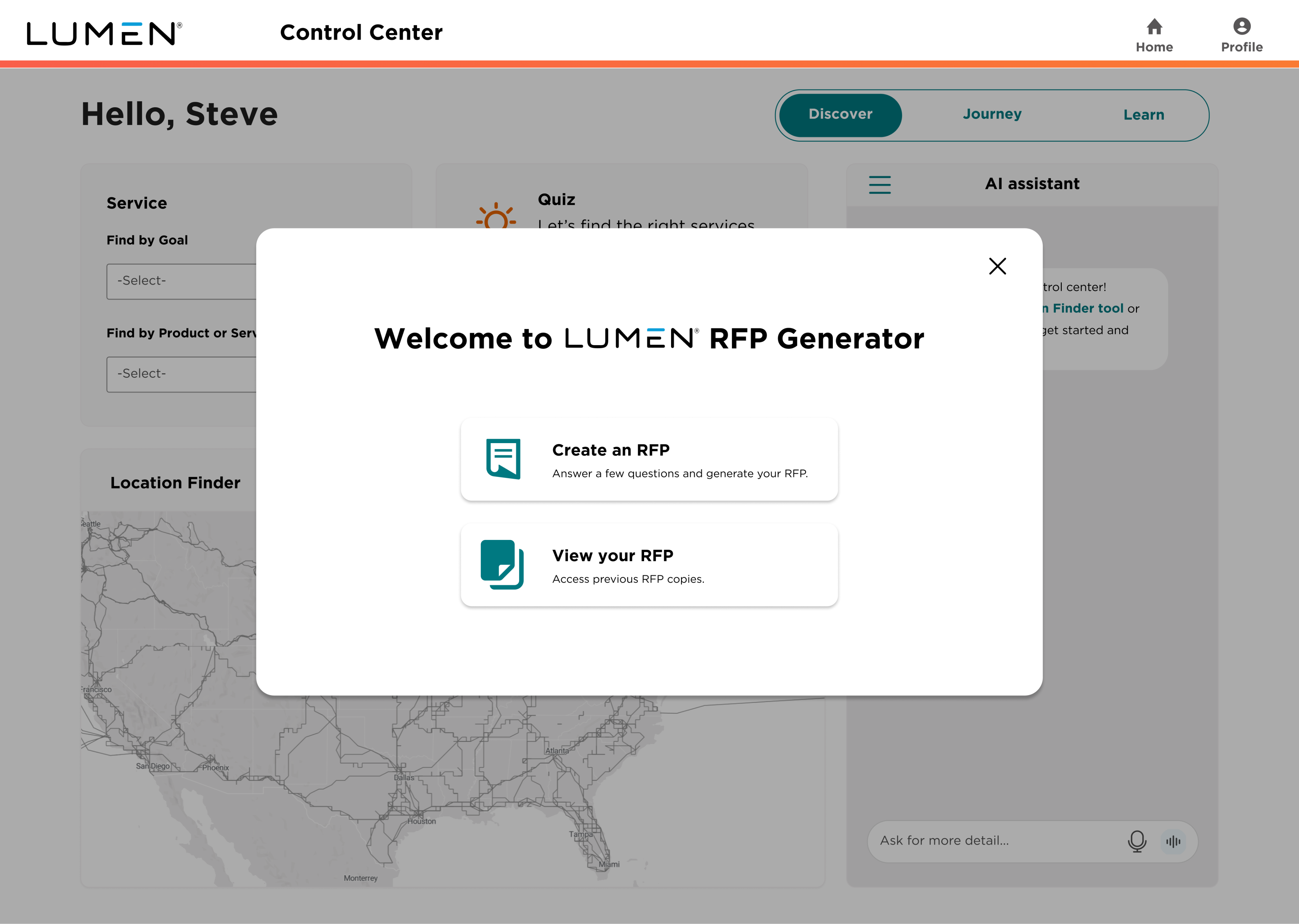
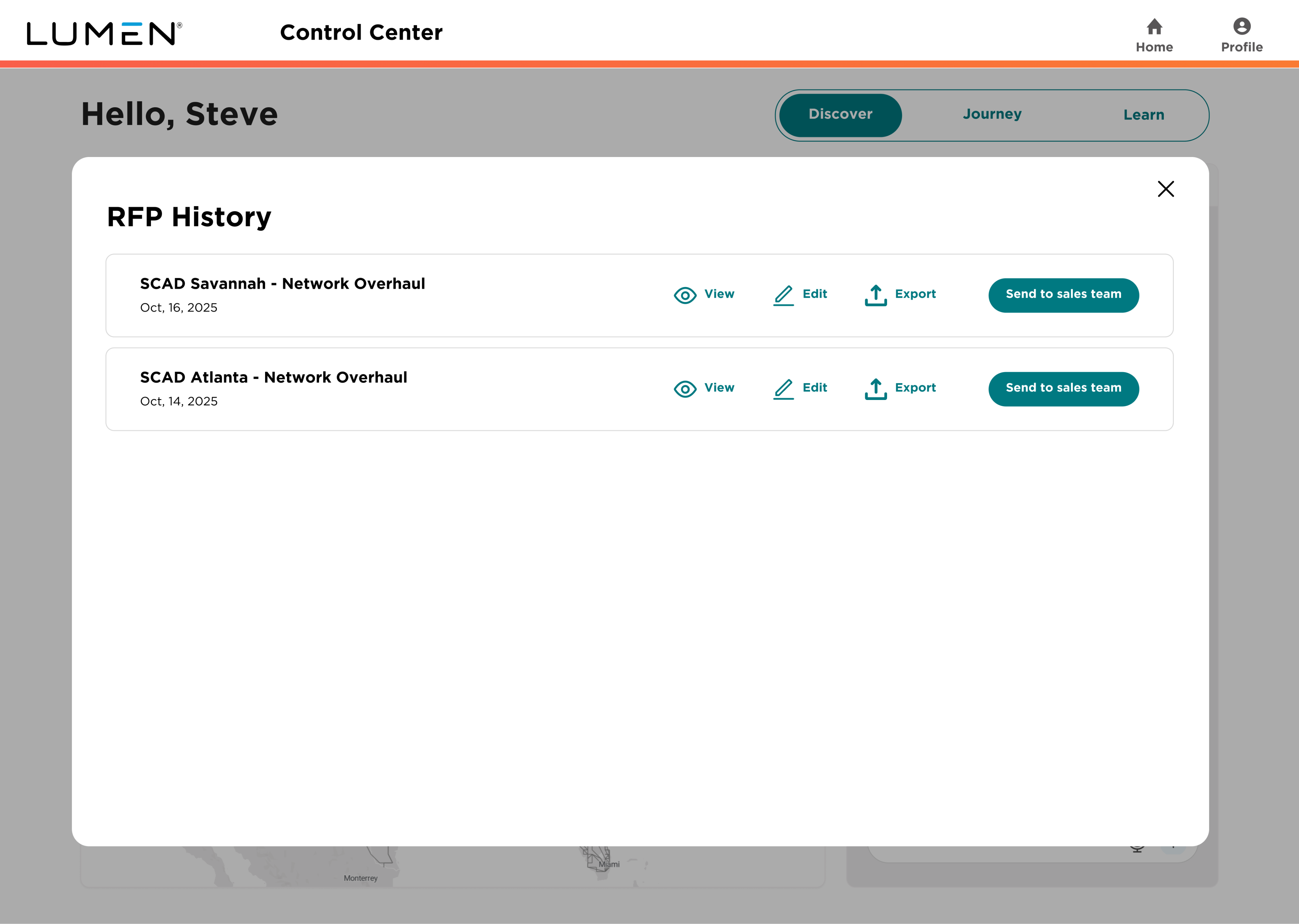
The RFP Generator walks enterprise buyers through a 6-step guided flow to generate a customized proposal ready to send to Lumen's sales team. Each step collects key information about the buyer's project, timeline, budget, and requirements — eliminating the need for back-and-forth with a sales representative.
DiscoverJourneyLearn
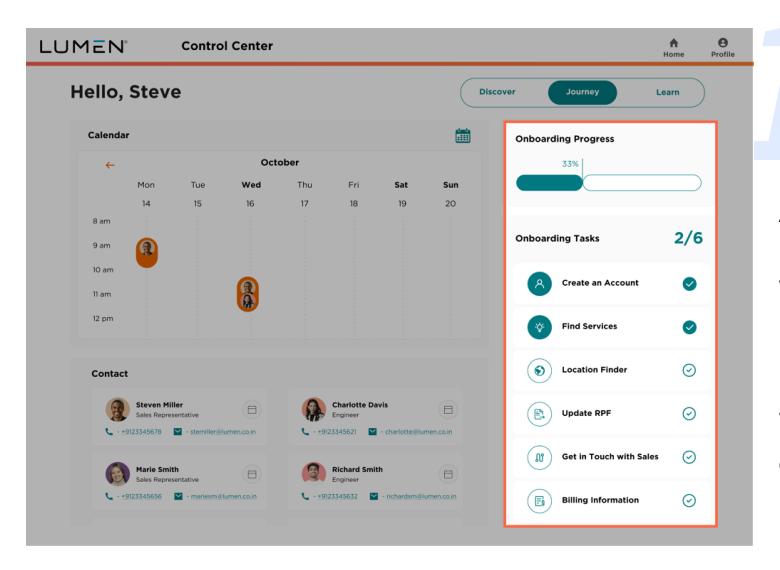
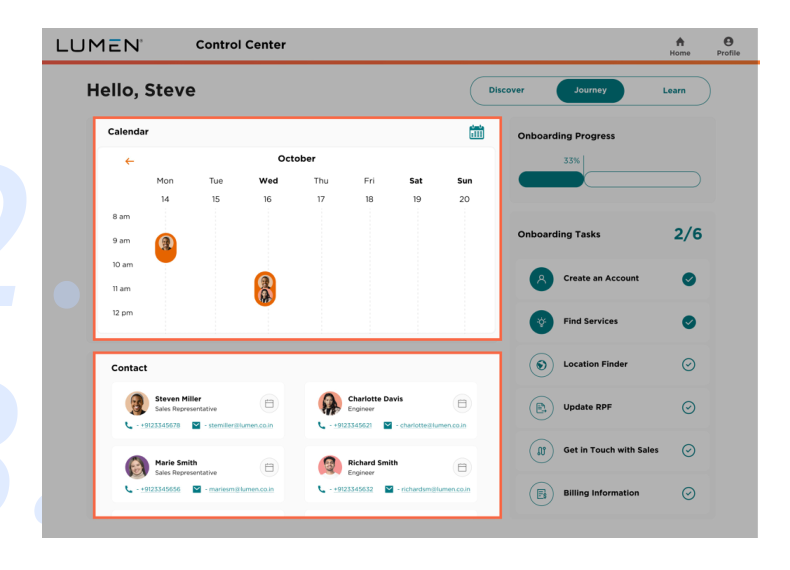
The Journey tab bridges the gap between self-service discovery and human expertise. Once a buyer has identified their needs through the Discover tab, they can schedule a consultation directly with a Lumen engineer or sales representative.
Schedule a consultation with a Lumen engineer or sales rep directly from the platform
Access assigned Sales Representatives and Engineers with direct contact information
Track completion of key onboarding tasks in one place
Final Look
DiscoverJourneyLearn
The Learn tab provides enterprise buyers with guided onboarding resources including a structured FAQ, popular help topics, and an AI-powered FAQ Assistance panel — helping new users get started with Lumen's services confidently without needing to contact the support team.
Schedule a consultation with a Lumen engineer or sales rep directly from the platform
Access assigned Sales Representatives and Engineers with direct contact information
Track completion of key onboarding tasks in one place
User Testing
We conducted early moderated and unmoderated testing with 5 participants to evaluate our homepage concepts across four dimensions: 5-second impression, content clarity, trustworthiness, and visual design.
4 out of 5 testers preferred the restructured website.
Guidance — Users feel guided by the wealth of tools at their disposal.
Clarity — Users have clarity with the knowledge of Lumen and refreshed copy.
Engagement — Users feel engaged by the modern visual design.
Solution
Enterprise Experience Redesign — Feature Summary
This suite of self-service tools reimagines the enterprise buying experience — guiding potential customers from initial discovery to a customized proposal, while reducing reliance on sales intervention for both buyers and Lumen's sales team.
Feature includes:
Website Restructure: Redesigned information architecture with clear industry-specific navigation and entry points.
AI Chatbot: Conversational entry point for instant answers and RFP creation.
Control Center: A unified hub where enterprise buyers can check service availability by location, find the right products through a guided quiz, generate a custom proposal, schedule a consultation with an engineer, and access onboarding resources — all in one place.
Results
This project was delivered to Lumen Technologies through the SCADpro partnership as a clickable prototype, along with research findings, customer personas, and design documentation.
UI Case Study
UI Design Concepts for an Indie Action Street Game
Estimated 7 min
Duration
2025
Team
Xiaoyun Zhou / Yixin Yang
Role
UI/UX Lead · Game UI Design
Tools
Suck It Up Video Game UI
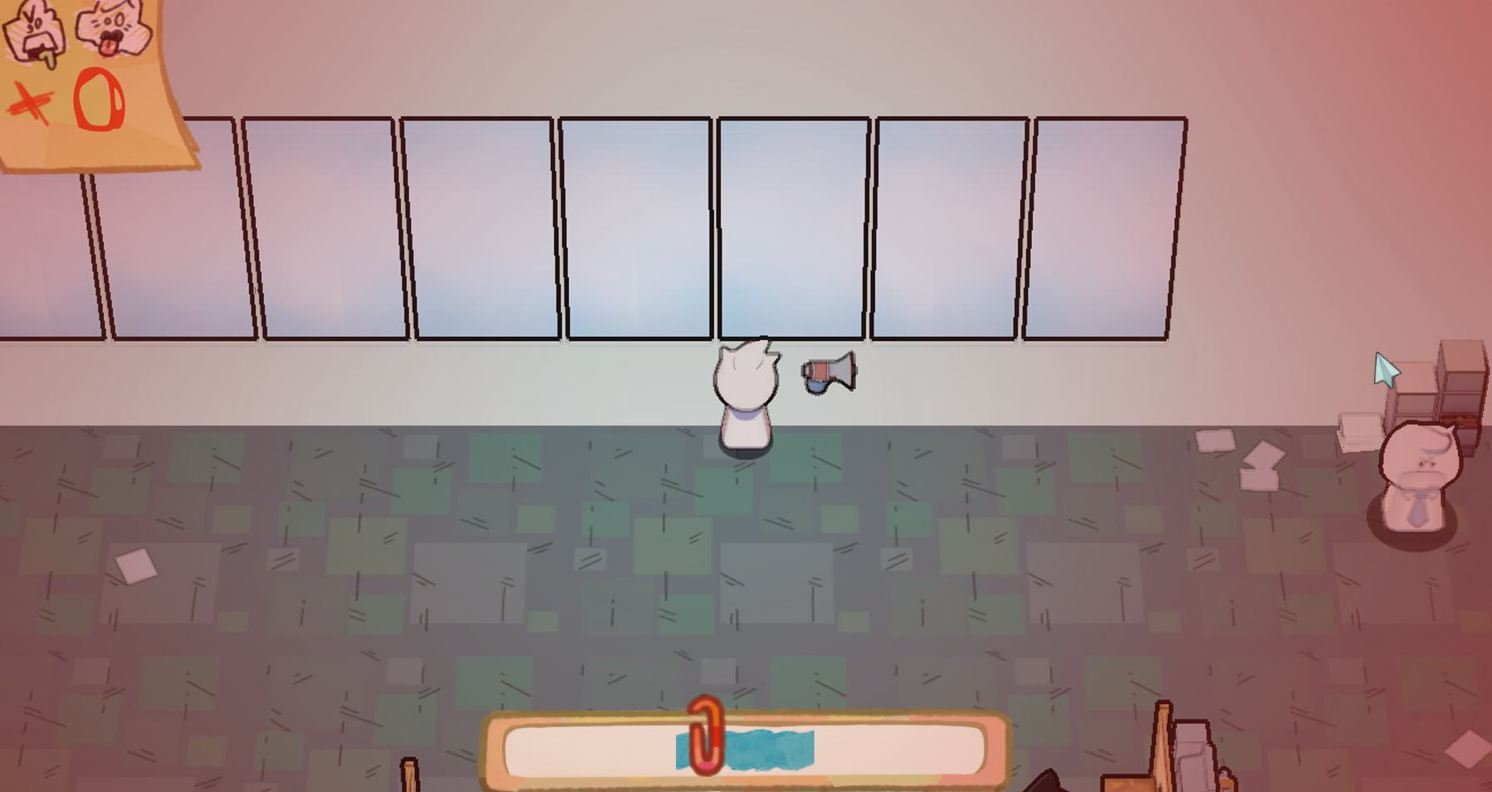
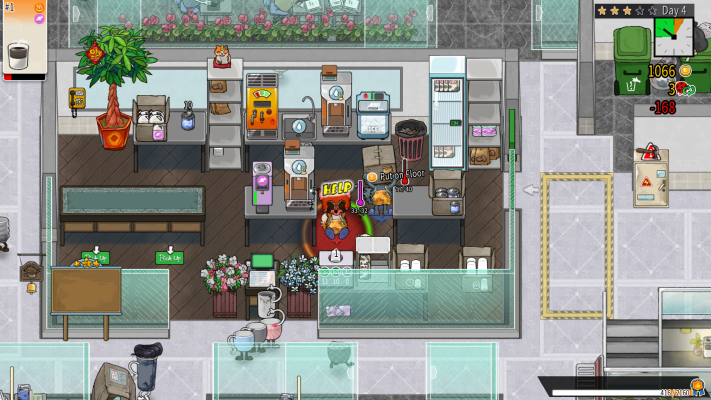
Suck It Up is an action/strategy street game set in the year 2000. Colleagues attack with speech bubbles; players dodge, absorb, and throw words back to climb the corporate ladder and finally challenge the boss. The UI work focused on the systems players were missing in the middle of that chaos.
Background
An office combat game about using other people’s words against them.
Your coworkers will “attack” you in words. The goal is to counterattack, climb the corporate ladder, and finally challenge the boss — but the wrong word can get you fired.
How to Play
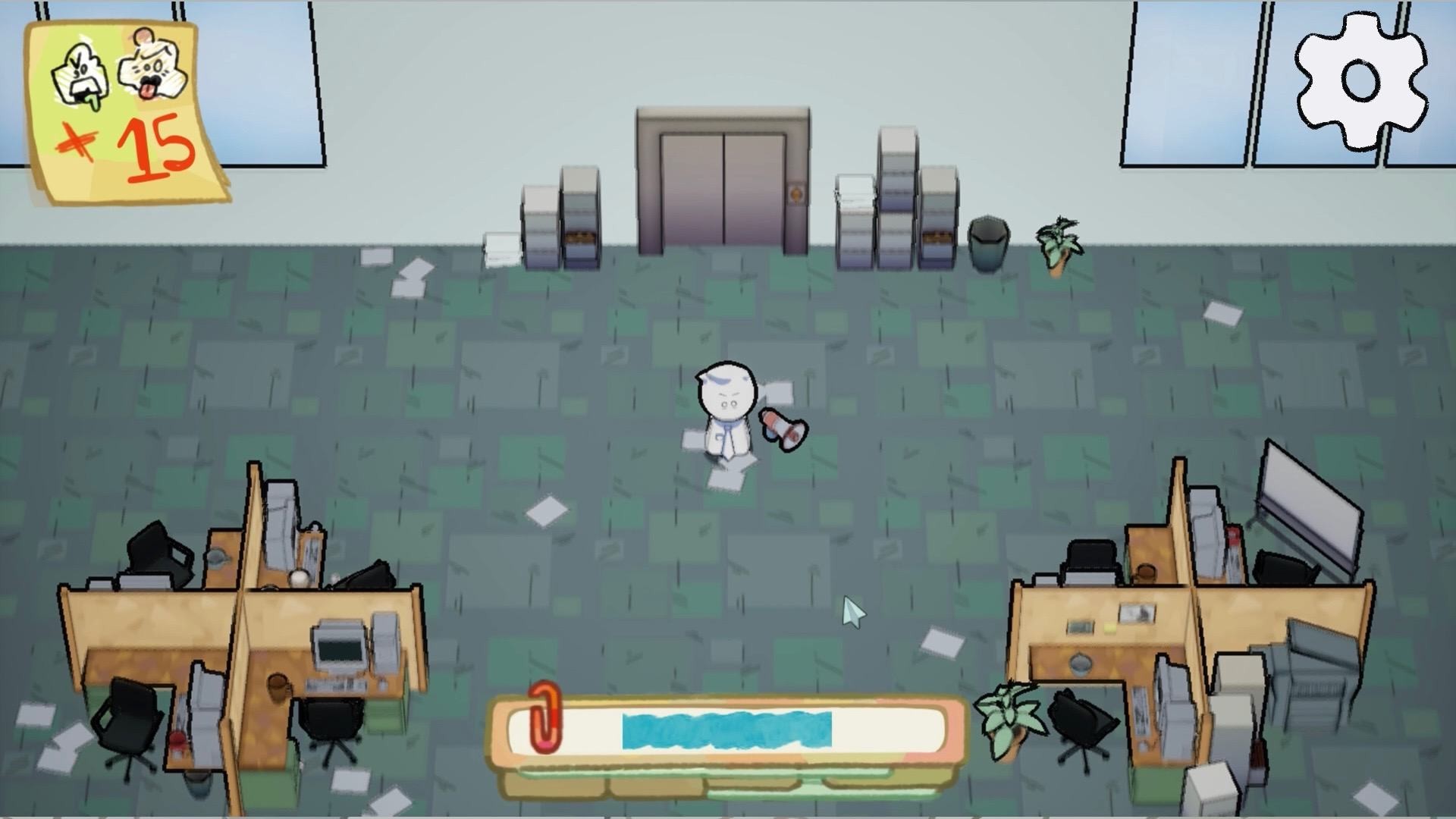
Skip Attack — Enemies send speech bubbles. Move to dodge them and avoid being hit.
Absorb & Counterattack — Suck up dialogue bubbles and throw them back. Not every word is a good counter — choose what you return.
Challenge your boss — Beat colleagues, get promoted, and face stronger opponents until you prove you belong at the top.
Research
What are we missing?
We played the current build and compared it with games that handle pause menus, tutorials, health, and aiming clearly. Four gaps showed up immediately.
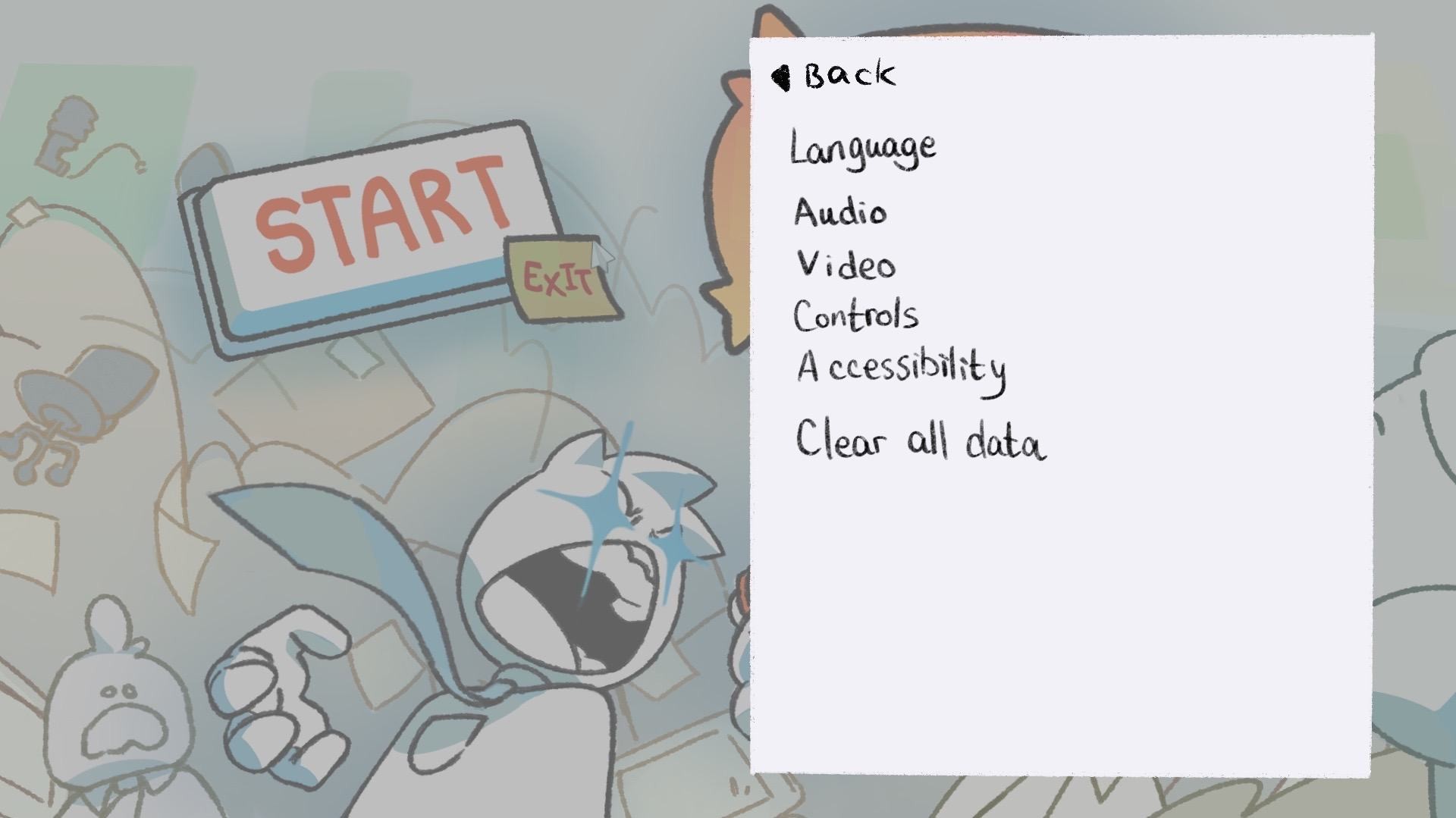
1. Missing settings
There is no settings menu while the game is in progress, so players cannot adjust screen size or sound without quitting.
2. No game guide
First-time players have to guess how to move, absorb, and counterattack. There is no onboarding overlay when they enter the office.
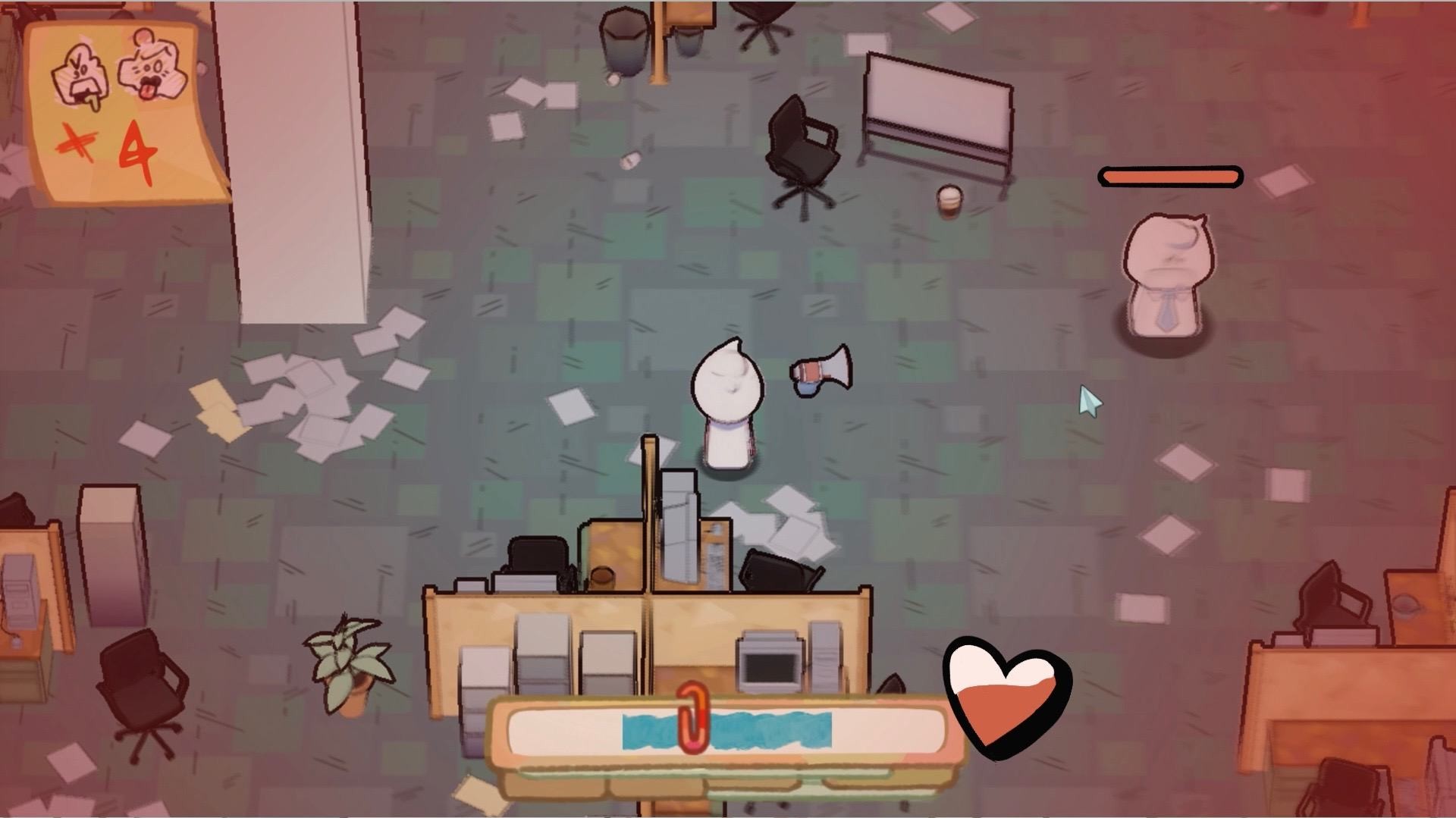
3. Health is not obvious
When the character is injured the screen tints red, but there is no health readout — so players cannot tell when they are about to fail.
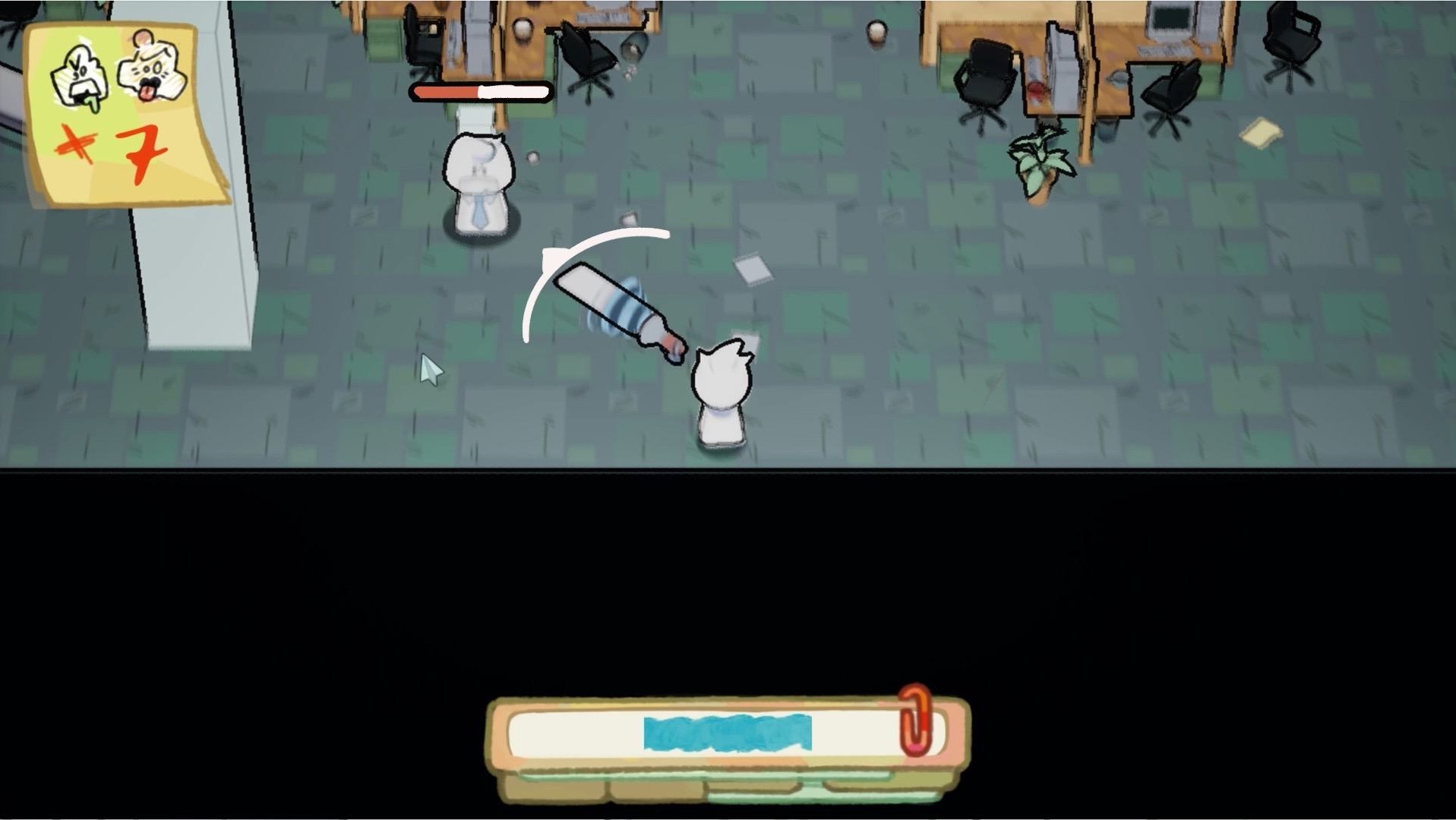
4. No vector line
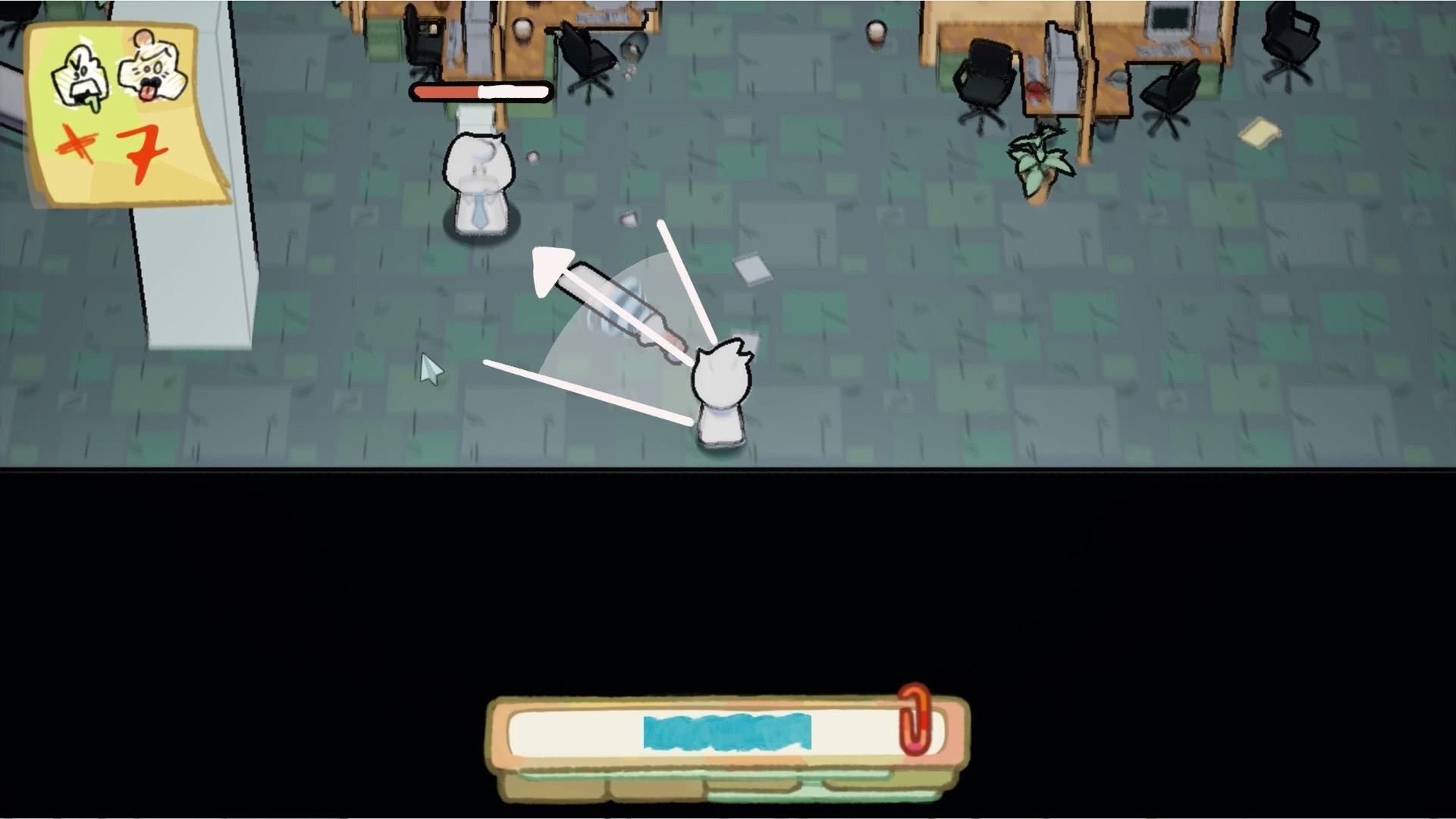
Enemies are not highlighted and shot trajectories are invisible, which makes aiming easy to miss.
Mood Board
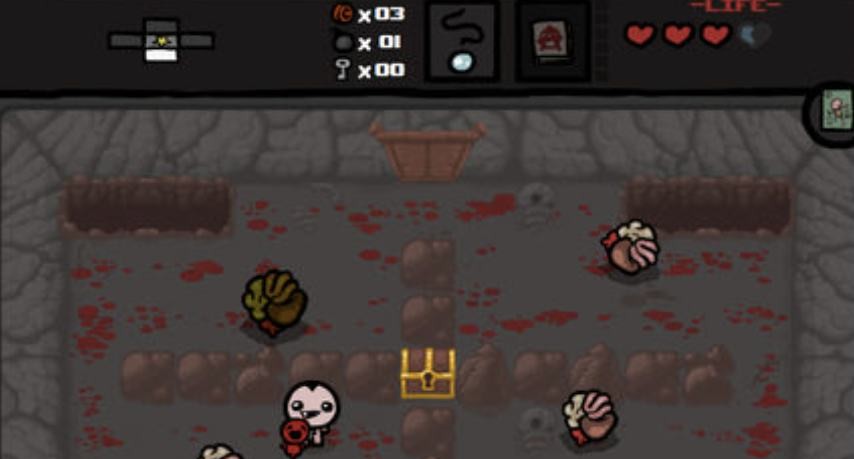
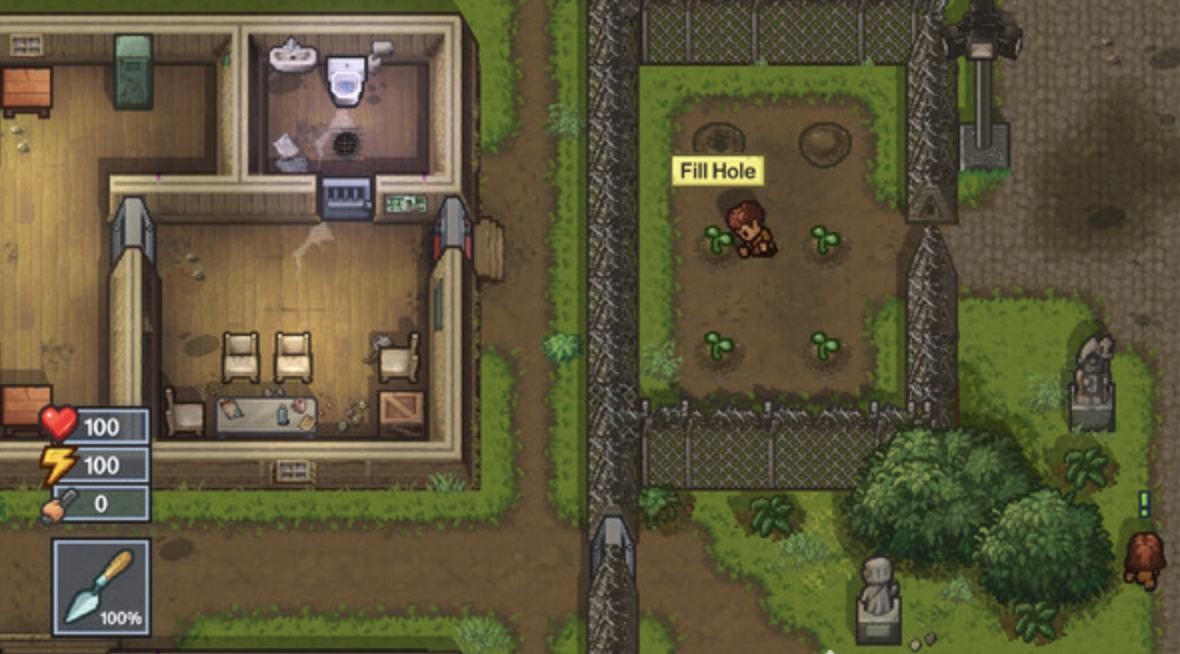
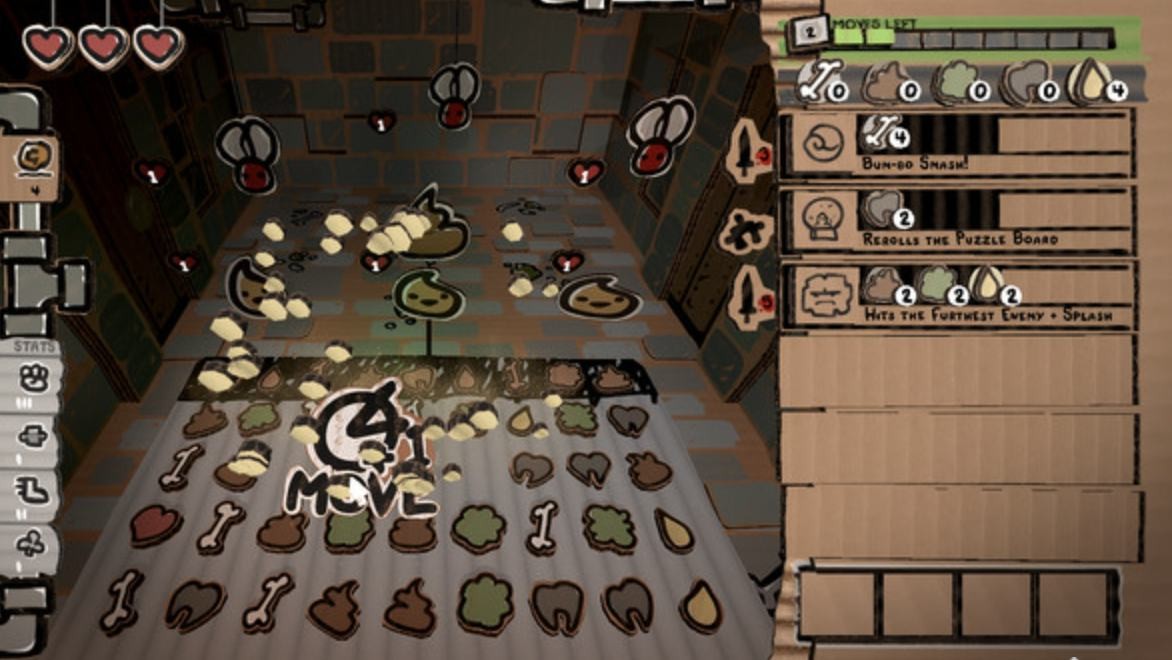
Similar art-style games informed the visual tone: thin linework, paper-like overlays, and handwritten UI that can sit on top of the office world without feeling like a generic HUD.
These references pointed toward the same thing: paper overlays, handwritten labels, and status elements that feel part of the office world rather than pasted on top of it.
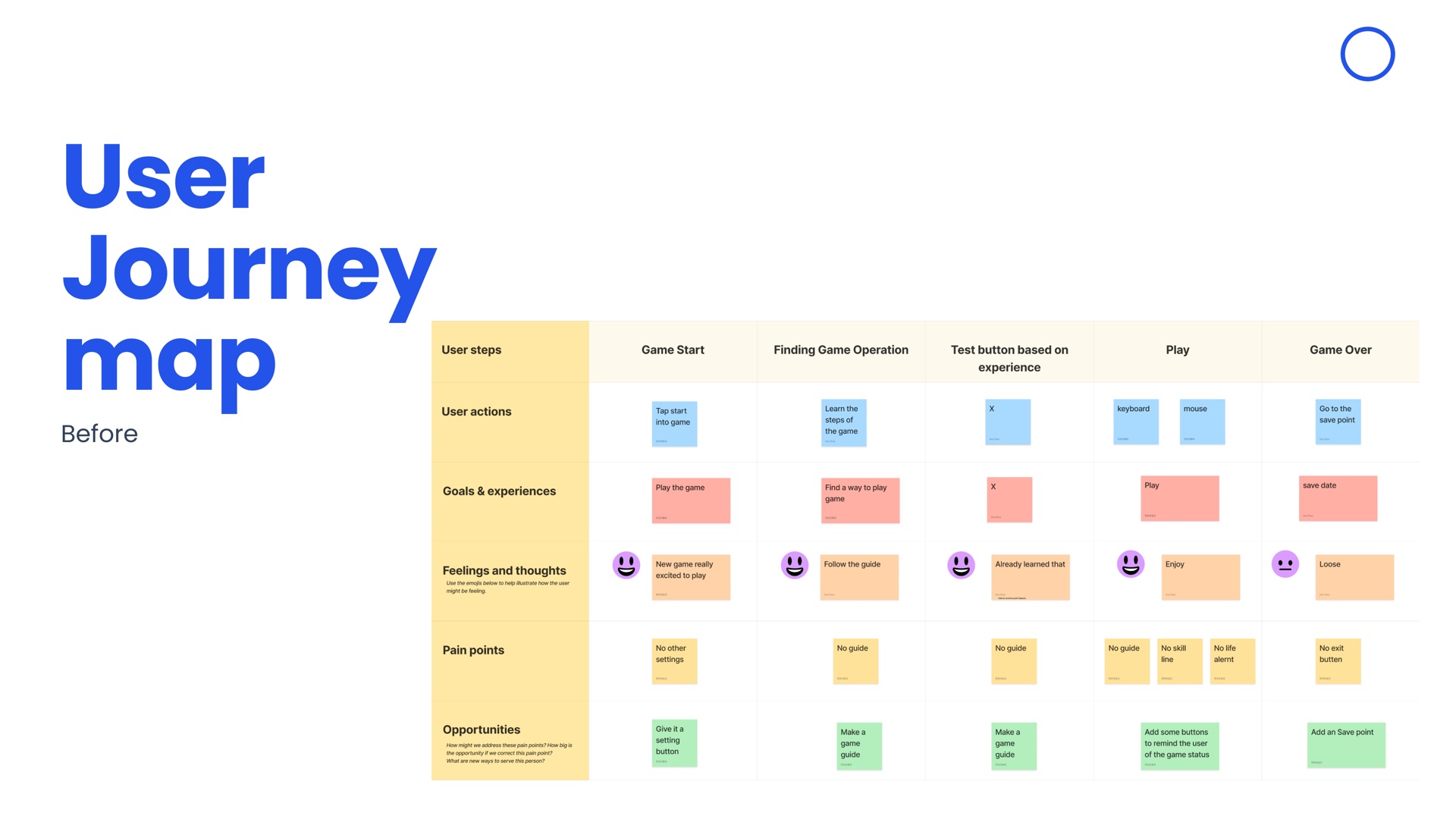
User Journey Map — Before
Before the redesign, players hit a wall the moment they enter the office. No settings, no guide, no way to read their health — and no explanation when they lost.
Ideation
We sketched the four missing systems directly onto gameplay stills so they would feel native to the office, not bolted on.
Sketches-Setting
A settings entry on the start screen, a gear during play, and a paper overlay for language, audio, video, controls, accessibility, and clear data.
Sketches-Game Guide
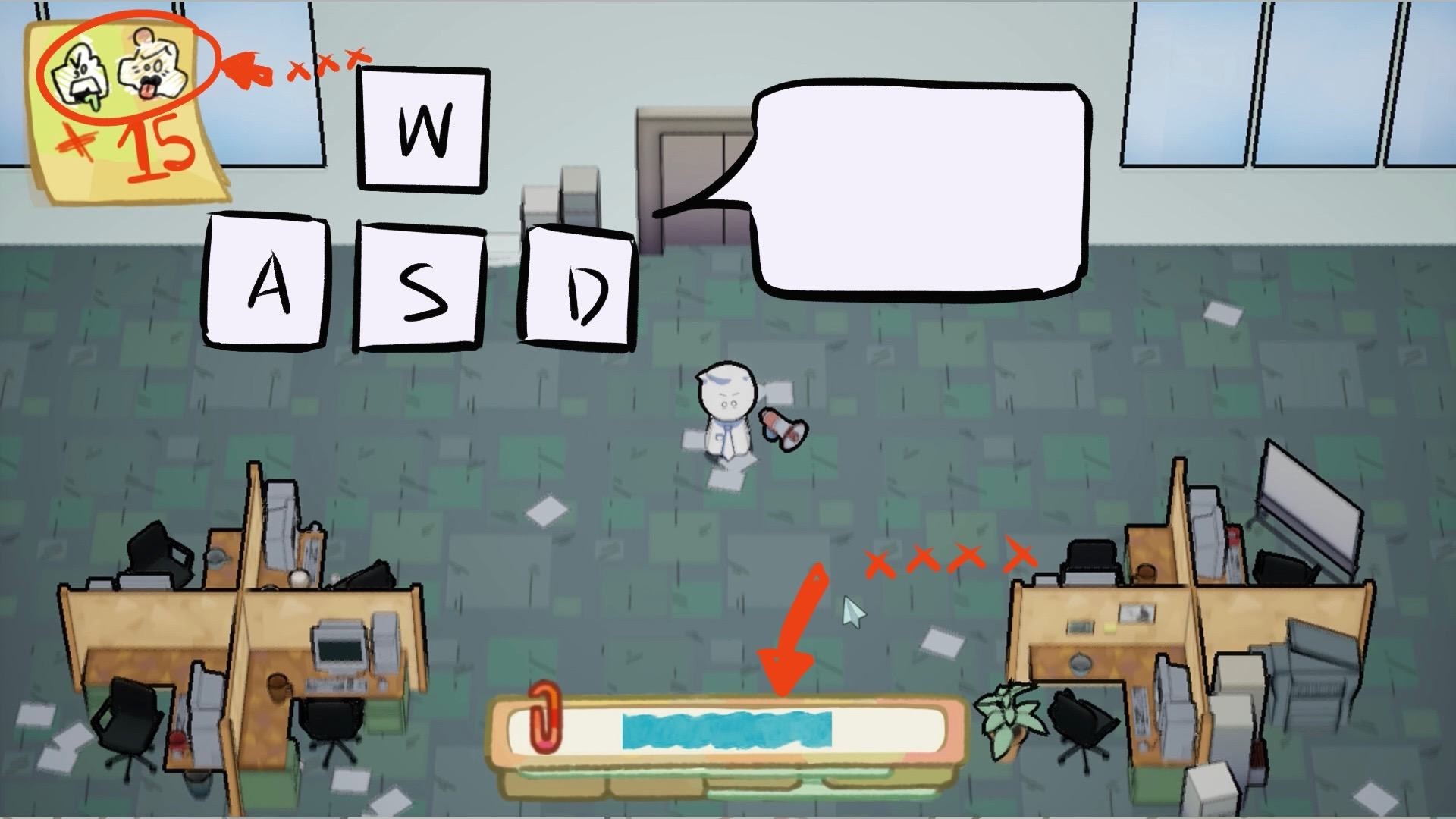
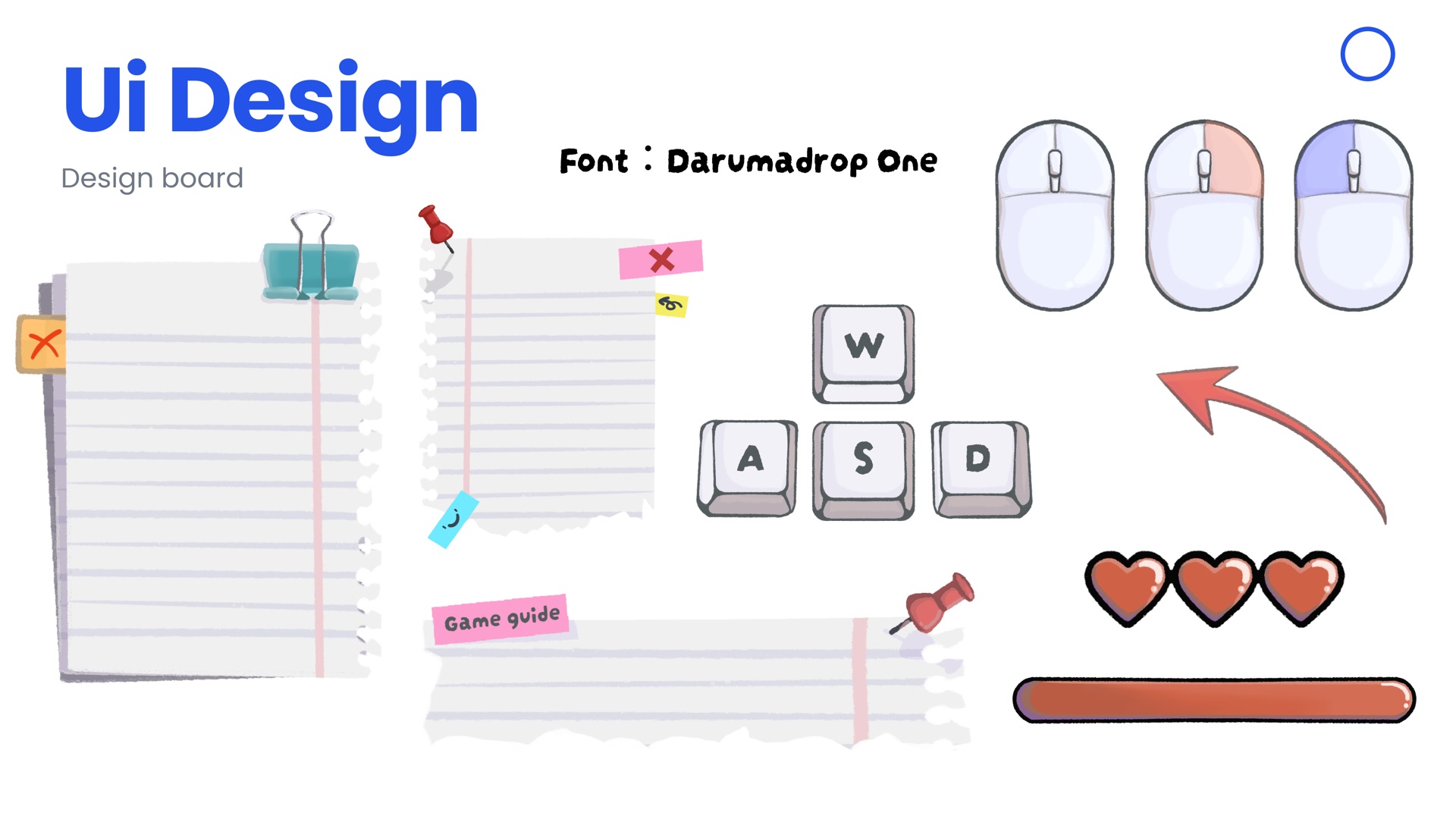
WASD keys, HP callouts, and arrows pointing to the absorb bar so a first session does not start in silence.
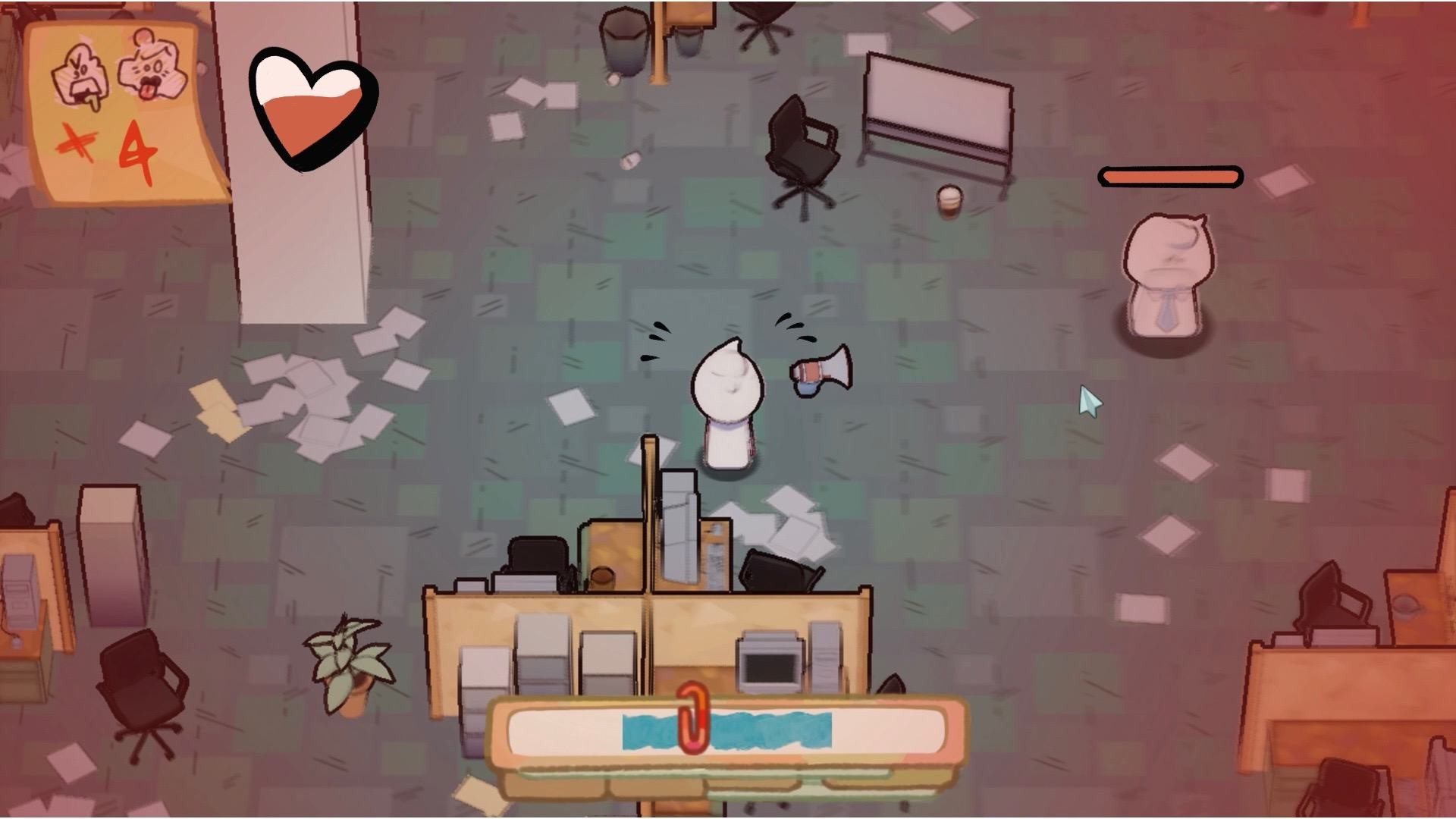
Health Icon
A heart that fills as damage lands, tested at the bottom of the HUD and near the character so status stays readable in a red injured state.
Vector Line
A short arc versus a longer aim cone — so players can see what they are about to throw, and who it will hit.
Final Design
Each system was built into the game’s paper-and-sticky visual language: a torn notebook for pause, hearts for health, and a white aim arc for throws.
1. Settings
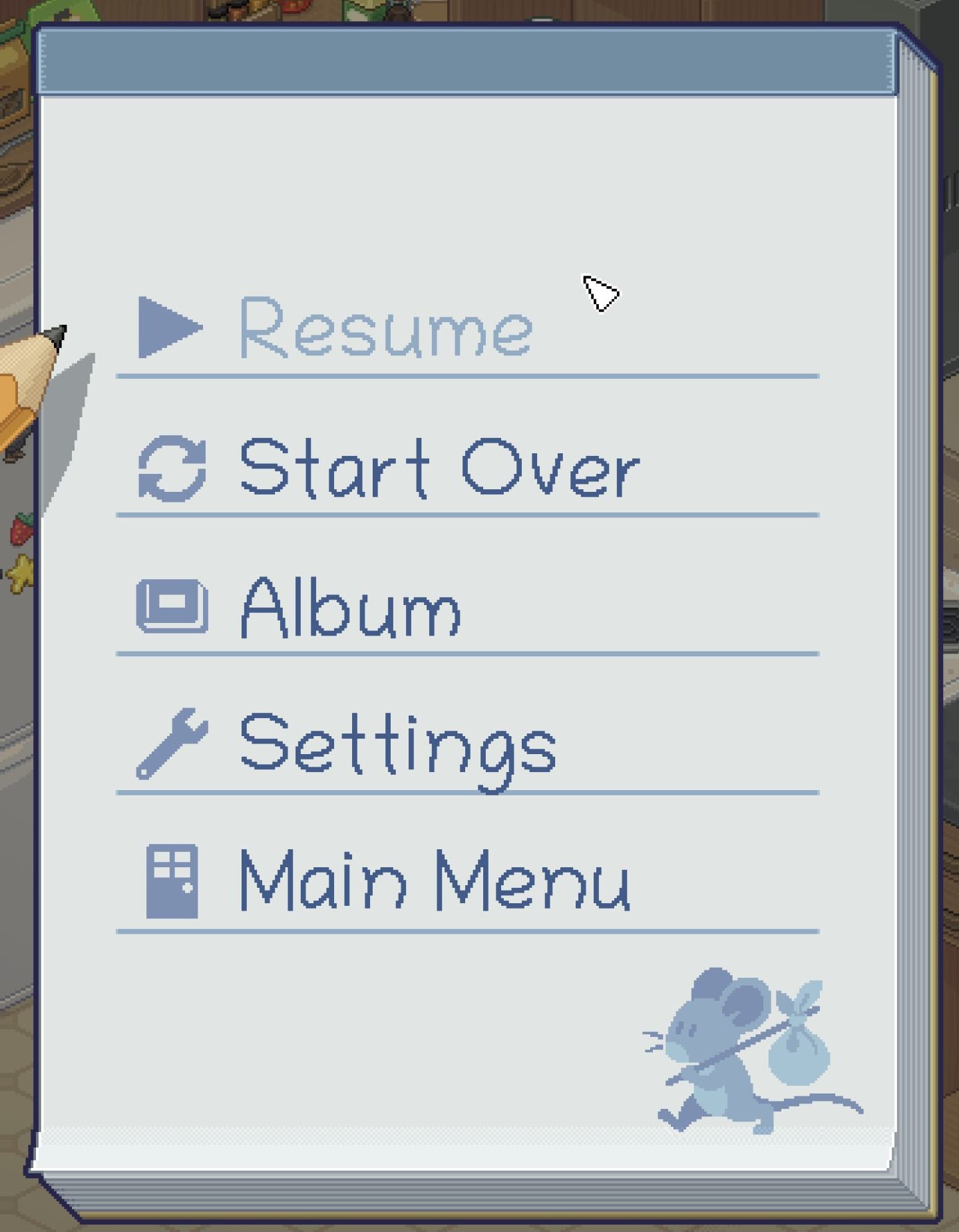
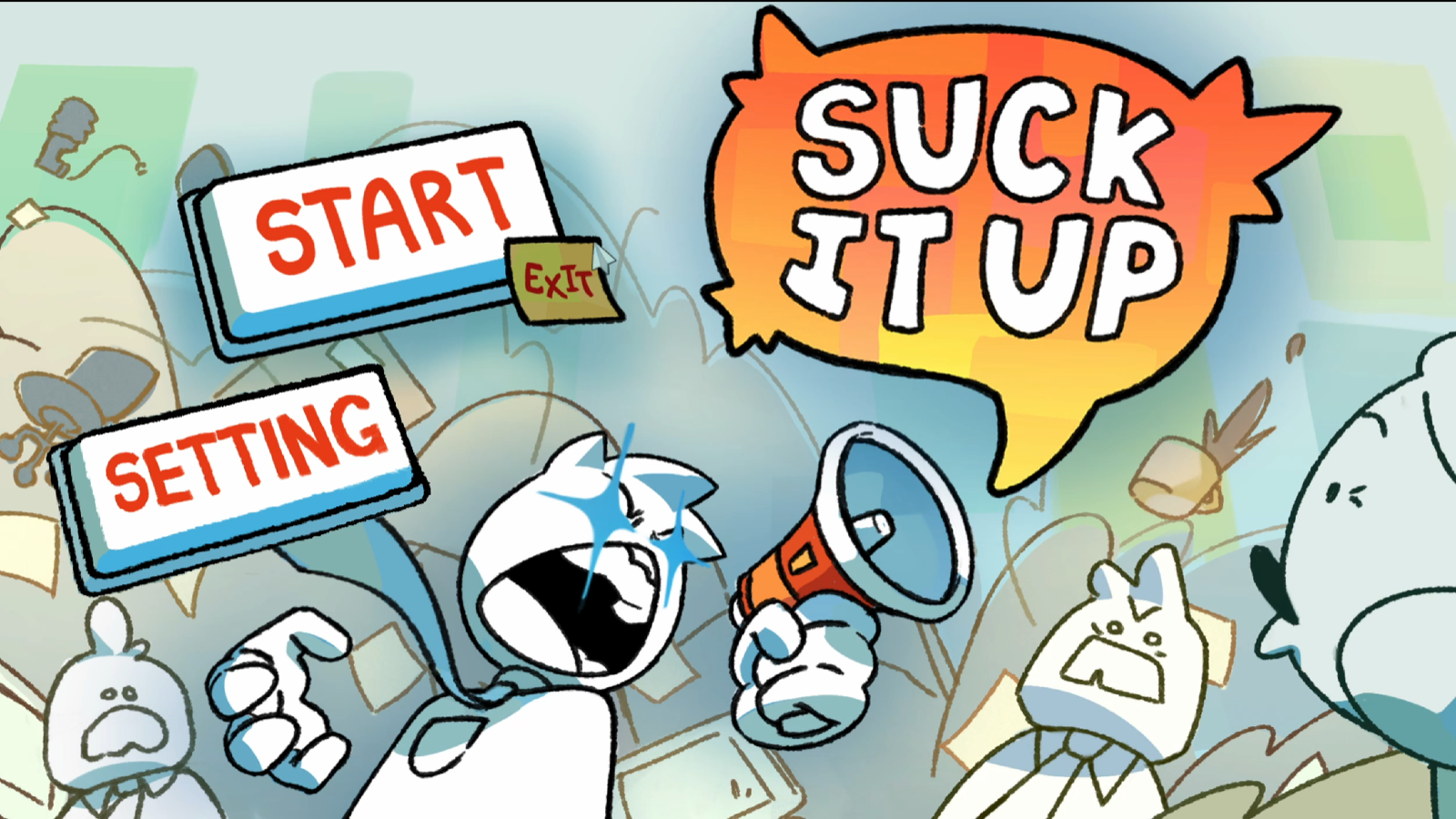
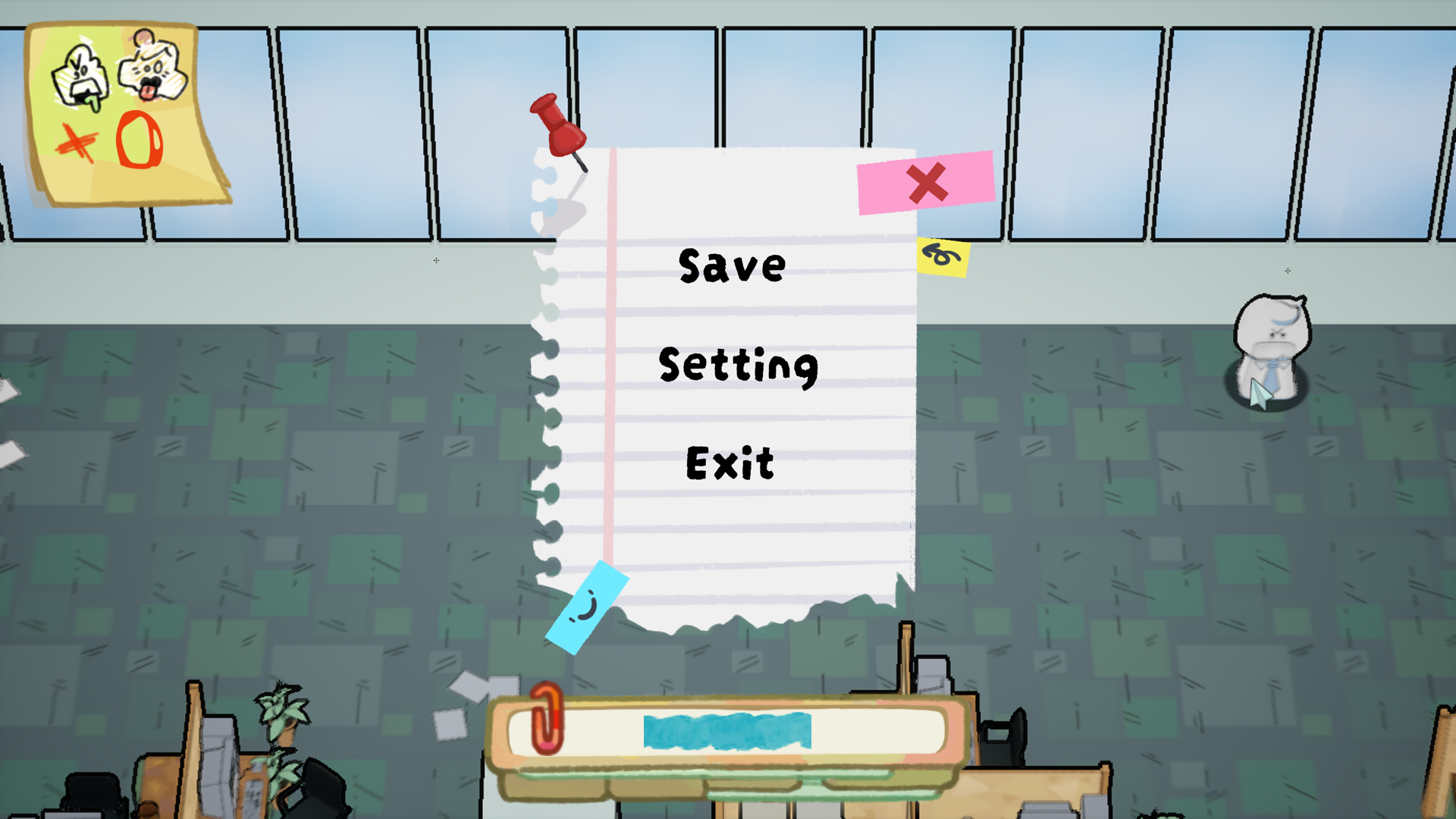
The title screen now includes Setting beside Start and Exit. In play, a torn notebook overlay offers Save, Setting, and Exit without leaving the office.
Title — Setting addedIn-game — Save / Setting / Exit
Settings flow
2. Game Guide
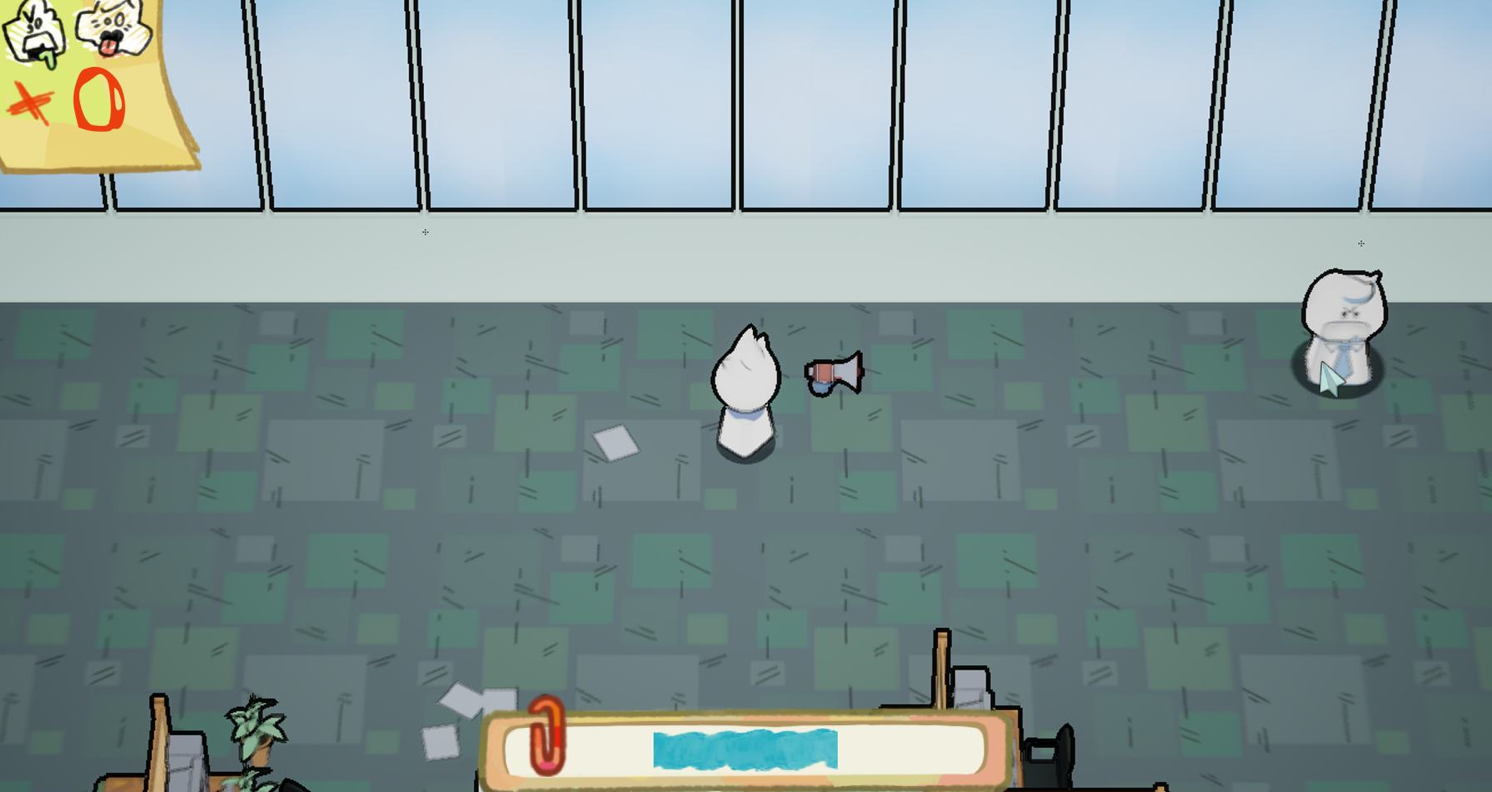
First-time players get movement and absorb hints in the world itself, instead of a separate modal that breaks the office tone.
Game guide in play
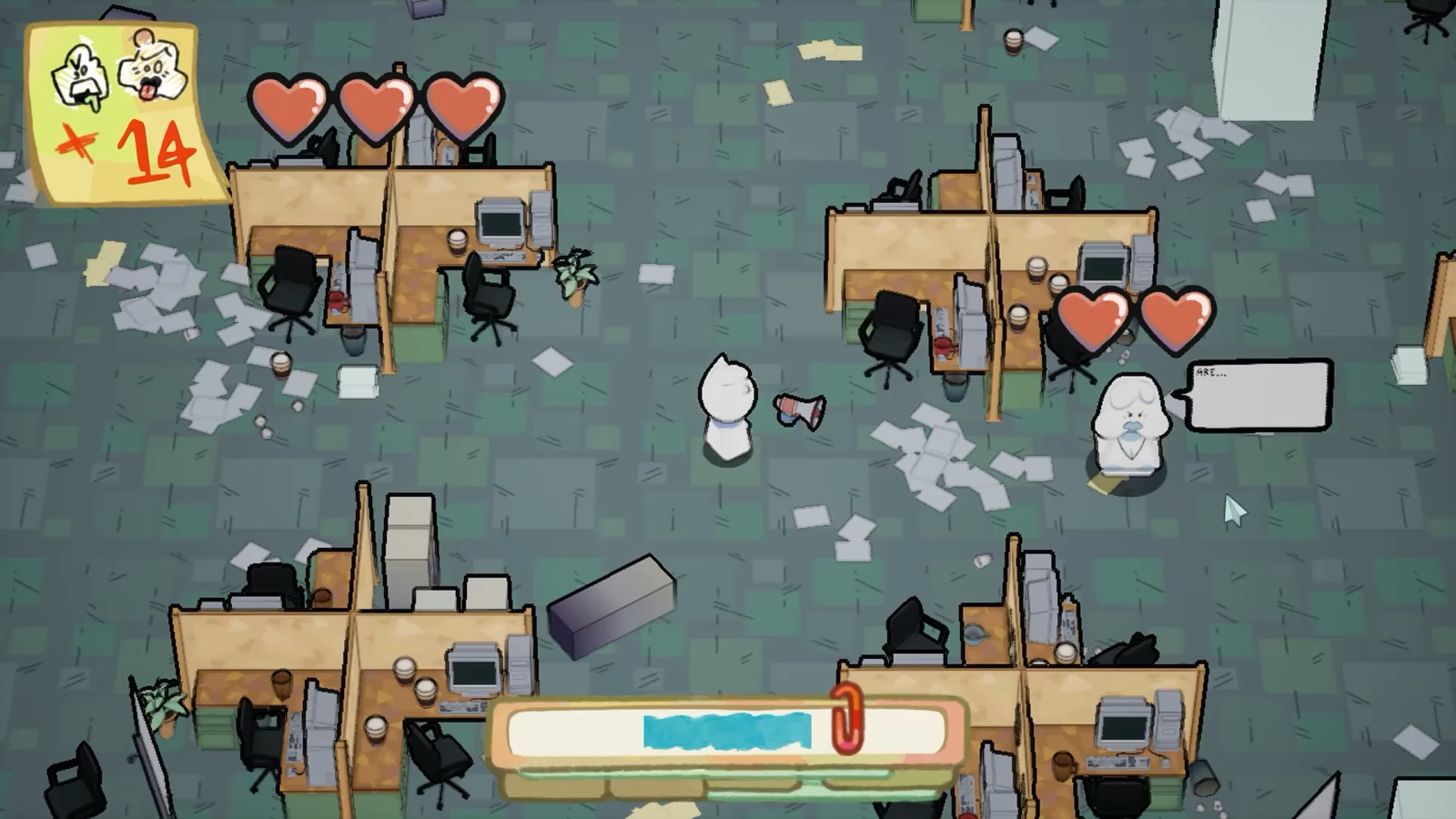
3. Health Icon
Three hearts sit in the HUD so remaining life is readable even when the screen is already turning red. Enemies can show hearts too, so combat status is shared.
Health in combat
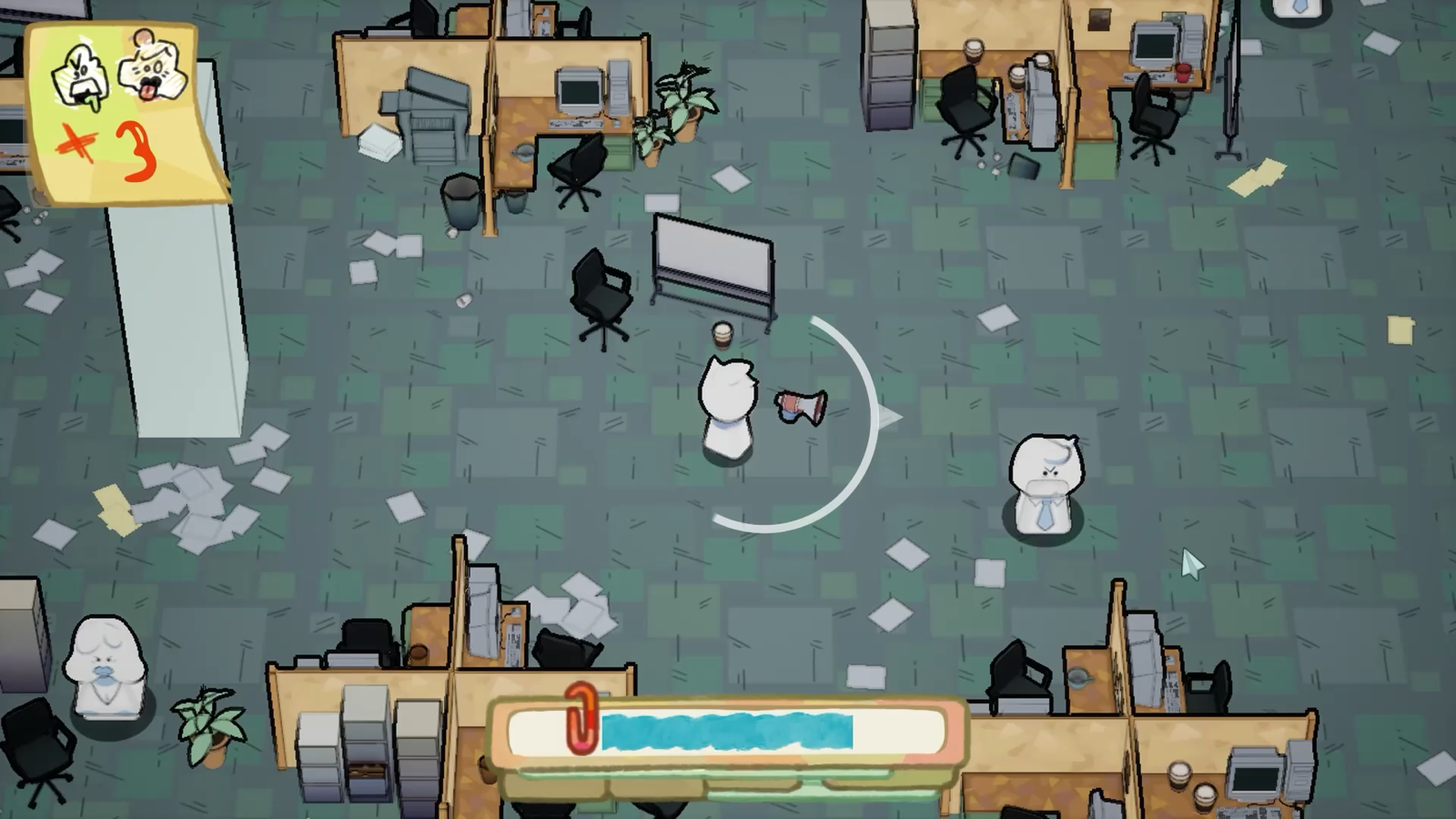
4. Vector Line
A white arc previews the throw path so players can see who they are targeting before they release.
Aim assist in play
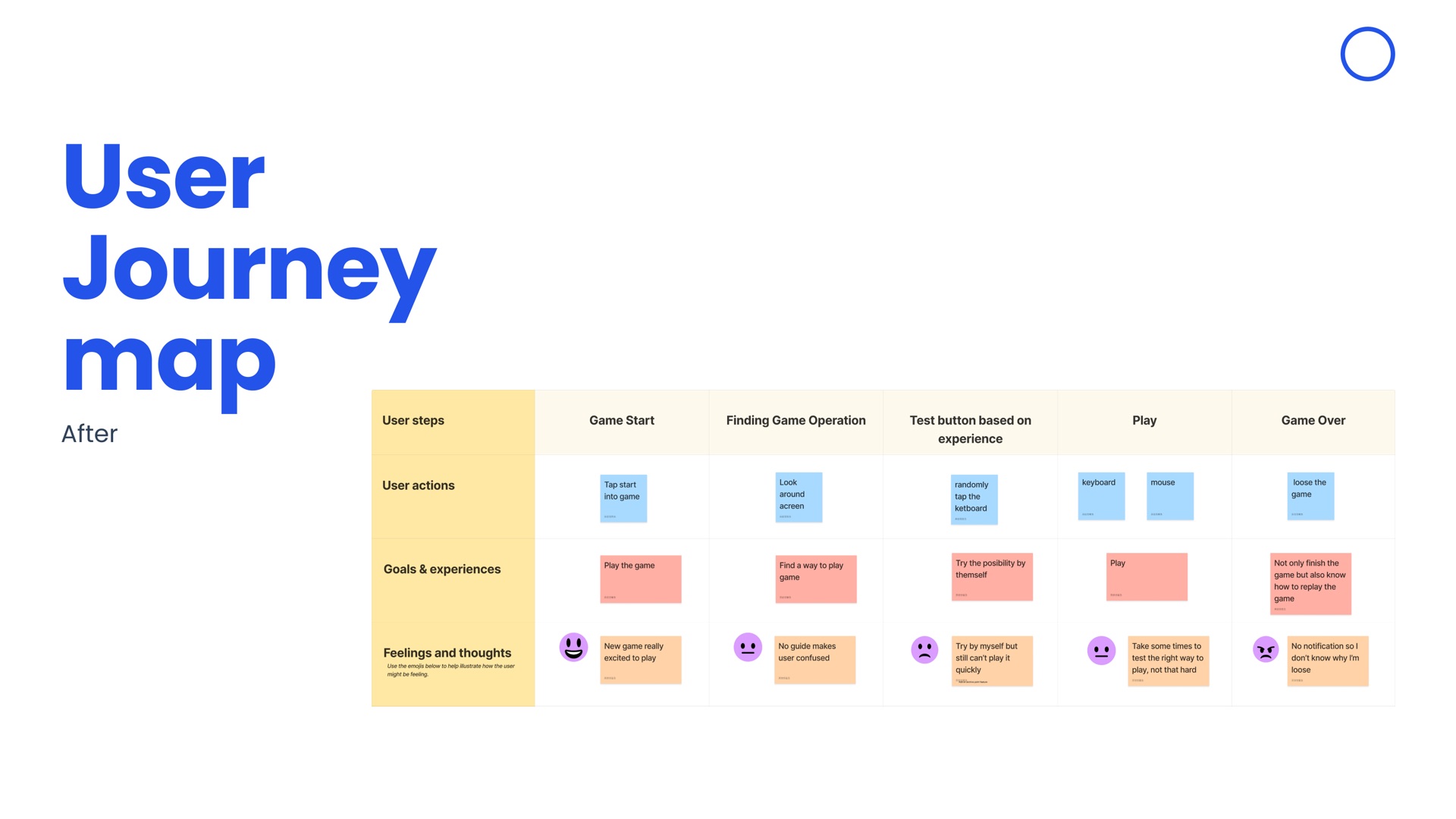
User Journey Map — After
The after map keeps the same five stages — Game Start through Game Over — and shows how the session should feel once settings, a guide, and readable status are in the HUD.
Results
This UI concept was developed with Yixin Yang as part of a studio design brief. The game has since launched on Steam.
Suck It Up! Official Trailer
UI/UX Case Study
Interactive Dining Experience Design for a Ramen Restaurant Chain
Estimated 15 min
Duration
2025
Team
Xiaoyun Zhou / Yixin Yang
Role
UI/UX Lead · Interface Design
Tools
A Tabletop Ordering Experience
JINYA Ramen Bar is a ramen restaurant chain founded by Tomo Takahashi in Tokyo in 2000, with more than 60 locations across the U.S. and Canada. The brand is known for its homemade broths simmered for 20 hours and a customizable menu that brings a modern Japanese dining experience to customers of all ages.
Problem
The current dining experience offers little interaction between customers and the menu — leaving little room for personalization or discovery during the meal.
Challenge
Design an interactive tabletop ordering experience that combines food visualization, cultural storytelling, and ramen customization for a restaurant environment.
Deliverables include: competitive analysis, user flow, low-fidelity wireframes, high-fidelity prototype, and an interactive Figma prototype.
Solution
This tabletop ordering system gives diners three things the current experience lacks: a way to build their own ramen bowl ingredient by ingredient, something to do while they wait, and a membership card that lives in Apple Wallet.
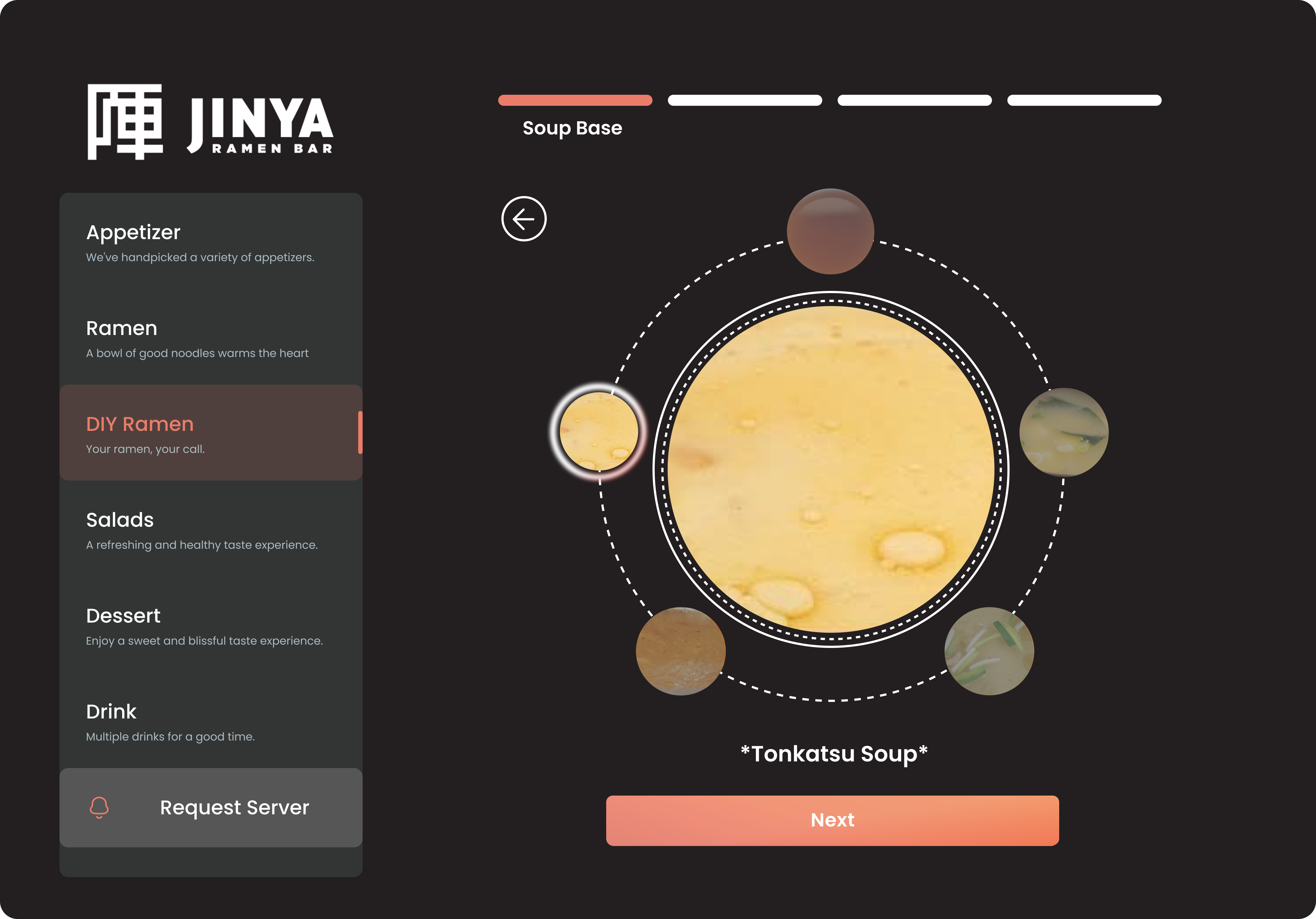
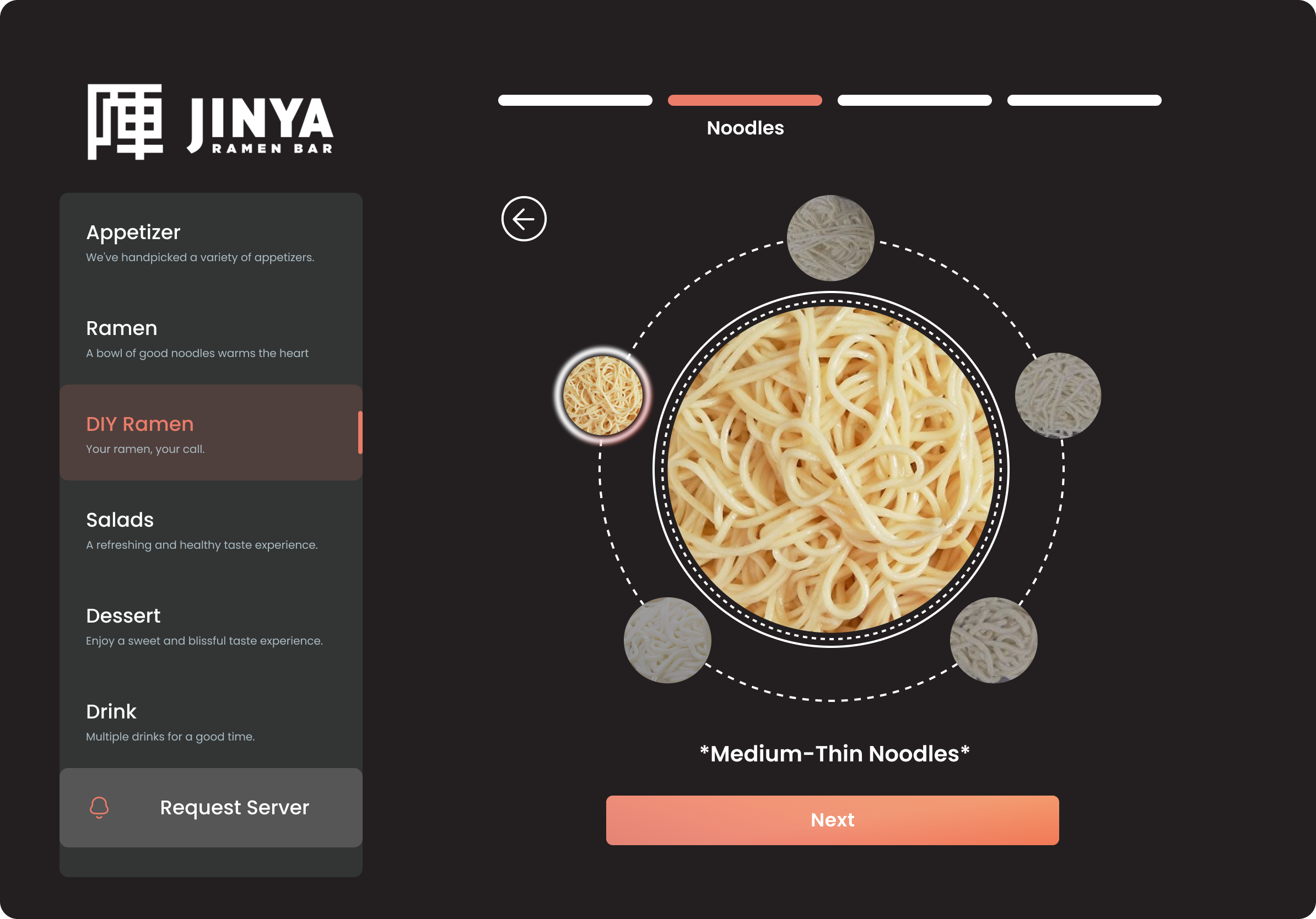
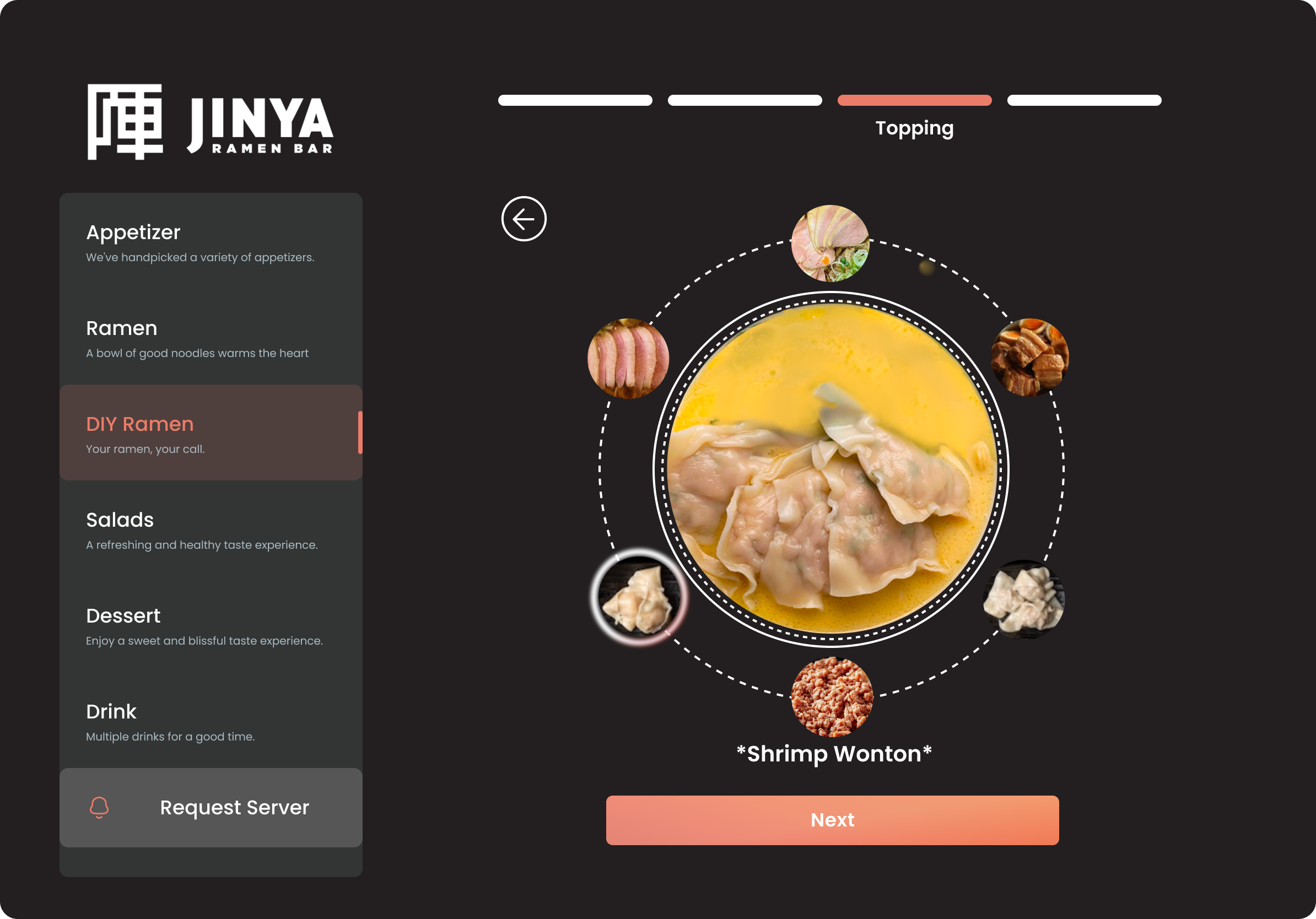
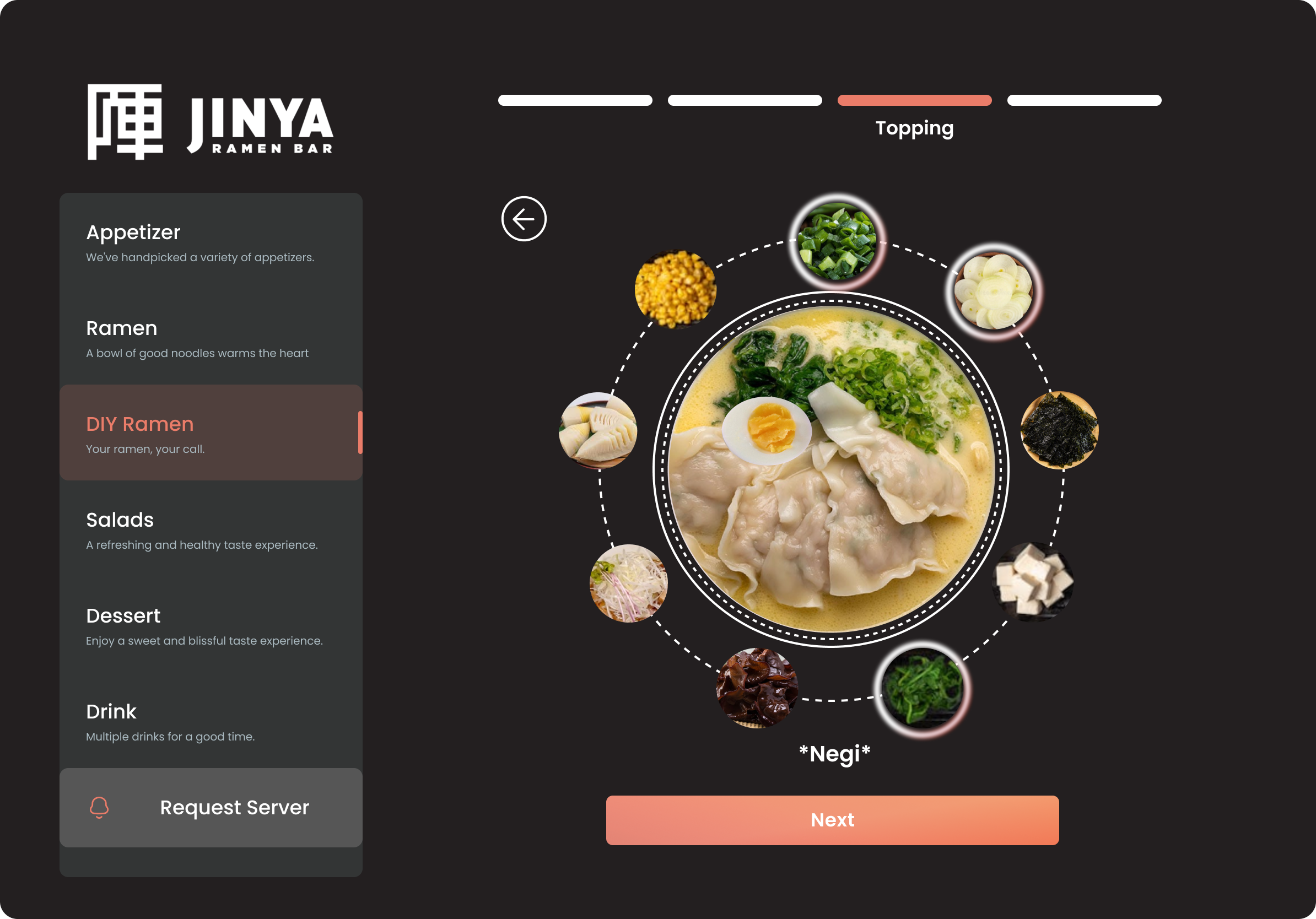
DIY Ramen Visualization — Soup base, noodle type, and topping selection with real-time bowl preview
Ramen Member Card to Apple Wallet — Personalized recommendations based on order history and taste preferences
Waiting Time Games — Simple trivia games to pass the time while food is prepared
Project Problem
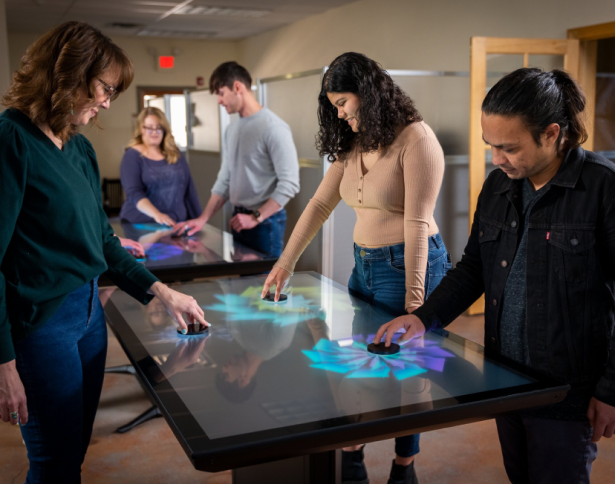
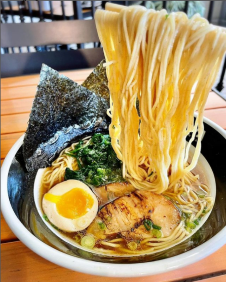
The starting point was a question: what if the dining table itself became the menu? Inspired by immersive dining experiences like Le Petit Chef, we began asking whether a screen large enough to fill a tabletop could let customers see their ramen before it arrives. The same experience could also work on an iPad or tablet for restaurants without dedicated hardware.
Competitive Analysis
We researched how other brands have approached interactive dining to understand what works and what gaps remain.
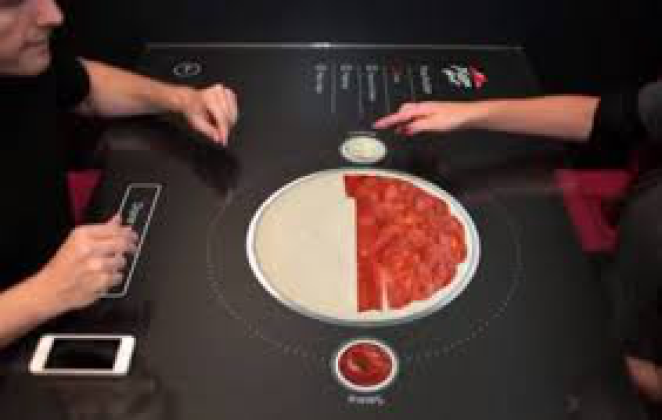
1. Pizza Hut Interactive Table
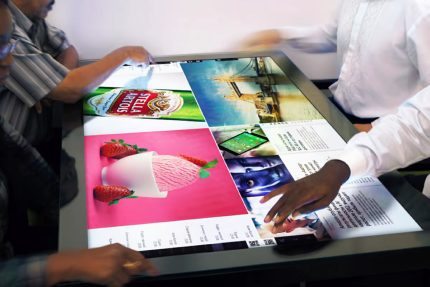
Pizza Hut partnered with Chaotic Moon Studios to transform the dining table into a large touchscreen — allowing customers to customize their pizza, preview it in real time, and access games and social features.
· The table becomes the menu — customers customize and preview their order directly on the surface, without a server in the loop.
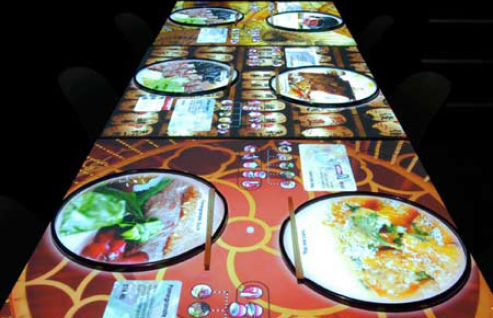
2. Inamo
Based in London, Inamo projects menus and visual content directly onto the tabletop via overhead projectors — letting customers browse, order, and play games without a physical menu or server.
· An overhead projector turns any table into an interactive ordering surface, letting diners browse, order, and play games without ever picking up a physical menu.
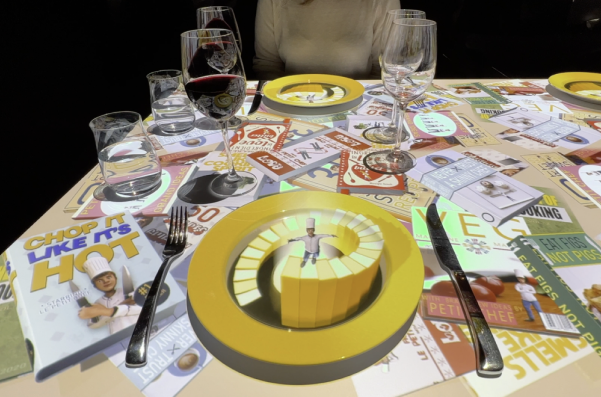
3. Le Petit Chef
Le Petit Chef combines 3D projection technology with fine dining — projecting a tiny animated chef cooking each dish directly on the customer's plate, turning dinner into an immersive story.
· A 6cm animated chef “cooks” each course directly on the diner’s plate — proving that projection can make waiting for food part of the experience itself.
Media Research
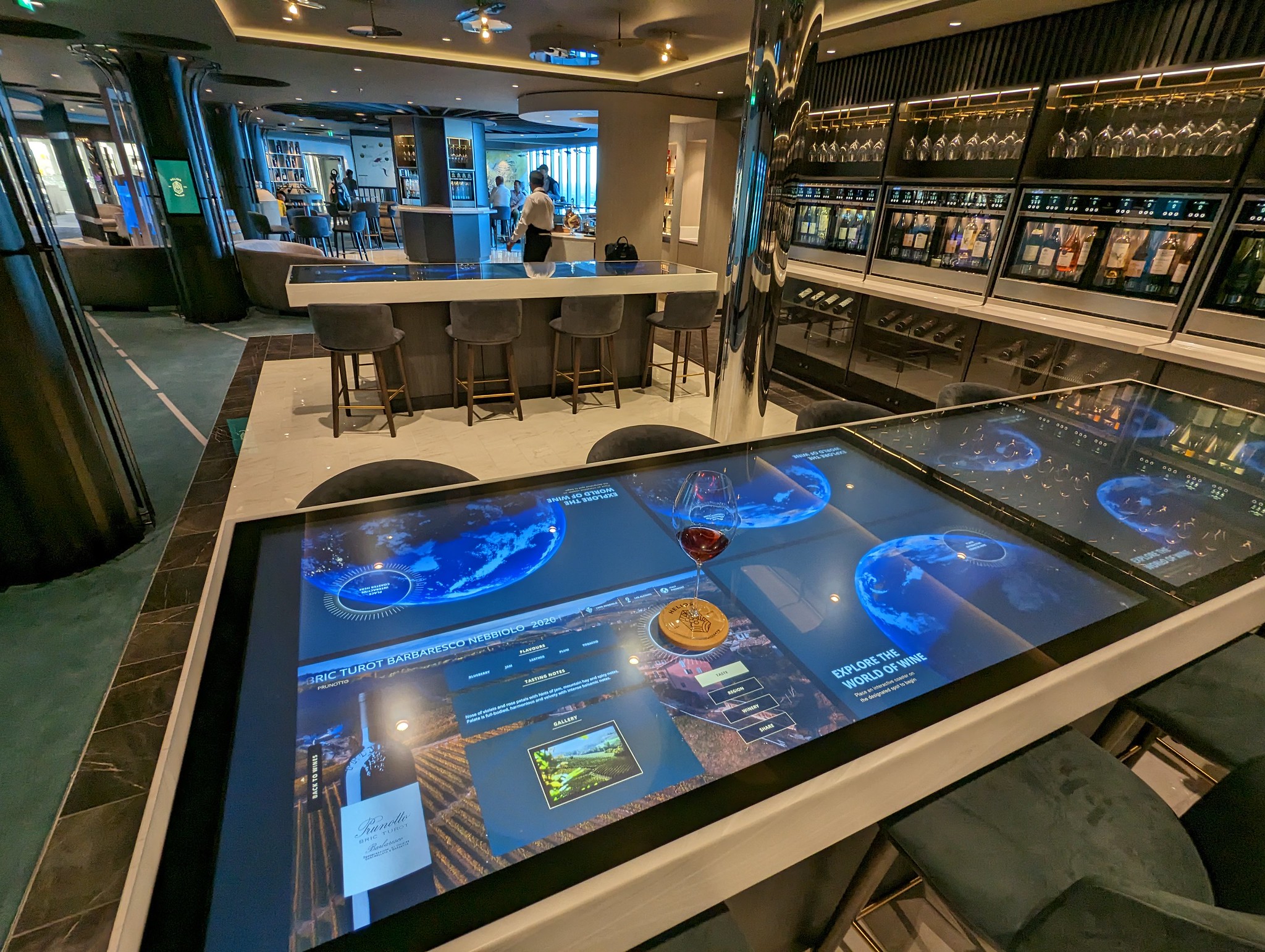
Before committing to a design direction, we researched what hardware could actually support a tabletop touchscreen experience at restaurant scale.
Ideum Inline
Ideum’s Inline series are open-frame multitouch monitors designed to fit into existing furniture — making them a practical option for embedding interactive screens directly into restaurant tables without requiring a full hardware replacement.
Ideation
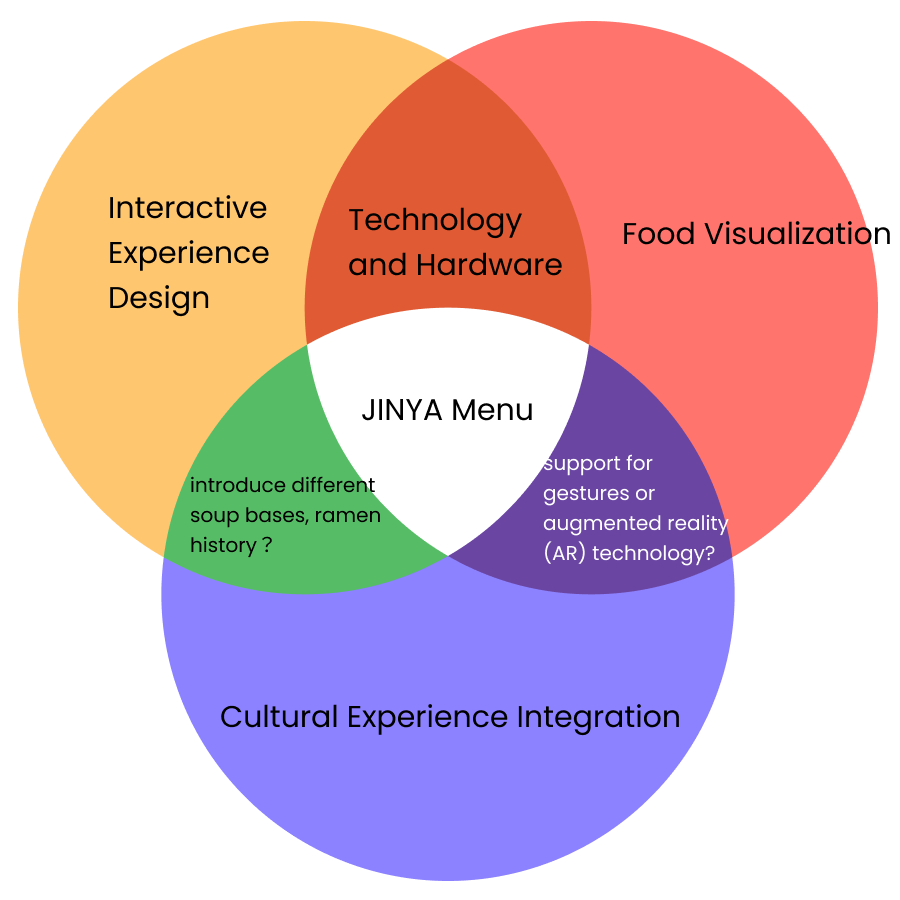
The design challenge sits at the intersection of three domains: interactive experience design, food visualization, and cultural storytelling. This framing led us to three core concepts for the tabletop system.
User Flow
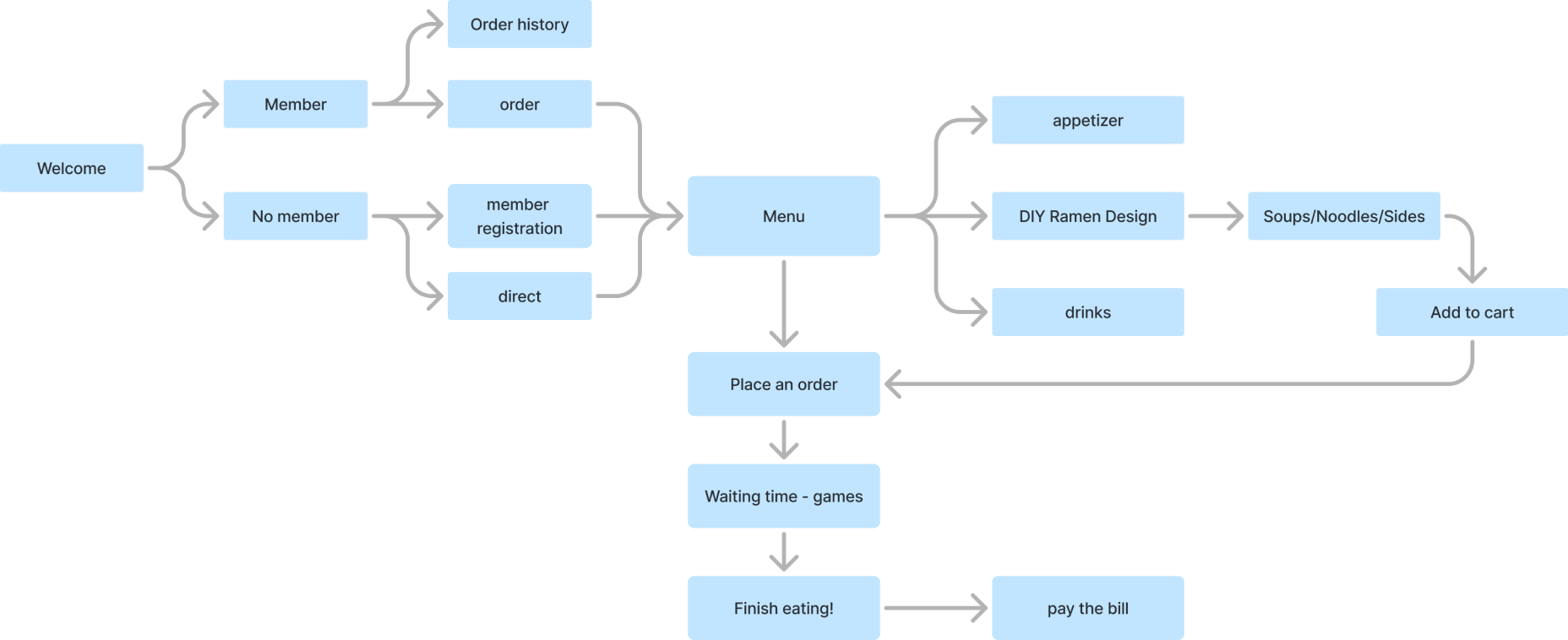
The experience begins when a customer sits down — they can log in as a member, register, or order directly. From the menu, they browse appetizers, design their own ramen, add drinks, and place an order. While waiting, a game screen keeps them engaged. The session ends at checkout.
Mockups
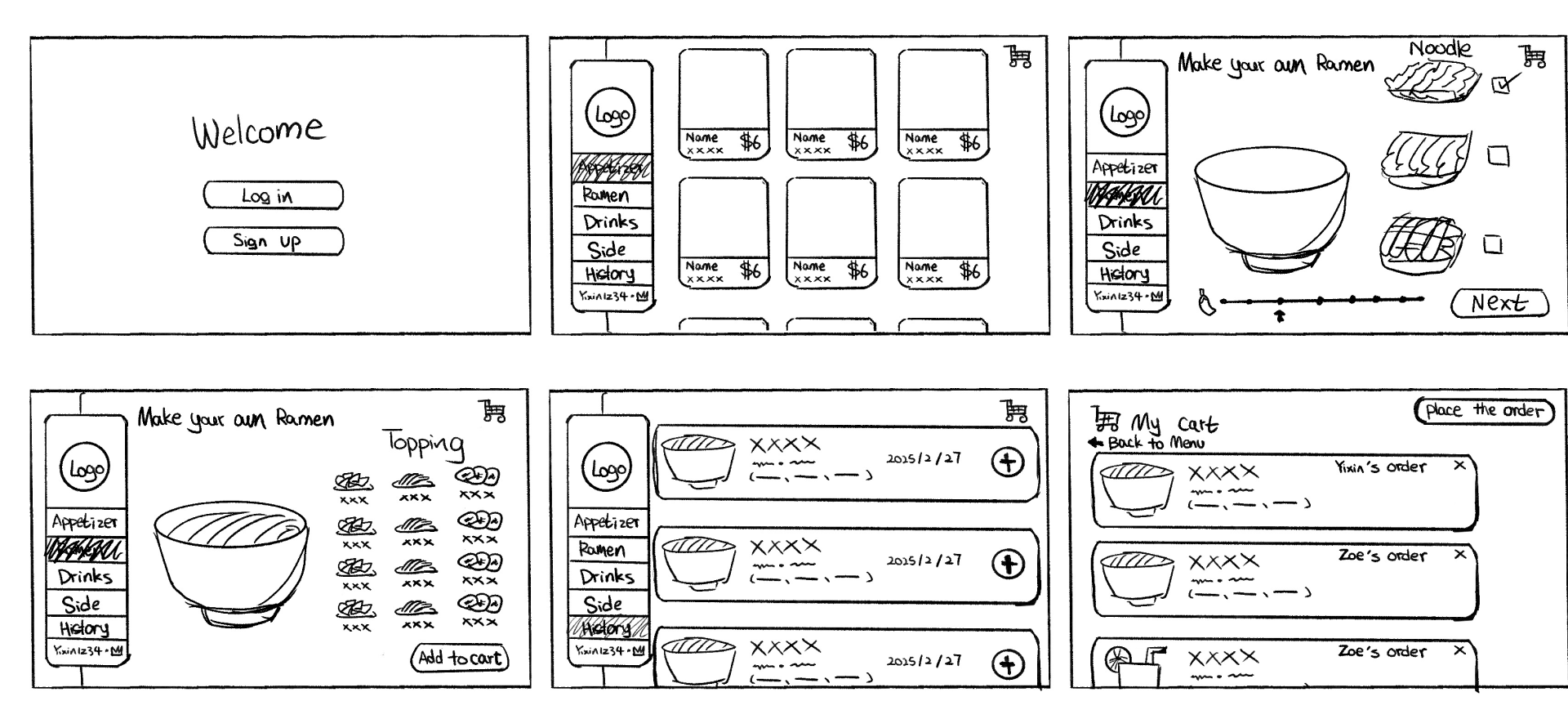
Initial Concepts
We sketched six key screens to map out the core ordering flow: welcome and login, menu browsing, DIY ramen builder, topping selection, order history, and cart checkout.
Design Iteration
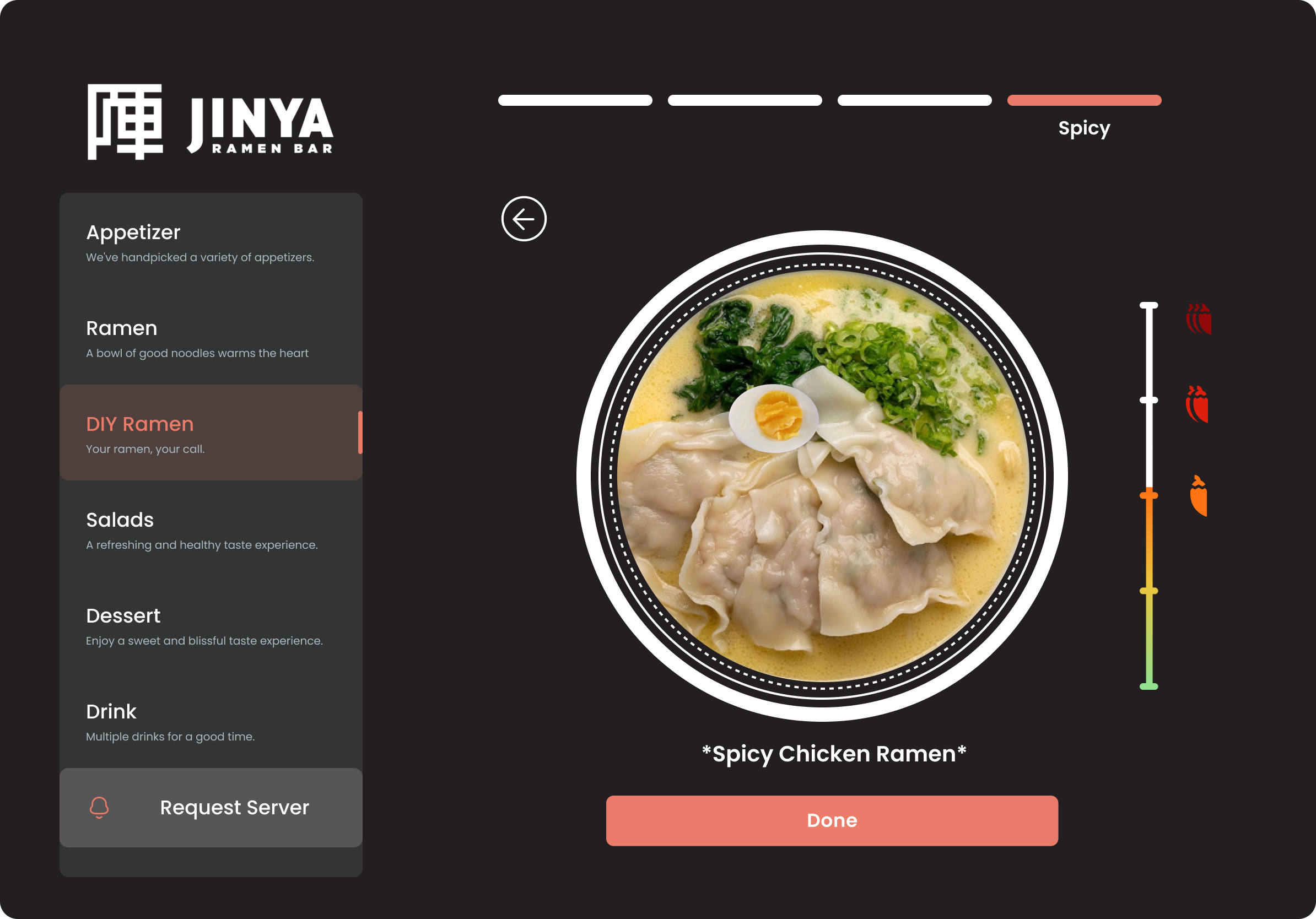
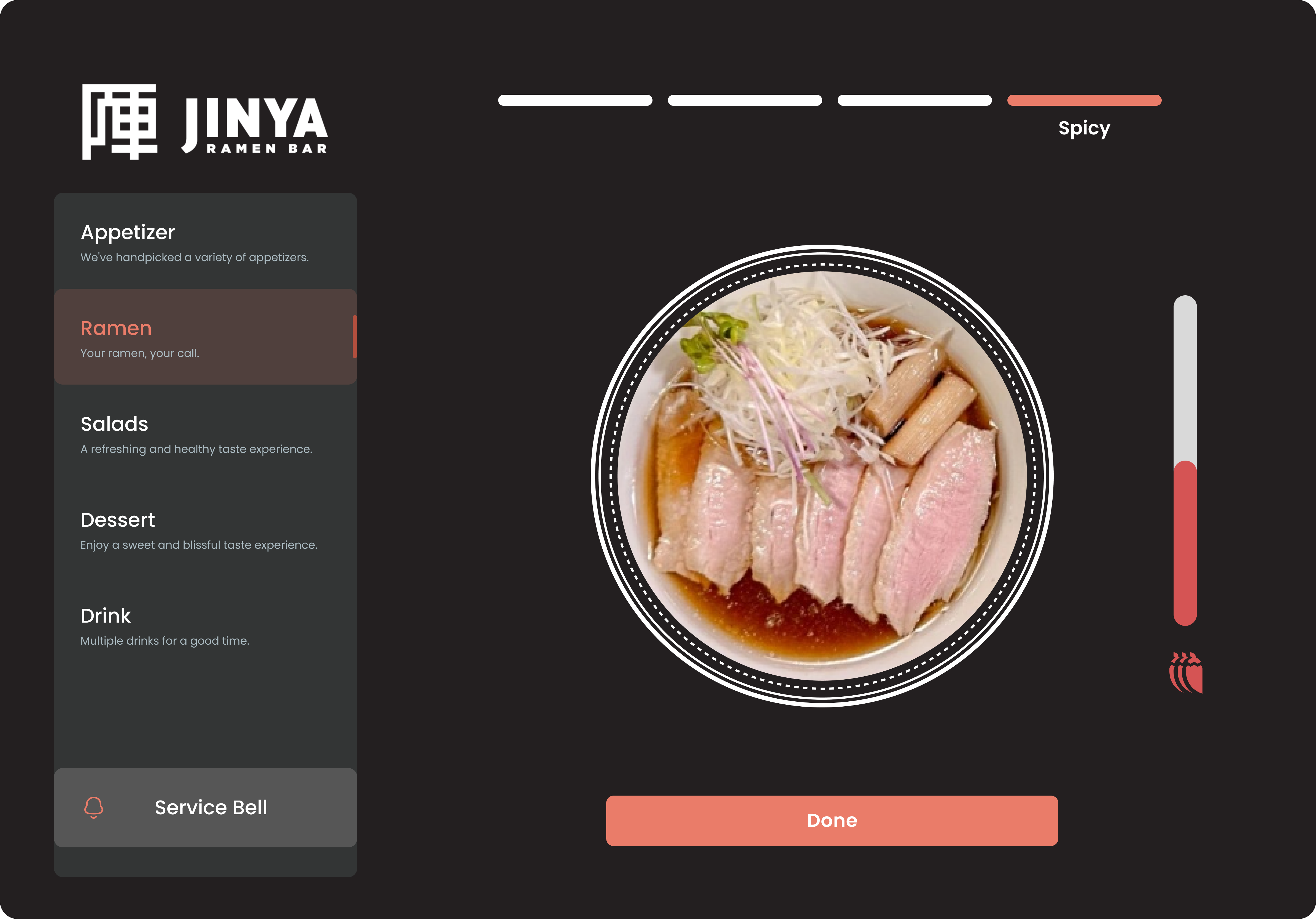
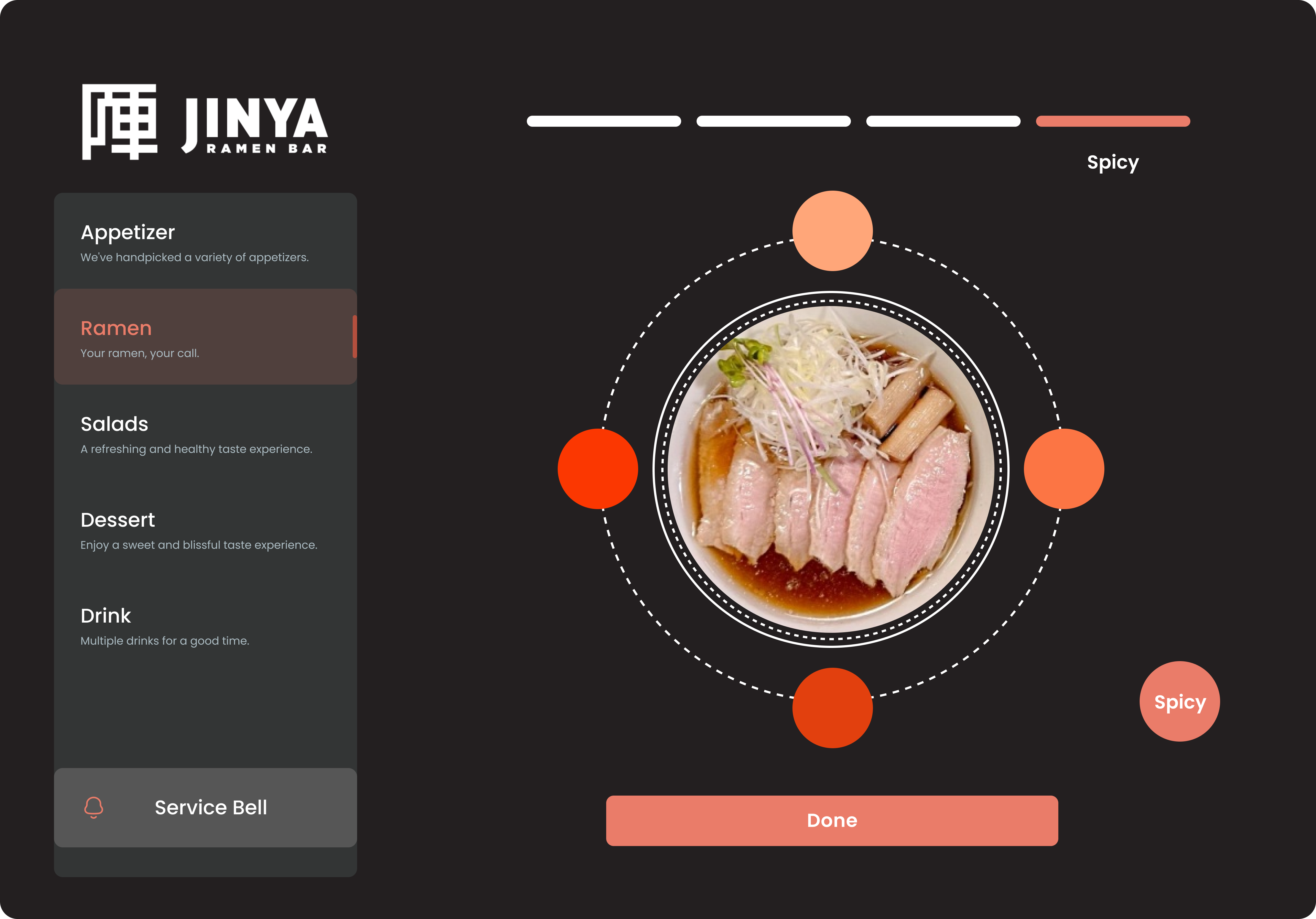
One of the key refinements between low-fidelity and high-fidelity was the spice level selector.
Version 1 — A standard slider for spice selection, which felt disconnected from the visual experience.Version 2 — Spice level tied directly to color — the bowl and interface shift from pale to deep red as heat increases, making the choice immediately intuitive.
Final Design
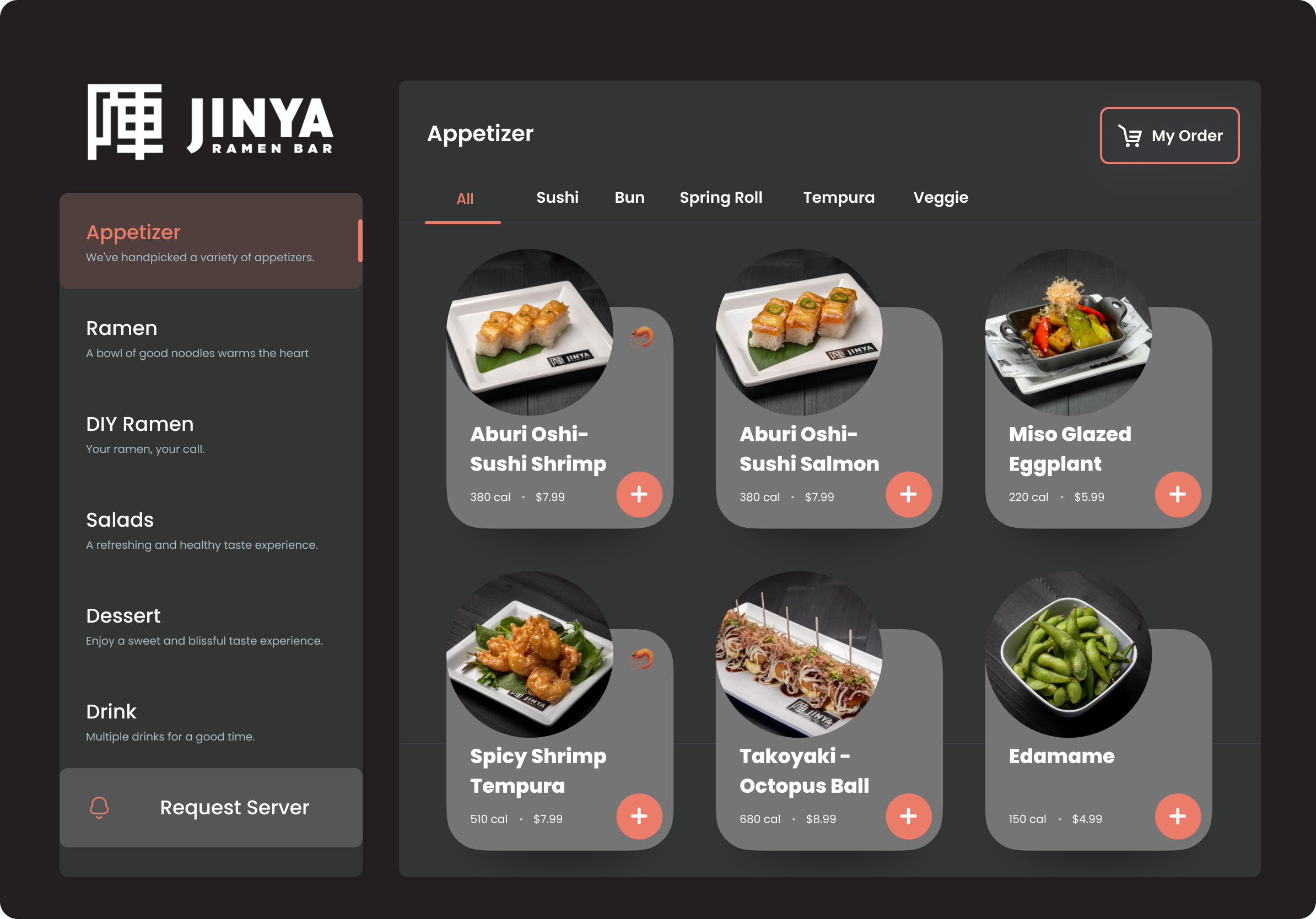
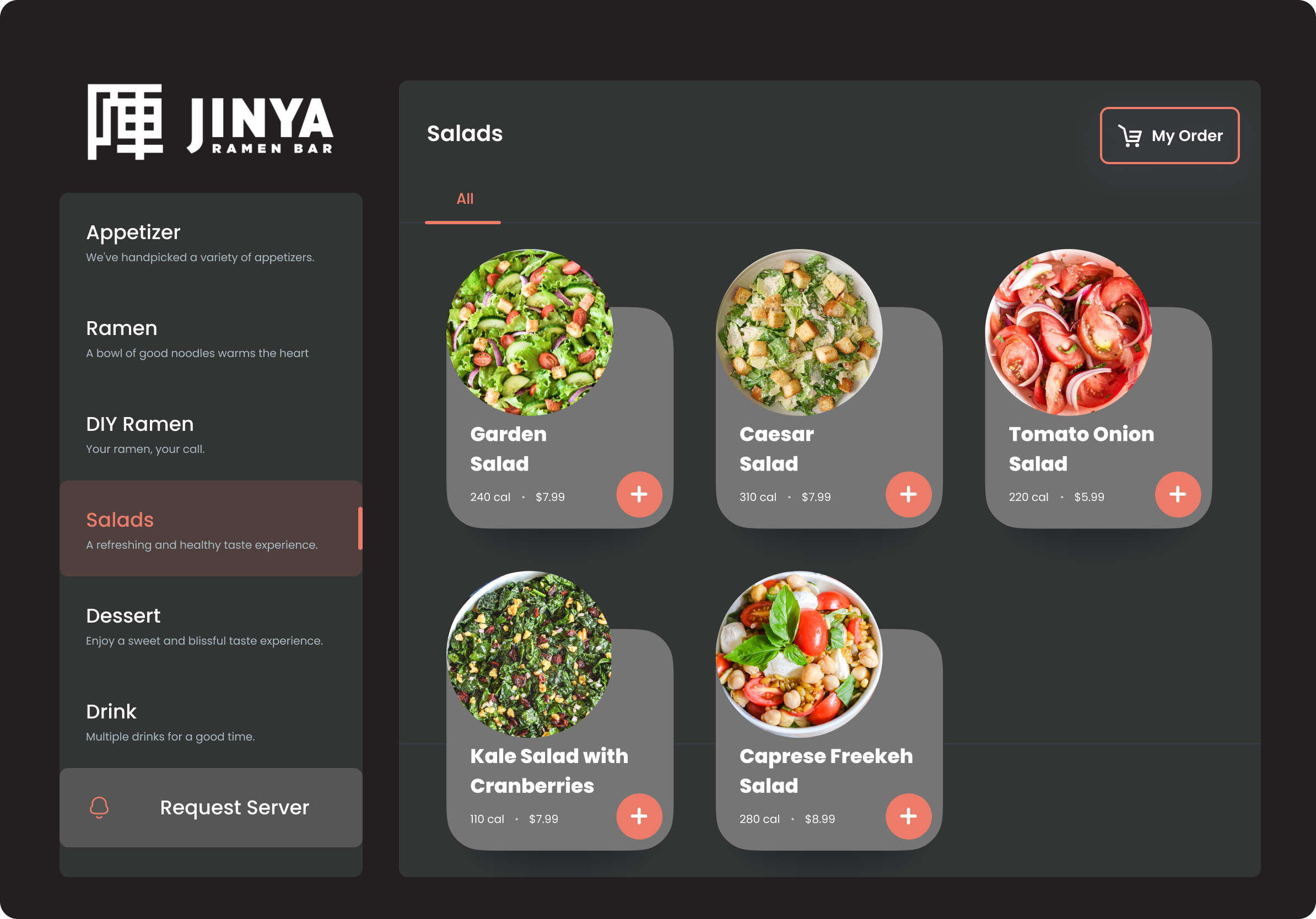
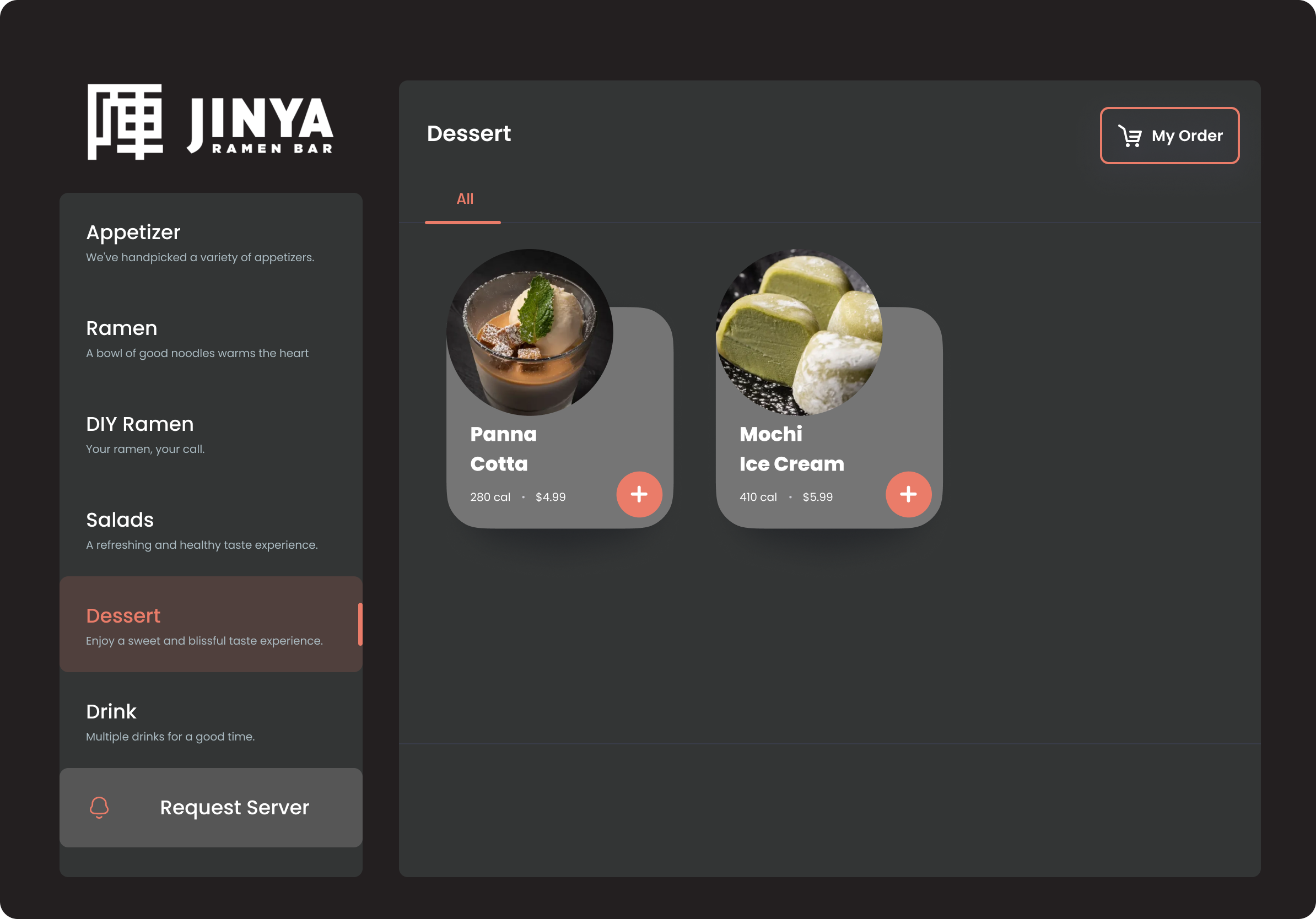
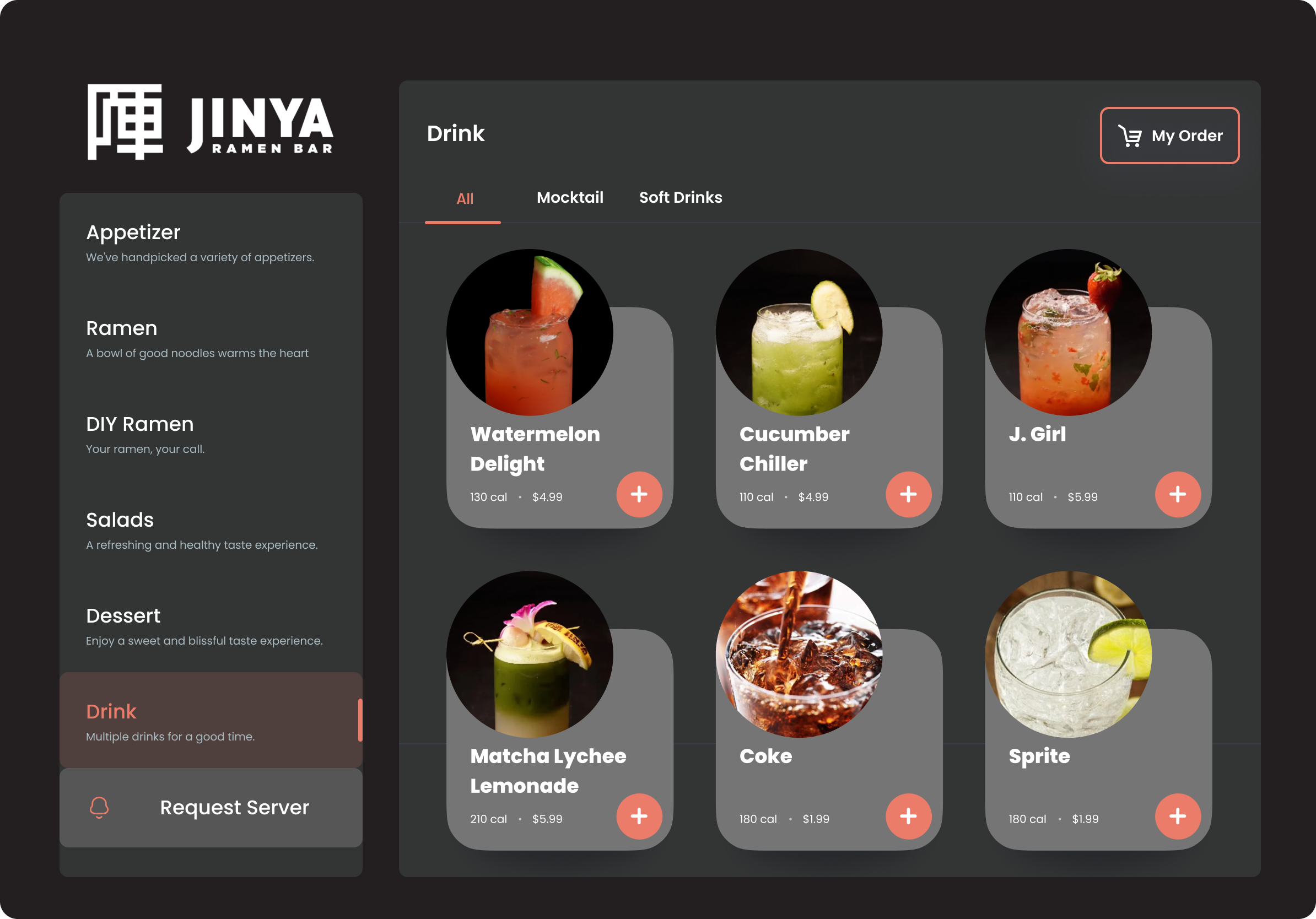
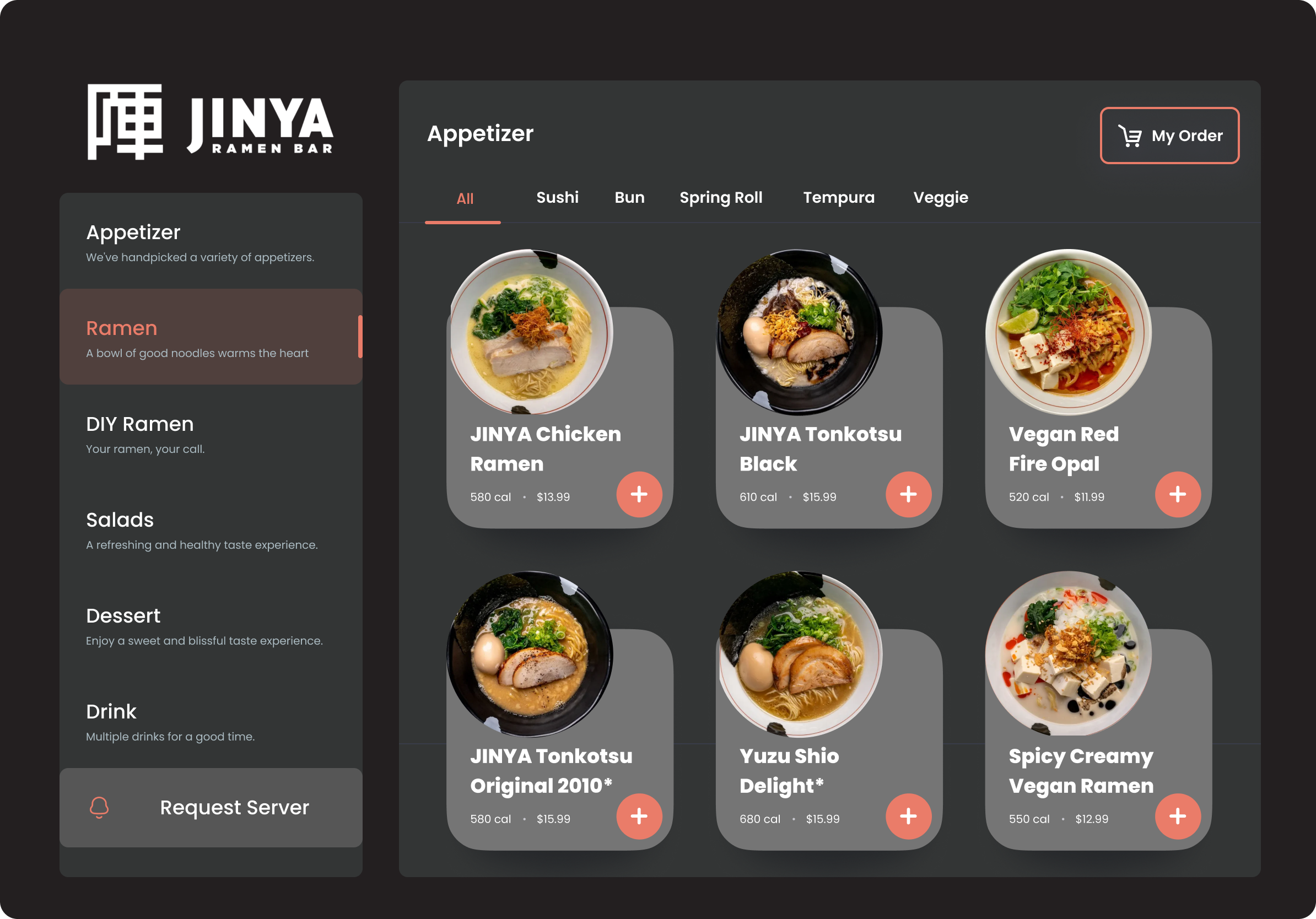
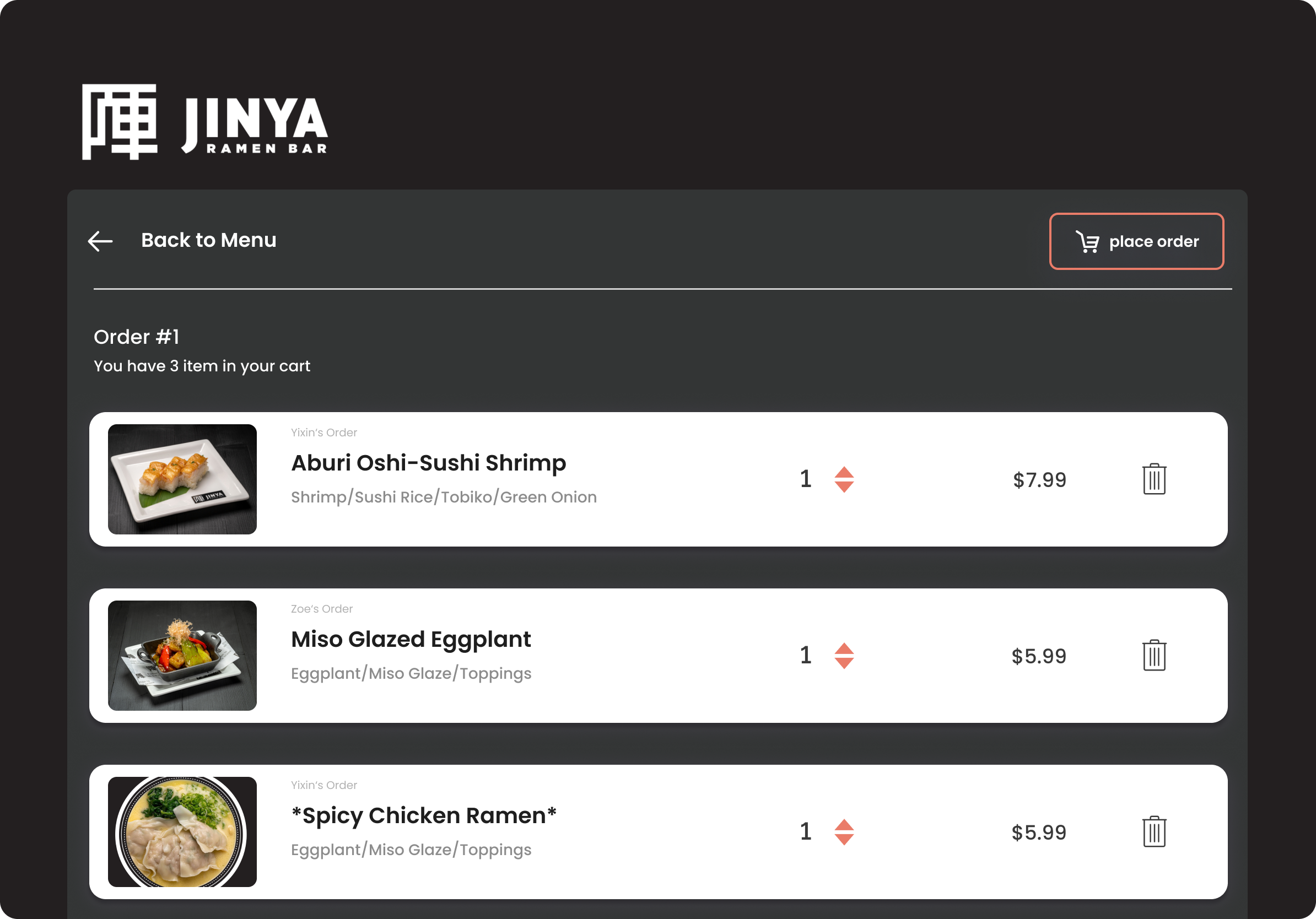
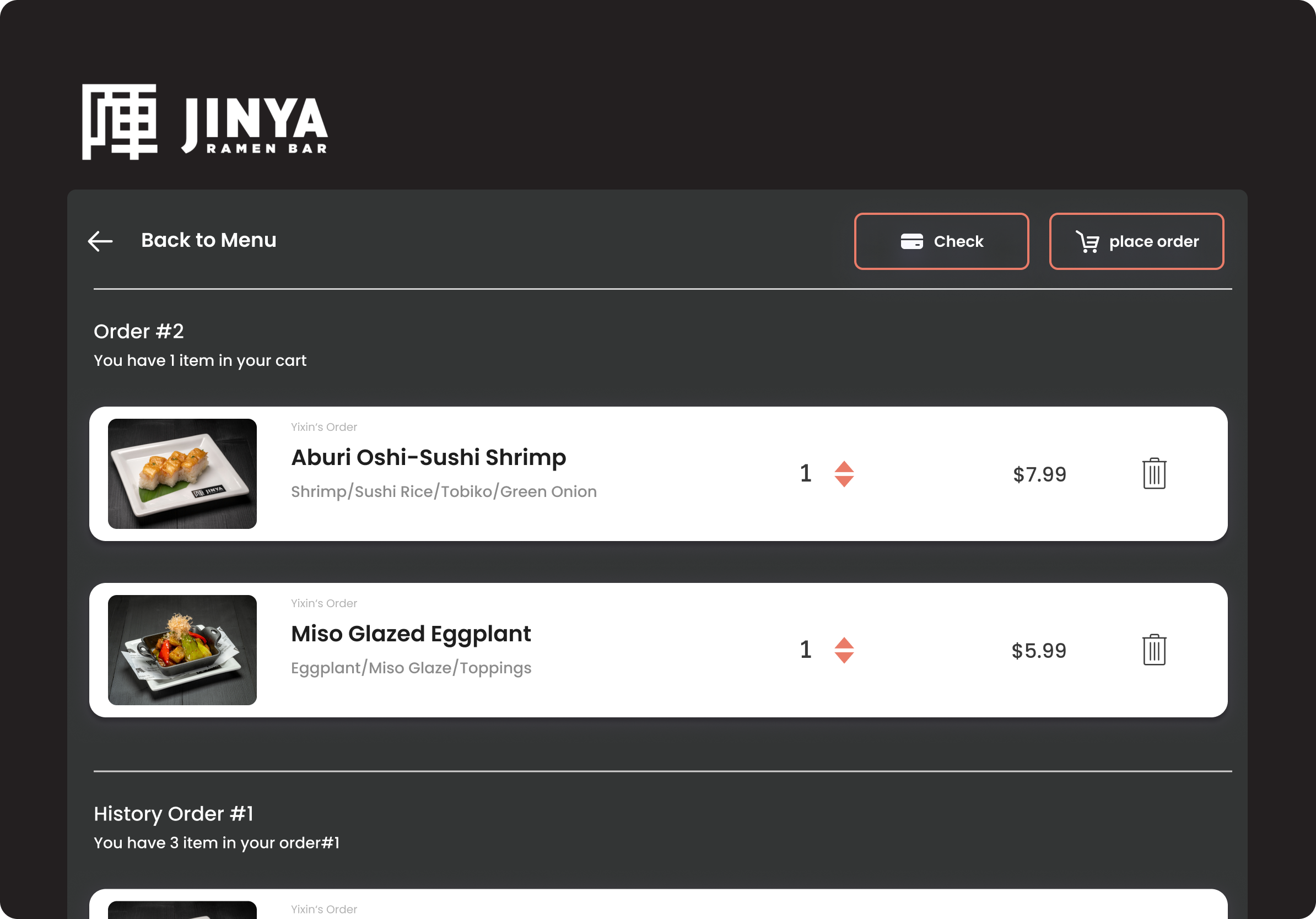
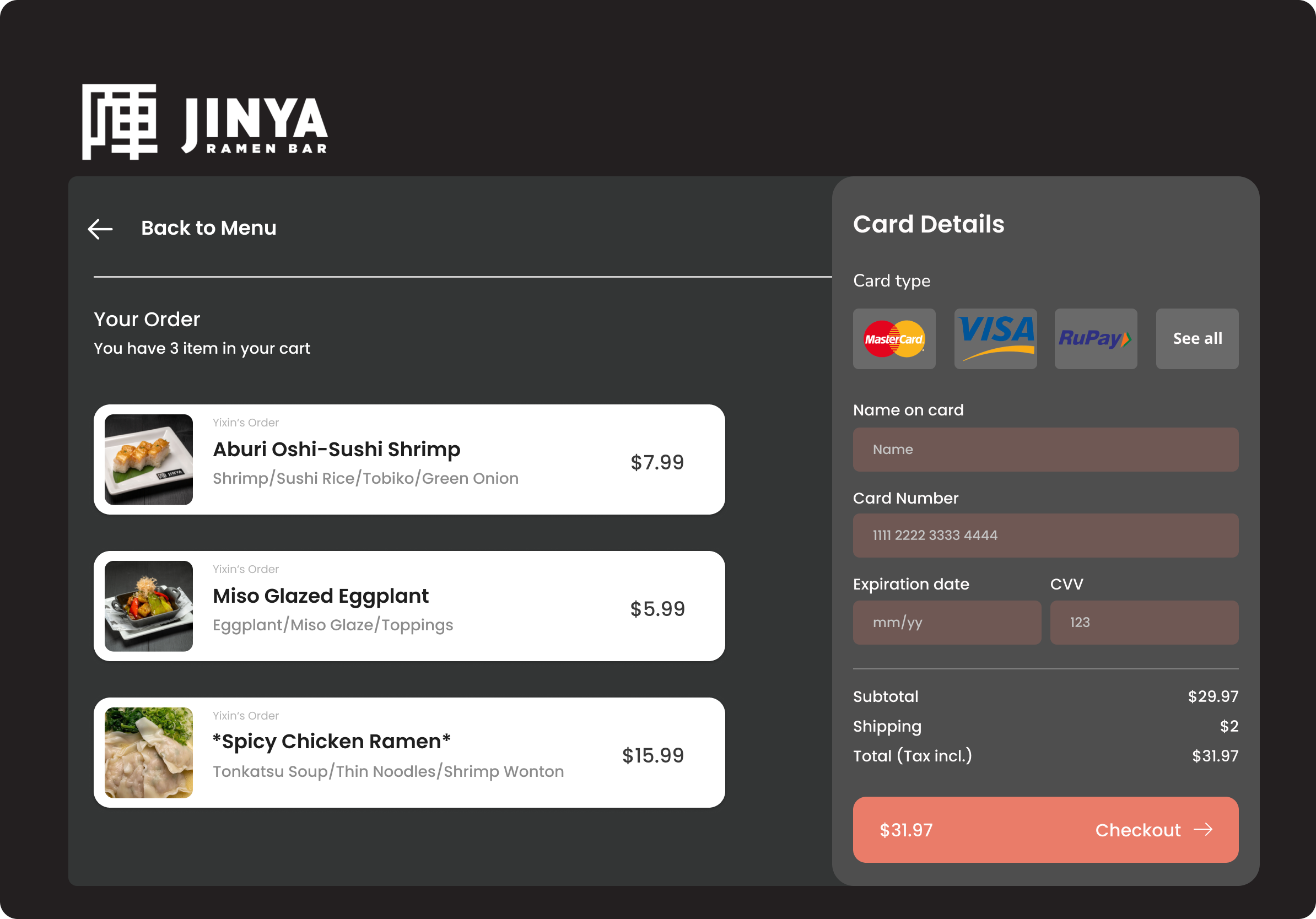
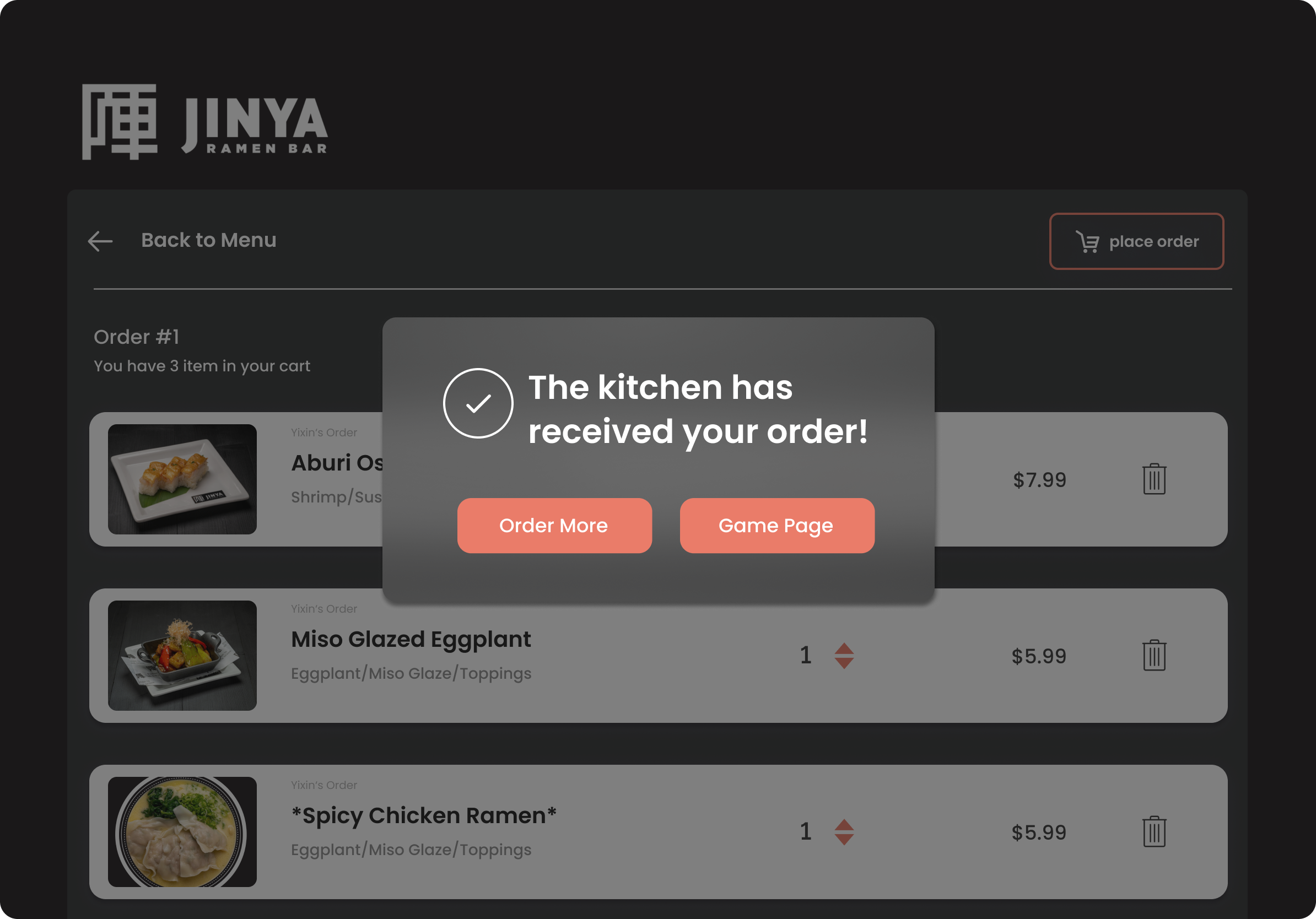
To make the prototype more complete, we expanded the menu to match JINYA’s actual offerings — adding appetizers and a full checkout and payment flow beyond the initial ramen builder.
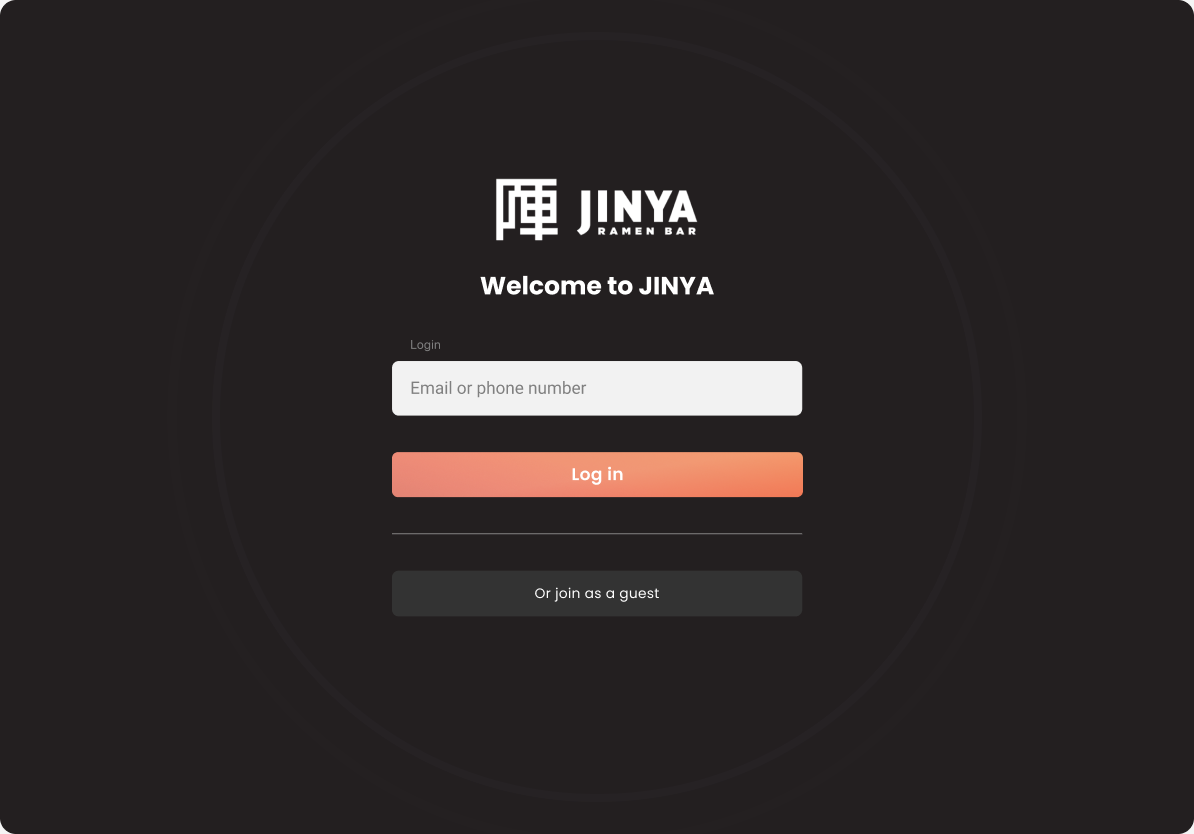
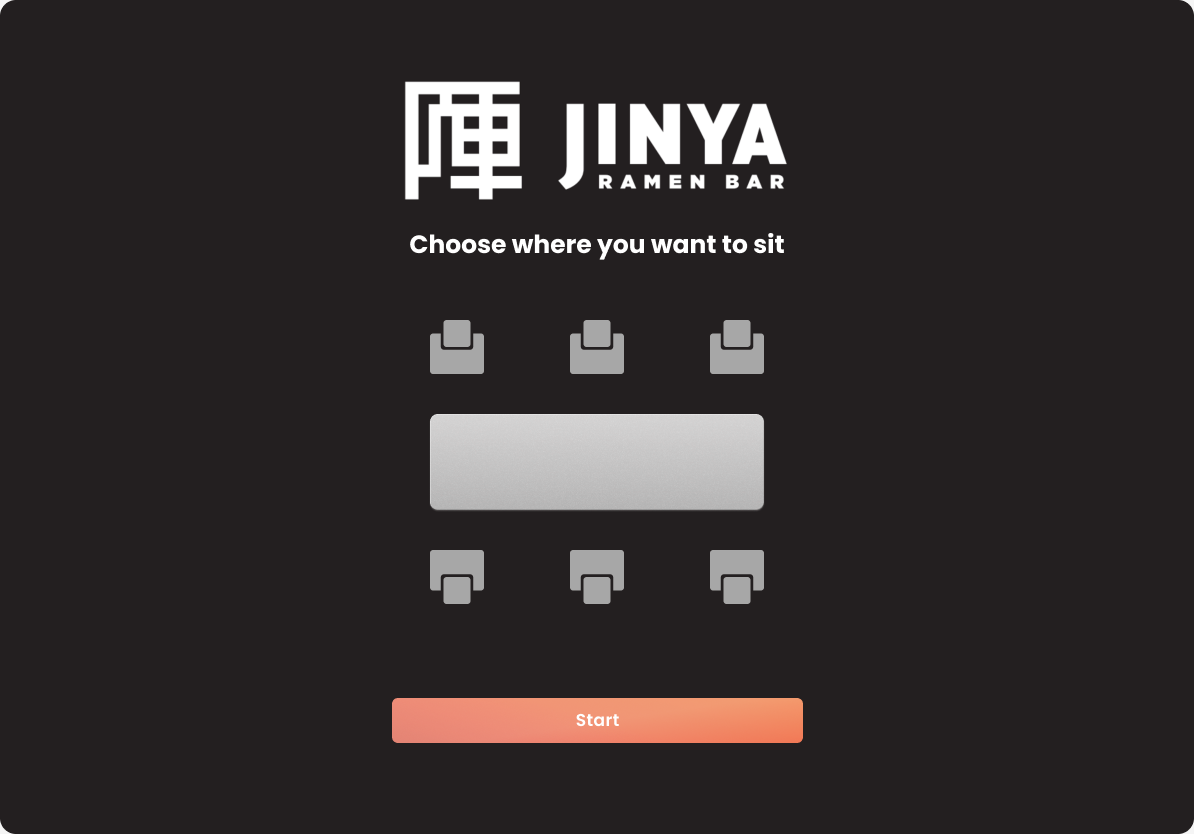
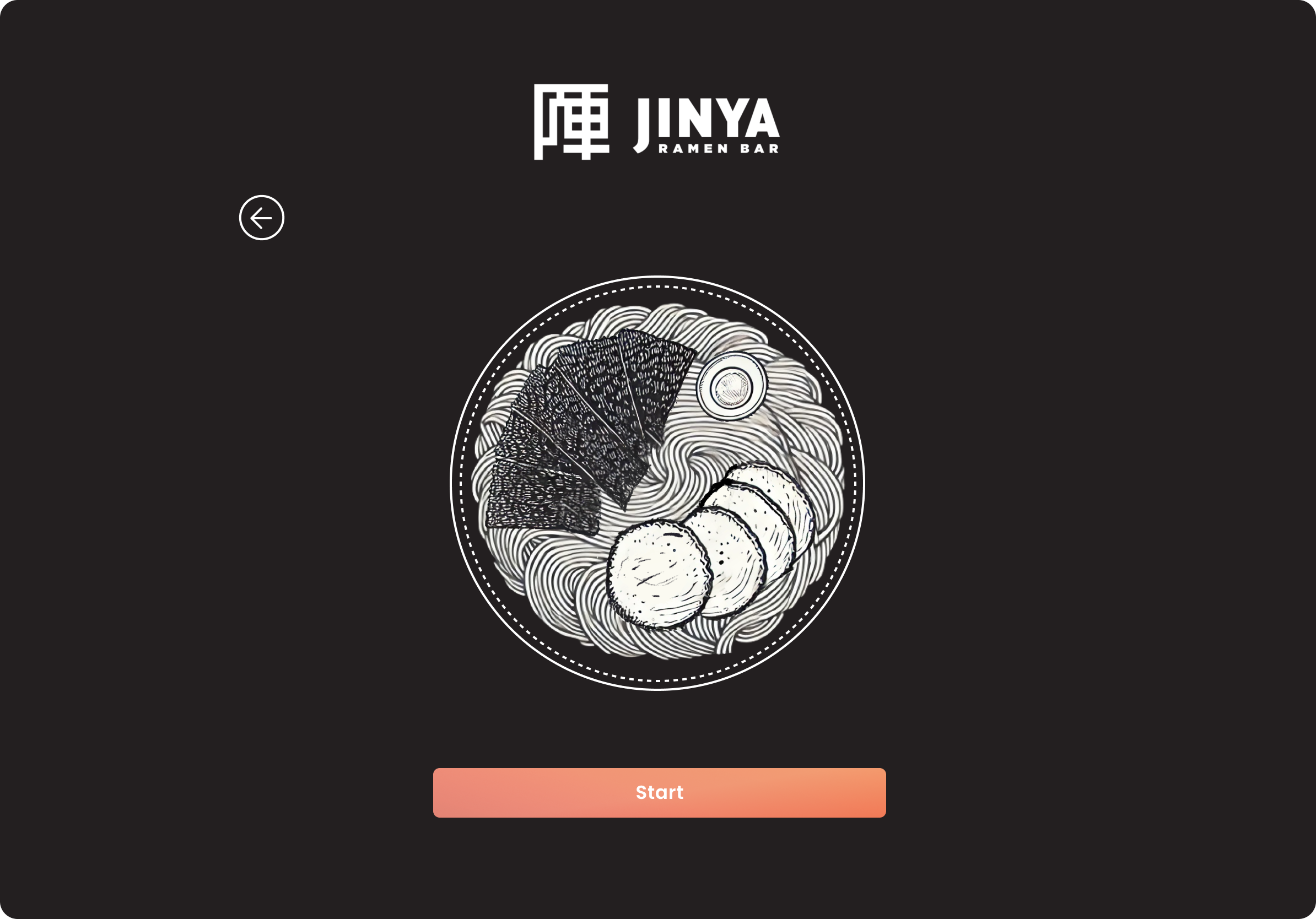
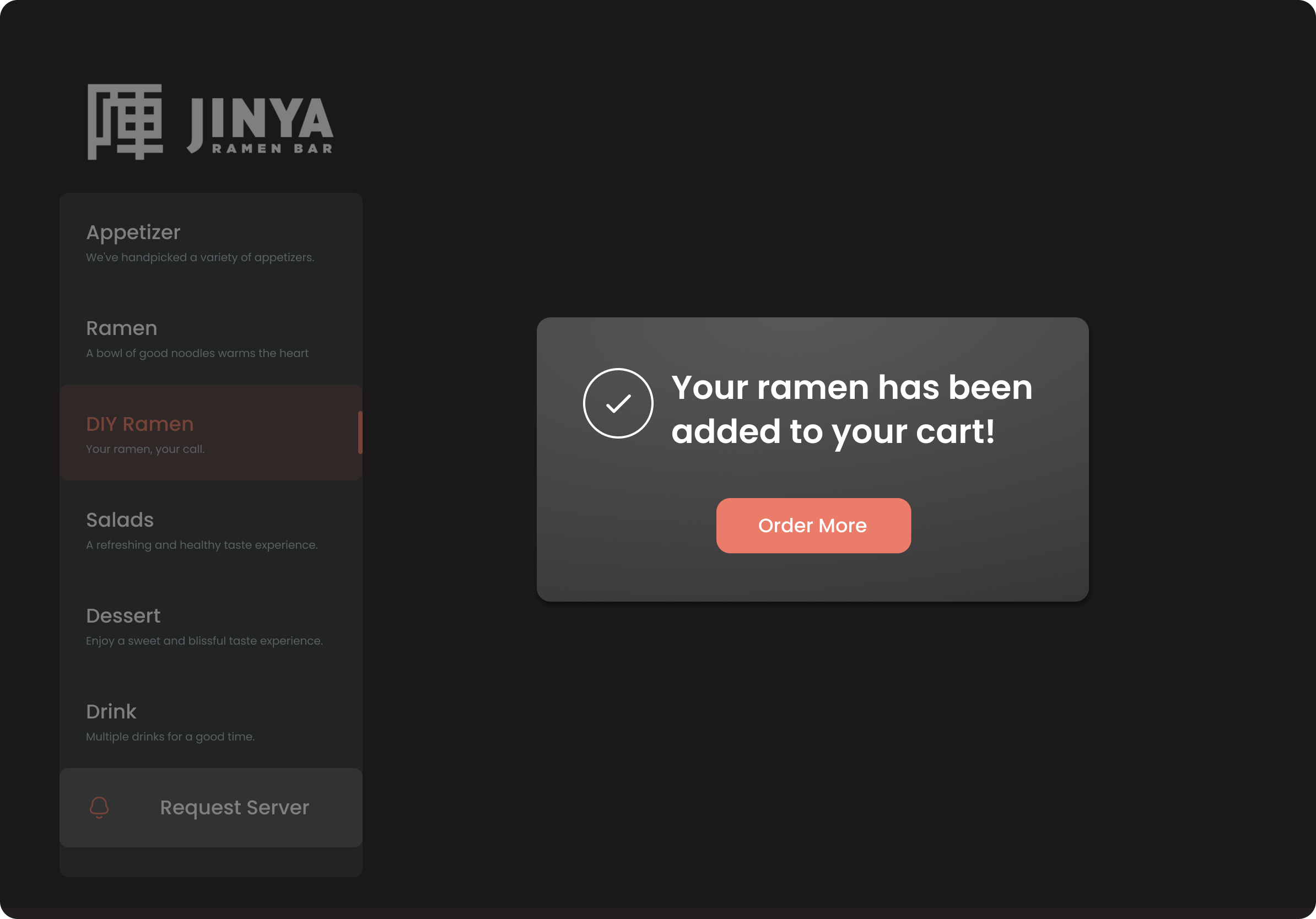
The high-fidelity design brings the full ordering flow to life on a dark, restaurant-branded interface — from seat selection to order confirmation.
Login
Appetizers
Spice Level
Ramen Ordering
Checkout
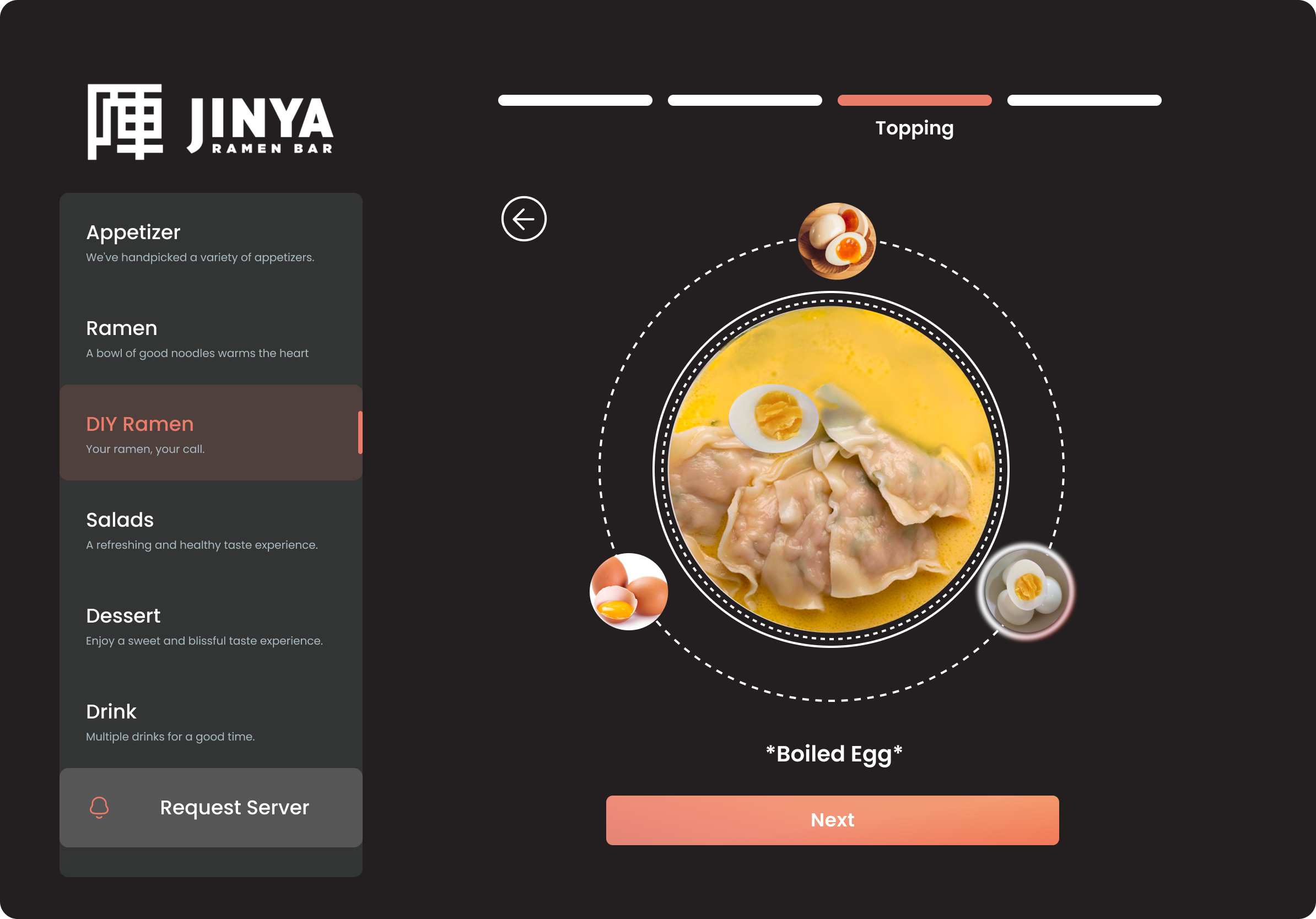
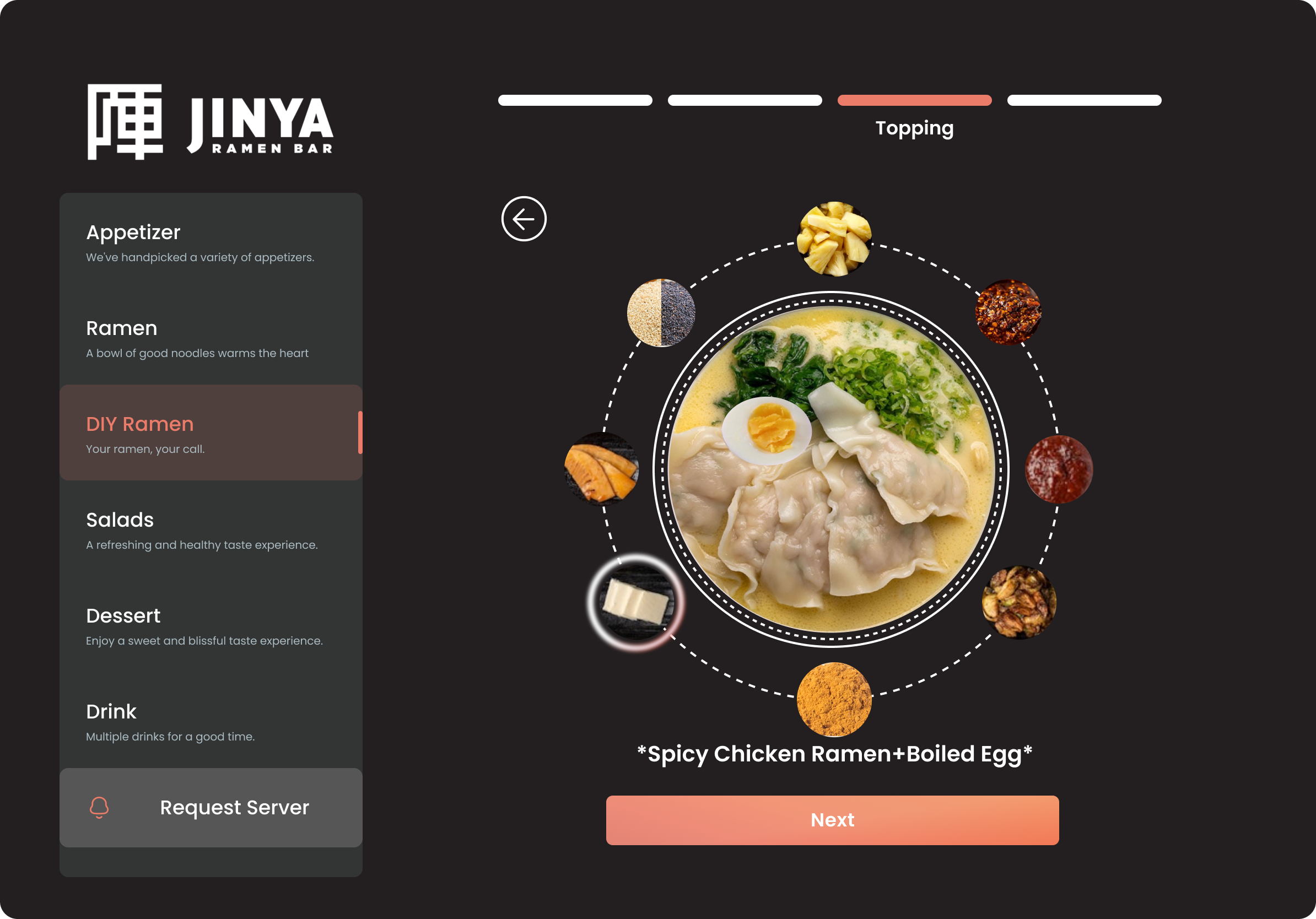
DIY Ramen Builder
The standout feature is the DIY Ramen Builder — customers start with a blank bowl and build their ramen layer by layer, choosing a soup base, noodle type, protein, and toppings, with a live visual preview at every step.
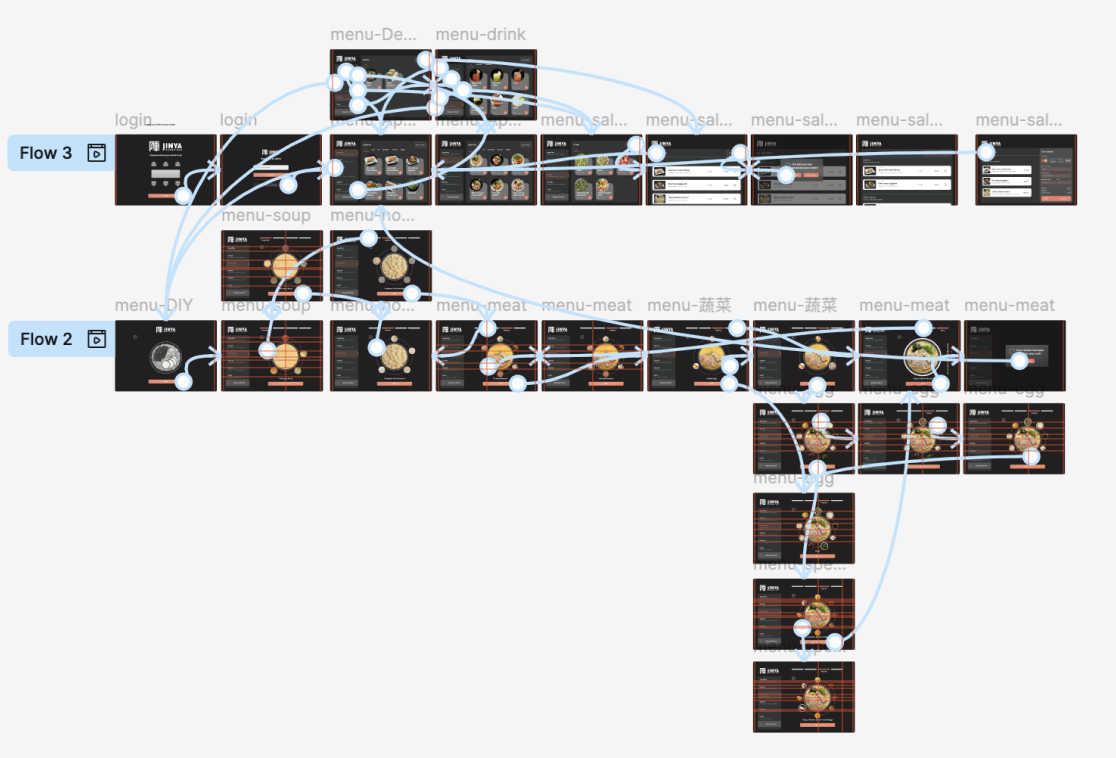
Prototype
The interactive prototype was built in Figma with two user flows covering the full experience from login through checkout.
Results
This project pushed us to think about dining as an experience, not just a transaction. The biggest design challenge was making a complex customization flow feel effortless rather than overwhelming.
Tying spice level to color was a small decision that changed how the whole interface felt. It’s a reminder that the best UI decisions often aren’t about adding more — they’re about finding the right signal.
UI/UX Case Study
Food Freshness and Healthy Eating App for College Students
Estimated 12 min
Duration
Spring 2024
Team
Xiaoyun Zhou / Yixin Yang / Qiaohui Yang
Role
Information Architecture · UI Design
Tools
FreshTrack: A Freshness Tracker for Busy Students
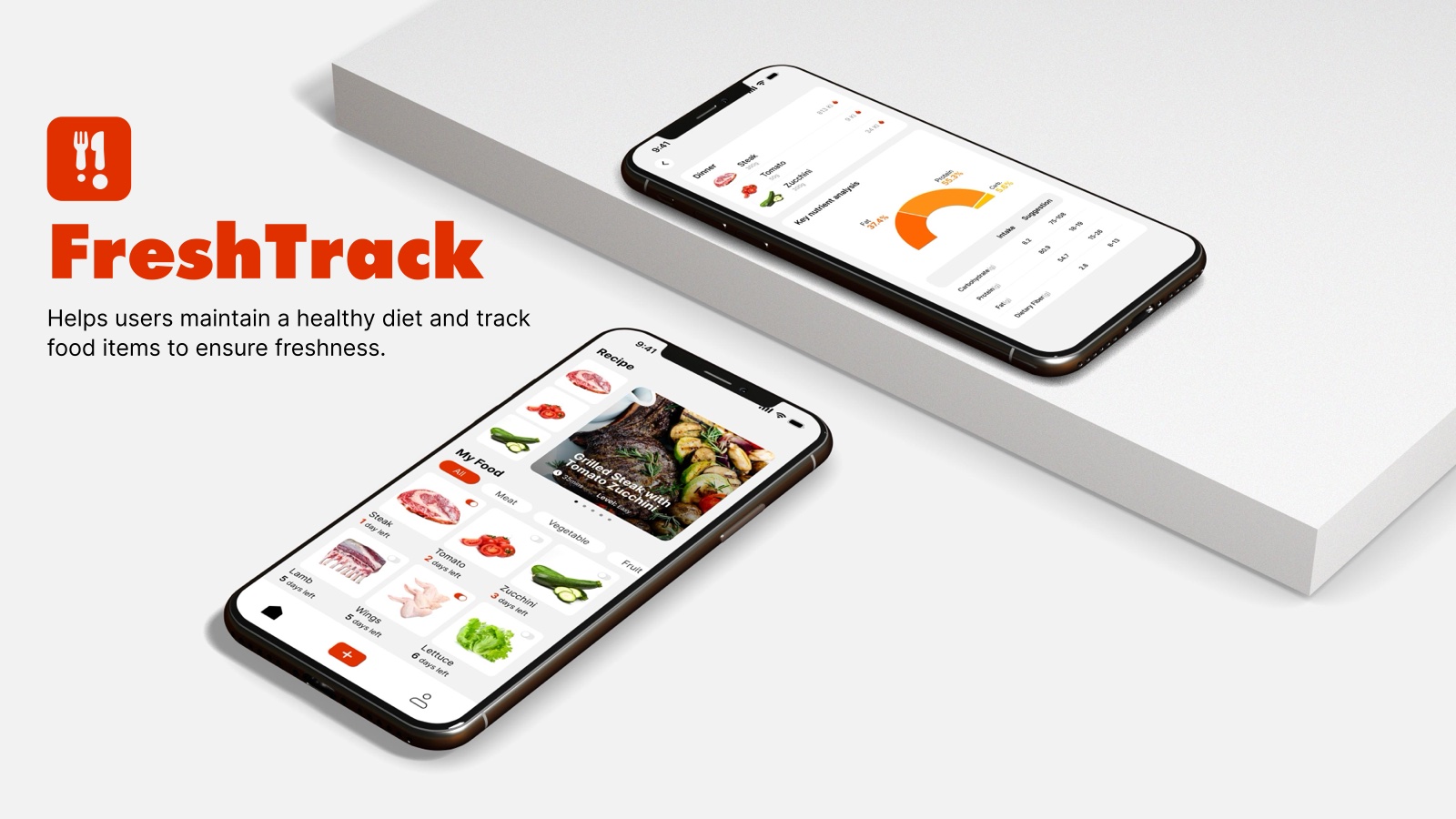
FreshTrack is a mobile app concept designed by a three-person team in SCAD’s IXDS 720 course. It helps college students keep track of the food they buy, use it before it expires, and see what their meals actually give them.
Problem
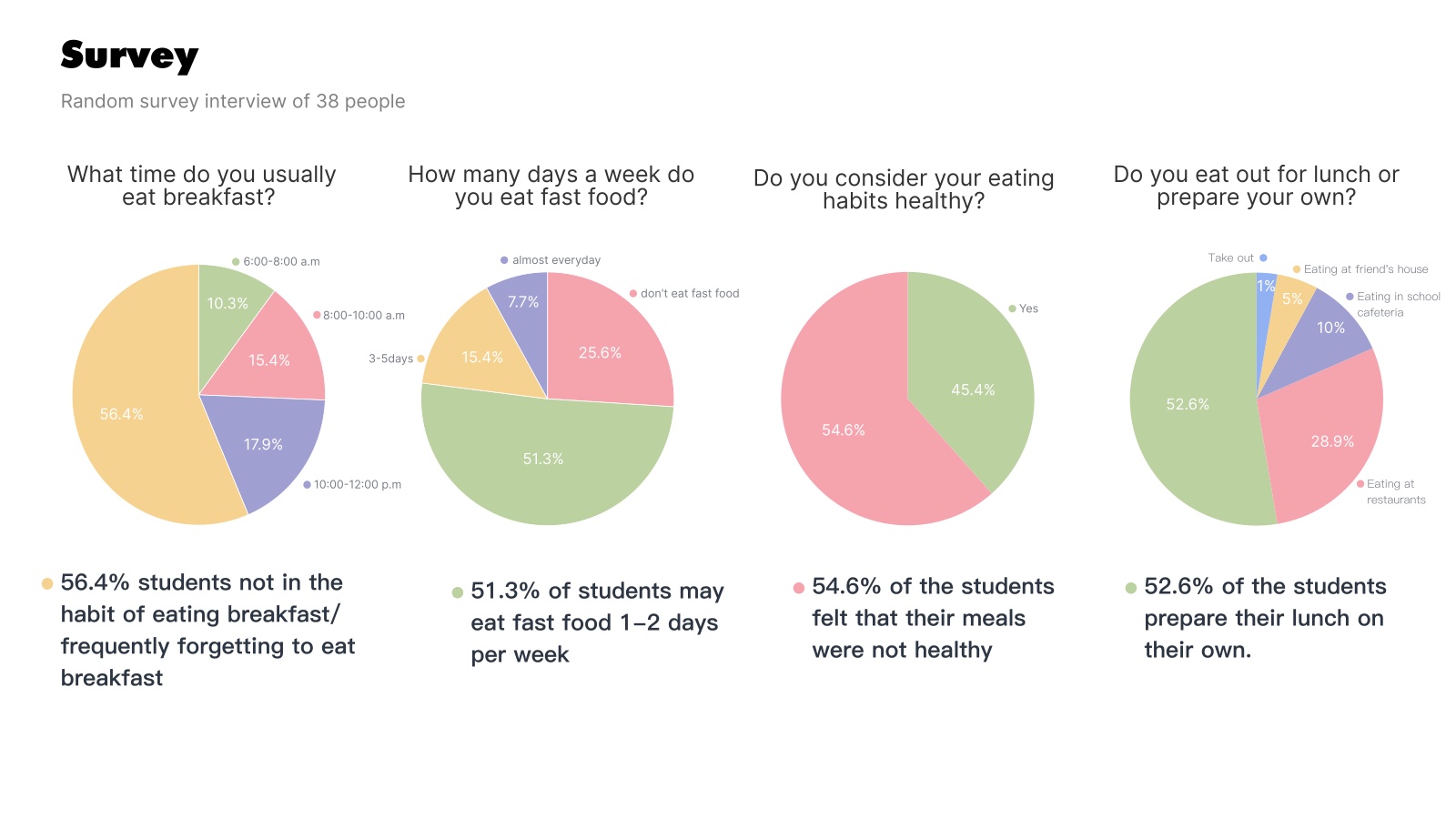
College students’ meals follow their class schedules, not their hunger. Between classes, most reach for whatever is fastest, like frozen food, takeout or instant noodles, and rarely think about nutrition. In our survey of 38 students, 54.6% said their meals were not healthy.
Challenge
Design a mobile tool that helps busy students eat healthier without asking them to rebuild their routine, starting from the food they already buy.
Deliverables include: user interviews, a 38-person survey, an empathy map, a persona, an affinity diagram, a storyboard, a site map, low-fidelity wireframes and high-fidelity screens.
My role: information architecture and UI design, working with teammates Yixin Yang and Qiaohui Yang.
Solution
FreshTrack gives students three things their kitchen routine lacks: a clear view of what they have, a reminder before it goes bad, and an easy way to turn it into a meal.
Freshness Tracking — Days left, a freshness percentage and expiry alerts for every item in My Food
Receipt & Barcode Scanning — Groceries go into the app with a scan instead of typing
Recipes From What You Have — Pick ingredients and get step-by-step recipes
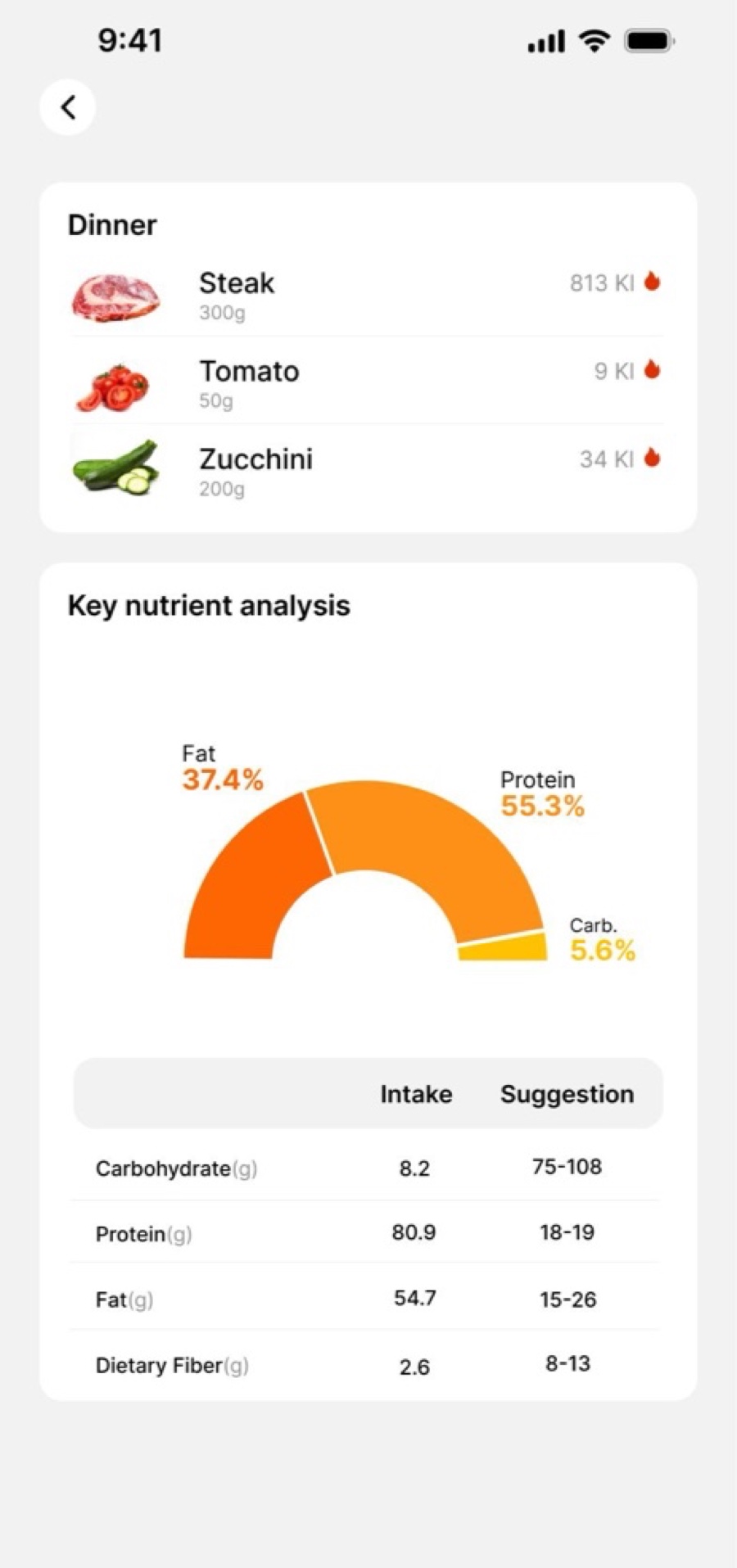
Food Diary & Nutrition — Every meal on a calendar, with a key nutrient breakdown
Research
We started by asking students to walk us through a full day, from waking up to going to sleep, then ran a survey to check whether what we heard held up across more people.
1. User Interviews
We interviewed students about their daily routines, focusing on when, where and what they eat. Five day-in-the-life summaries and the full Q&A transcripts went into our synthesis.
“I will eat only one meal a day… I prefer to eat small snacks.”
Sunny
“I make breakfast and lunch, which I have to bring to school because I don’t have a car and the restaurants are too expensive for me.”
Lily
“I don’t like to cook for myself. I usually choose to order takeout and only eat a little bit because I’m on a diet.”
Chasey
2. Survey
To test what we heard, we ran a random survey of 38 students. The numbers showed these habits were common, not one-off stories.
56.4%don’t eat breakfast or often forget to
54.6%felt their meals were not healthy
51.3%eat fast food 1–2 days a week
73.7%have no fruit or vegetables at breakfast
3. Mapping to Needs
On Maslow’s hierarchy, food sits at the physiological base and health at the safety level. These are two of the most basic needs, and students were struggling to meet both.
Insights
Three findings came up again and again across interviews and survey answers.
1
Mealtimes are determined by class schedule.
Students eat when a gap opens between classes, not when they feel hungry. Meals get pushed, squeezed or skipped.
2
Prefers quick and convenient food solutions.
Frozen meals, takeout, anything that goes in the microwave. One student wanted to eat “within 20 minutes.”
3
Not paying attention to the healthiness of food.
Most students know their meals aren’t healthy, but nutrition rarely enters day-to-day choices.
· Our empathy map gathered what students think, hear, see and do around food, along with their pains and gains.
Real Insight
Cultural diversity and food acceptance
Beneath the schedule and convenience problems sat a harder one. Many students were frustrated with American food and found few food sources that suited them. The cafeteria lacked variety, and one student avoided it entirely because “I don’t have a taste that matches.” Healthy eating isn’t one standard. It depends on the food you grew up with and what you can find nearby.
So instead of telling students what “healthy” should look like, we focused on the food they already buy: knowing what’s in the fridge, keeping it fresh, and turning it into meals.
Defining the Problem
Meet Hana
23SavannahSophomore at SCADStudies 8:00am – 1:30pm
Hana’s mealtimes keep shifting around her study schedule, so she finds it hard to pay attention to nutrition and often relies on fast food and instant meals. Over time this has left her more and more tired. She now knows that improving her eating habits is essential to staying healthy and energetic.
“Incorporate nutritious and healthy meals, to enhance the quality and health of diet.”
College students need healthy food because they often don’t have a healthy diet.
How might we help college students eat healthier?
Ideation
Choosing a Direction
Our interviews pointed to two possible directions: food and sleep. The sleep notes were real: students set many alarms, fought insomnia, and watched TikTok to wake up. But most of these were night-time habits an app could do little about. Food came up more often, and it was tied to concrete daily moments like buying, storing, cooking and ordering, where better information could help. We chose food.
· Direction 1: Food· Direction 2: Sleep
From 21 Ideas to Two Themes
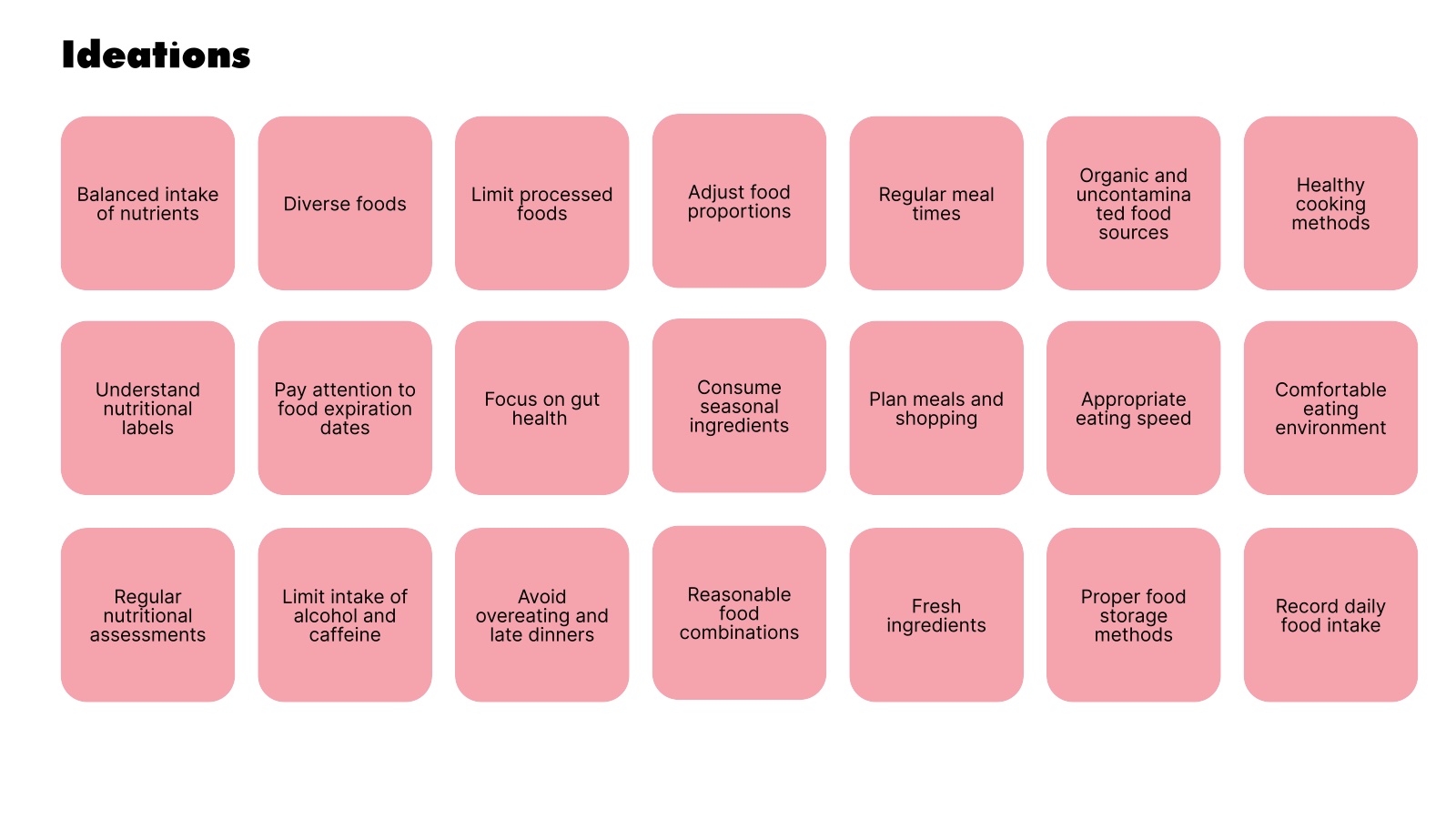
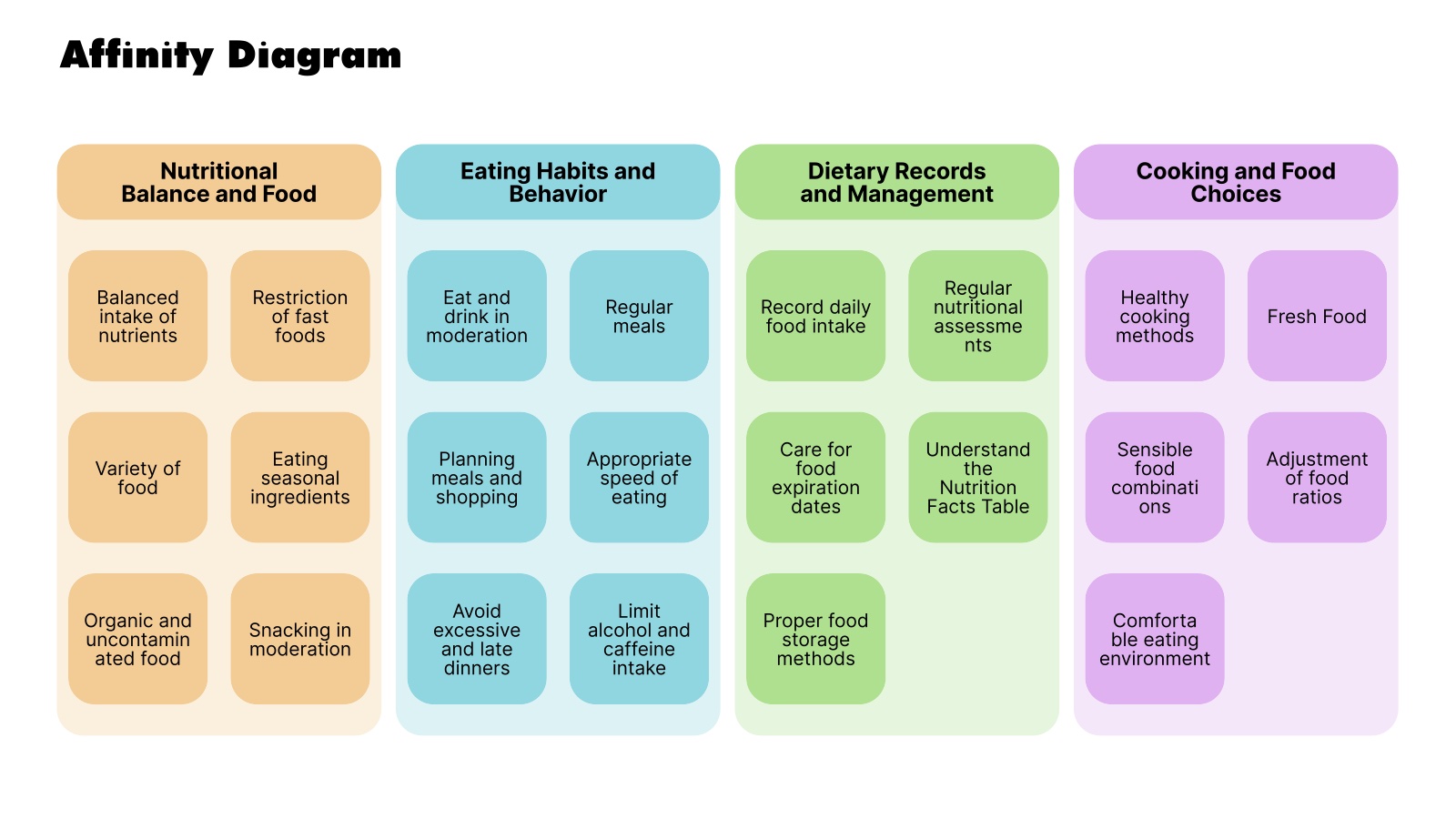
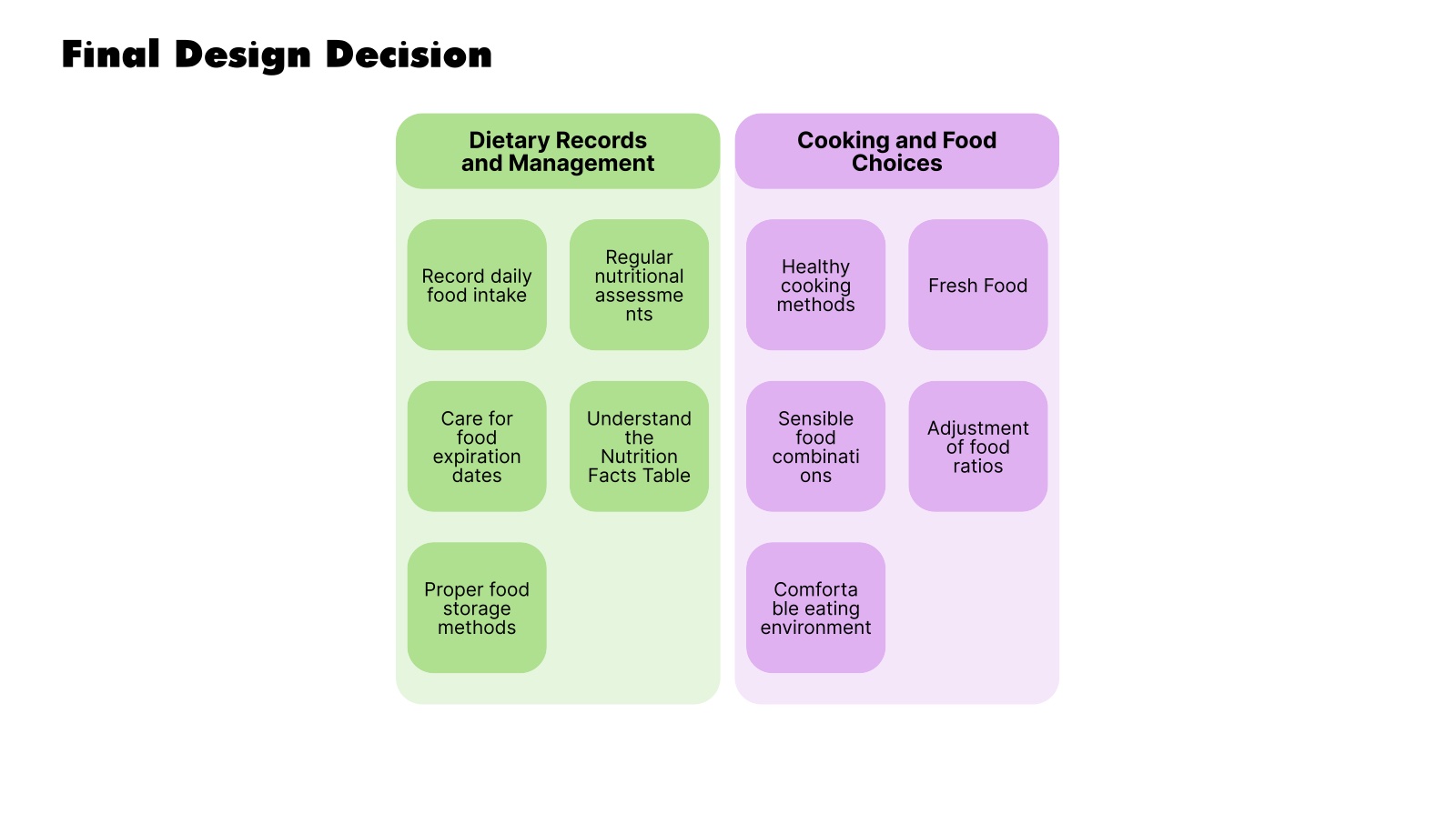
We generated 21 ideas for healthier eating, from balanced nutrient intake to proper food storage, then grouped them into four themes: Nutritional Balance and Food, Eating Habits and Behavior, Dietary Records and Management, and Cooking and Food Choices.
· Affinity diagram· Final design decision
We narrowed our focus to Dietary Records and Management, and Cooking and Food Choices. Each sticky note in those two groups became a feature:
Sticky note
Feature in the final design
Care for food expiration dates
Days left, expiry alerts and push notifications
Fresh Food
Freshness percentage on each food page
Record daily food intake
Food Diary calendar
Understand the Nutrition Facts Table · Regular nutritional assessments
Key nutrient analysis
Healthy cooking methods
Step-by-step recipe page
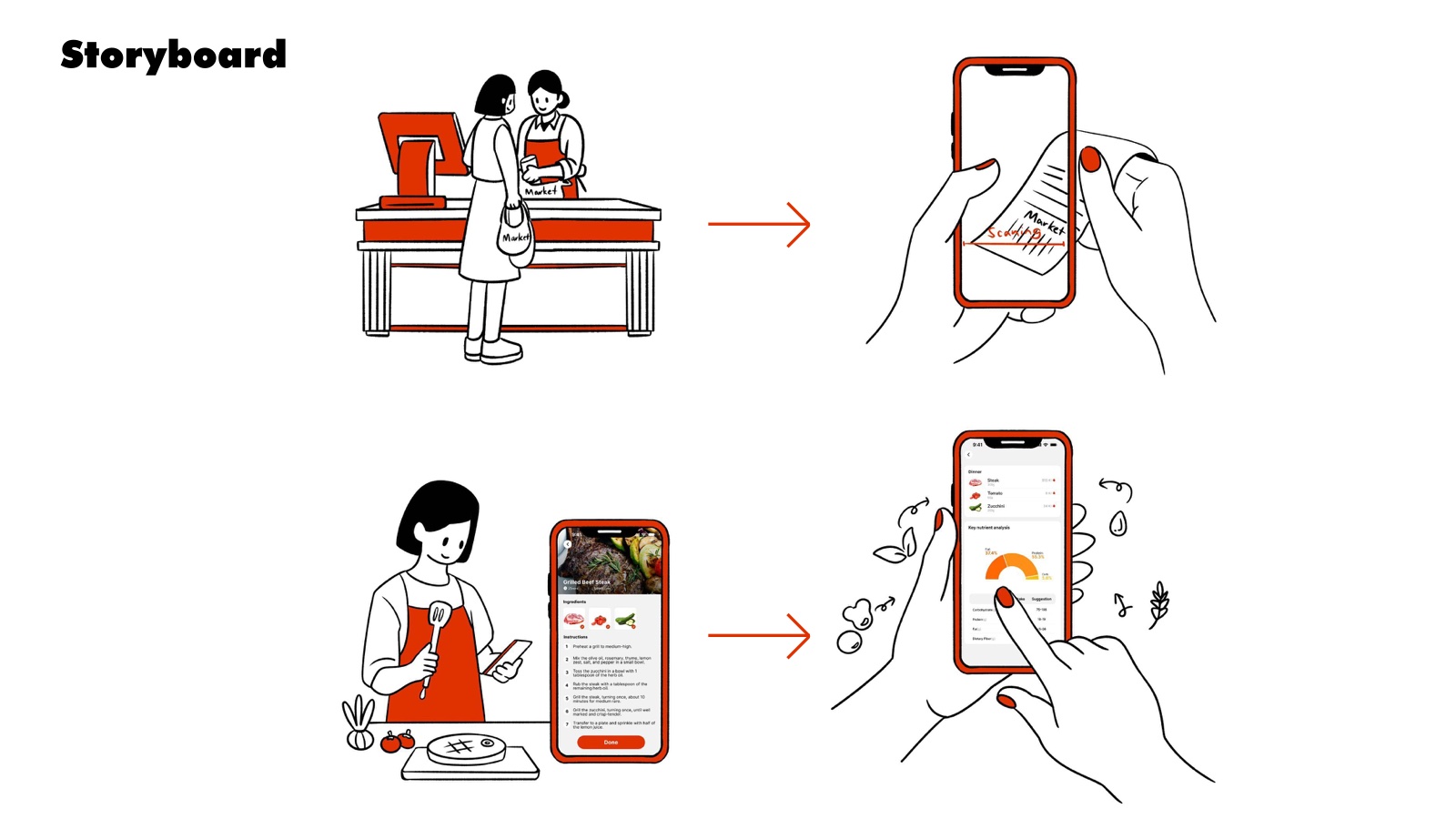
Storyboard
Shop
Hana pays for groceries and gets a receipt.
Scan
She scans the receipt, and her groceries are added to the app.
Cook
She cooks dinner by following a recipe step by step.
Review
She checks the meal’s nutrient breakdown.
Site Map
I mapped the app’s structure before any screens were designed. It has three branches: the HomePage, with My Food and Recipe; Food Entry, where items come in by barcode or search and get an expiry reminder; and a User Diary for meals, daily water and a calorie calendar. Every path ends somewhere useful: a recipe to cook, or a reminder before food goes bad.
Mockups
Initial Concepts
Our lo-fi sketches covered every branch of the site map: a diary home with calories, water and weight; recipe and My Food screens; a food page with freshness and storage; and a search-to-add flow that ends in an expiry reminder.
Final Design
The high-fidelity design uses a bold red-orange and white palette. I built the screens in Figma around one goal: adding food, checking freshness and finding a meal should each take only a few taps.
Expiry Alerts & My Food
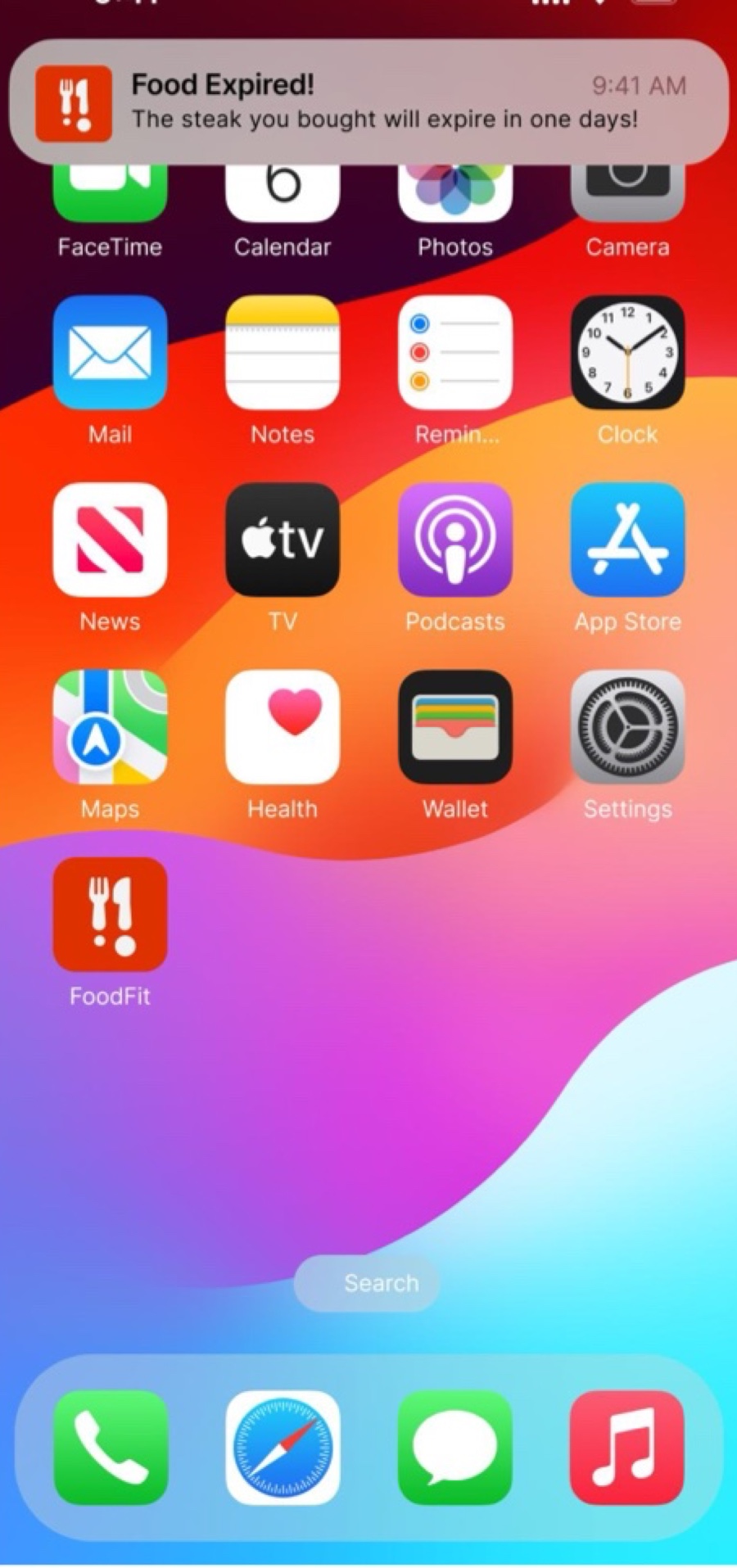
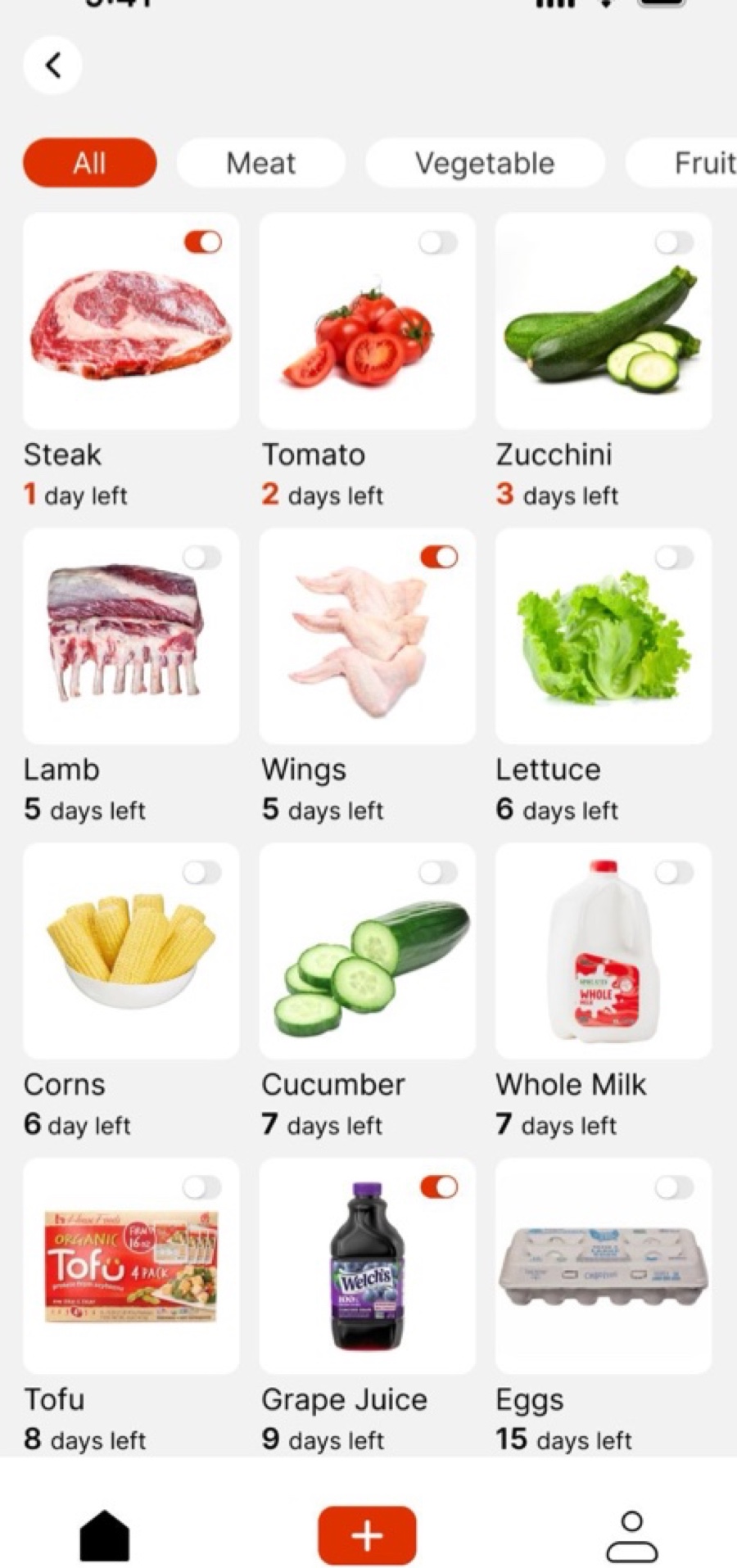
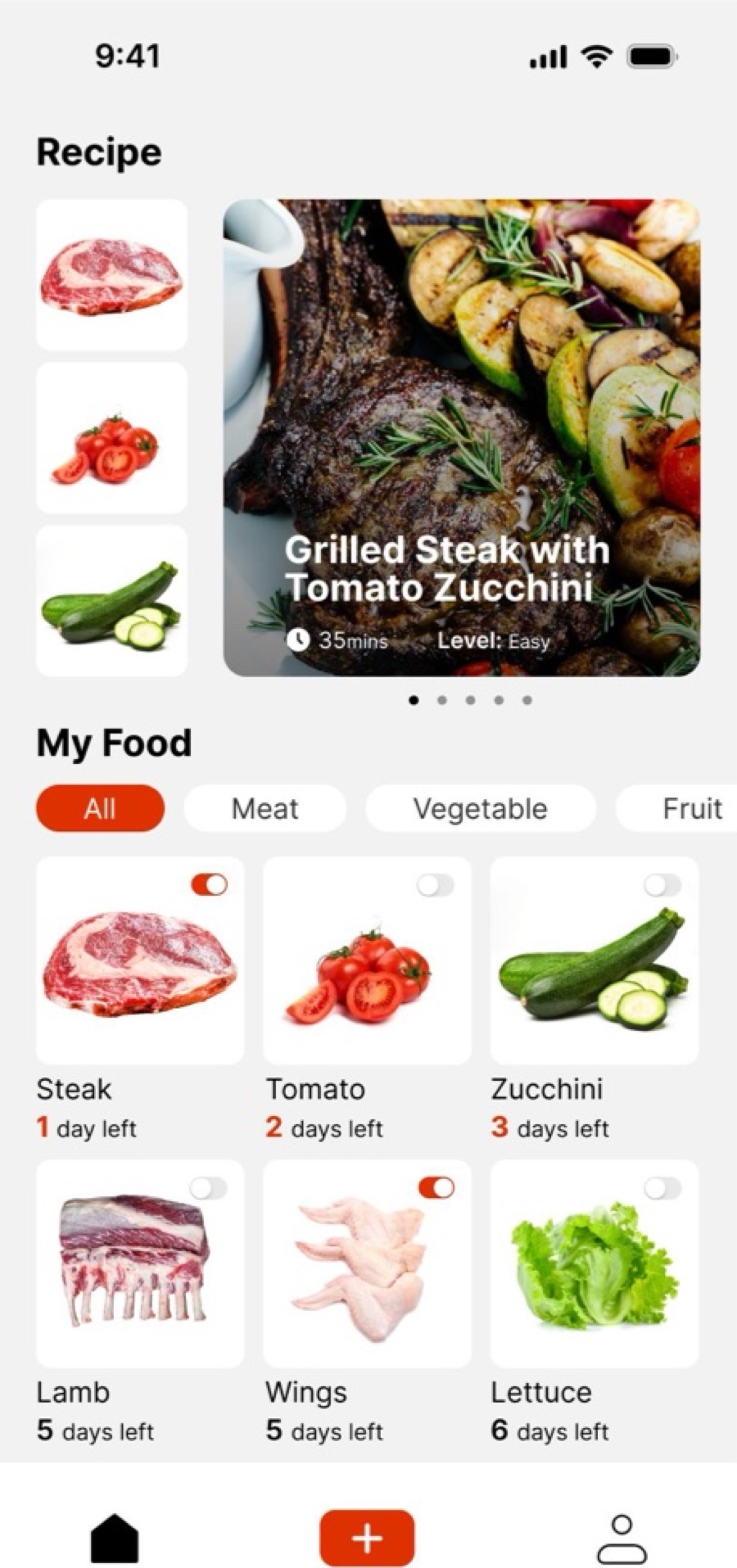
FreshTrack warns you before food goes bad with a lock-screen notification. My Food shows everything you’ve bought, sorted into Meat, Vegetable and Fruit, with the days left under each item.
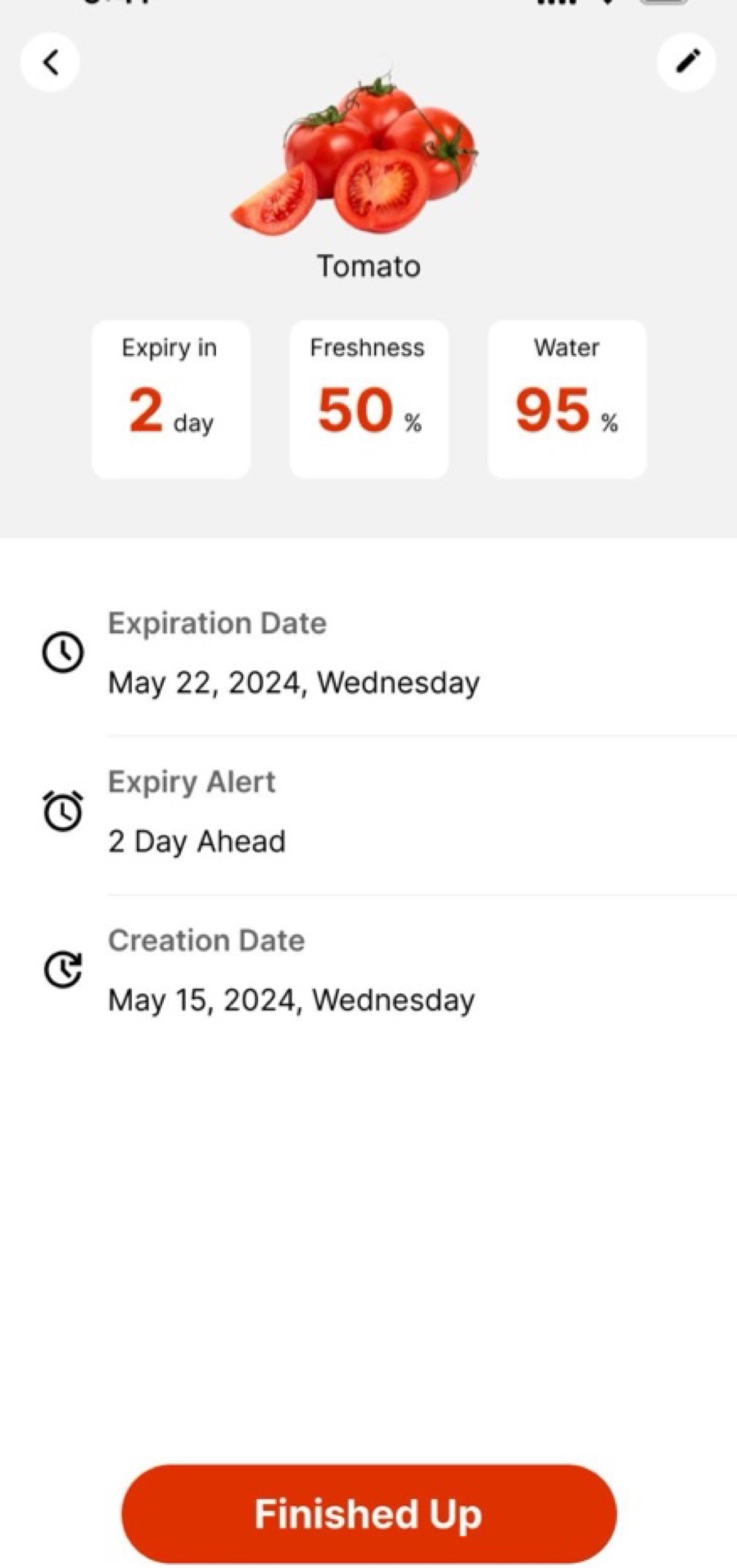
Food Detail
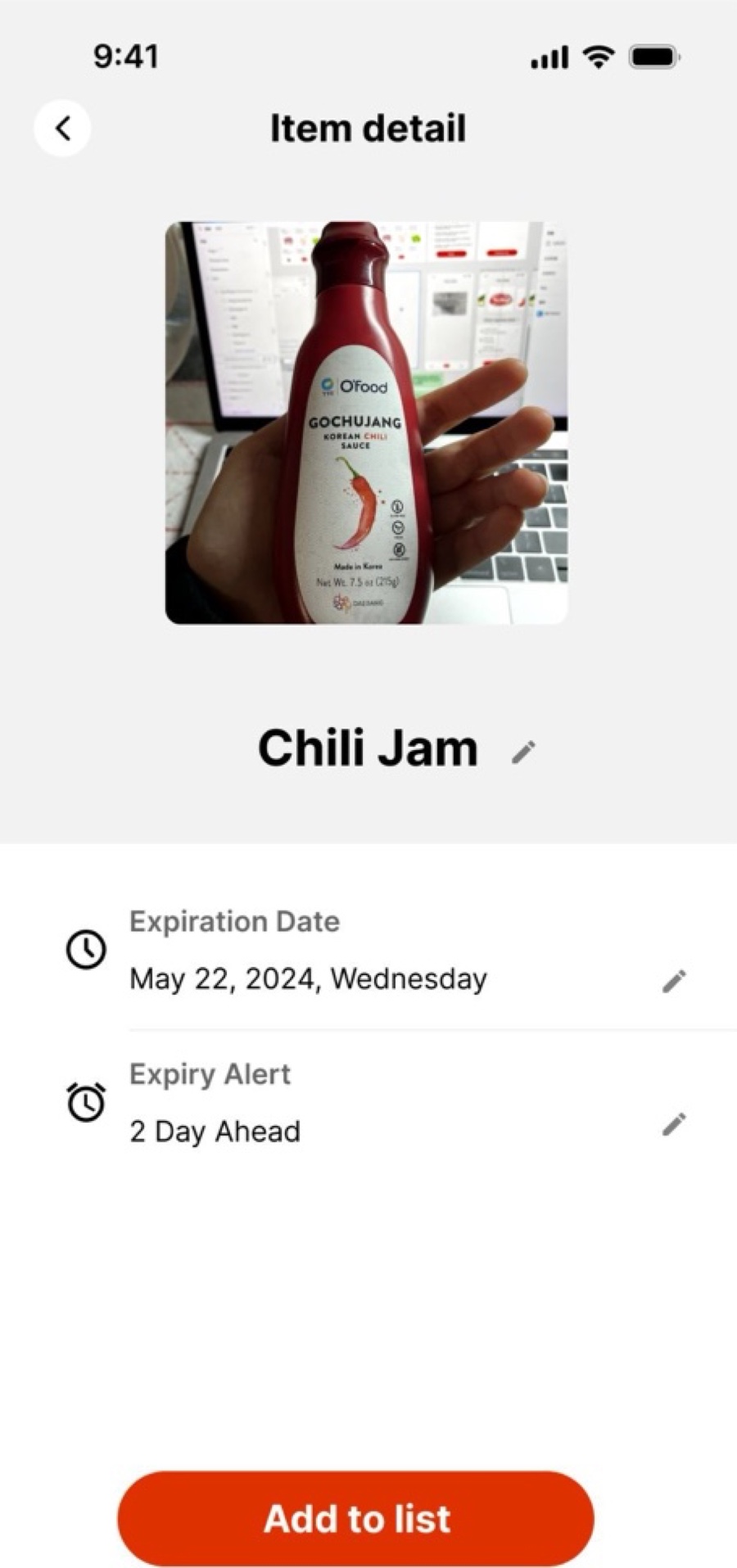
Each item has its own page with days until expiry, a freshness percentage, water content, the expiration date and when you’ll be alerted, so there’s no guessing what’s still good.
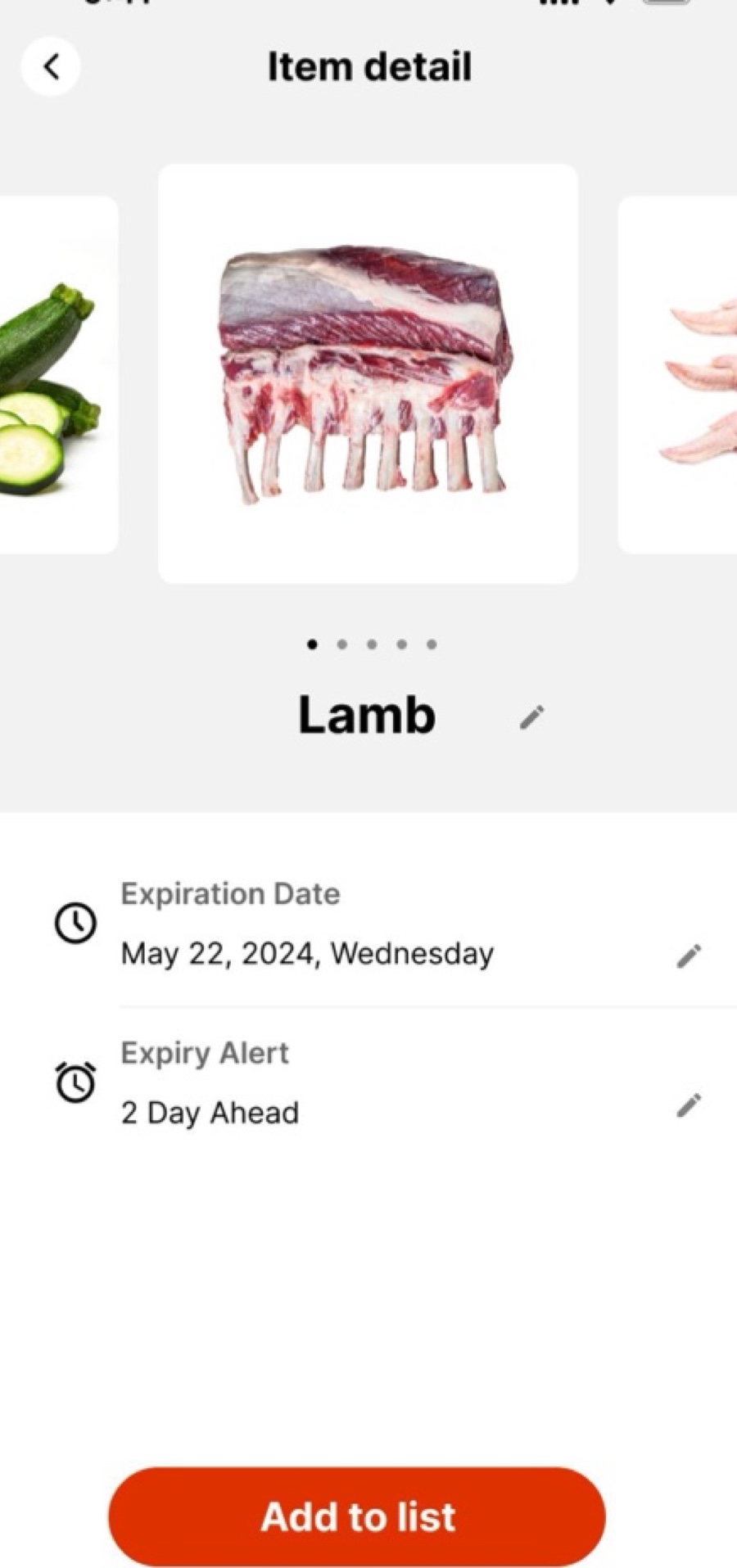
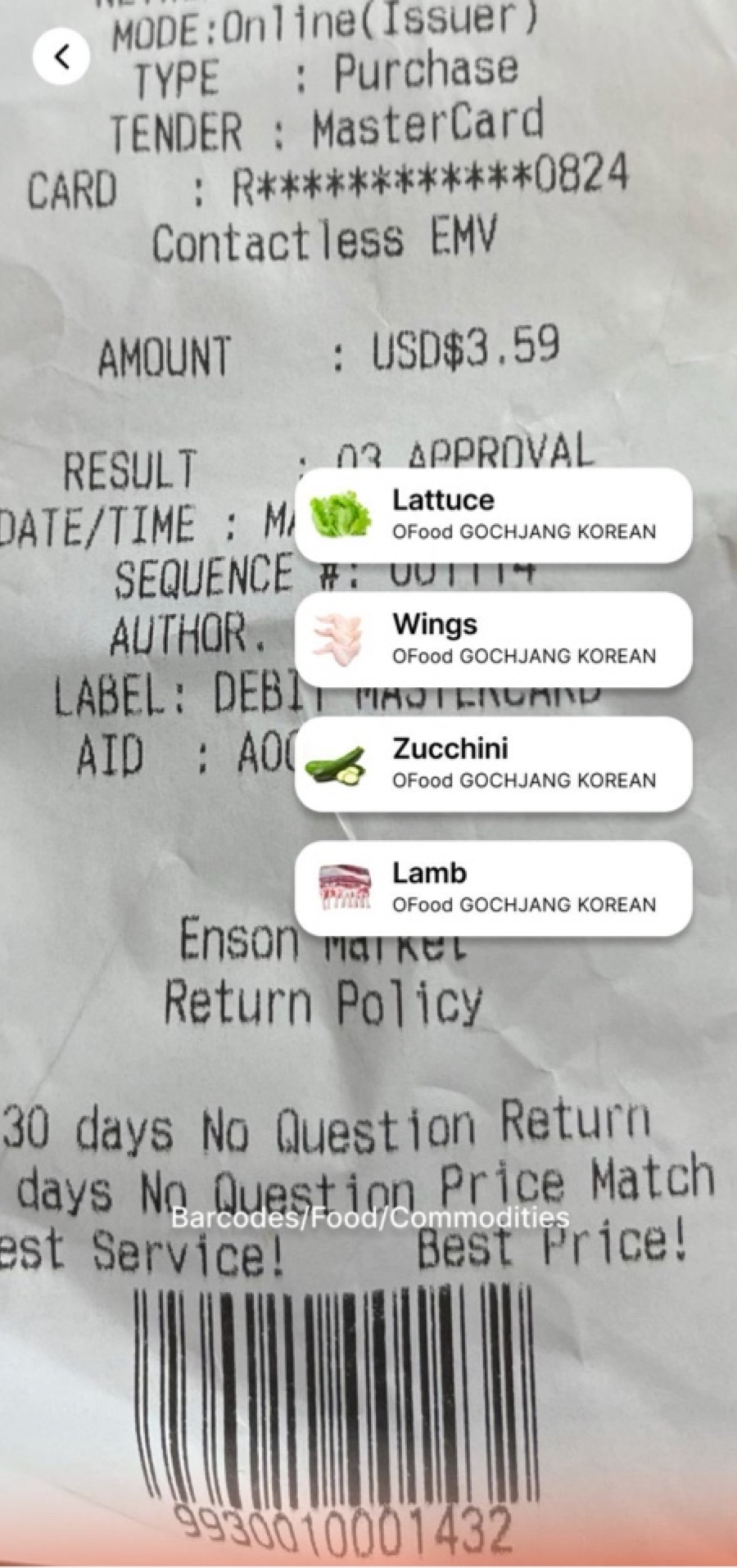
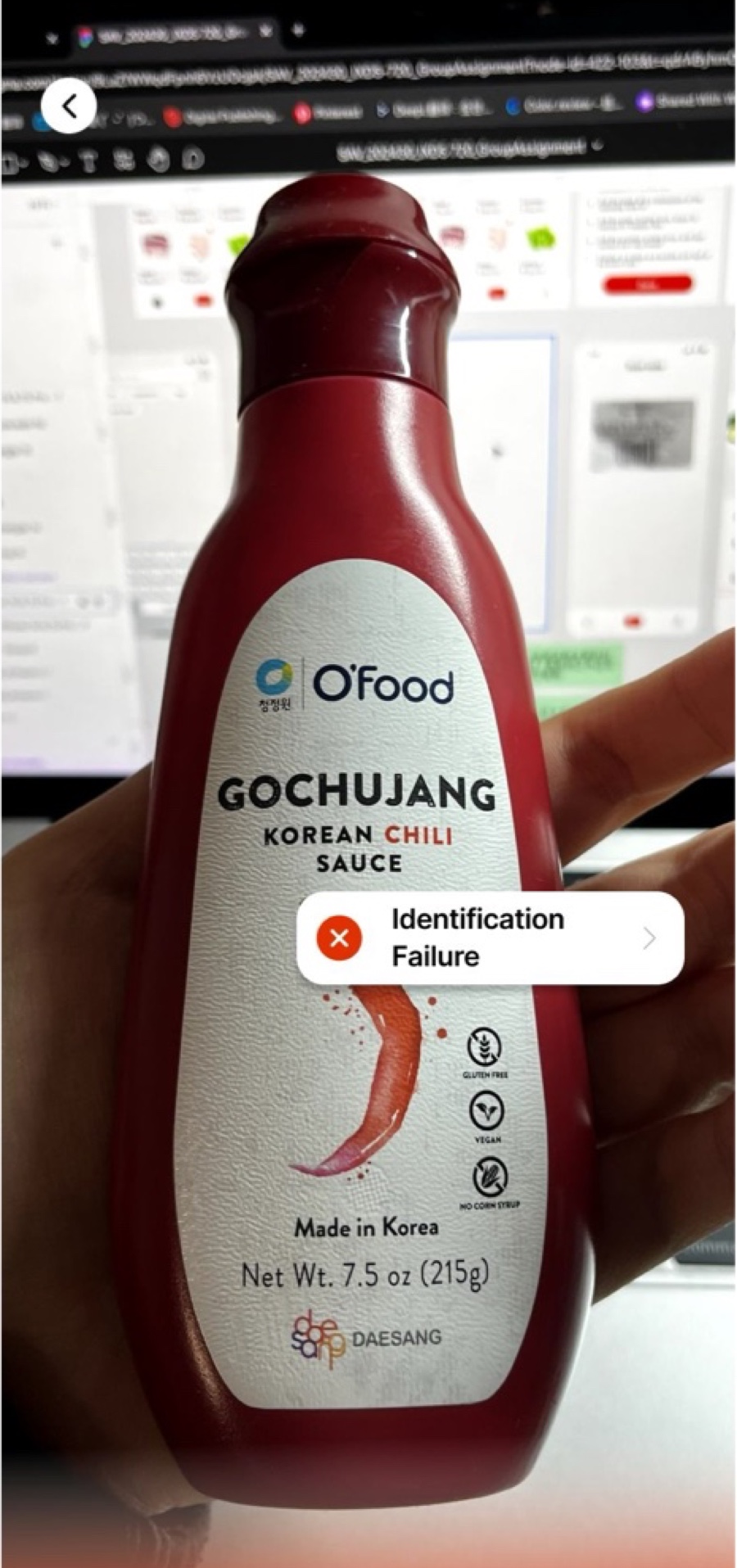
Receipt & Barcode Scanning
Instead of typing items in one by one, students scan a grocery receipt and FreshTrack picks out what they bought. The screens also cover what happens when recognition fails.
Recipes From What You Have
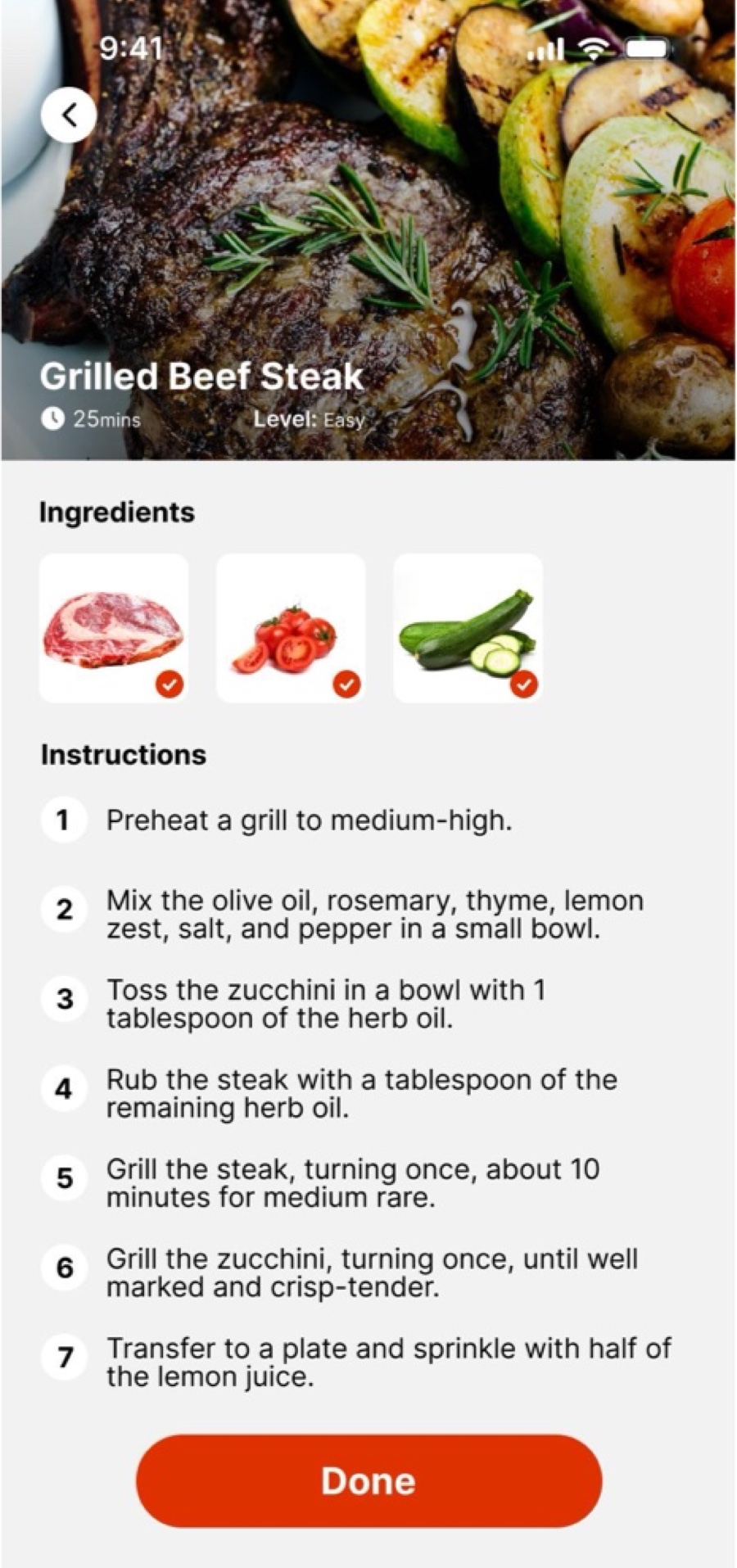
Recipes sit right above My Food on the home screen. Students pick ingredients they already have, and the app offers several recipes with step-by-step instructions.
Food Diary & Nutrition
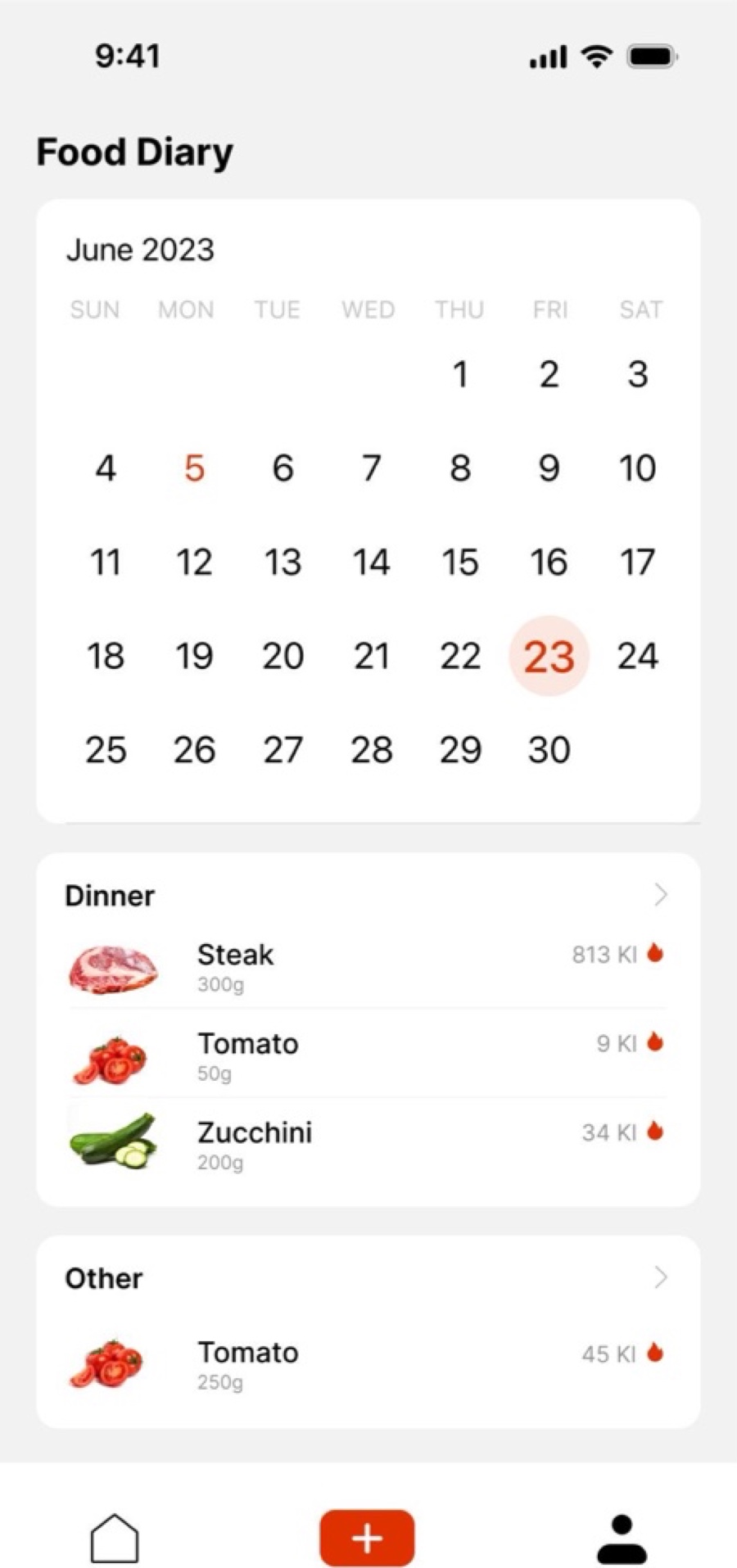
The Food Diary logs every meal on a calendar. Each meal shows its key nutrients, fat, protein and carbs, and how the intake compares with the suggested range.
Results
No student told us they wanted an app to track food freshness. The direction came from the limits they live with: meals set by class schedules, cooking that feels too slow, and food that doesn’t match where they come from. FreshTrack answers those limits by starting from the food students already have.
Owning the information architecture changed how I design. Deciding where every feature lives, and what happens after a scan or a recipe, before drawing a single screen made the UI work much easier.
We didn’t get to test the design with users, and some planned features, water tracking and the calorie calendar, stayed at the lo-fi stage. Next, I would:
Test scanning, freshness checks and recipe cooking with students, including international students.
Add recipes from different food cultures, so “healthy” can mean food students actually recognize.
Bring back the User Diary features from the site map: daily water and the calorie forecast.
UX Case Study
Rebuilding Trust in Secondhand High-Value Transactions
Estimated 15 min
Duration
Sep — Nov 2024
Team
Xiaoyun Zhou / Yiming Han / Sirui Cheng / Daniel
Role
UX Lead
Tools
1.23Bpeople actively shopping on Facebook Marketplace
62%of Facebook users encounter scams every week
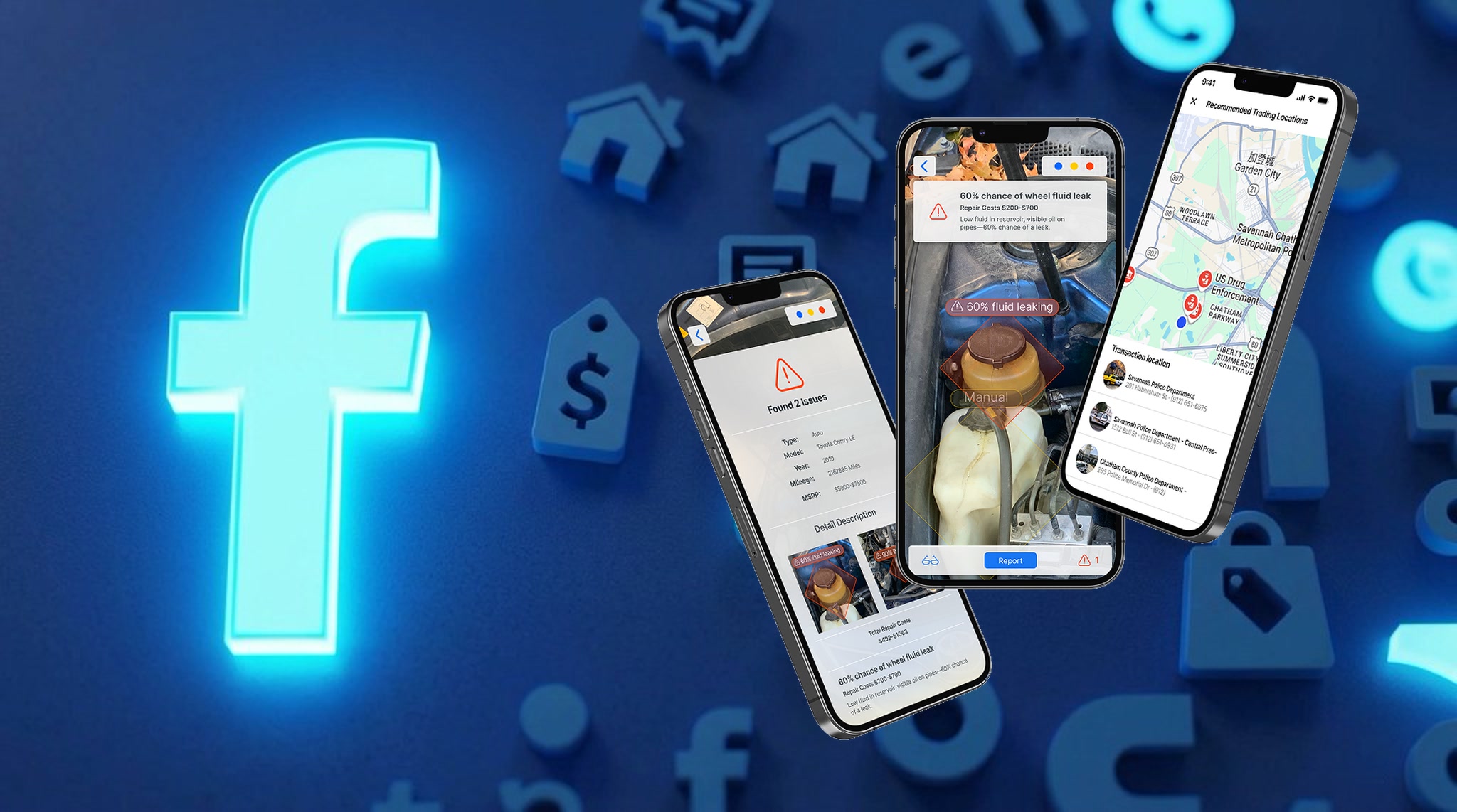
Three AI Features Designed to Protect Buyers and Sellers on Facebook Marketplace
Facebook Marketplace connects over 1.23 billion people buying and selling secondhand goods in their local communities. But for high-value transactions — electronics, cars, luxury goods — trust is the biggest barrier. According to cybersecurity firm Lookout, 62% of Facebook users encounter scams every week, and the platform’s lax review system leaves buyers exposed to fake or misleading product descriptions.
Original Ask
“Buy secondhand high-value goods without concern about trusting issues.”
Problem
Facebook Marketplace lacks built-in protection for high-value transactions. Buyers cannot verify product quality before meeting in person, sellers struggle to create accurate and trustworthy listings, and neither party has guidance on where to safely exchange goods.
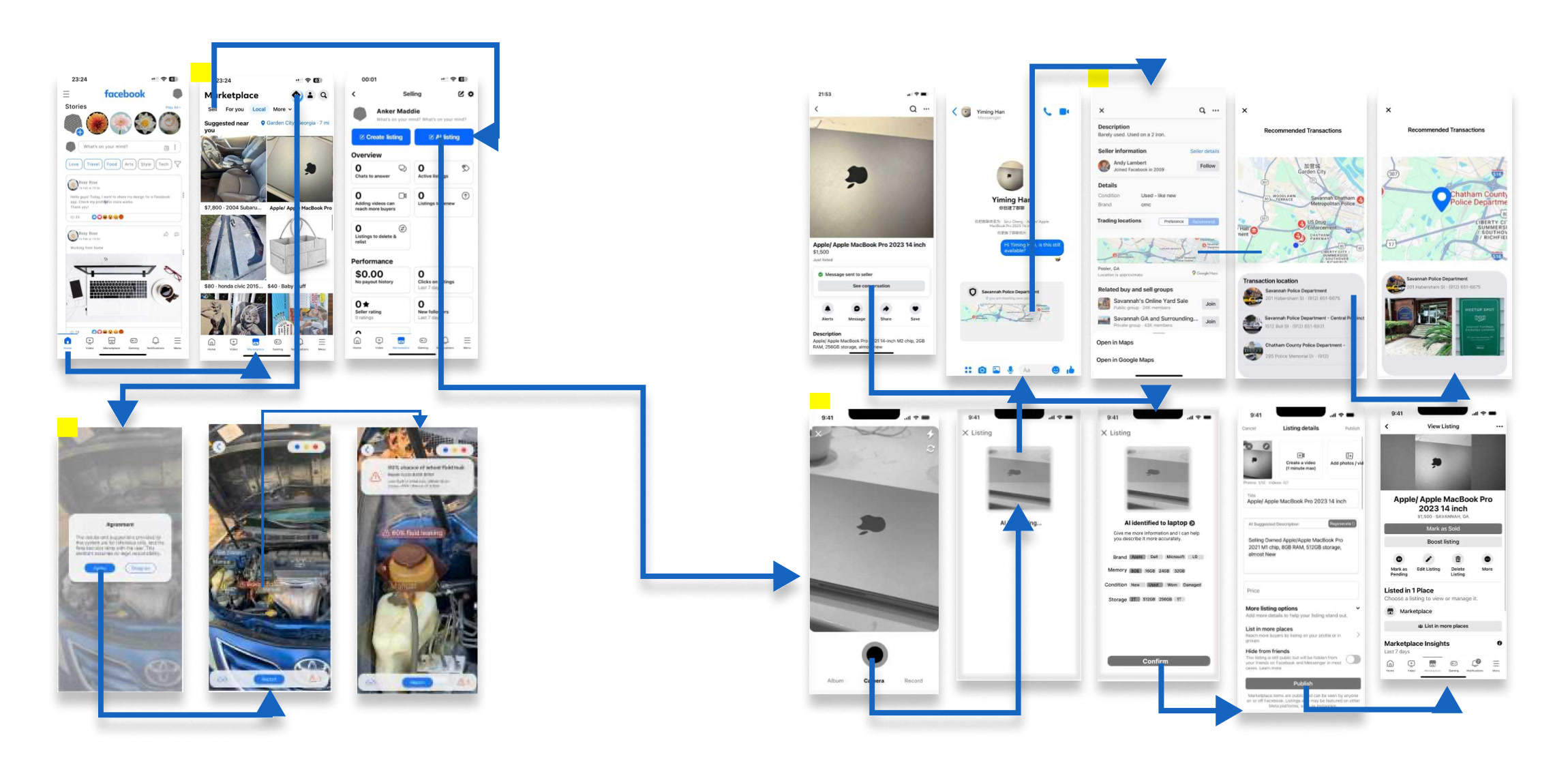
Challenge
Design three features that address the trust gap from both sides of the transaction — giving buyers an AR-powered vehicle inspection tool that detects known wear points based on make and model, safe meeting location guidance, and giving sellers AI-assisted listing to create accurate product descriptions faster.
Deliverables include: user interviews, secondary research, affinity mapping, low-fidelity wireframes, high-fidelity prototype, and usability testing.
Solution
Three features work together to rebuild trust across the full transaction experience:
AI Listing — AI automatically identifies the product from photos and generates accurate listing descriptions for sellers
AR Vehicle Inspection — AR-powered inspection based on make and model data detects known wear points and generates a detailed report with repair cost estimates
Recommended Safe Trading Location — Guides buyers and sellers to nearby safe public spaces to complete face-to-face transactions
Design Benefit
Buyer
Enhance Buyer Confidence
Reduced Risk of Hidden Costs
Informed Decision-Making
Seller
Time-Saving with Automatic Description
Effortless Product Listing
Buyer & Seller
Improved Trust between Buyers and Sellers
Improved Enhanced Security
Market Review
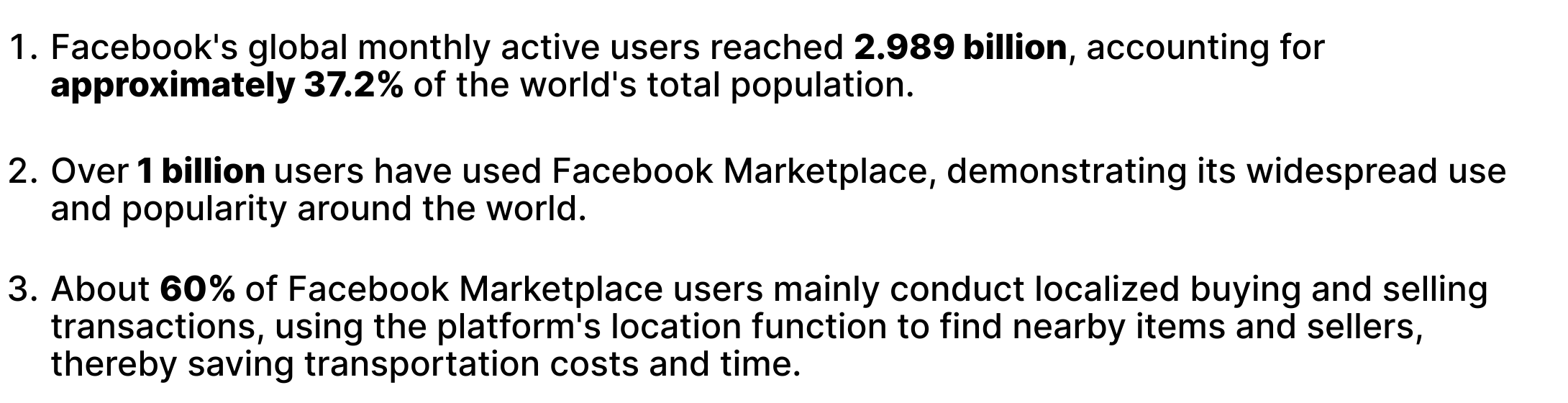
Facebook’s global monthly active users reached 2.989 billion, accounting for approximately 37.2% of the world’s total population.
Over 1 billion users have used Facebook Marketplace.
About 60% of users mainly conduct localized buying and selling transactions.
The Fact
Three external findings shaped our understanding of the problem:
The platform relies on users to arrange their own transaction locations, increasing potential security risks during face-to-face meetings.Keepers
Around 62% of Facebook users encounter scams every week.Frey
Facebook Marketplace’s relatively lax review system increases the risk of purchasing inferior or fake products.Keepers
Goal Statement
To increase Facebook Marketplace revenue by 15% within 6 months, we are launching a service for high-value (>$500) items.
This program is expected to increase user trust, reduce transaction disputes by 20%, and drive sales of more high-end goods.
Discovery
To understand the real pain points of high-value secondhand transactions, we conducted a mixed-method research approach combining primary user interviews and secondary market research.
Selected Customers
We focused on users who frequently trade high-value goods on Facebook Marketplace — electronics, luxury goods, vehicles, and home equipment — with particular concern about transaction security. Participants were screened against four criteria:
Have traded secondhand goods at least once
Have traded high-value commodities
Have clear concerns about transaction security
Willing to try new platform features and provide feedback
Screening Planning
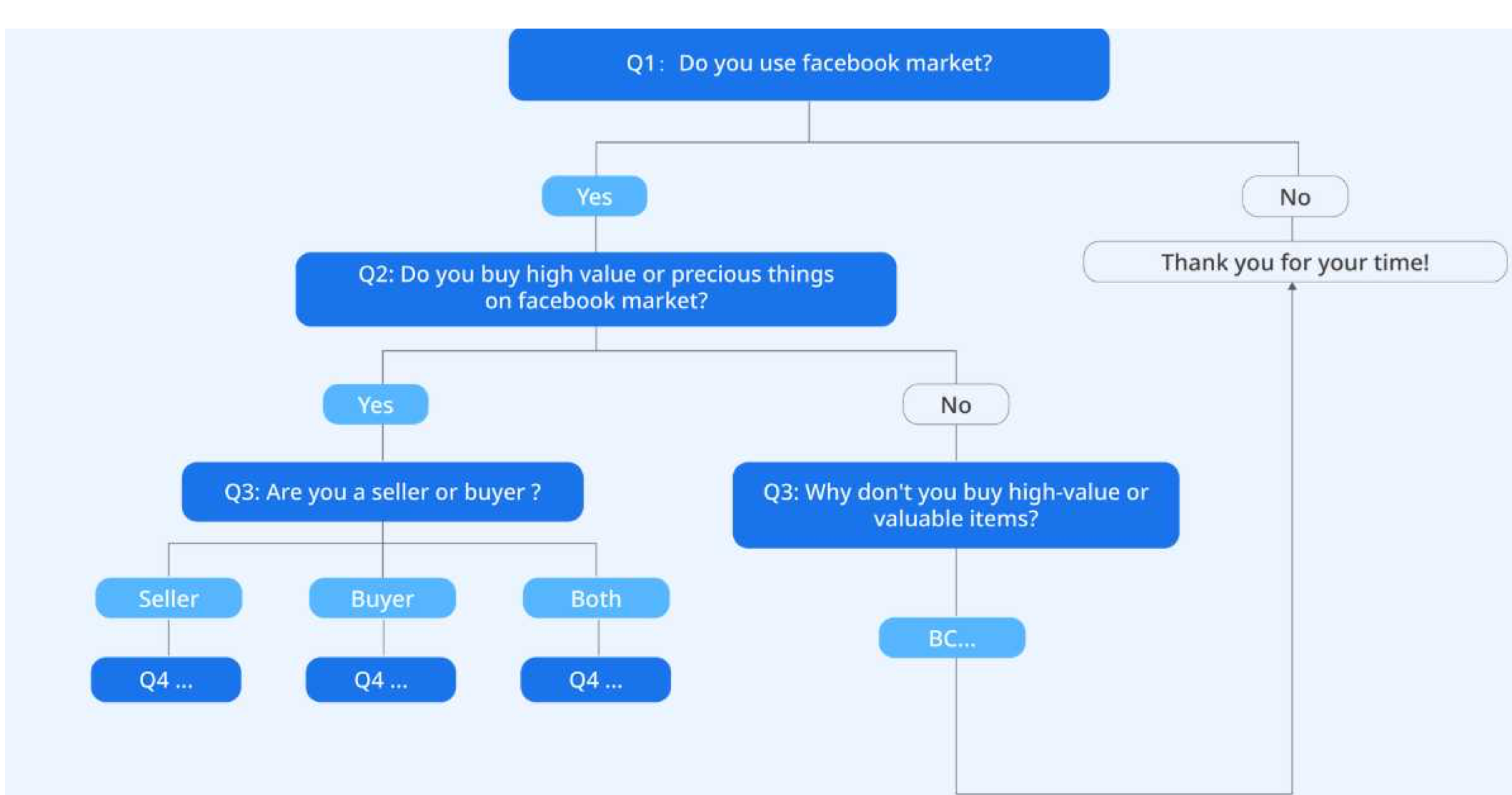
Before conducting interviews, we designed a screening process to identify the right participants. Only users who actively trade on Facebook Marketplace, have experience with high-value goods, and have clear security concerns were invited to participate.
Interview Process
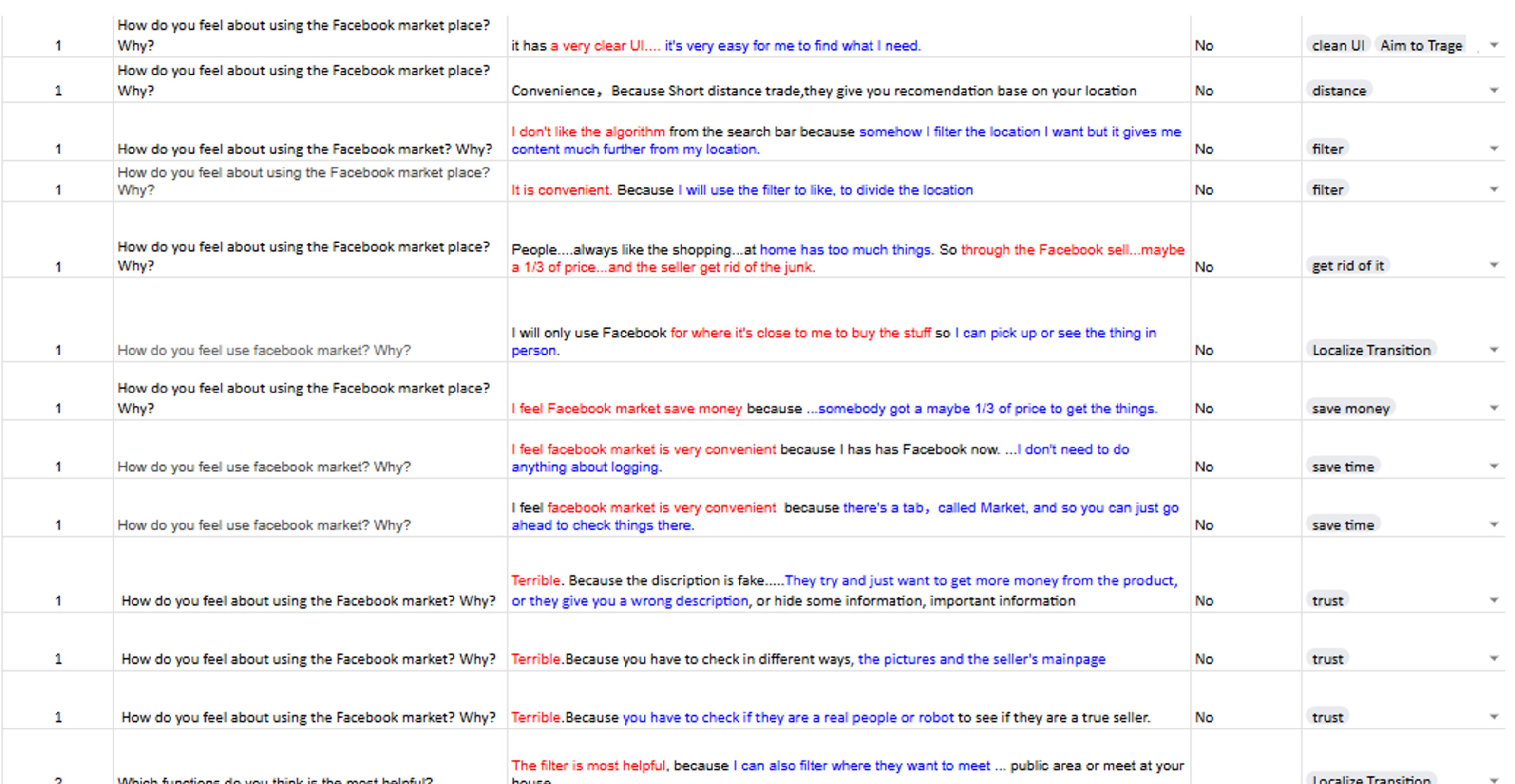
We conducted interviews with 12 participants, generating 149 data points. Each interview covered three areas: how users currently feel about Facebook Marketplace, what difficulties they face when trading high-value goods, and how they currently verify product quality and seller trust.
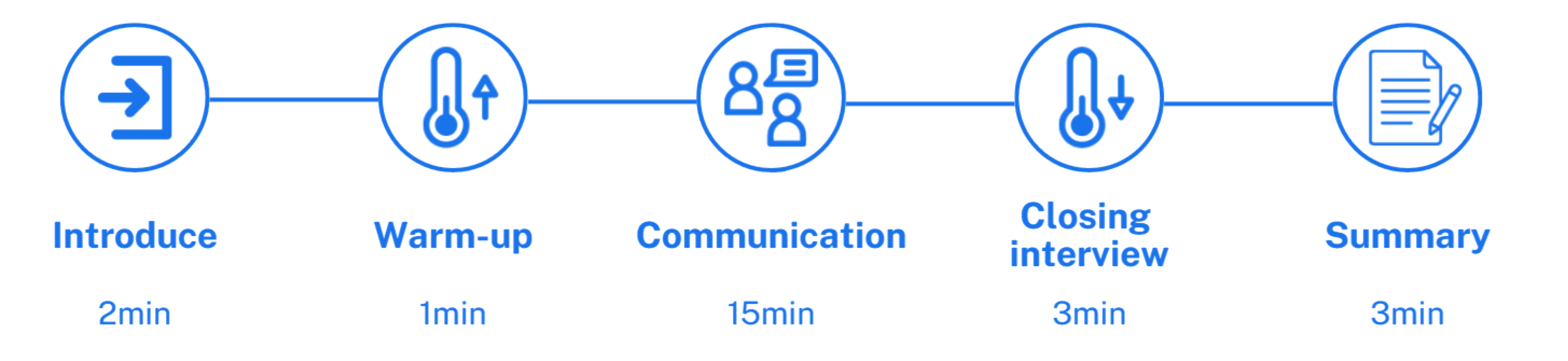
Interview Guide
Each interview followed a structured 24-minute guide: 2 minutes introduction, 1 minute warm-up, 15 minutes communication, 3 minutes closing, and 3 minutes summary.
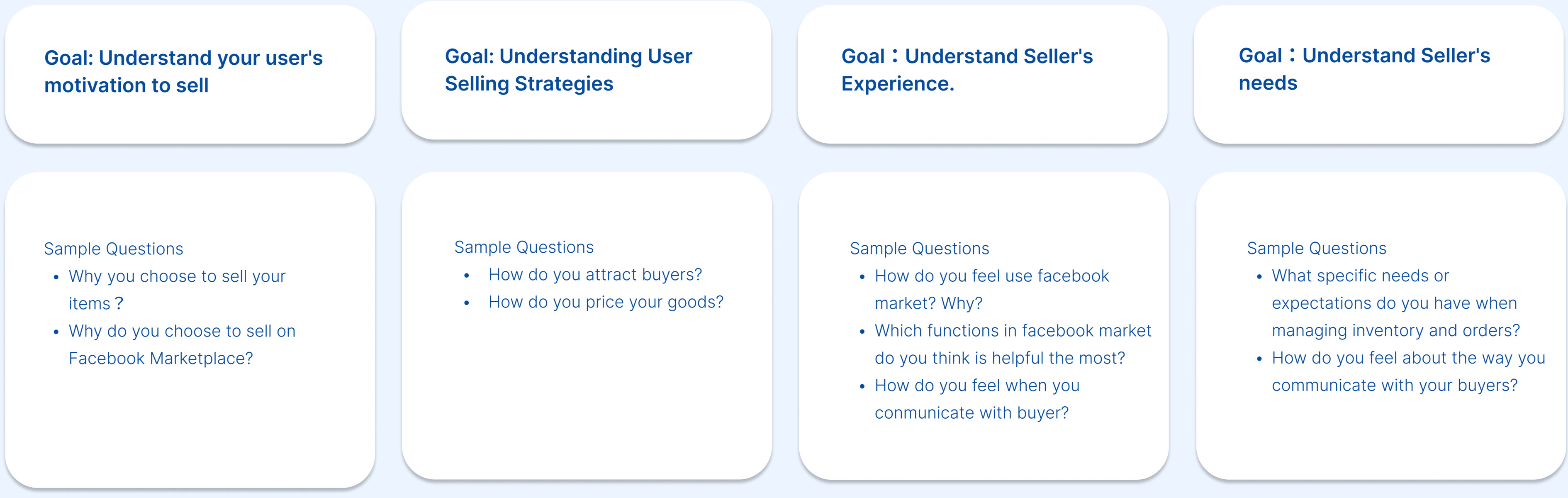
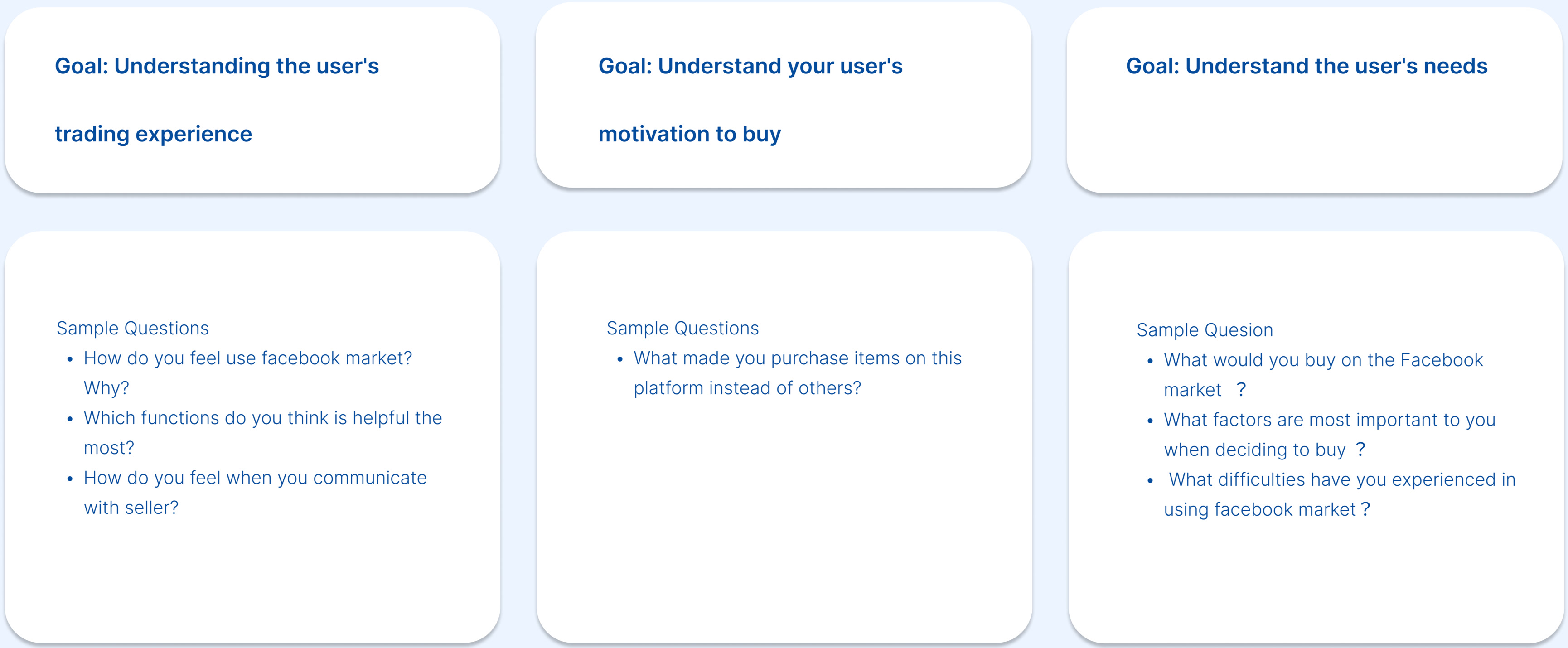
Interview Questions
We designed separate question sets for buyers and sellers, each covering four goal areas to understand their motivations, strategies, experiences, and unmet needs on the platform.
Data Cleaning — Seller
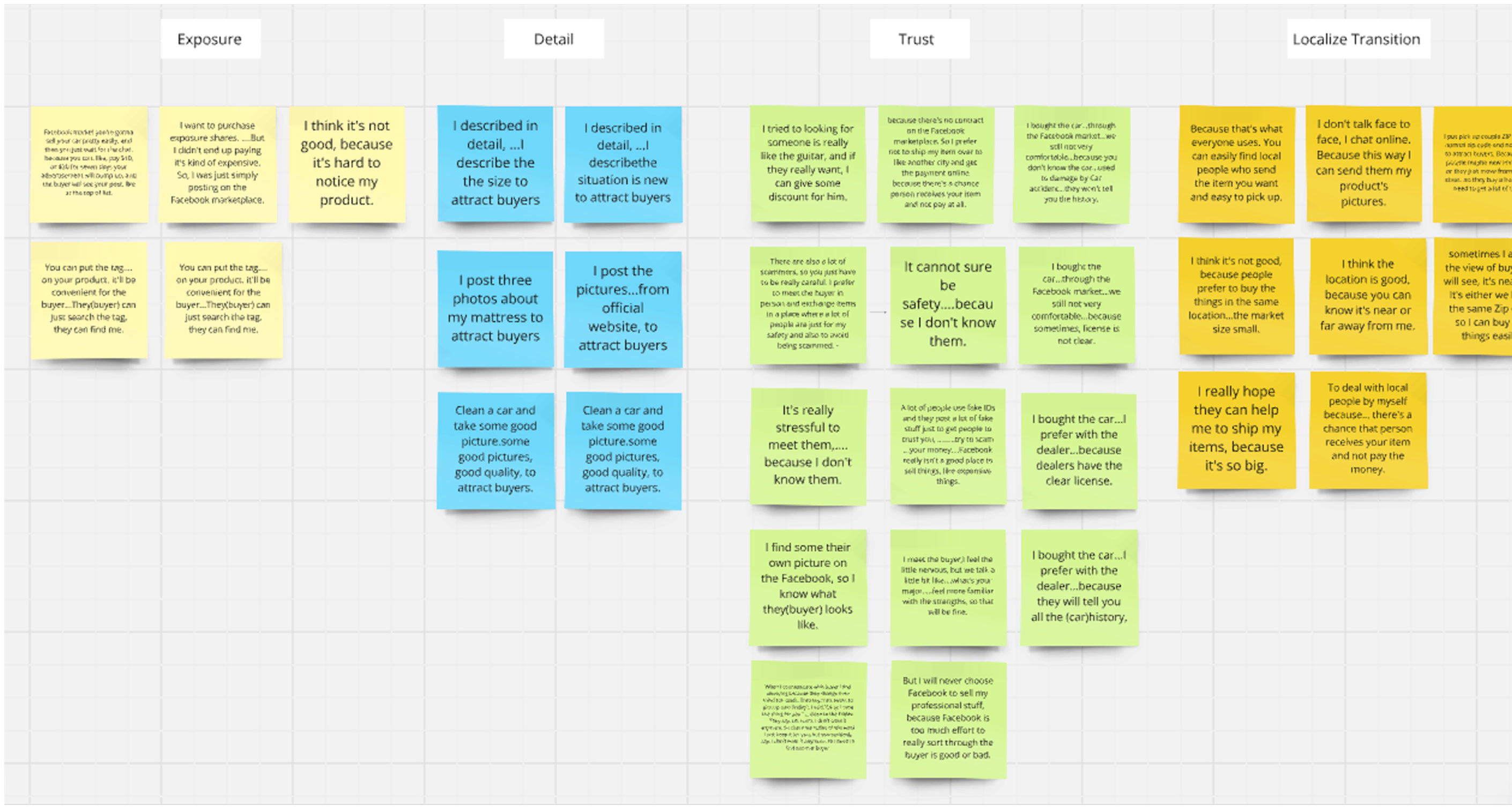
After collecting responses, we organized seller data into four themes: Exposure, Detail, Trust, and Localize Transition.
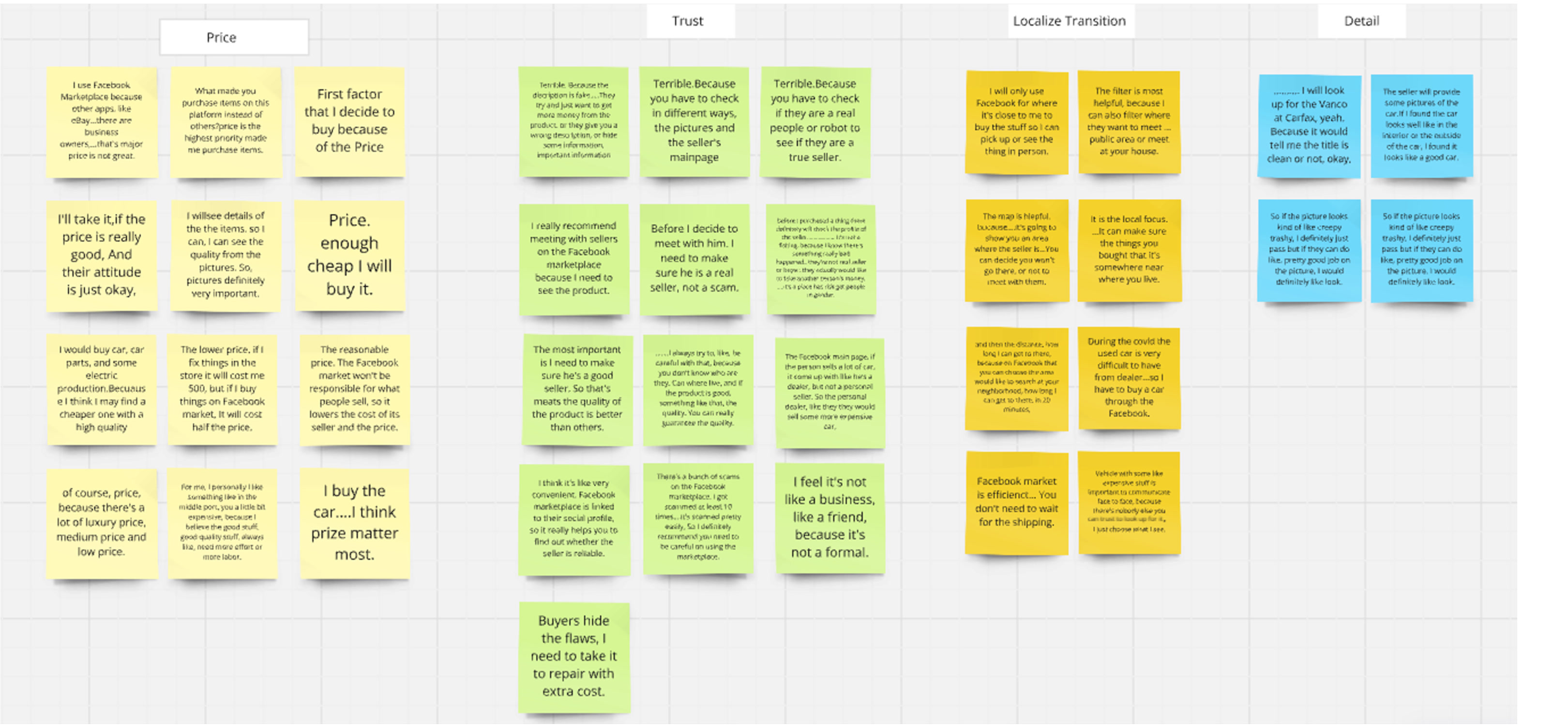
Data Cleaning — Buyer
Buyer data clustered around four themes: Price, Trust, Localize Transition, and Detail.
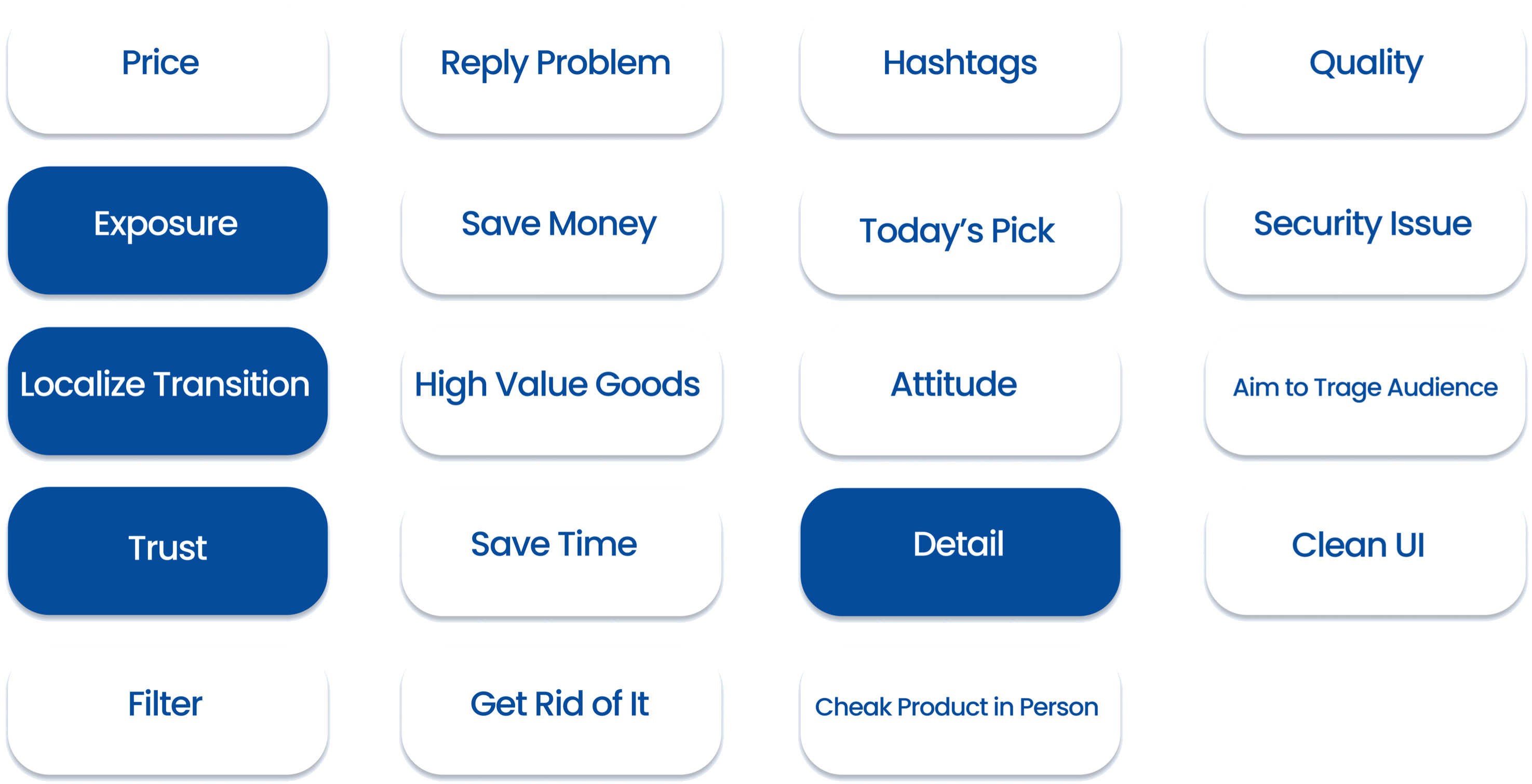
Tags
We identified 16 recurring tags across all interviews — with Localize Transition, Trust, and Detail emerging as the most dominant themes for both buyers and sellers.
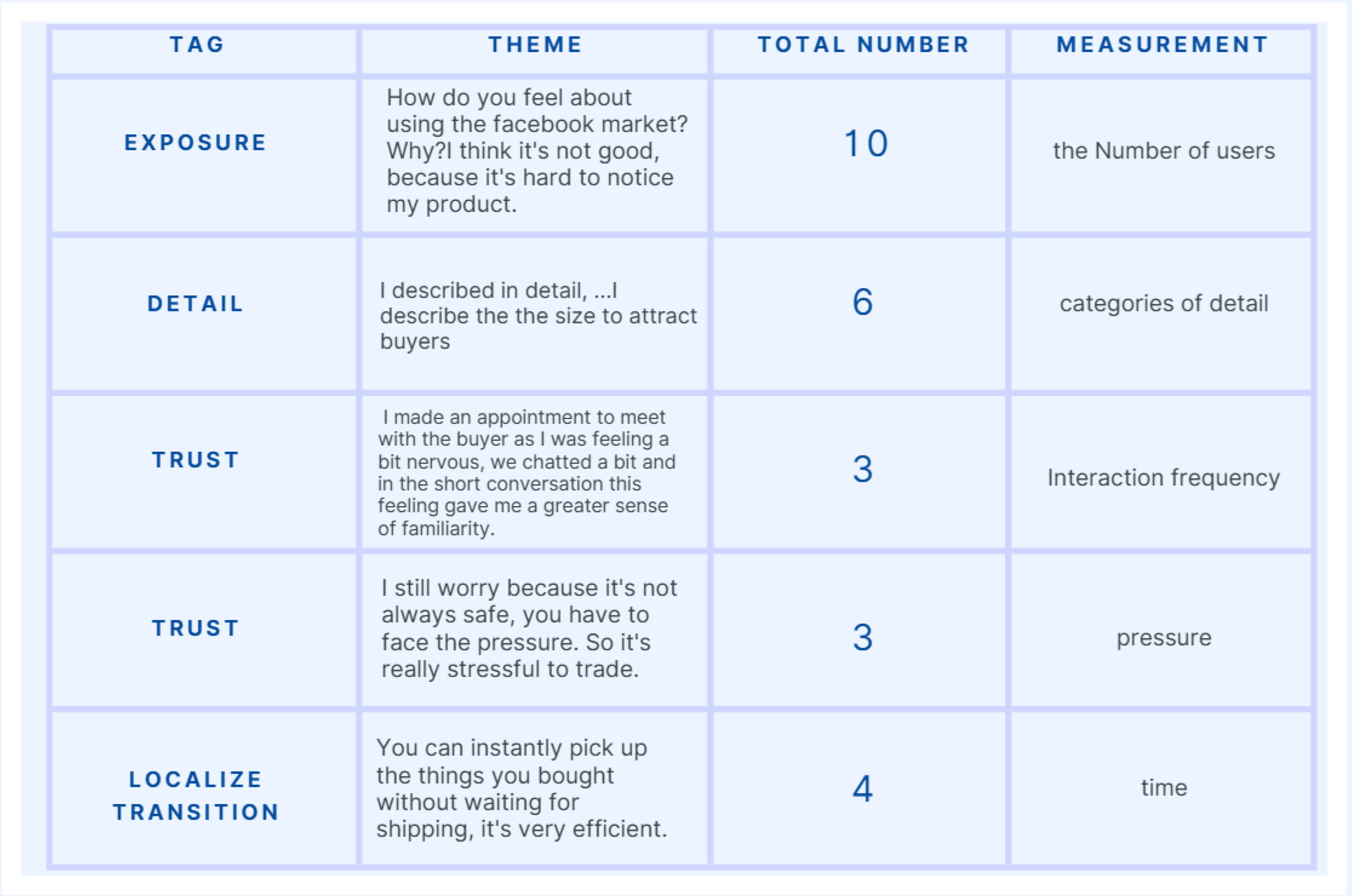
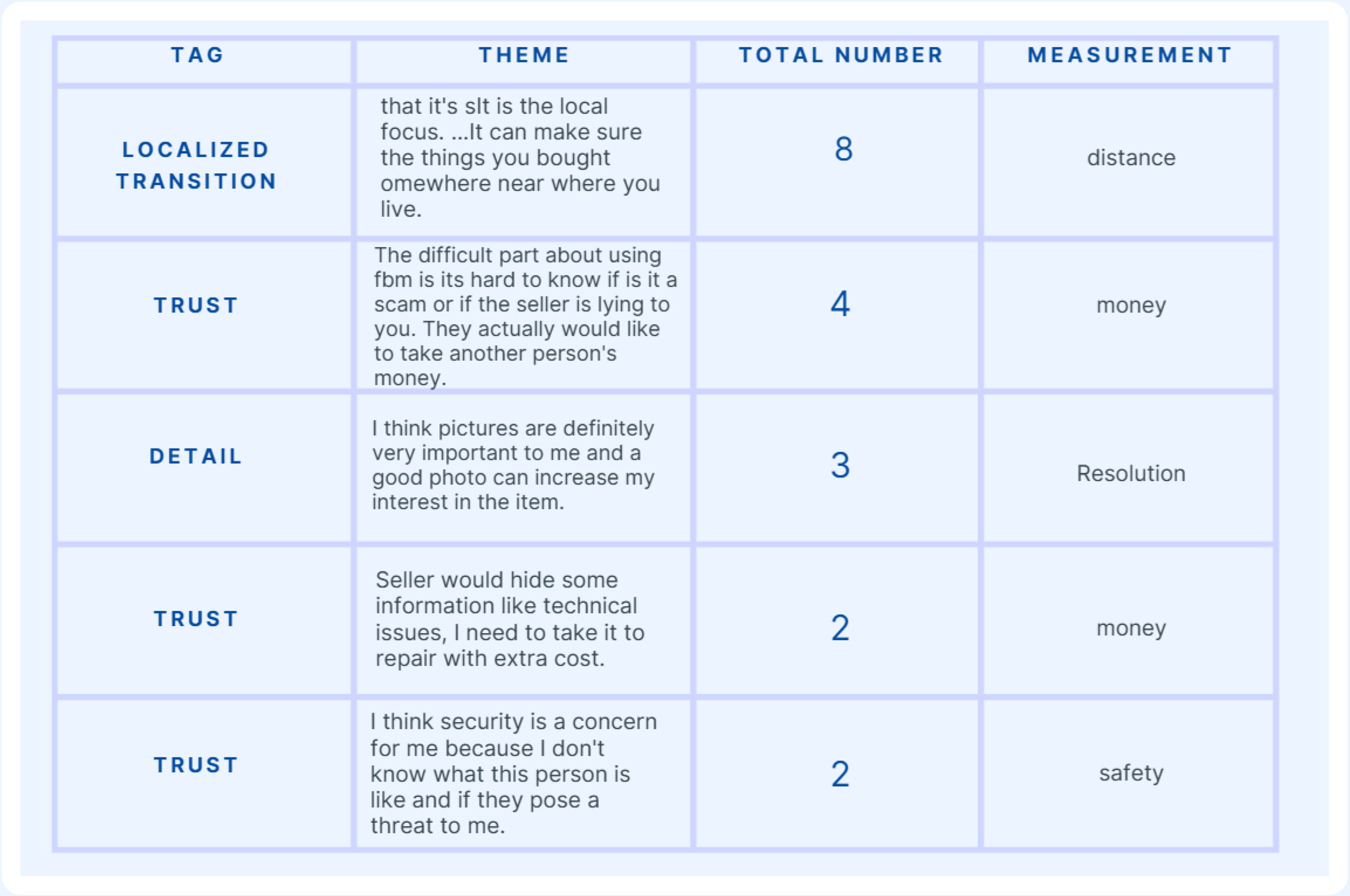
Themes — Seller
Seller themes by frequency:
Exposure — 10 mentions
Detail — 6 mentions
Trust — 3 mentions (interaction)
Trust — 3 mentions (pressure)
Localize Transition — 4 mentions
Themes — Buyer
Buyer themes by frequency:
Localize Transition — 8 mentions
Trust — 4 mentions (money)
Detail — 3 mentions
Trust — 2 mentions (money)
Trust — 2 mentions (safety)
Research Objectives
Our research aimed to answer three core questions:
What motivates users to buy and sell high-value goods on the platform, and what stops them?
What specific trust and quality pain points do users face during transactions?
What usability challenges do users encounter on the platform?
Best Note
Three user quotes directly shaped our three design features:
“Facebook market you’re gonna sell your car pretty easily, and then you just wait for the chat. But you definitely need to have more good photos and really nice description, all the information about the vehicle.”
Improvement: Add the function of AI to automatically recognize products and fill in product descriptions.
“There’s a bunch of scams on the Facebook marketplace, I got scammed at least 10 times... it’s scammed pretty easily, so I definitely recommend you need to be careful on using the marketplace.”
Improvement: Recommendation Location
“Facebook Marketplace is terrible. The descriptions are always fake... They try and just want to get more money from the product, or they give you a wrong description, or hide some important information.”
Improvement: Use AI inspection to help check the quality of used products.
User’s Voice
Across all 12 interviews, three patterns emerged clearly:
They Say
Users acknowledge the platform’s convenience but consistently report encountering scams and misleading descriptions.
They Mean
Despite enthusiasm for secondhand shopping, users feel frustrated and wary due to repeated bad experiences, and trust in the platform is low.
They Want
A more secure and trustworthy environment with better seller verification and fewer scams.
Ideation
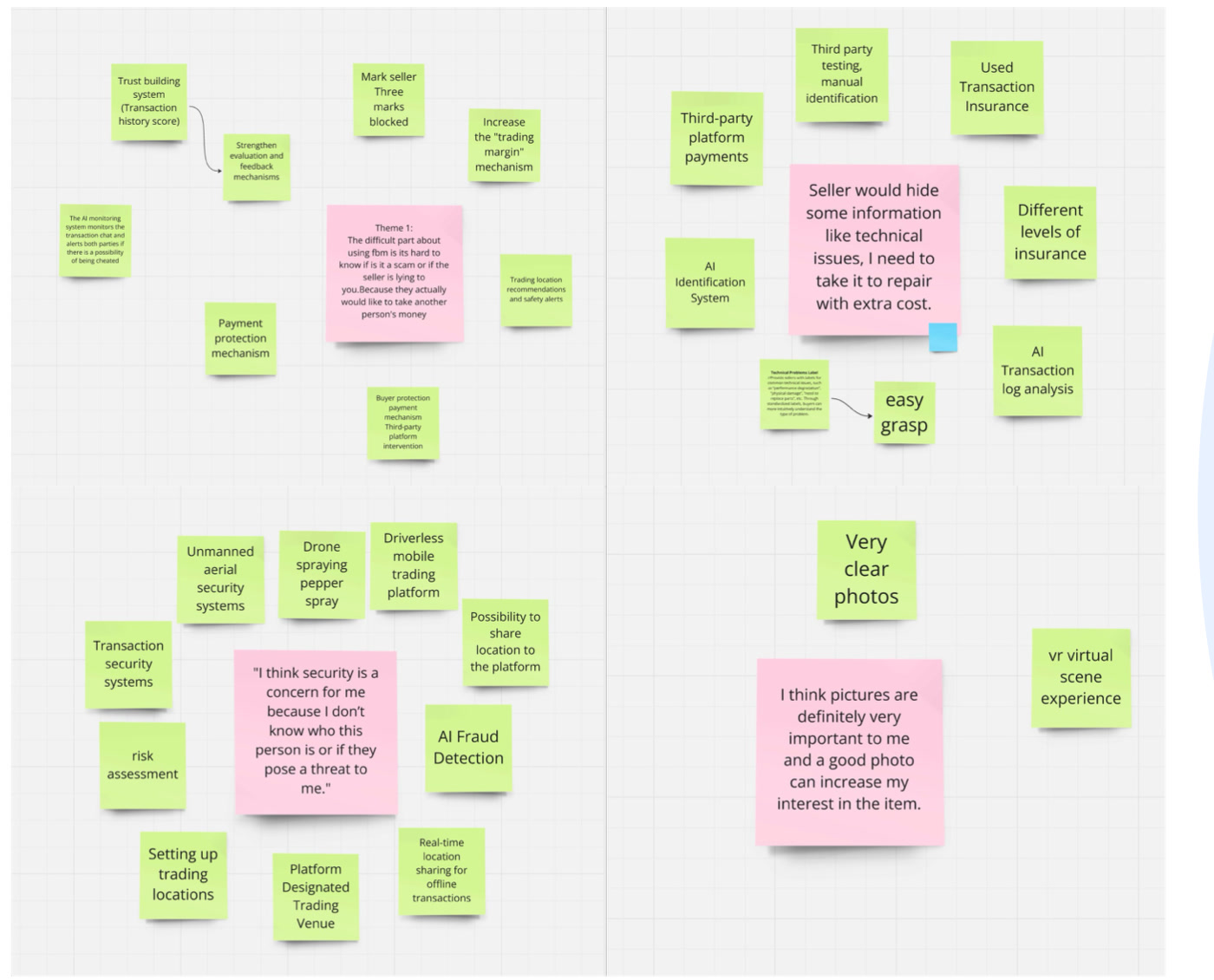
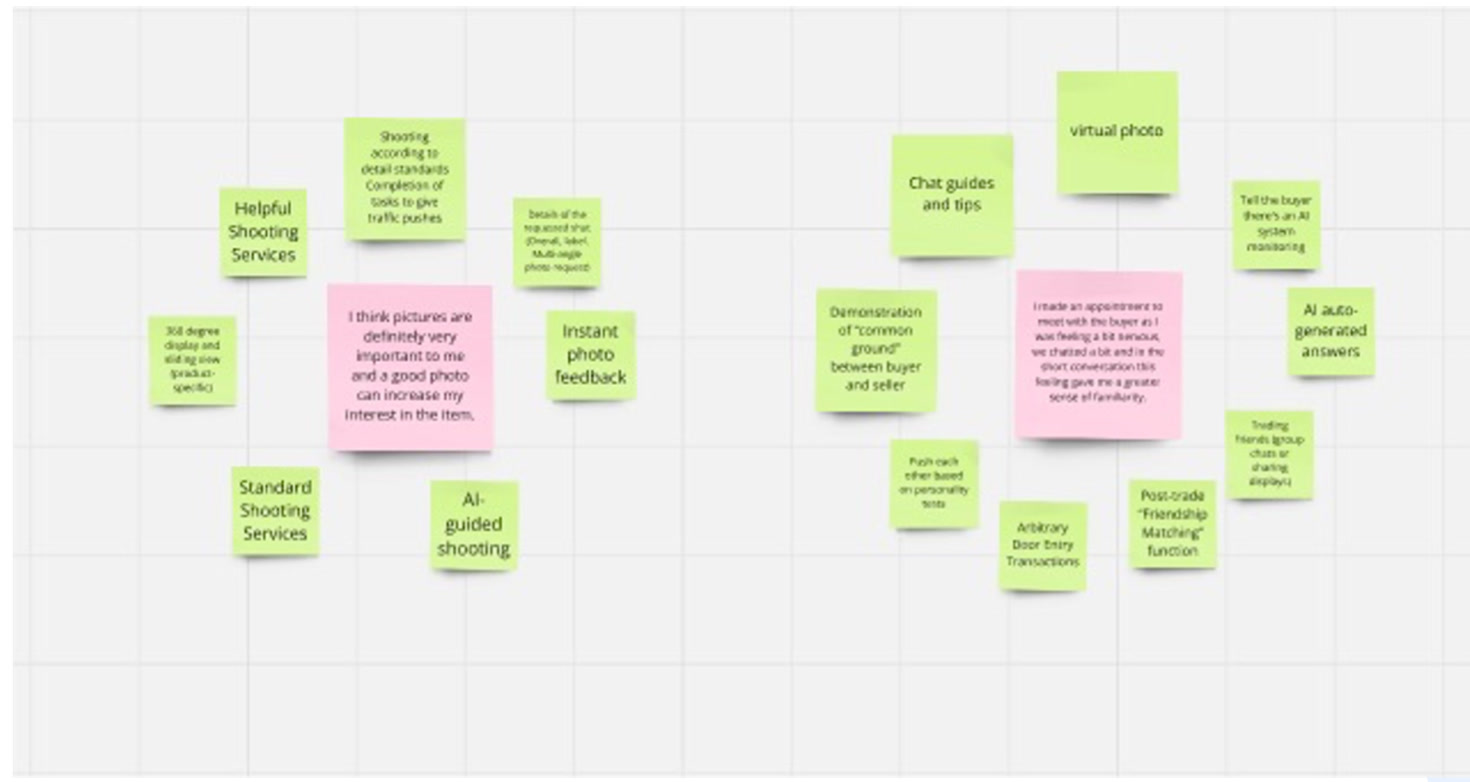
With our research findings in hand, we ran separate brainstorming sessions for buyer and seller pain points — identifying the strongest ideas and selecting the ones most likely to rebuild trust on both sides of the transaction.
Brainstorming — Buyer
For buyers, the core problem was clear: they had no reliable way to verify product quality or transaction safety before committing to a meeting. Our brainstorming surfaced two winning directions:
AR vehicle inspection powered by make and model data
Safe location recommendation near public spaces and police stations
Winner
Brainstorming — Seller
For sellers, the friction was different: writing accurate, detailed listings takes time and effort that most casual sellers don’t have. The winning idea was straightforward:
AI automatically recognizes the product from photos and generates a complete listing description
Winner
Define
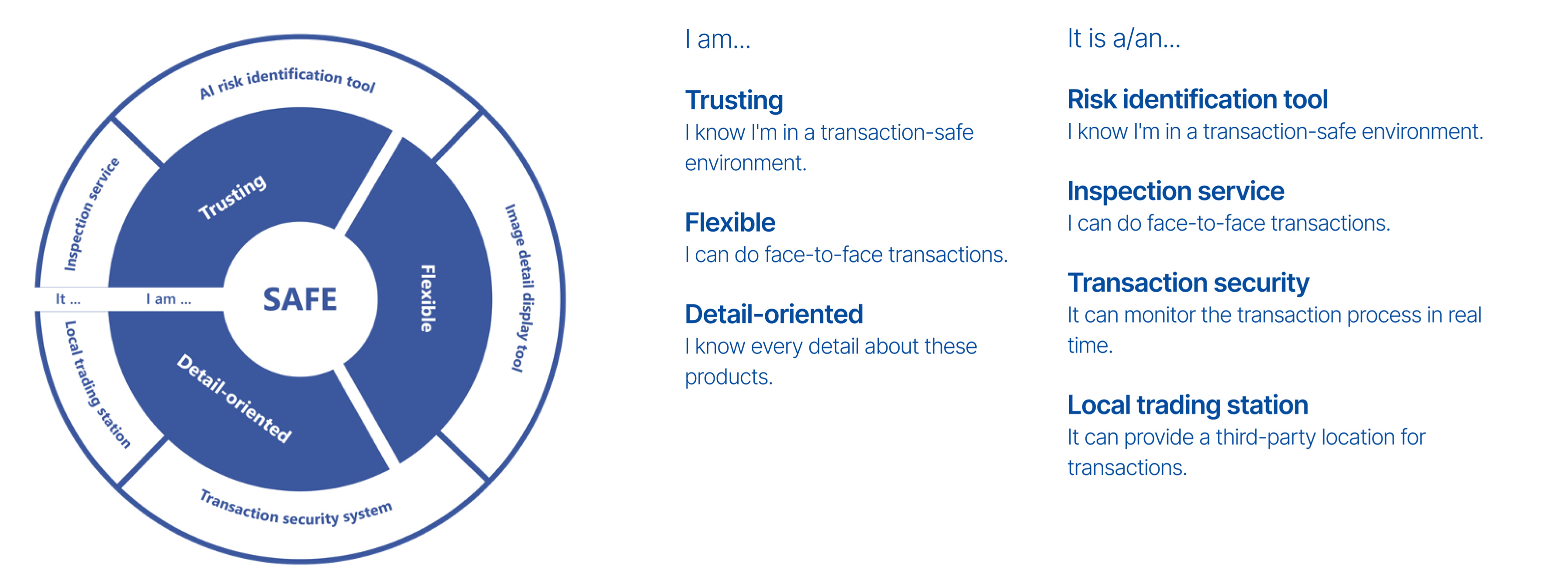
Model Experience Wheel
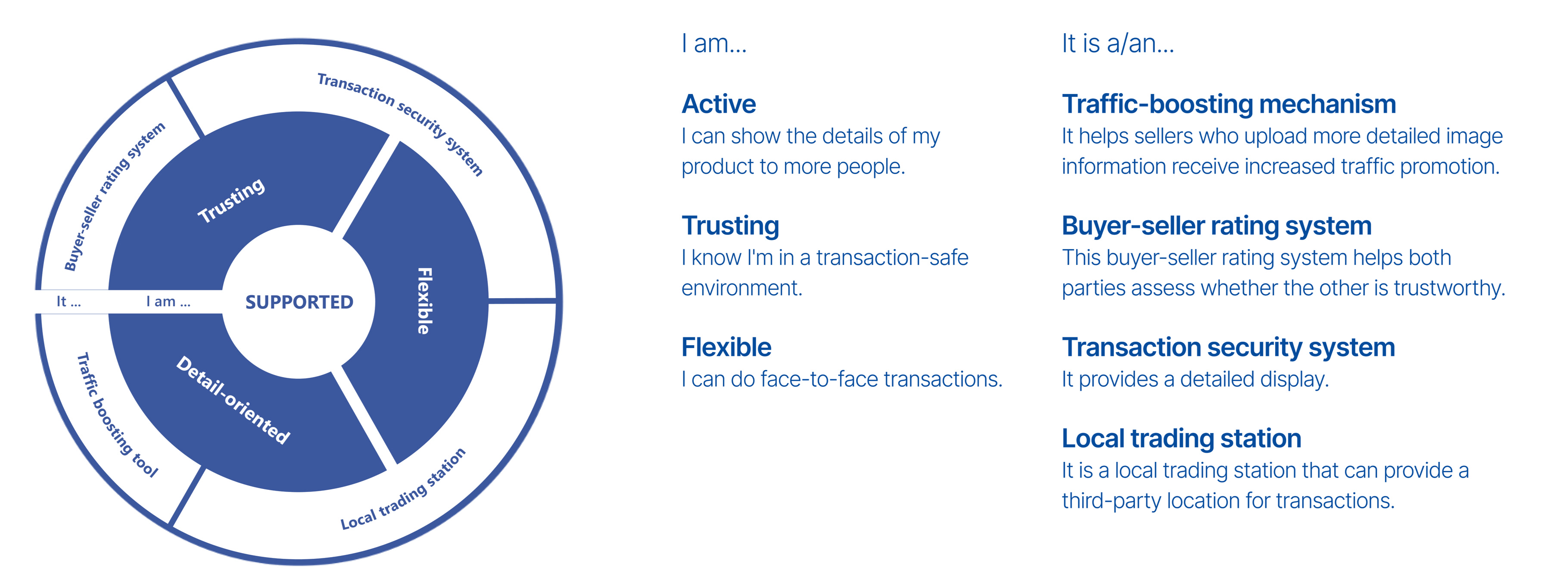
Buyers want to feel SAFE — trusting the transaction environment, able to verify product details, and confident in face-to-face exchanges.
Sellers want to feel SUPPORTED — able to showcase their products to more buyers, trusted by the platform, and empowered to complete transactions efficiently.
Product Journey Map
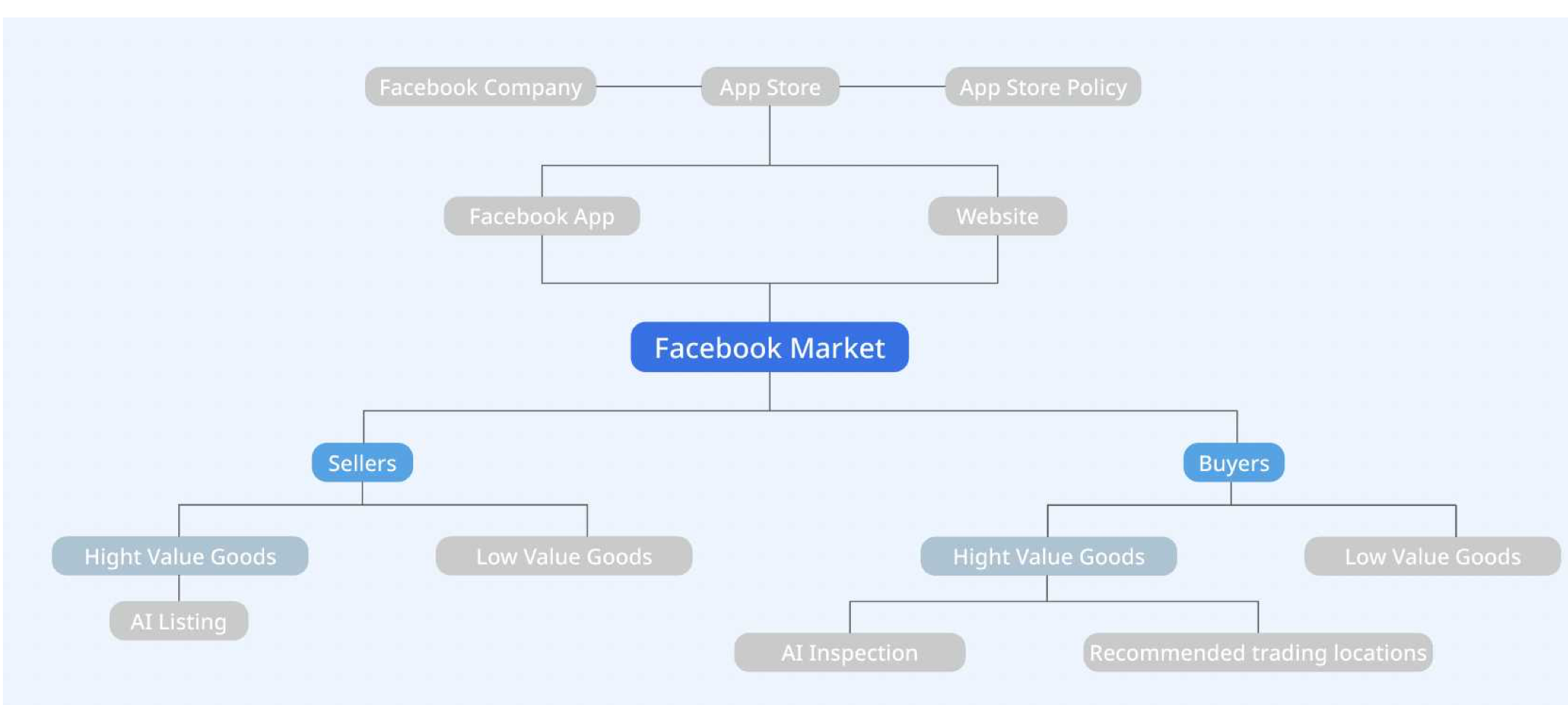
The product journey map shows how our three features are distributed across the platform — AI Listing serves sellers of high-value goods, while AI Inspection and Recommended Trading Locations serve buyers of high-value goods.
User Flow — Before
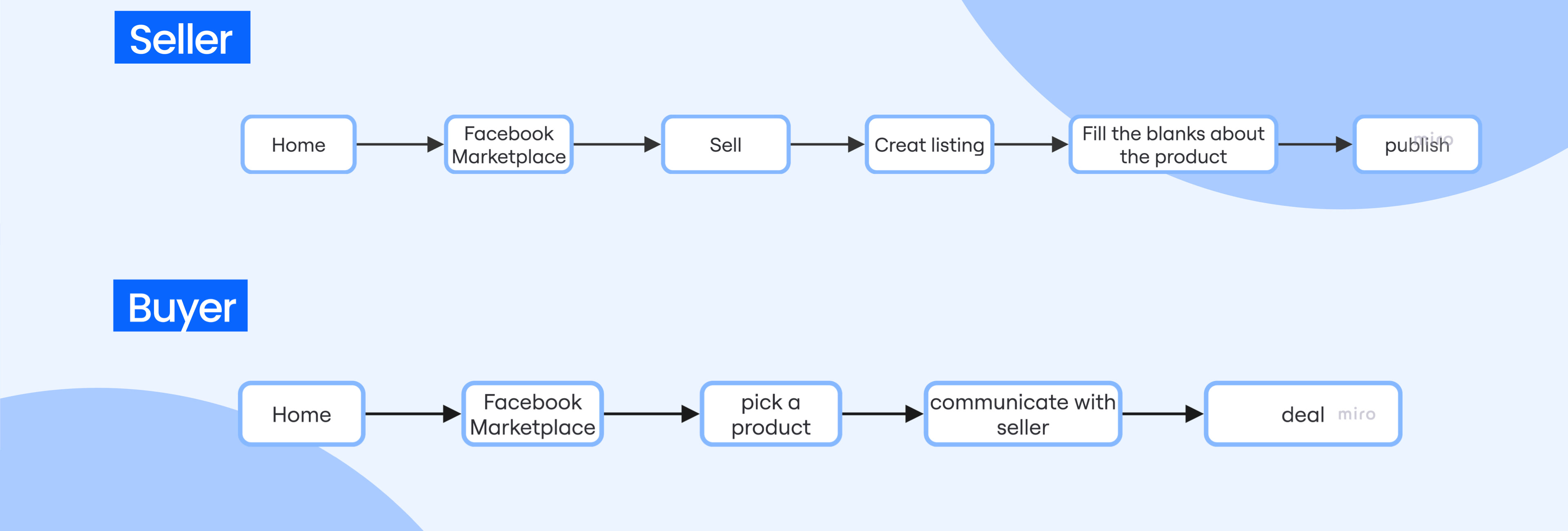
Before our design intervention, both buyers and sellers followed a simple but unprotected flow — sellers had no assistance creating listings, and buyers had no way to verify quality or arrange safe meetups.
User Flow — After
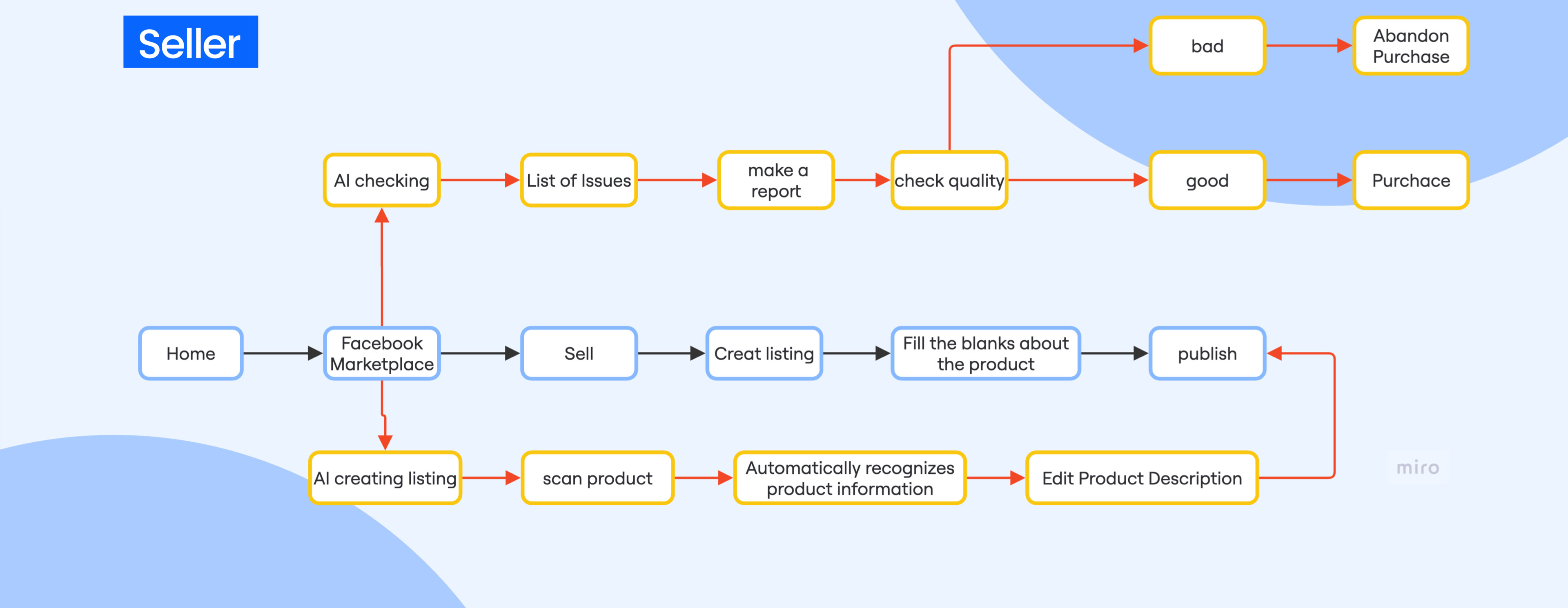
After our design intervention, AI Listing is embedded in the seller flow to automate descriptions, while AI Inspection and Safe Location Recommendation are embedded in the buyer flow to protect high-value transactions at every step.
Mockups
The purpose of this selection of mockups is to illustrate the design iterations across three features: AI Listing, AR Vehicle Inspection, and Recommended Safe Trading Location.
Initial Concepts
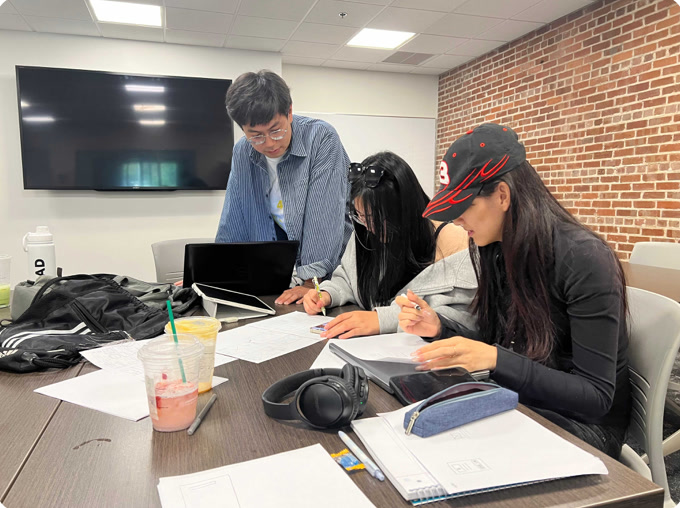
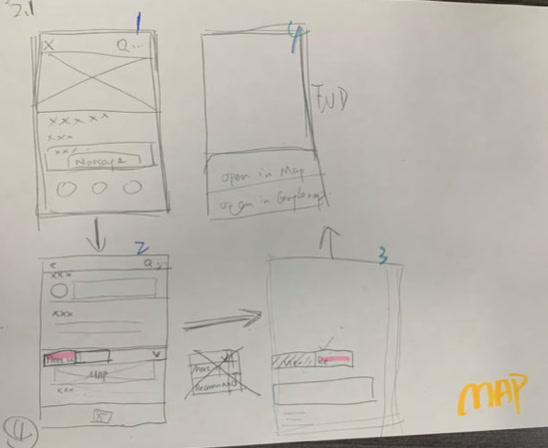
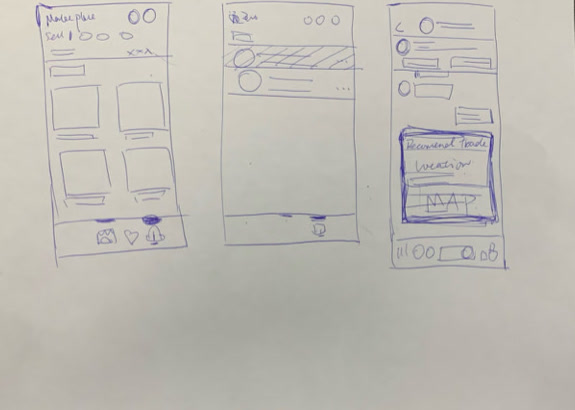
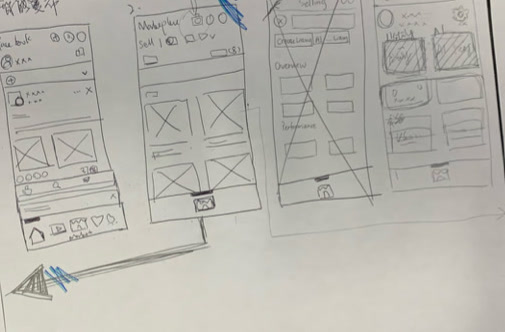
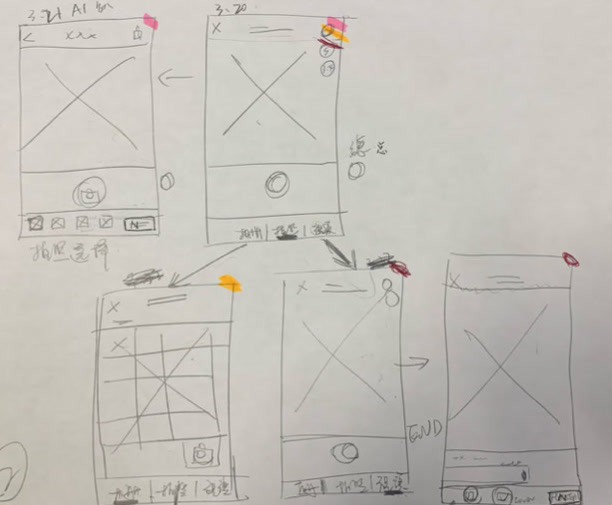
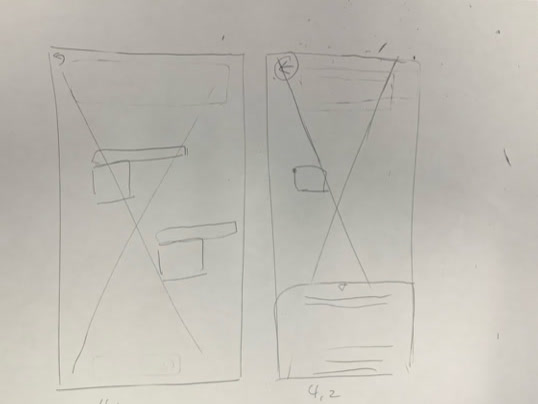
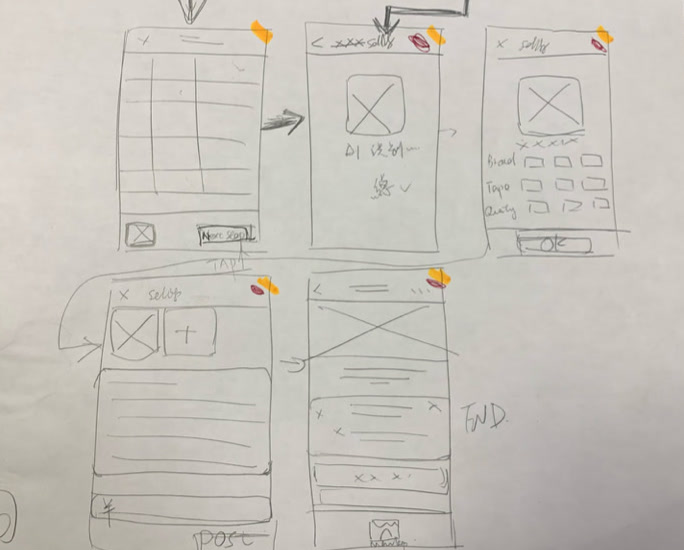
We began with hand-drawn wireframes to rapidly explore the core flows for each feature — sketching out how AI listing, vehicle inspection, and location recommendation would each fit within the existing Facebook Marketplace interface without disrupting familiar patterns.
Low-Fi
We sketched the key screens of each feature on paper to quickly test flows before moving into digital wireframes.
Mid-Fi
We developed mid-fidelity wireframes to map out the complete interaction flows for all three features before moving into high-fidelity design.
Hi-Fi
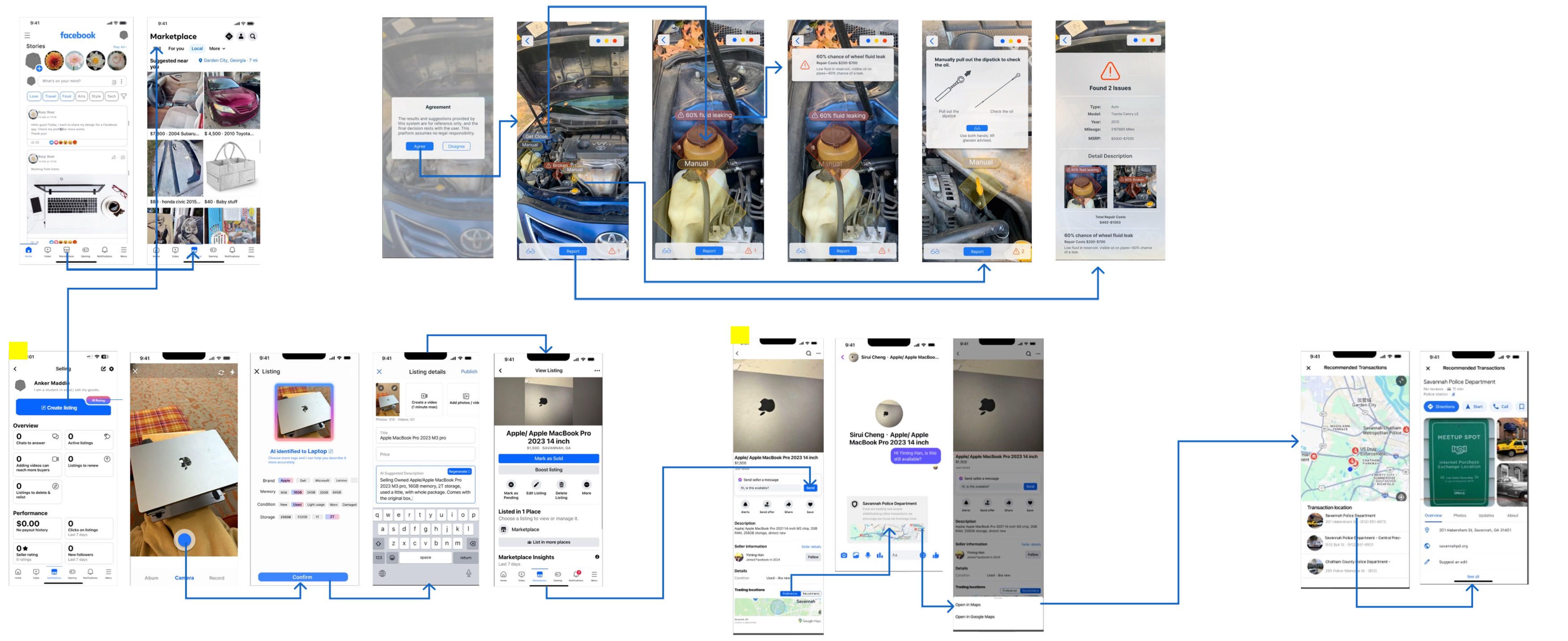
The high-fidelity flow connects every screen across the three features, from the Marketplace feed through AI listing, AI inspection, and the recommended meetup location.
Final Design
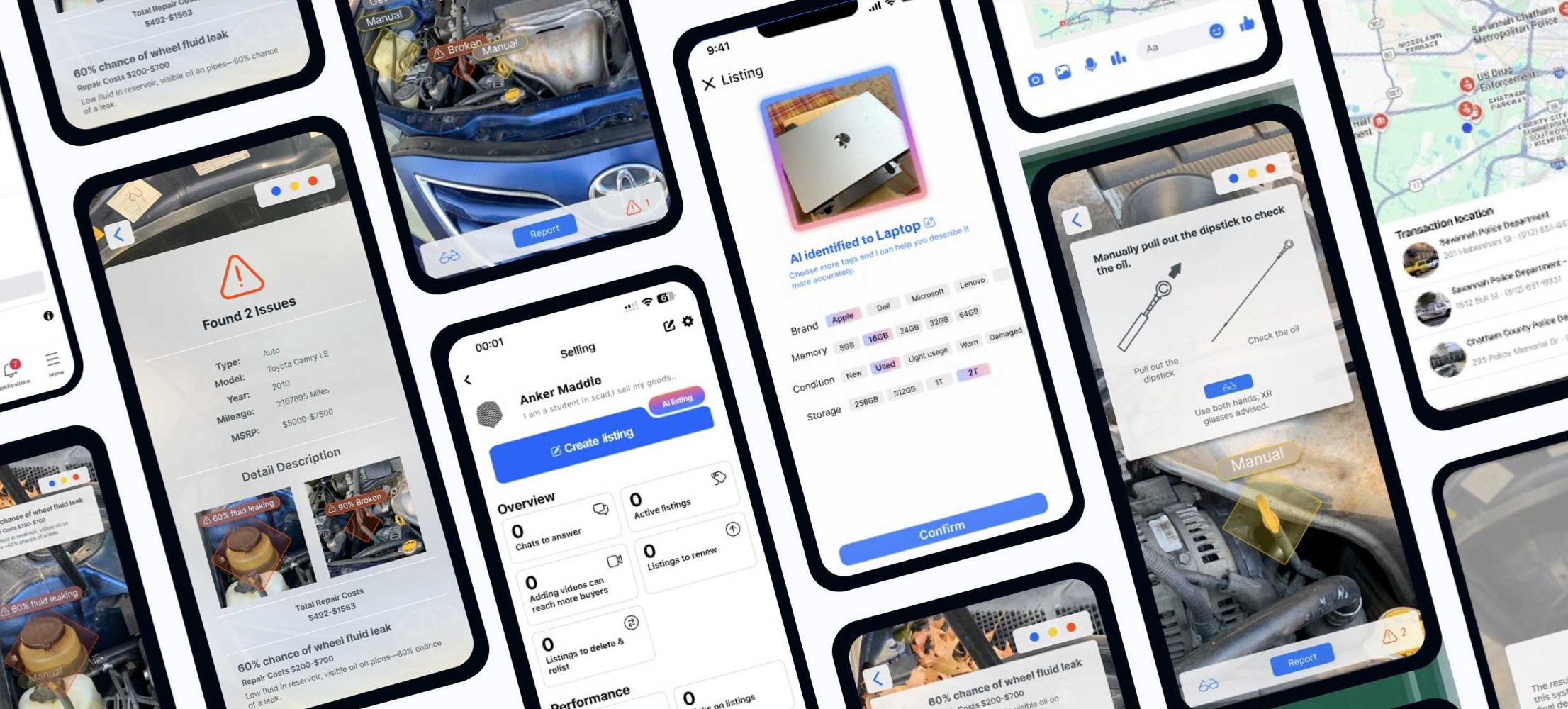
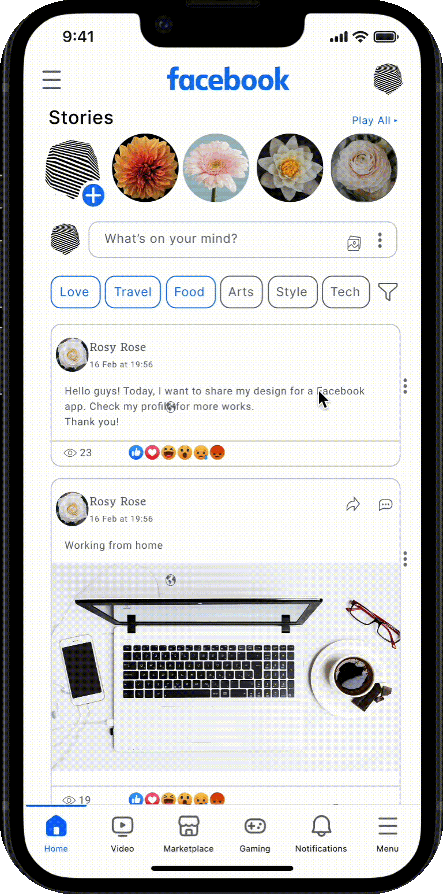
The high-fidelity design integrates all three features seamlessly into the existing Facebook Marketplace UI — maintaining the platform’s familiar visual language while adding new AI-powered capabilities at the moments users need them most.
Feature 1 — AI Listing
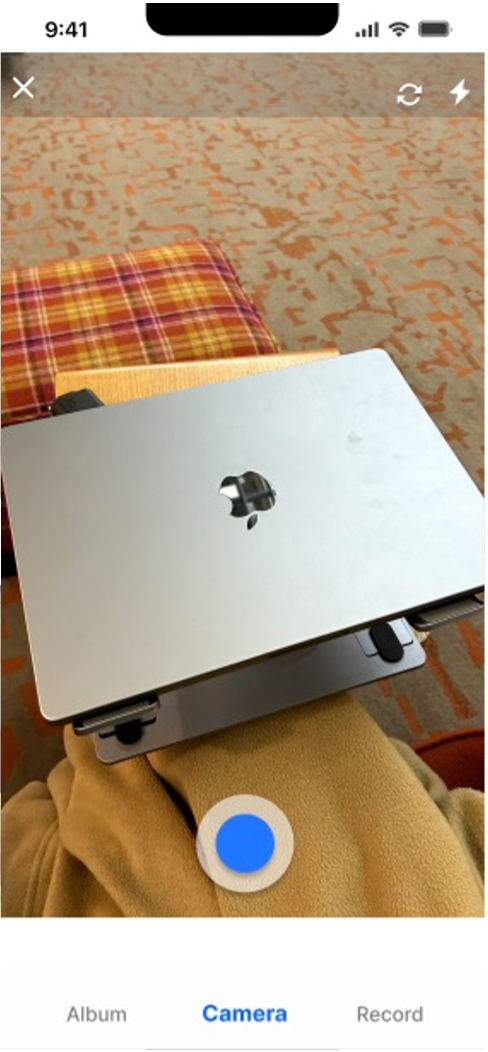
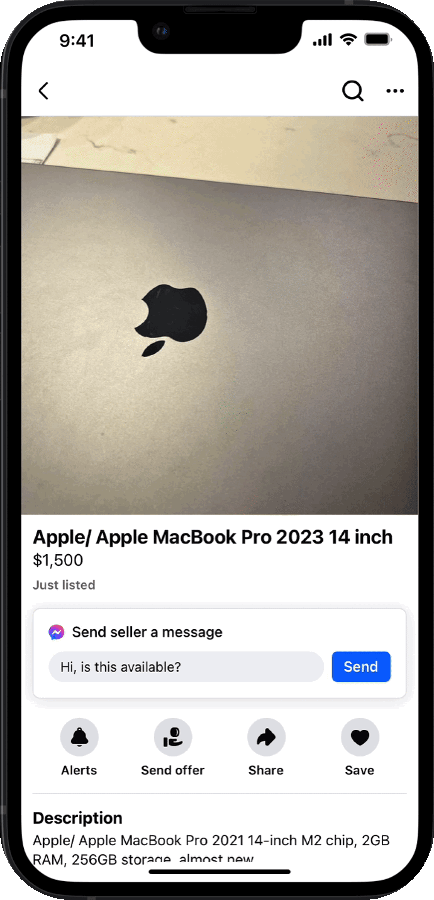
Sellers take a photo of the item — the AI automatically identifies the product, recognizes the brand and model, and generates a complete listing with accurate specifications. What used to take minutes of manual typing now takes seconds.
AI assisted — Recognizes products and fills in listing details automatically
Time saving — Reduces the effort required to create accurate, trustworthy listings
Feature 2 — AR Vehicle Inspection
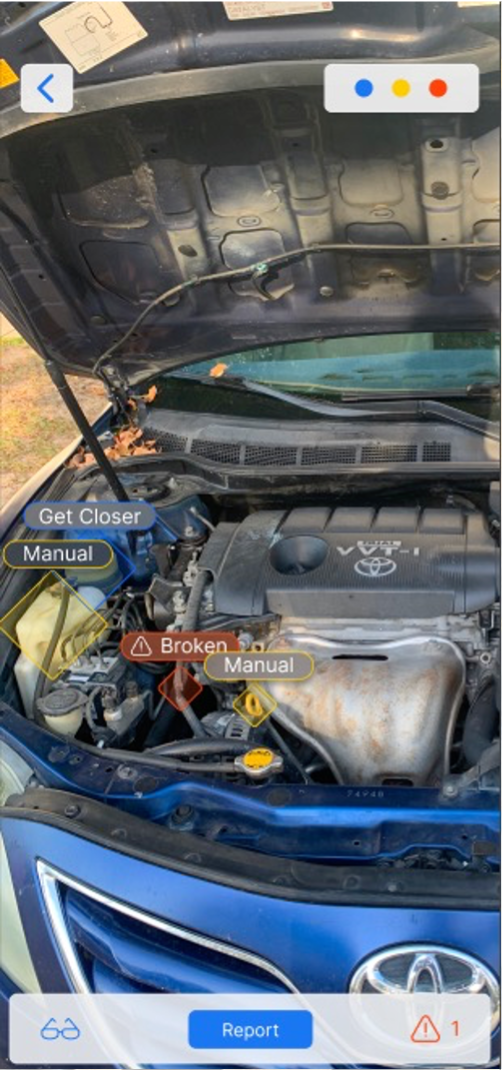
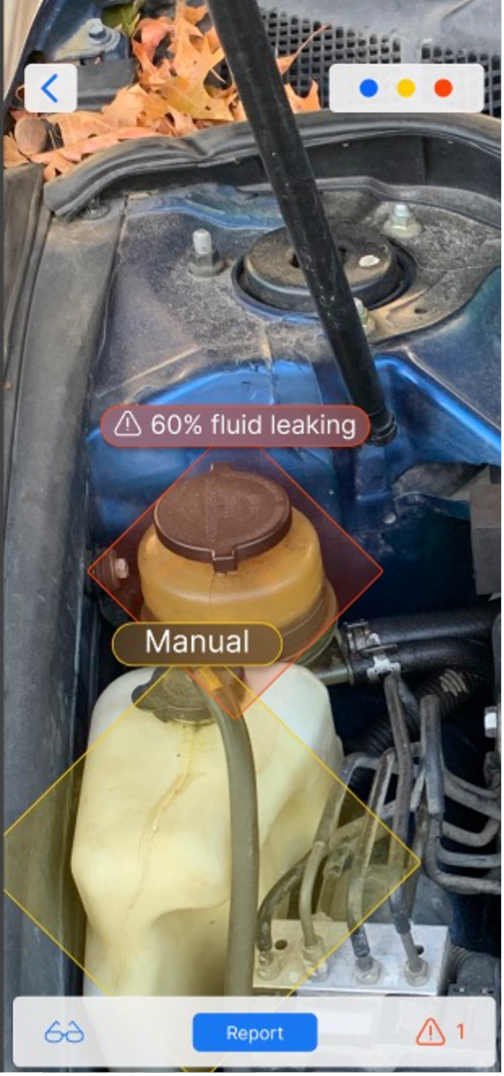
Unlike a generic scan, this feature is powered by vehicle-specific data. The AI knows the common wear points for each make and model — so when a buyer scans a Toyota Camry, it actively looks for that model’s known problem areas, flags risks in real time, and generates a detailed inspection report with repair cost estimates.
AI Expert Assistance — Uncovers hidden issues and potential repair costs
AI Detection Report — Visual analysis with probability assessment for each issue
Manual Operation Guide — Step-by-step guidance for areas requiring manual inspection
Feature 3 — Recommended Safe Trading Location
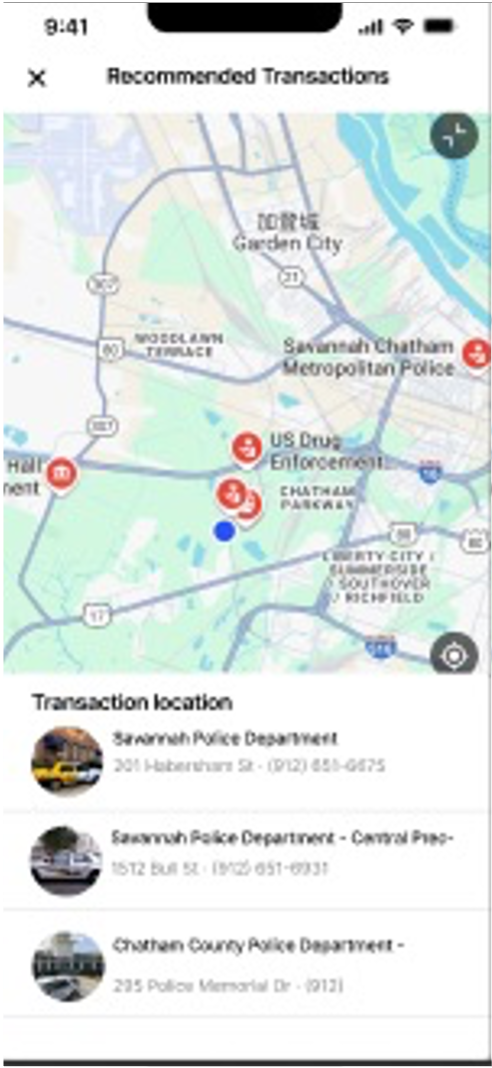
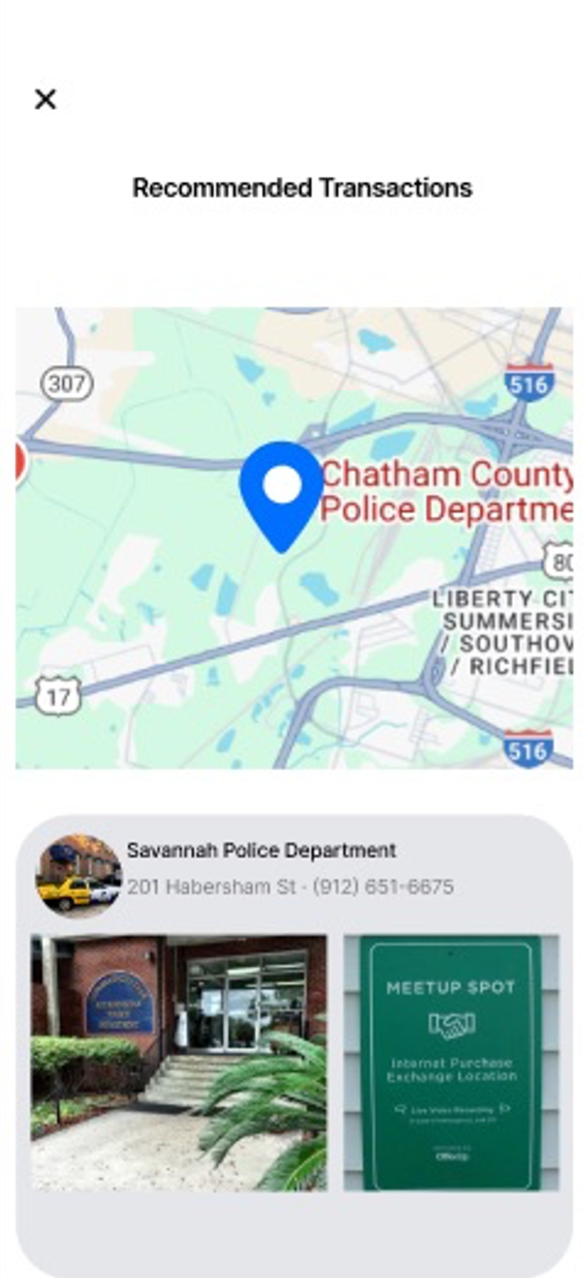
When a buyer is ready to meet a seller, the feature recommends nearby safe locations — police stations, public buildings, and designated meetup spots — reducing the risk of disputes, fraud, and safety incidents during the exchange.
Security — Recommended locations near police stations enhance user confidence
Reduce risk — Guiding users to safe spaces reduces the probability of fraud and disputes
Smoother transactions — Eliminates safety concerns so both parties can focus on the exchange itself
Usability Testing
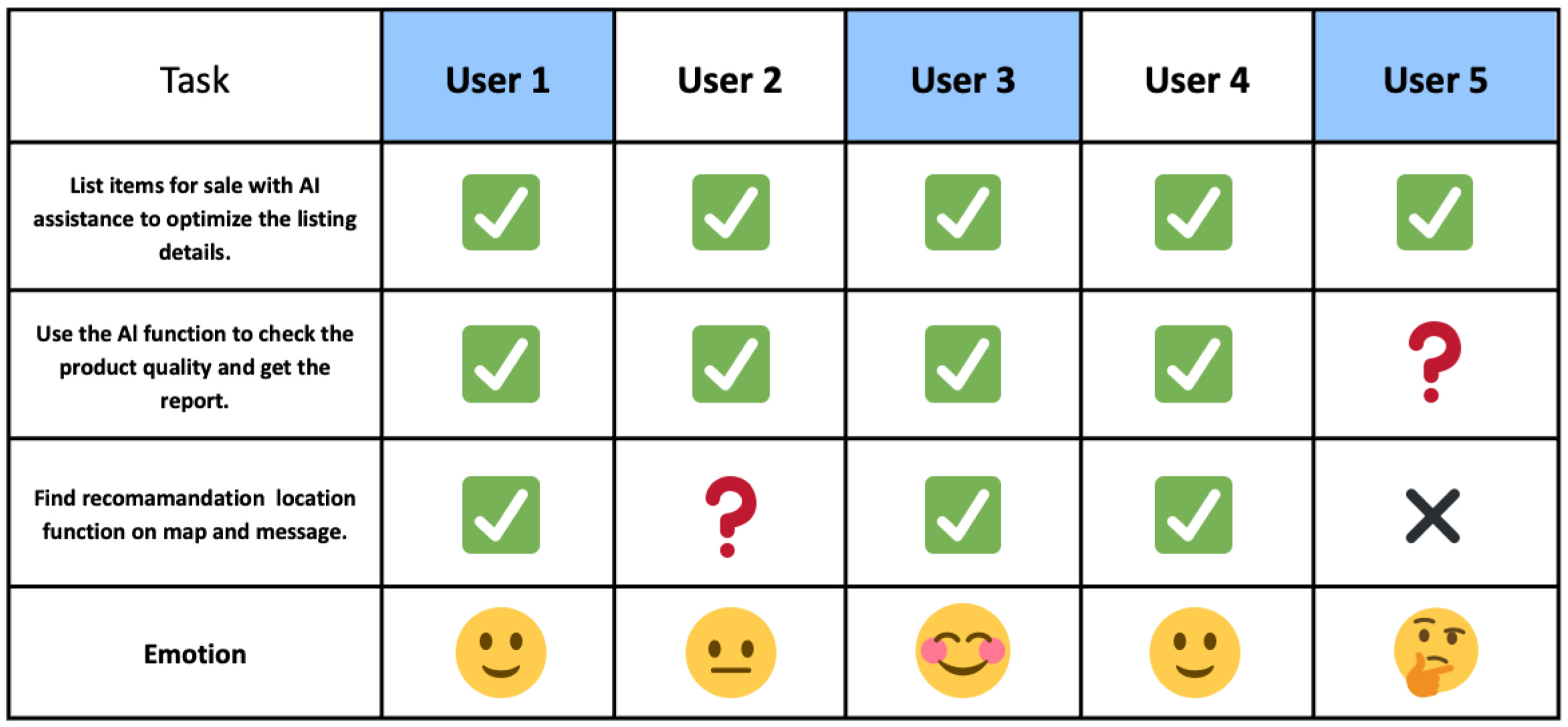
To validate our three features, we conducted moderated usability testing with 5 participants. Each participant was given three tasks to complete using the prototype.
Task 1 — AI Listing
Use AI listing to post a new item. Goal: ensure users can successfully list items with AI assistance.
Task 2 — AR Vehicle Inspection
Use AR analysis to check a car. Goal: ensure users can successfully use the AR function and receive a detection report.
Task 3 — Recommended Safe Location
Use the recommendation location feature to arrange a transaction. Goal: ensure users can find and use the safe location feature.
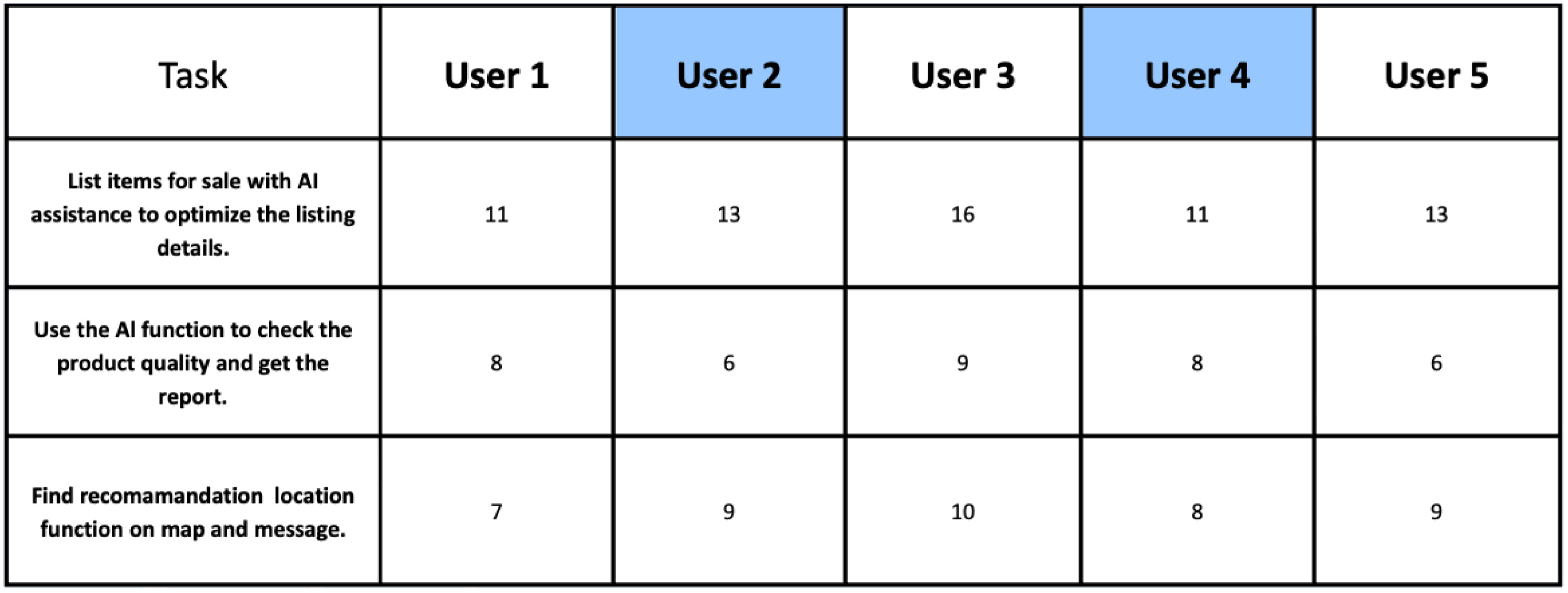
Testing Results
Task completion and emotionSteps taken per task
5 / 5AI Listing — the most intuitive and discoverable feature.
4 / 5AR Vehicle Inspection — one participant could not find the entry point.
3 / 5Safe Location — needed a clearer place inside the transaction flow.
Design Improvements Post-Testing
Testing revealed that the Safe Location Recommendation feature needed a more prominent entry point — users expected to find it within the product listing or chat flow, not as a separate feature.
Journey Map
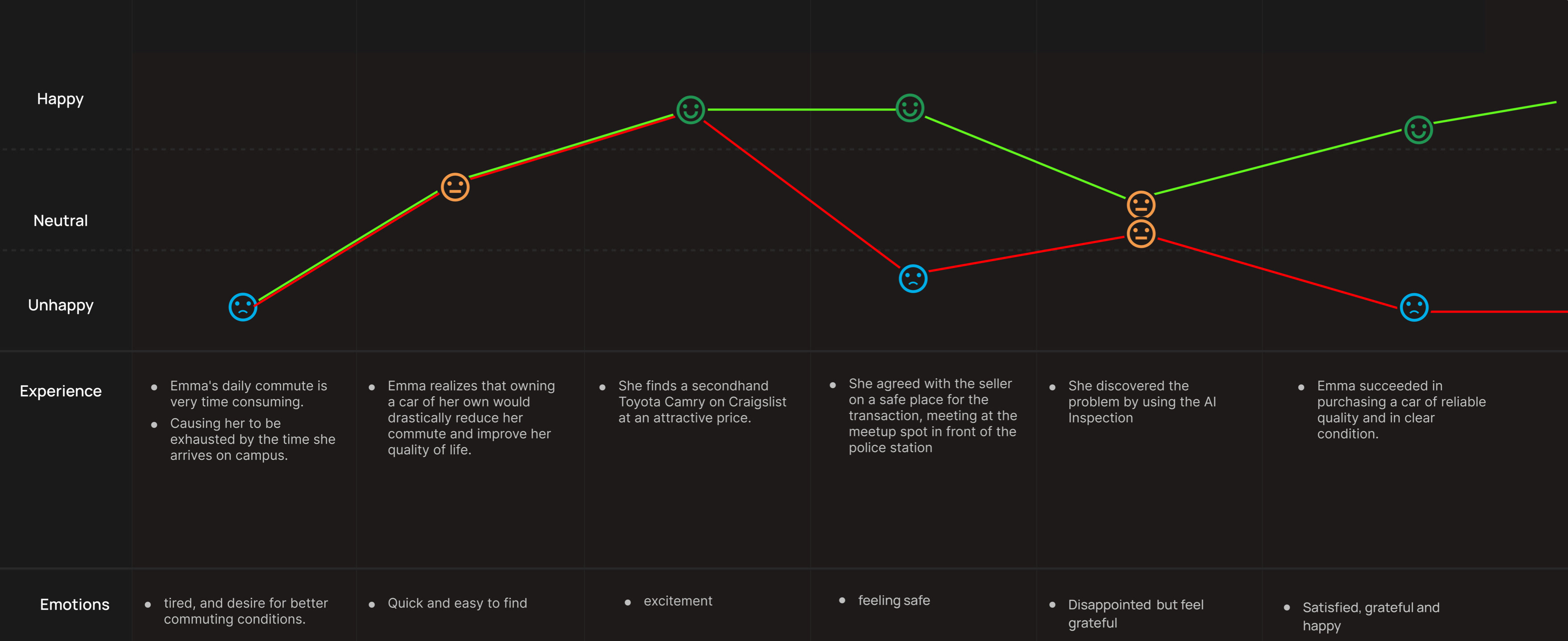
Before our design intervention, the journey of buying a high-value item like a car dropped into nervousness during the unsafe transaction and ended in disappointment when hidden problems emerged. With all three features in place, buyers stay confident through AR inspection and safe location guidance, and complete the transaction feeling informed and protected.
BeforeAfter
Results
This project addressed three separate but connected trust gaps in Facebook Marketplace’s high-value transaction experience — quality uncertainty for buyers, listing friction for sellers, and safety concerns for both.
The most technically ambitious feature — AR vehicle inspection powered by make-and-model data — challenged us to think beyond screen design into data infrastructure and real-world behavior. Usability testing confirmed that AI Listing was the most immediately intuitive feature, while Safe Location Recommendation needed clearer entry points — a reminder that good ideas still need good wayfinding.
UX/UI Case Study
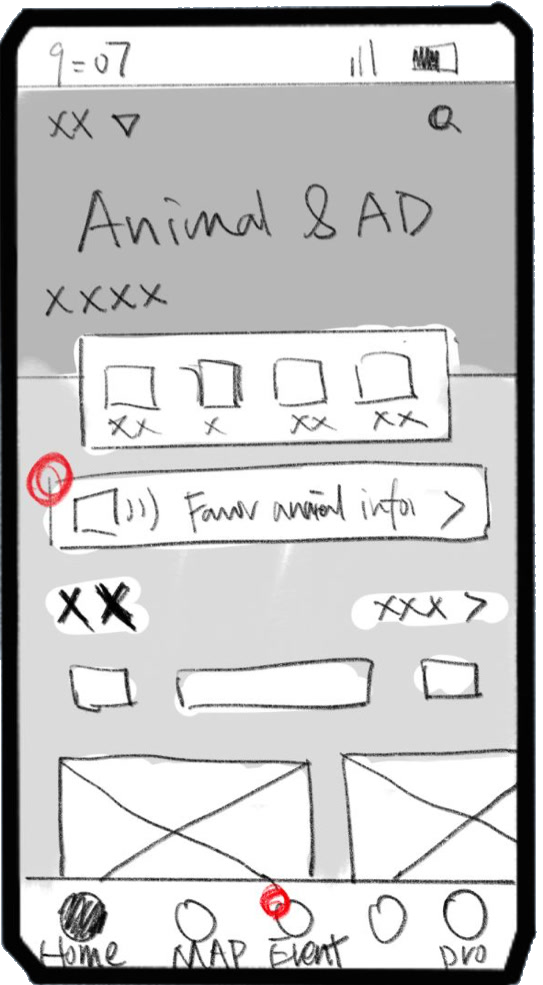
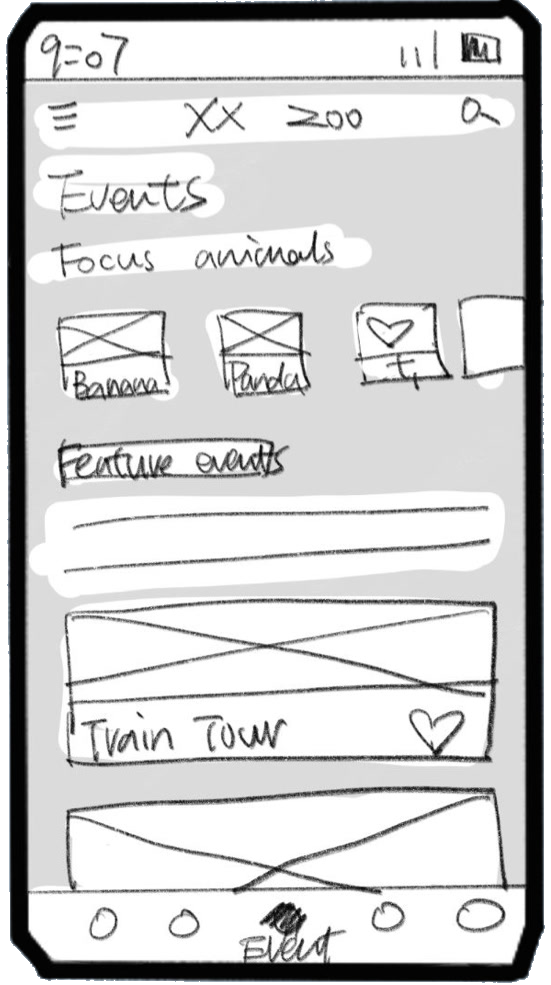
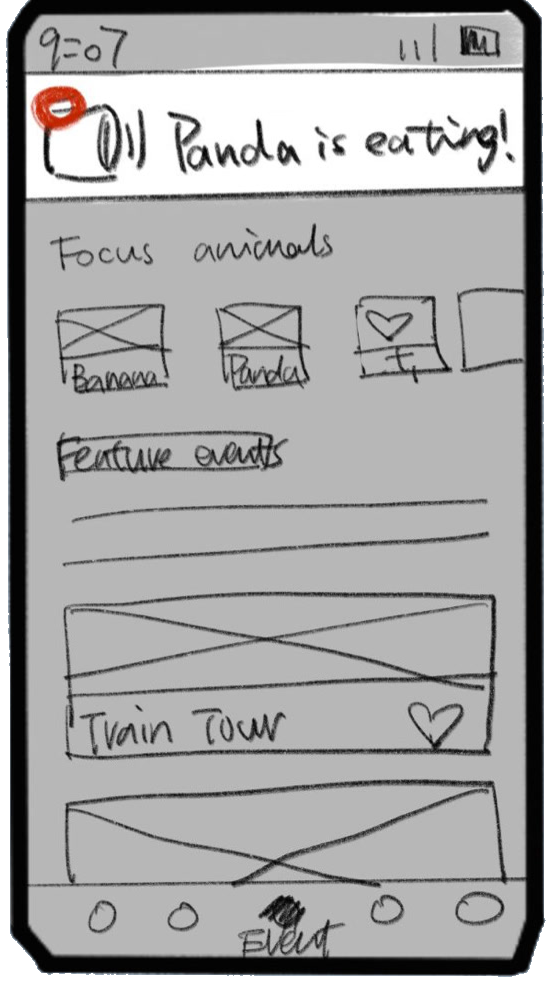
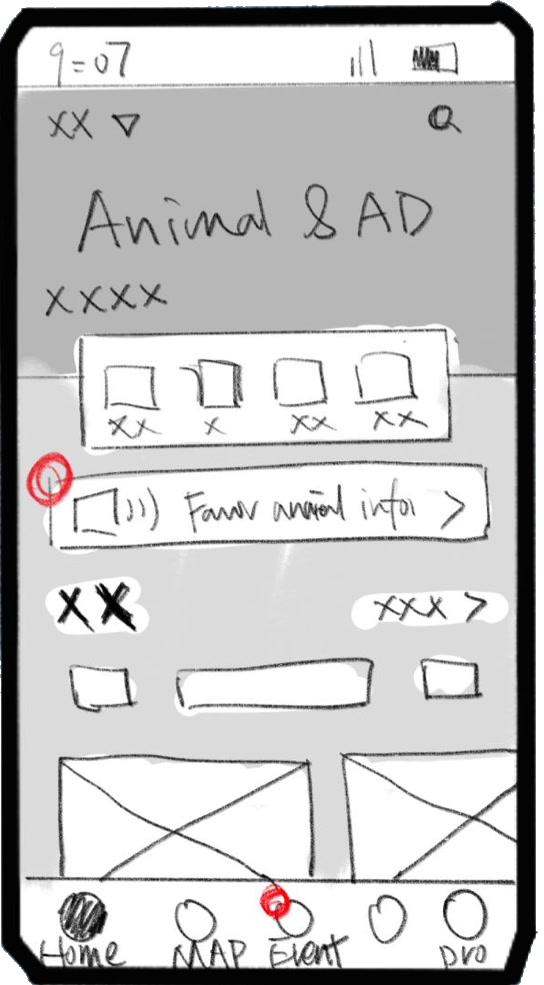
Designing a Smarter Zoo Visit Experience
Estimated 15 min
Duration
Mar — May 2025
Team
Xiaoyun Zhou (Solo)
Role
UX/UI Designer
Tools
Smarter Paths, Wilder Moments
Zookey is a zoo companion app that helps families plan smarter routes, receive real-time animal activity alerts, and create deeper connections between kids and the animals they came to see.
Problem
Animals in zoos are not visible throughout the day — they may be resting, hiding, or following their natural routines. This makes it difficult for families to see their favorite animals, leaving kids disengaged and visits falling short of expectations.
Challenge
Design a digital solution that helps zoo visitors — both adults and families with young children — better plan their visit and maximize their chances of seeing active animals, while respecting the animals’ natural behavior and minimizing human disturbance.
Deliverables include: secondary research, survey, user interviews, competitive analysis, low-fidelity sketches, mid-fidelity wireframes, high-fidelity prototype, and usability evaluation.
Solution
Four features work together to transform the zoo visit from passive wandering into an informed, immersive experience:
Smart Route Planning — Select favorite animals and generate a personalized visit plan with real-time updates
Animal Activity Alerts — Receive real-time notifications when favorite animals are active and visible
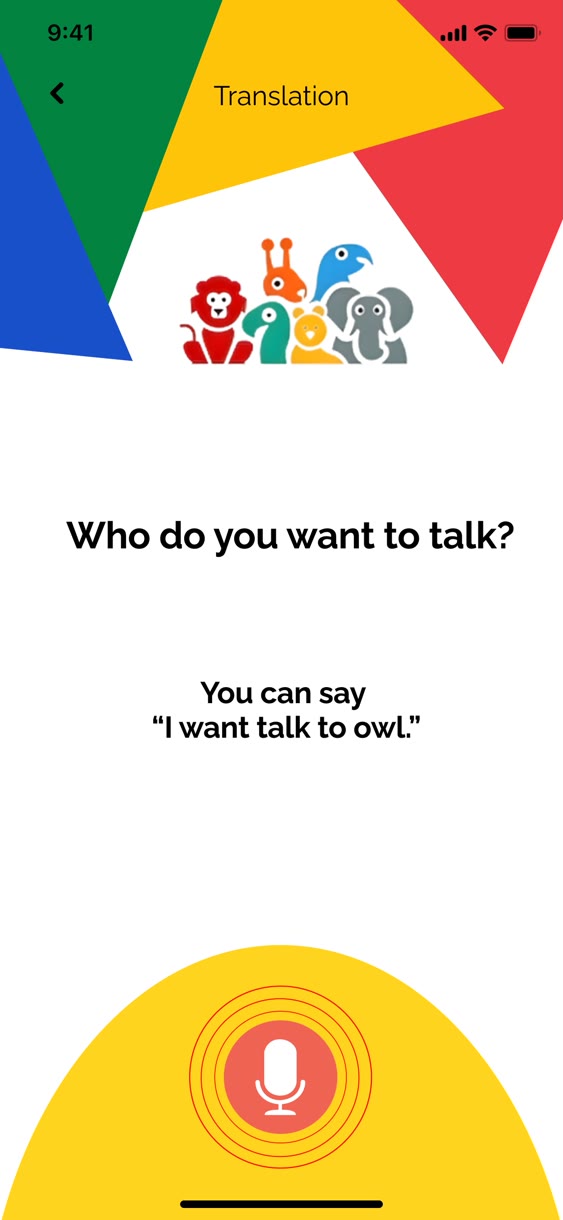
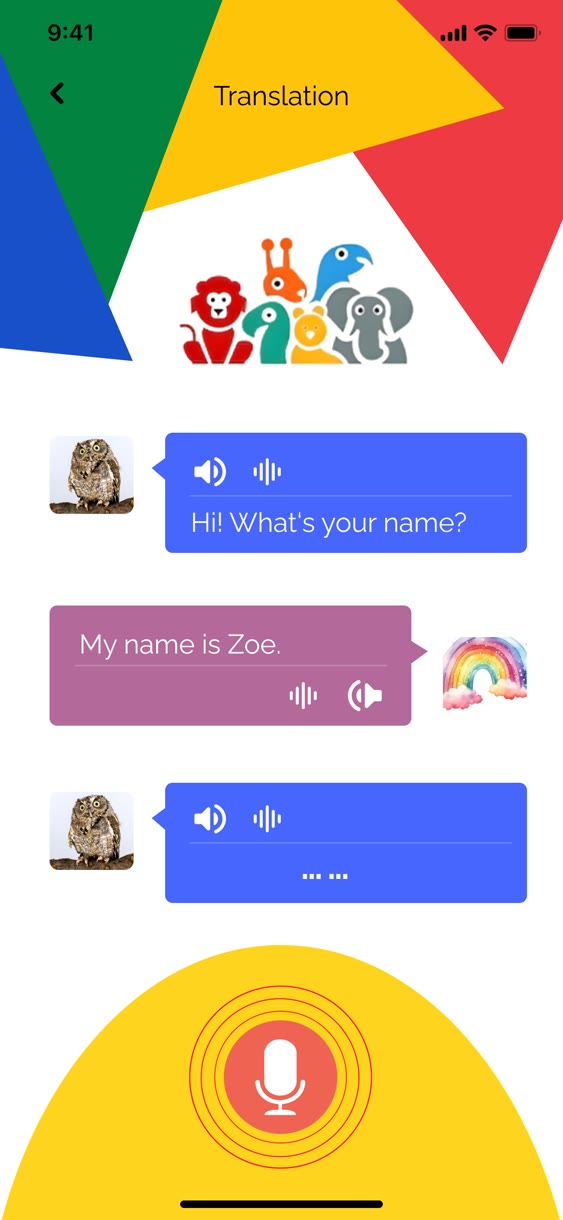
Kids Mode: AR + Animal Voice — Turn the phone into a reason to find animals, not ignore them
Family GPS Tracker — Track family members on the app map using GPS wristbands
Original Ask
“How might we maximize the zoo visiting experience for zoo visitors when their favorite animals are not visible?”
After conducting research into how families experience zoo visits and what makes them fall apart, several key pain points emerged that shaped our design direction.
Discovery
The project followed a five-stage process:
DiscoverInterviews Survey Secondary research
DefinePersona Journey map User flow
IdeationSketching Low-fidelity User testing Iteration
PrototypeHigh-fidelity prototype
EvaluationUsability evaluation
We combined secondary research, a screening survey, and user interviews to understand what zoo visitors actually experience — and what they wish they could.
Secondary Research
We grounded our design in academic research to understand the psychology of zoo visitors before conducting primary research.
“Zoo visitor attitudes are more influenced by animal behavior than by enclosure enrichment appearance.”PMC, 2021
“Education and seeing rare animals were the most important motivations for zoo visits.”ResearchGate, 2013
“Immersive exhibits evoke emotional reactions and foster connection.”ECU Scholar, 2016
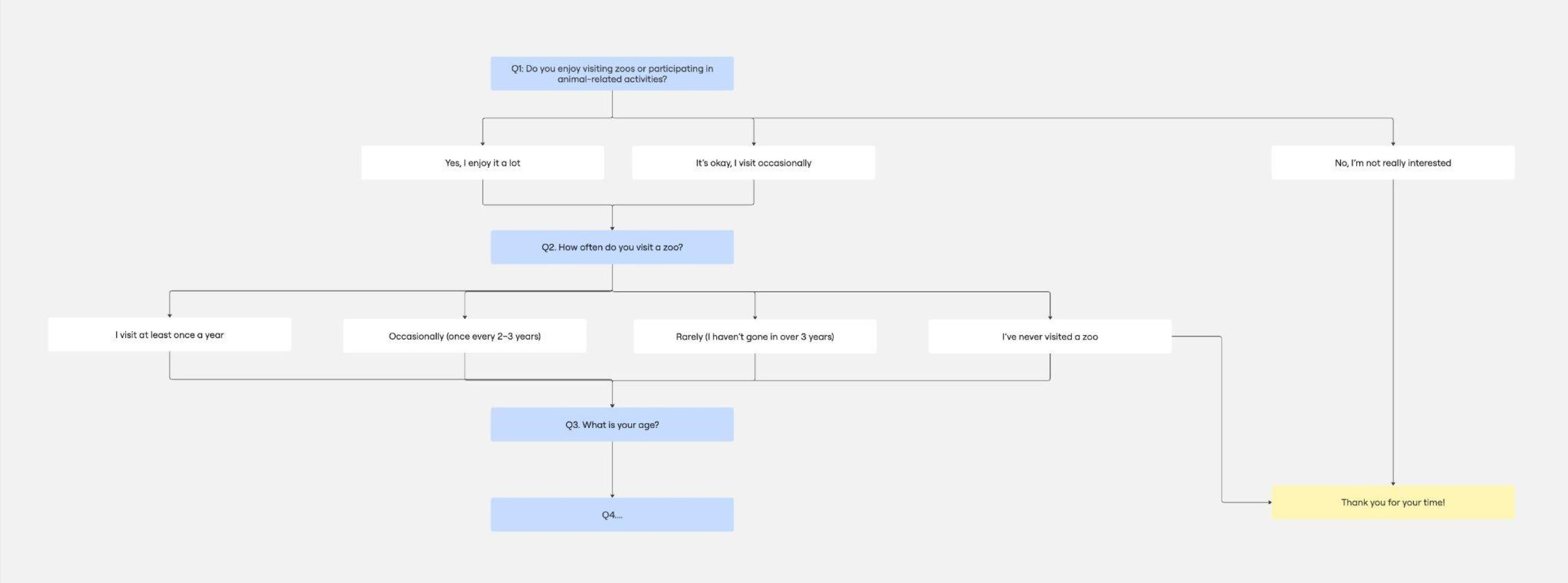
Survey Screening
Before interviews, we designed a screening survey to identify the right participants — zoo visitors who actively visit zoos and care about the animal experience.
Research Insights
Three core insights emerged from our combined research:
Visitors’ experience is highly influenced by whether animals are visible and active.
The main motivation for zoo visits is to see specific animals and learn about them.
Immersive design and emotional storytelling enhance engagement.
Best Notes
Five user voices directly shaped our design features:
“Every time we visit, my kid can’t see half the animals because the barriers are too high. If there was something like scanning a board and seeing the animal come alive on his phone, he would be so excited!”
→ Kids Mode with AR
“I want the animals to talk to me! Like… if I say ‘Hi, tiger!’ and the tiger says something back.”
→ Animal Voice Translation
“My parents walk slowly and sometimes we get separated. A simple tracker linked to my phone would save a lot of shouting across crowds.”
→ Family GPS Tracker
“Finding rest areas or bathrooms quickly is crucial for older visitors like me.”
→ Smart Map with Amenities
“When I go to the zoo, I absolutely want to see certain animals. It would be amazing if I could select them on an app and it planned the best route for me!”
→ Smart Route Planning
Data Analysis
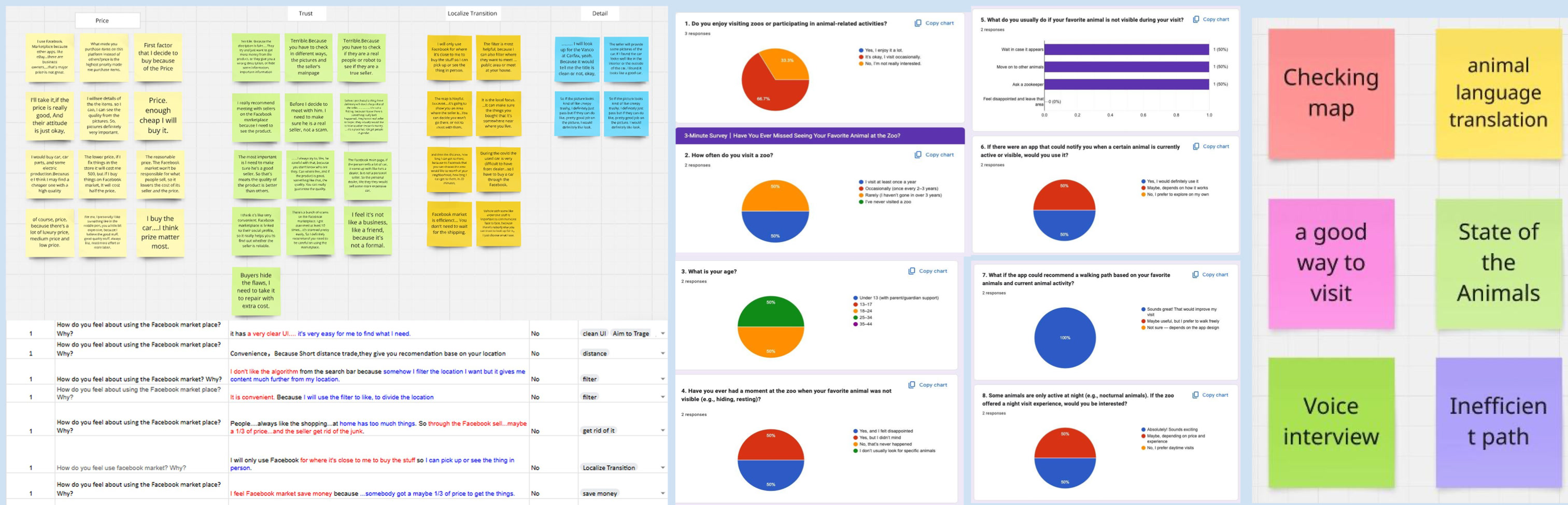
We combined interview transcripts, survey results, and affinity mapping to identify recurring themes — the data consistently pointed to three gaps: visibility, engagement, and family coordination.
Competitive Analysis
We analyzed three existing zoo apps to understand what works, what’s missing, and where Zookey could offer something genuinely new.
Night Safari (Mandai)
Key features: Interactive map, QR scanning, ticket booking
Gap: No personalization, paid features for key content
Key features: Detailed maps, event calendar, member info
Gap: Basic interaction, limited in-app features
All three apps tell you where animals are. None tell you if they’re actually out right now.
Visual Reference
Our visual reference focused on apps with clear wayfinding, rich animal photography, and playful but accessible UI that works for both adults and kids.
The Real Insight
The problem wasn’t just that animals were hiding. It was that kids had already found something more engaging than a still animal behind a fence — their screens.
Every family we spoke to described the same moment: standing in front of an empty enclosure, child already back on their phone, visit slowly falling apart.
Our design principle
“Make the device the reason to look at the animal — not the reason to look away.”
Define
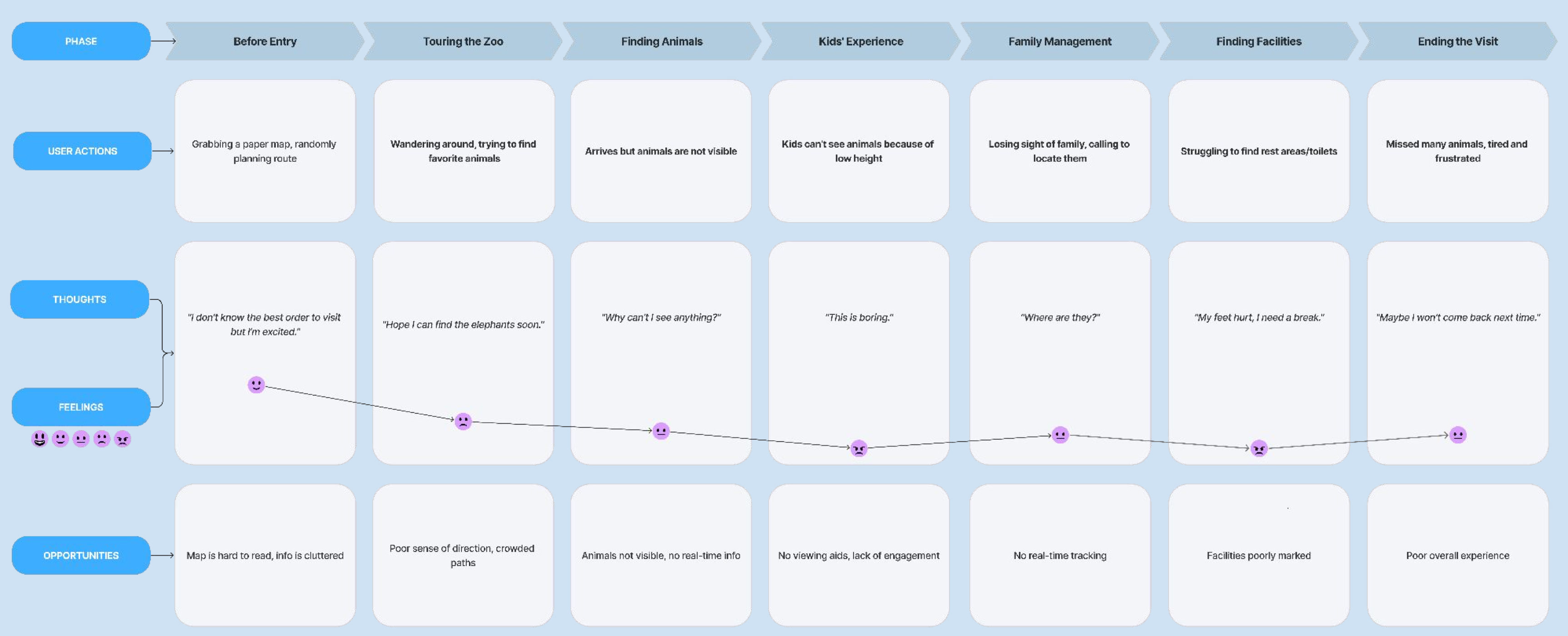
User Journey Map — Before
Before our design, the visit experience followed a consistently frustrating arc across seven stages — from arriving with excitement, to leaving tired and disappointed, having missed most of what they came to see.
Key pain points:
Animals not visible, no real-time info
Kids can’t see animals due to low height
No real-time family tracking
Facilities poorly marked
Poor overall experience
Problem Statement
“I am a zoo visitor who needs to know when and where my favorite animals will be active, because animals are often hidden or resting during my visit and I have no way to plan around their natural behavior.”
Hypothesis
“We believe that by giving visitors real-time animal activity information and personalized route planning, they will be able to see more of the animals they came for — resulting in a more satisfying visit for the whole family, and a deeper connection between kids and the animals they meet.”
Ideation
We explored concepts separately for adult visitors and kids — recognizing that each group has fundamentally different needs and motivations during a zoo visit.
Concept A
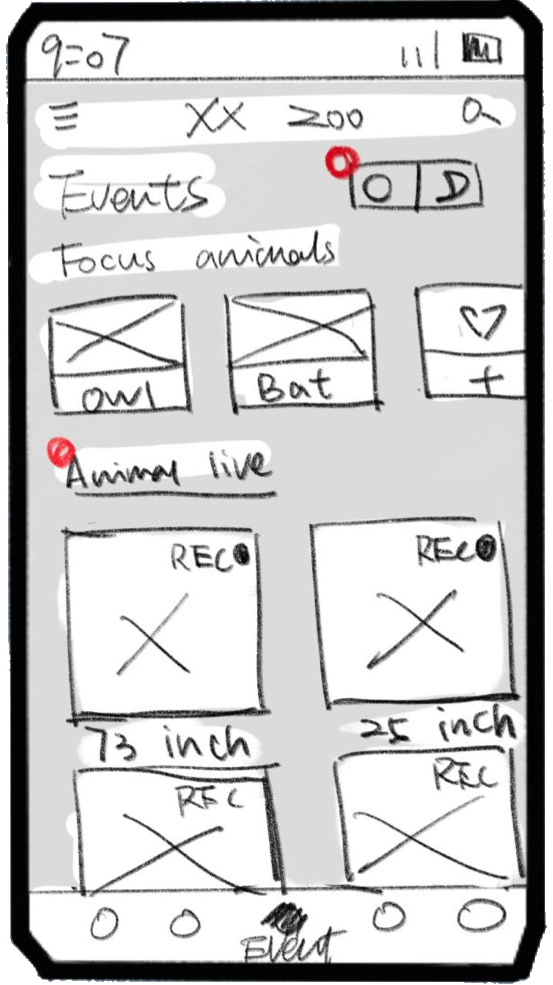
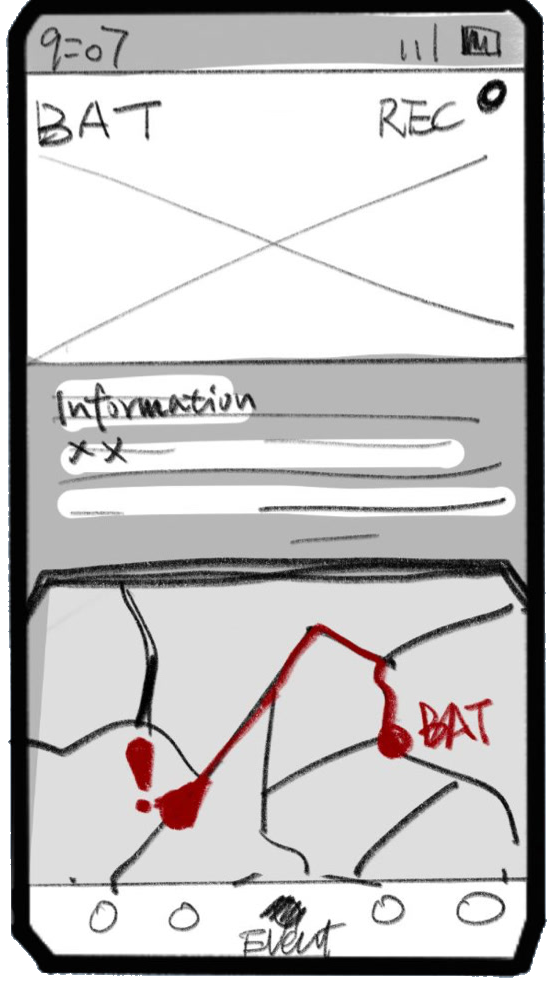
Concept A explored a notification-based system with five-tab navigation — visitors select favorite animals and receive pop-up alerts when those animals become active.
Concept B
Concept B added a day/night mode toggle addressing nocturnal animals — when switched to night mode, the app shows infrared-style animal locations and distance estimates to help visitors find animals in the dark.
Ideation — Adult
For adult visitors, two concepts stood out:
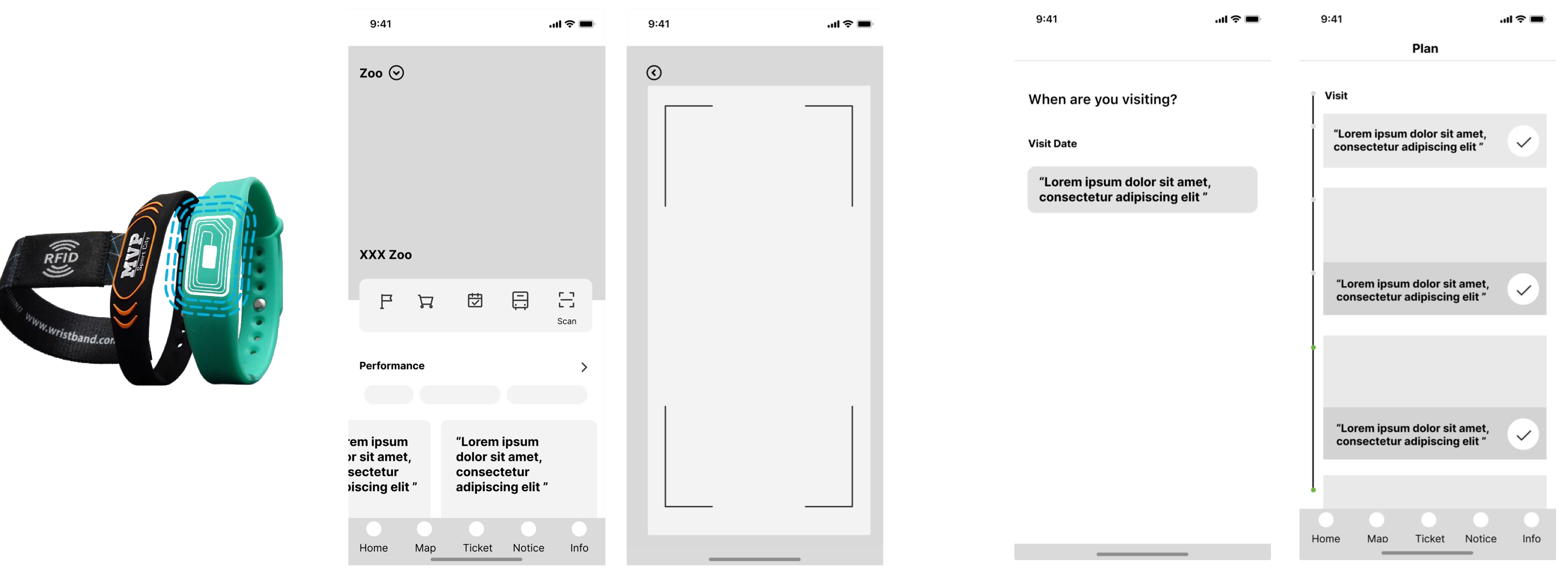
Family GPS Bracelet — RFID wristbands linked to the app allow real-time family tracking without requiring anyone to constantly check their phone.
Favorite Animal Routing — Select favorite animals before the visit and the app generates a smart optimized route that updates in real time based on animal activity.
Ideation — Kids
For younger visitors, two concepts directly addressed the screen-vs-animal problem — turning the phone into a reason to find animals, not ignore them.
1. Camera-Image AR
Scan special image markers placed around the zoo to trigger a virtual animal on screen with educational content.
2. Animal Sound Learning
Kids explore what different animal sounds mean — discovering that sounds are a language, and that every animal has something to say.
Mockups
Mid-Fi
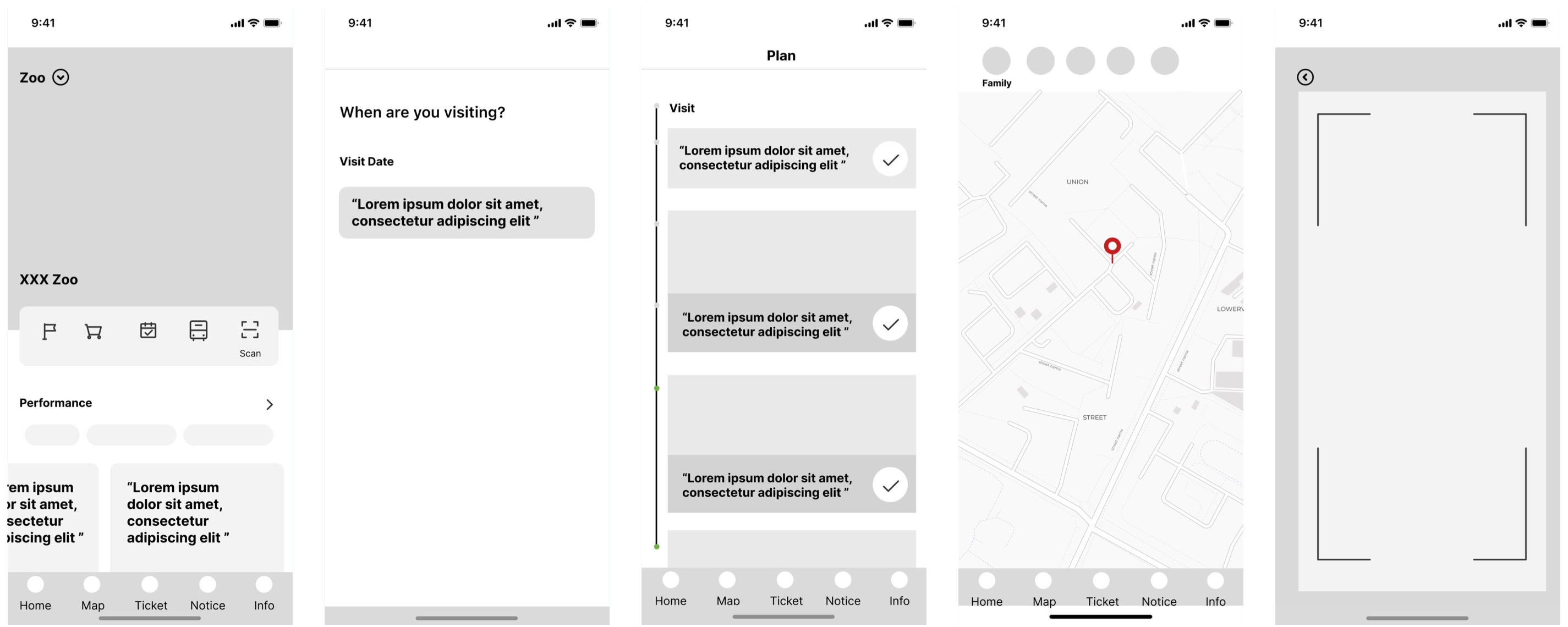
We developed mid-fidelity wireframes to test the core flows before committing to visual design — covering home, visit planning, trip schedule, family map, and AR scanning.
Brand
Colors
Green#028340
Blue#0033A0
Yellow#FEC409
Red#ED3B43
White#FFFFFF
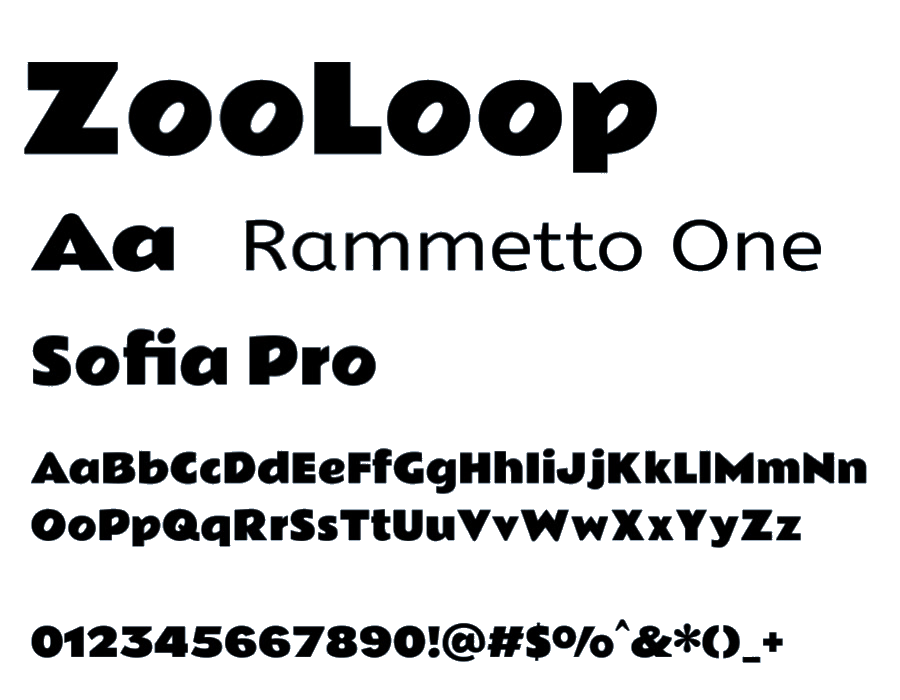
Typography
Slogan
“Smarter Paths, Wilder Moments.”
Logo
Evaluation
We conducted scenario-based usability testing with zoo visitors, measuring three metrics:
Participants
Zoo visitors or users who visit zoos
Method
Scenario-based testing
Task completion analysis
User feedback surveys
Metrics measured
Task success rate
Navigation efficiency
User satisfaction
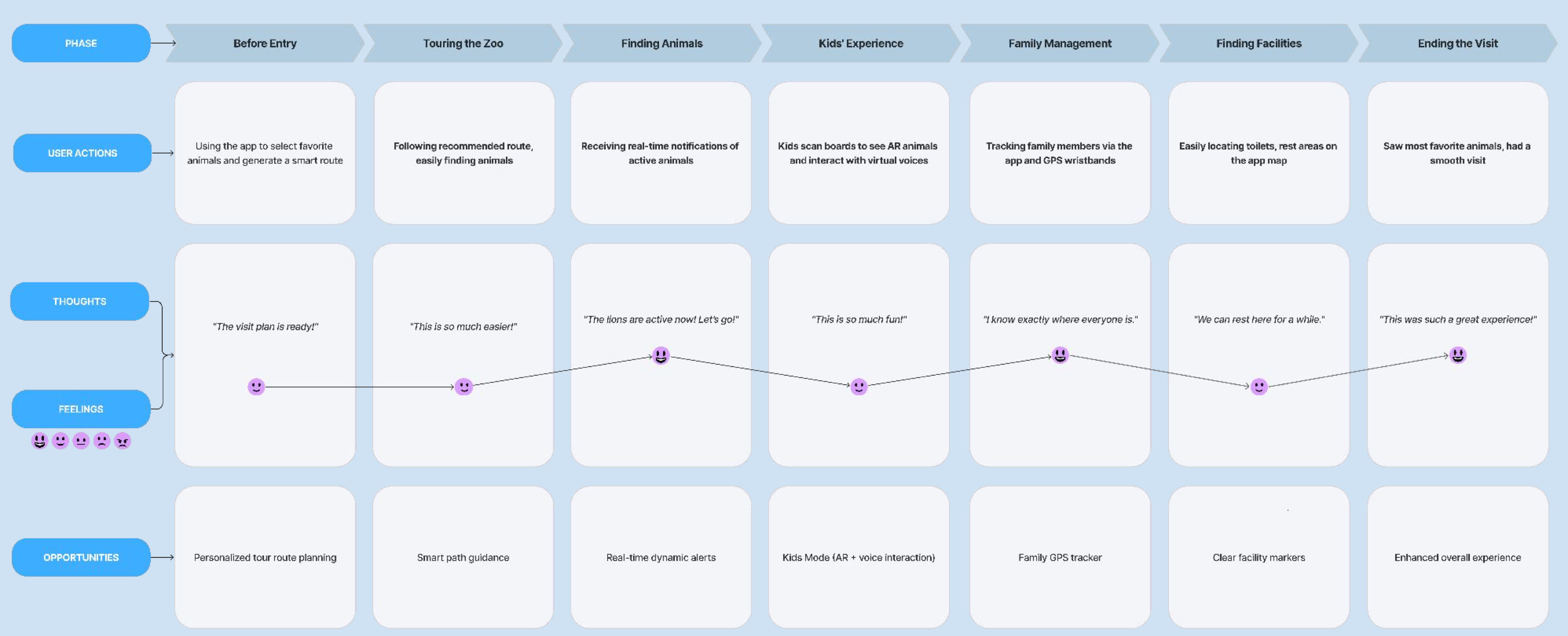
User Journey Map — Before vs After
BeforeAfter
Before — Visitors arrived excited but quickly became disappointed when animals were hidden, kids lost interest, and families struggled to stay together.
After — Visitors arrive with a smart plan, follow an optimized route, receive alerts when animals are active, kids engage through AR and voice, and families stay connected — leaving satisfied and wanting to come back.
Final Design
Final Design — Adult Features
HiFi — Track
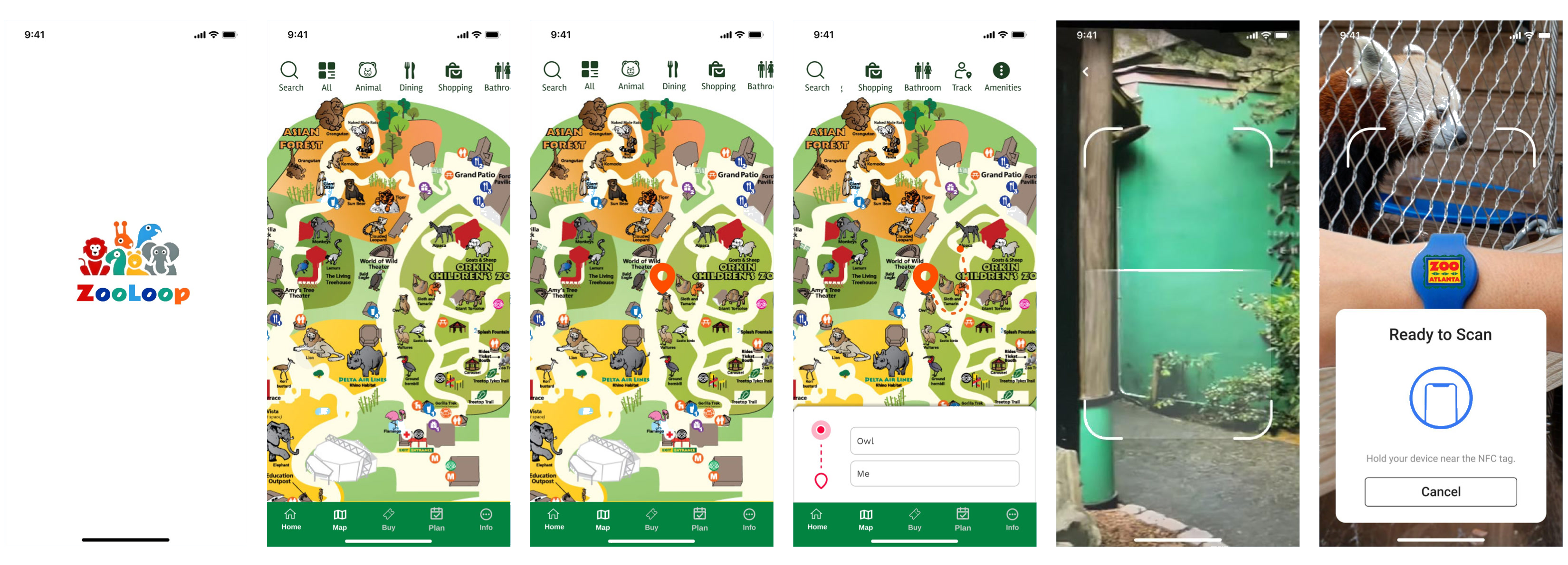
The Track feature uses the phone camera or NFC wristband to scan animal enclosures — providing real-time activity status and location updates directly on the map.
HiFi — Map
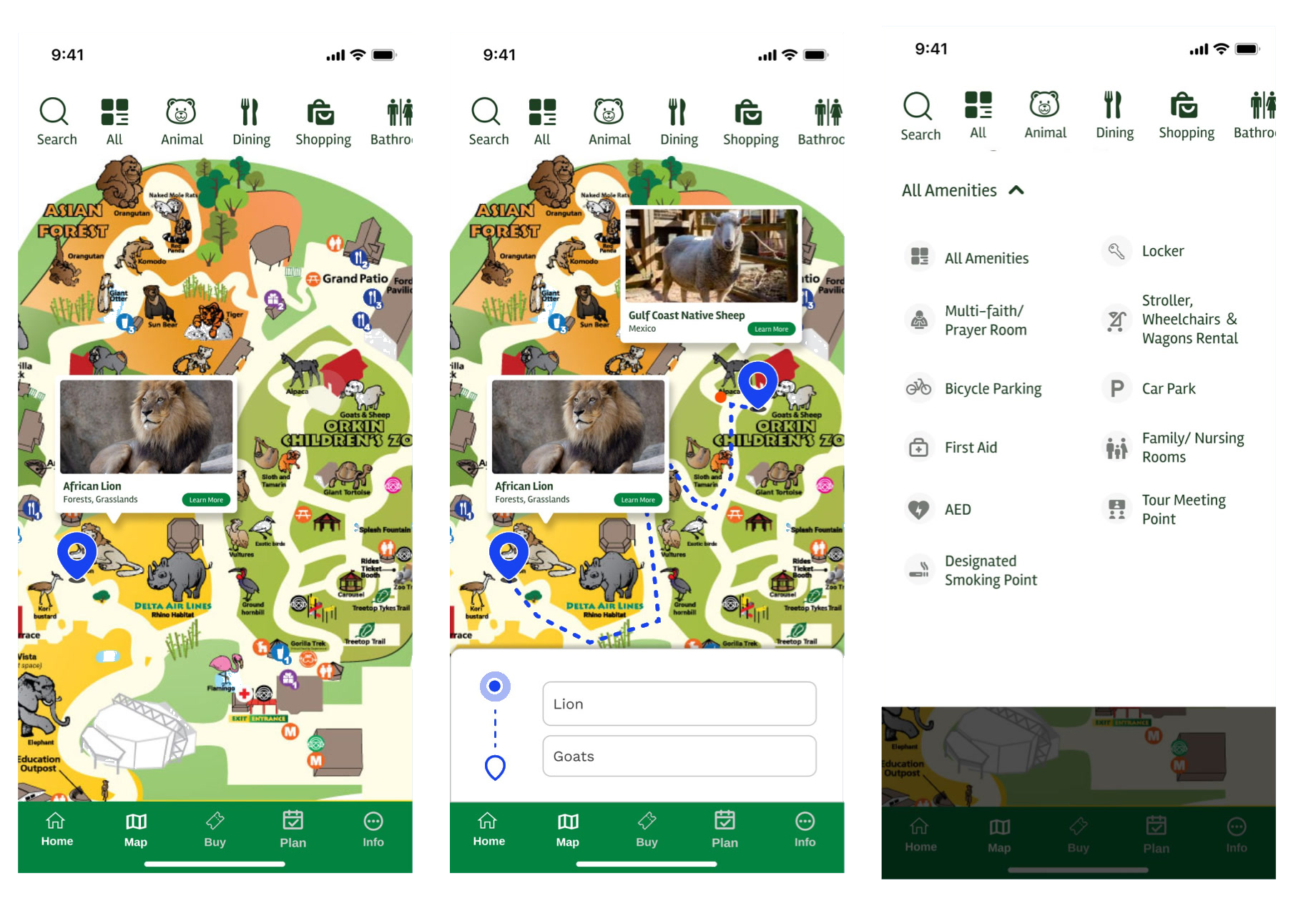
The Map provides a rich interactive zoo map with animal locations, smart routing between exhibits, real-time animal pop-ups, and a full amenities directory.
HiFi — Notice
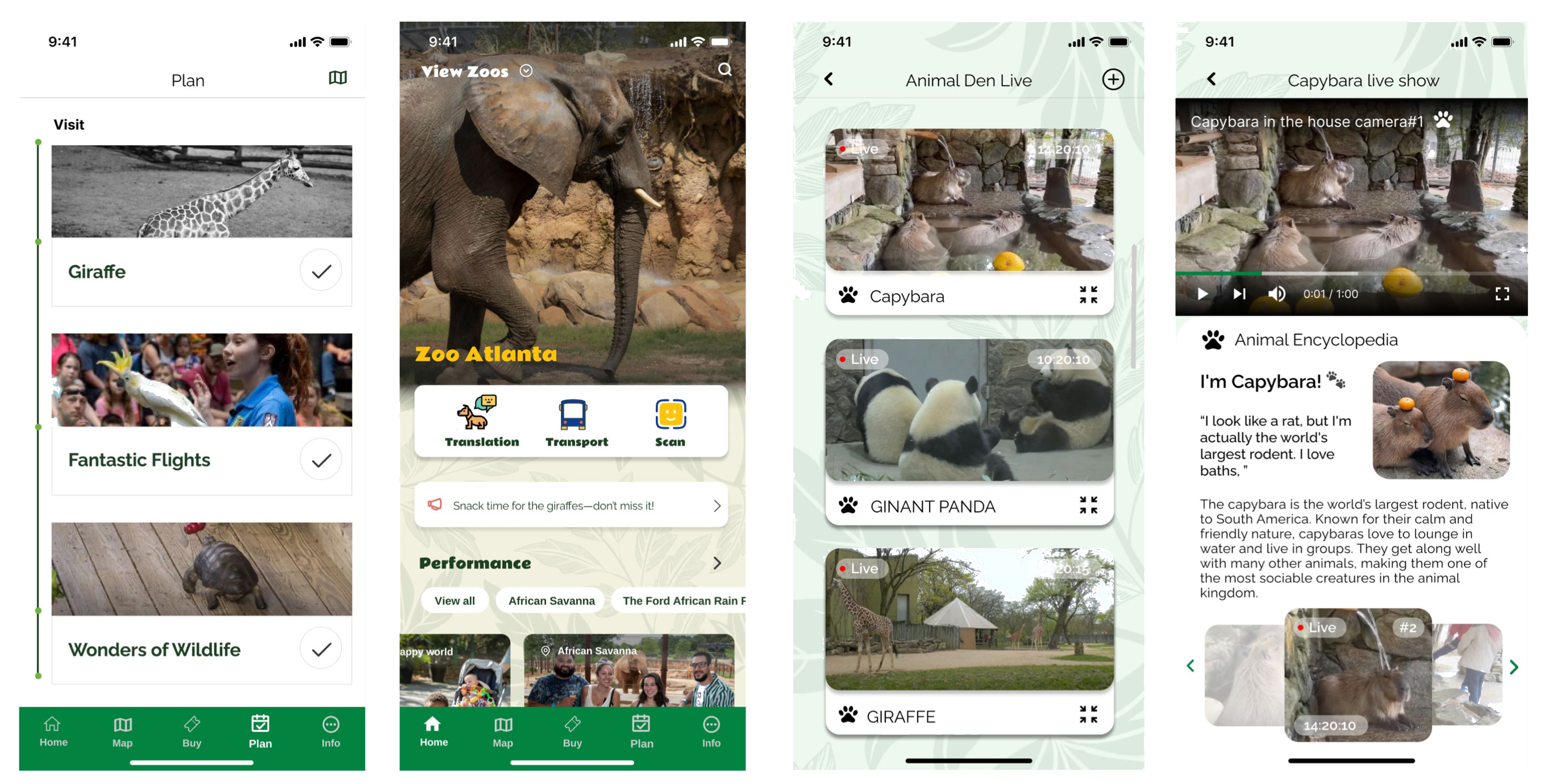
The Notice tab provides live animal activity feeds with den cameras — visitors can watch real-time footage and read animal encyclopedia entries for currently active animals.
HiFi — Plan
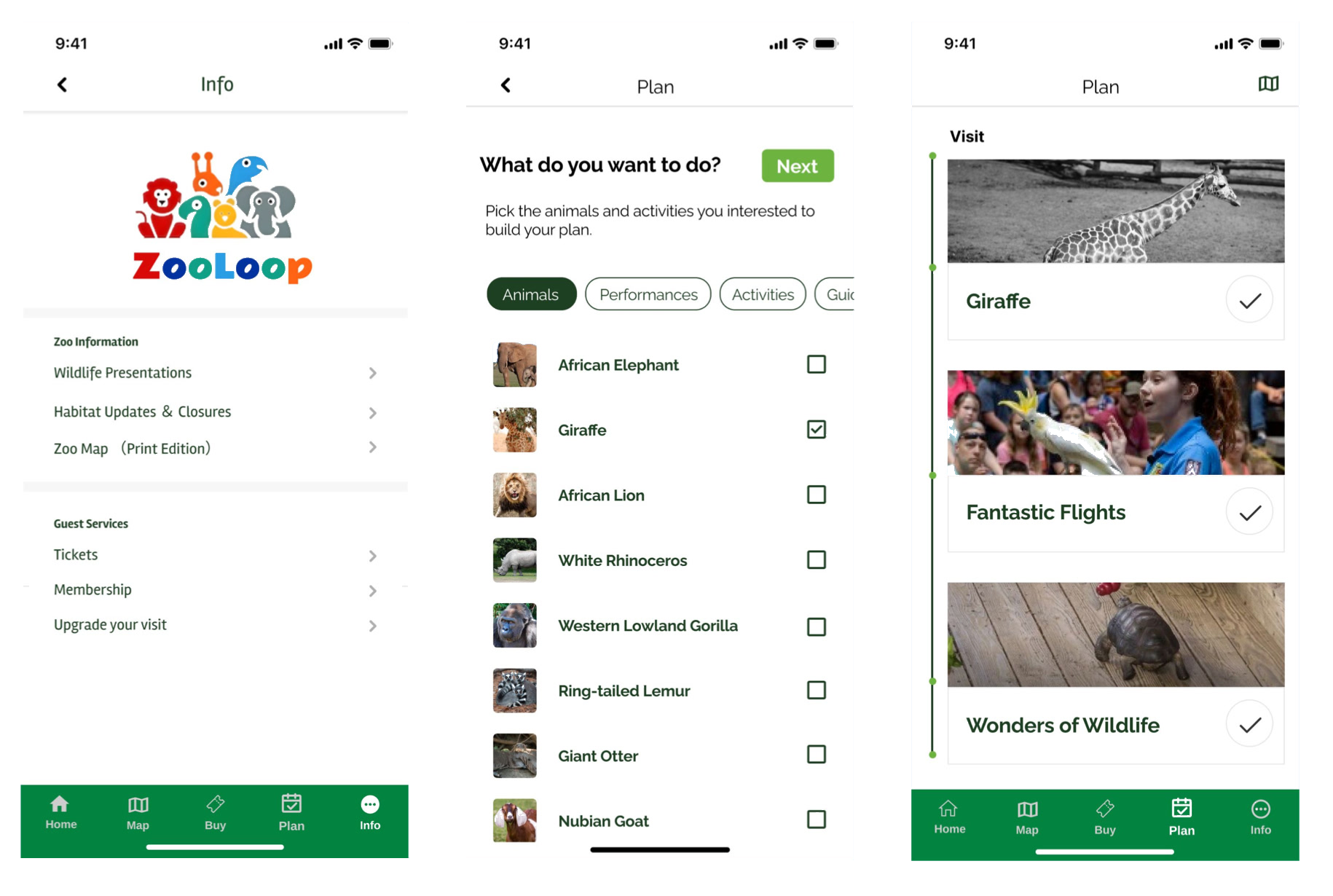
Before the visit, visitors use the Plan tab to select favorite animals and activities — the app generates a personalized itinerary that updates in real time as conditions change.
Final Design — Kids Mode
AR Voice Interaction
Kids scan animal signboards with the camera to trigger a virtual animal on screen — then have a real voice conversation with it in the animal’s own language.
Animal Sound Learning
Kids can explore what different animal sounds mean — discovering that sounds are a language, and that every animal has something to say.
Results
Zookey addresses the zoo visit from three angles that existing apps ignore: real-time animal visibility, family coordination, and educational engagement for kids.
The core principle held throughout — the app should never compete with the animals for attention. Every feature was designed to pull visitors toward the animals, not away from them.
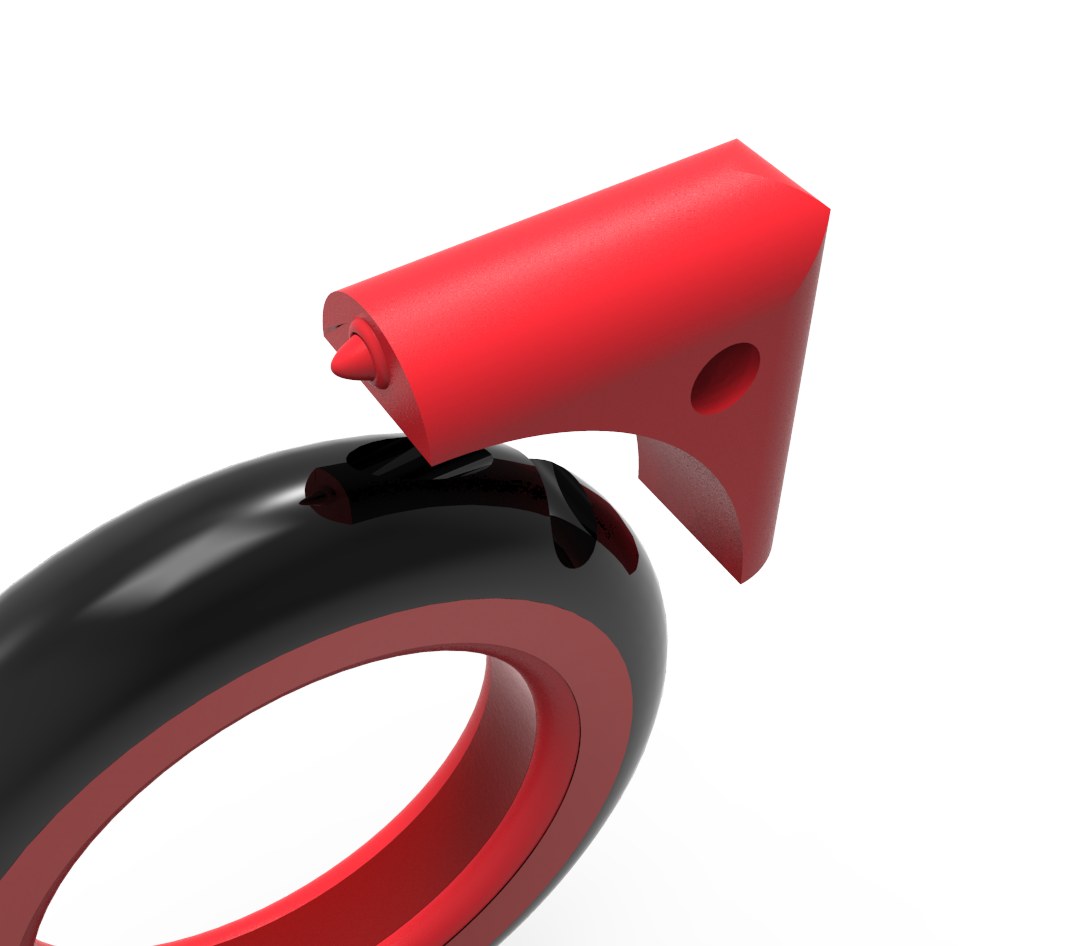
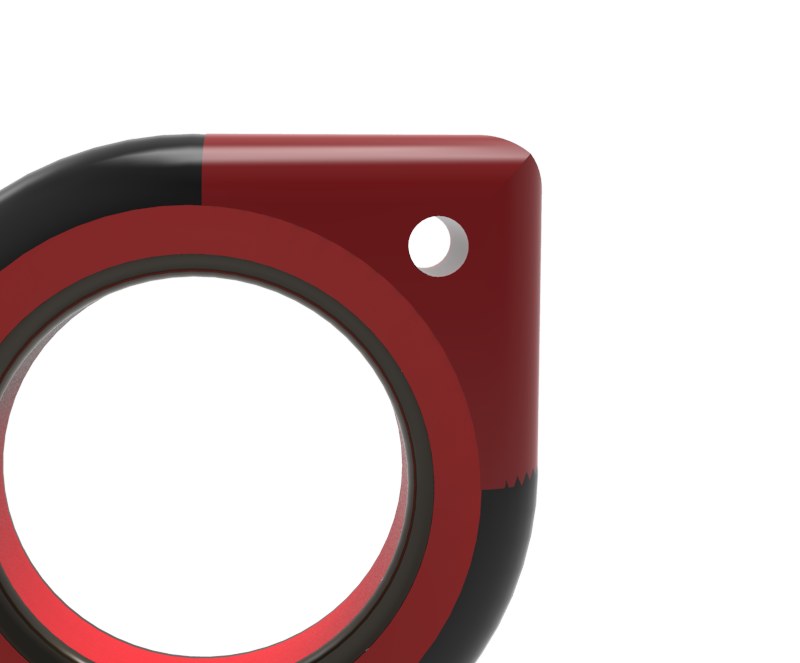
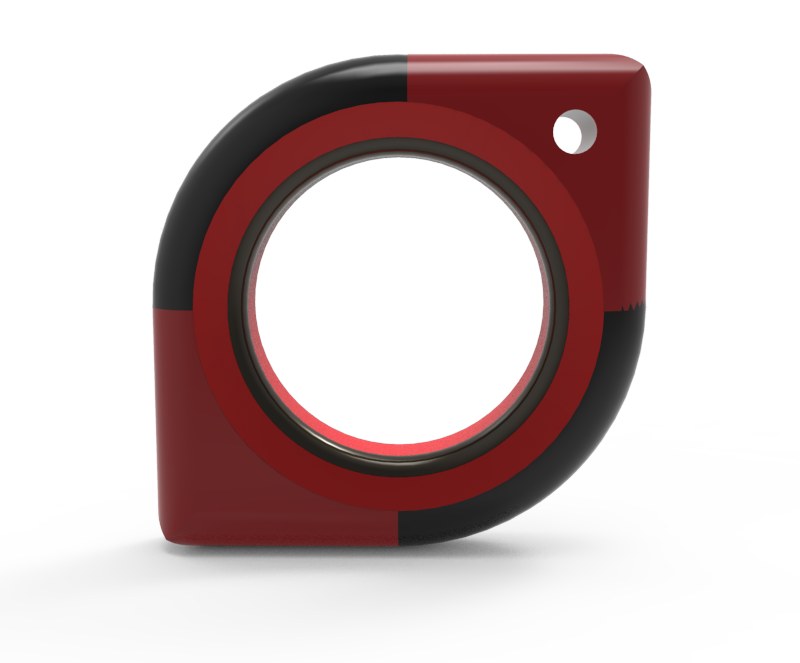
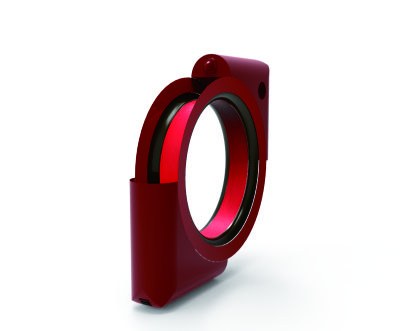
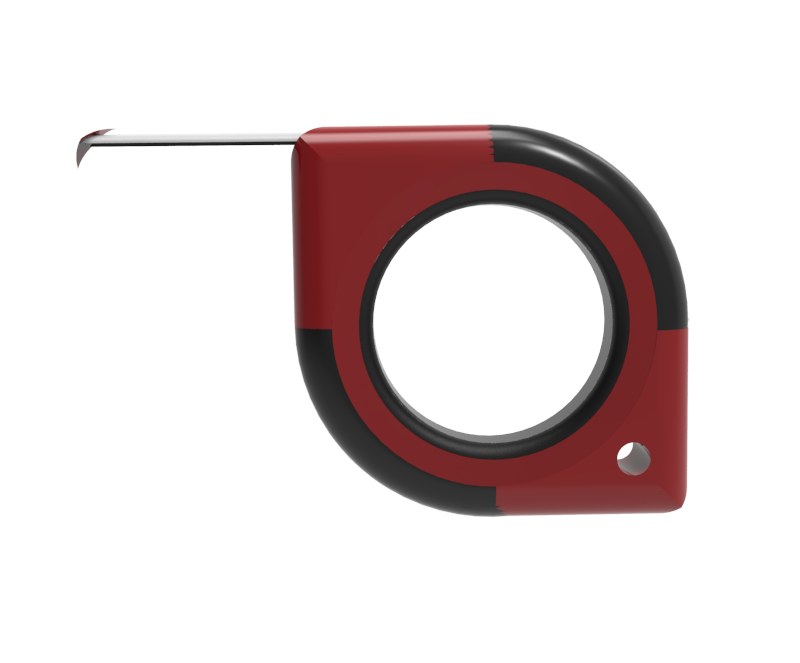
Grip Safely. Measure Precisely. Built for the Job Site.
The hand-held industrial tape measure. Safe, convenient, efficient.
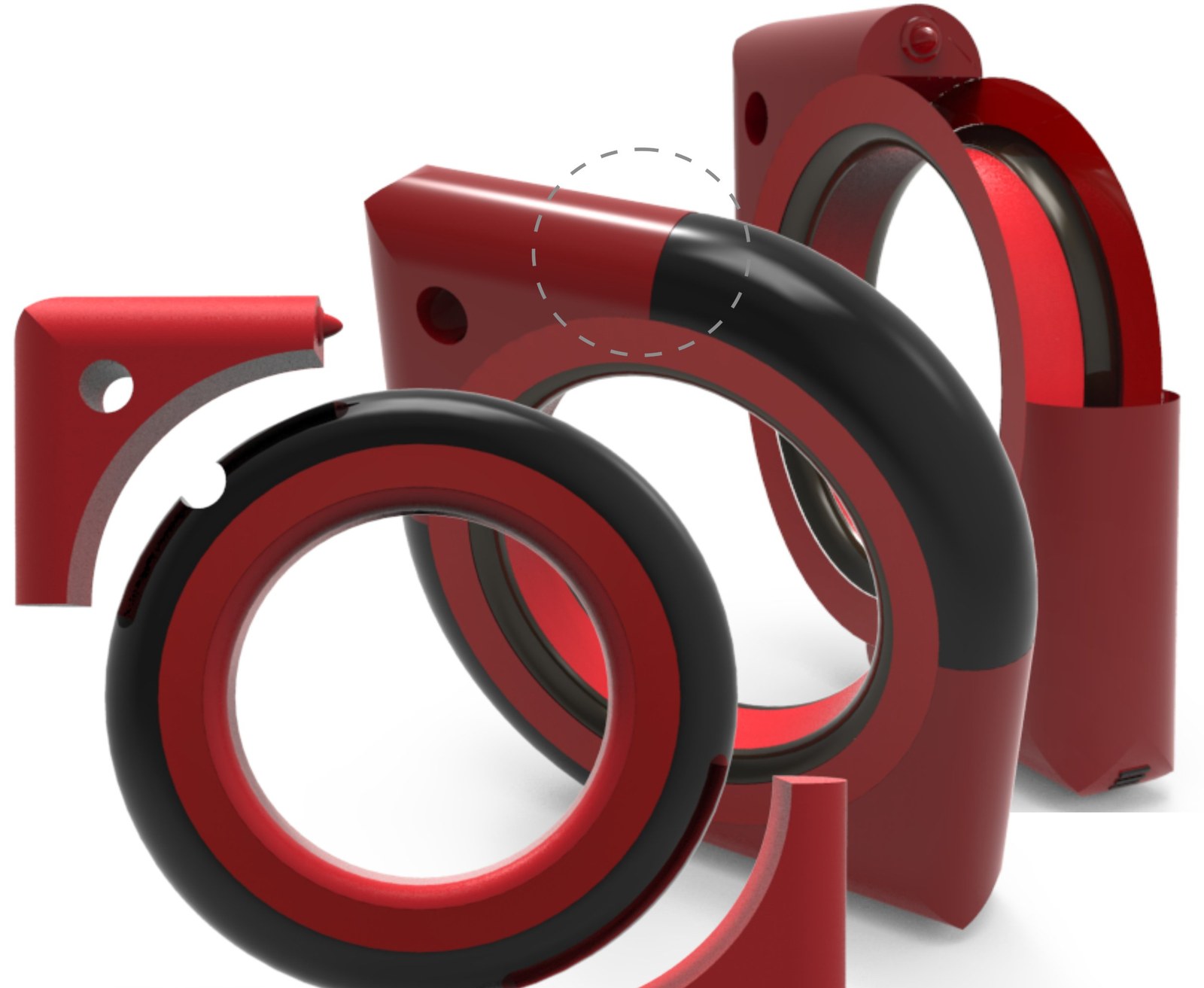
Made for measuring work that demands precision, this tape measure is held in the palm, keeping fingers clear of the blade. Two detachable “ears” carry a marker on one side and a hanging loop on the other, while an ergonomic non-slip grip makes every measurement safe and efficient.
01
A Built-in Marker, Right Where You Measure.
Vivid, quick-drying liquid ink makes marking and recording faster. The marker ear detaches for easy replacement.
02
A Non-Slip Grip That Fits Your Palm.
Textured silicone adds friction against the hand, and the curved profile keeps the tool steady in one hand.
03
A Hanging Loop That Goes Where You Go.
Attach a lanyard or metal clip to carry and store it easily. It takes up very little space.
04
Two Ears, Both Detachable.
The marker ear and the loop ear clip on and off the body, so each part can be swapped or carried the way the job needs.
10 × 10cmWidth × Height
3.5cmDepth
2earsDetachable: marker + loop
1handGrip, pull, measure
05
On Your Belt. In Your Hand.
Clip it to your belt or tool belt to keep both hands free. When you need it, grip the whole body against the wall to measure, then mark directly with the built-in marker.
Safety in Your Hand. Efficiency in Every Measure.Hand-Held Industrial Tape Measure — a product design concept.
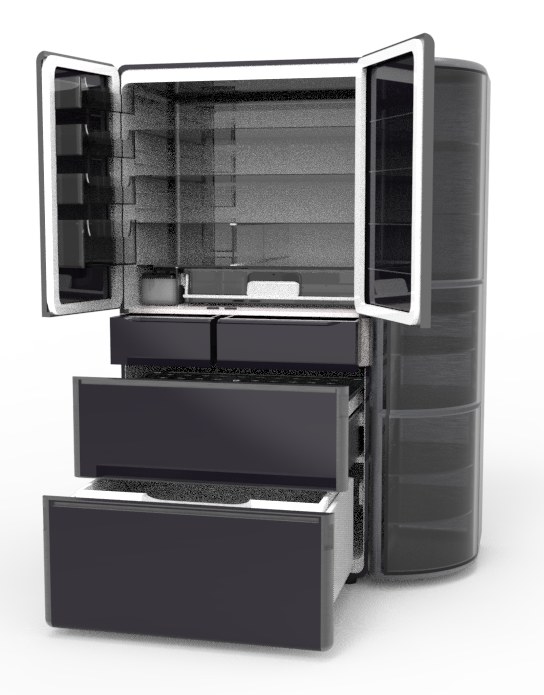
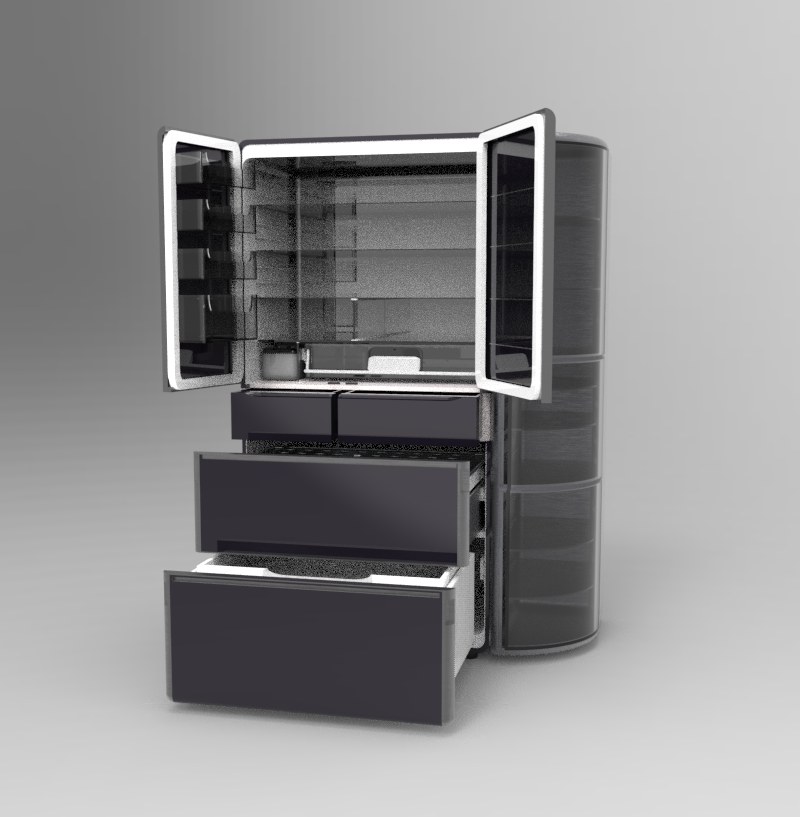
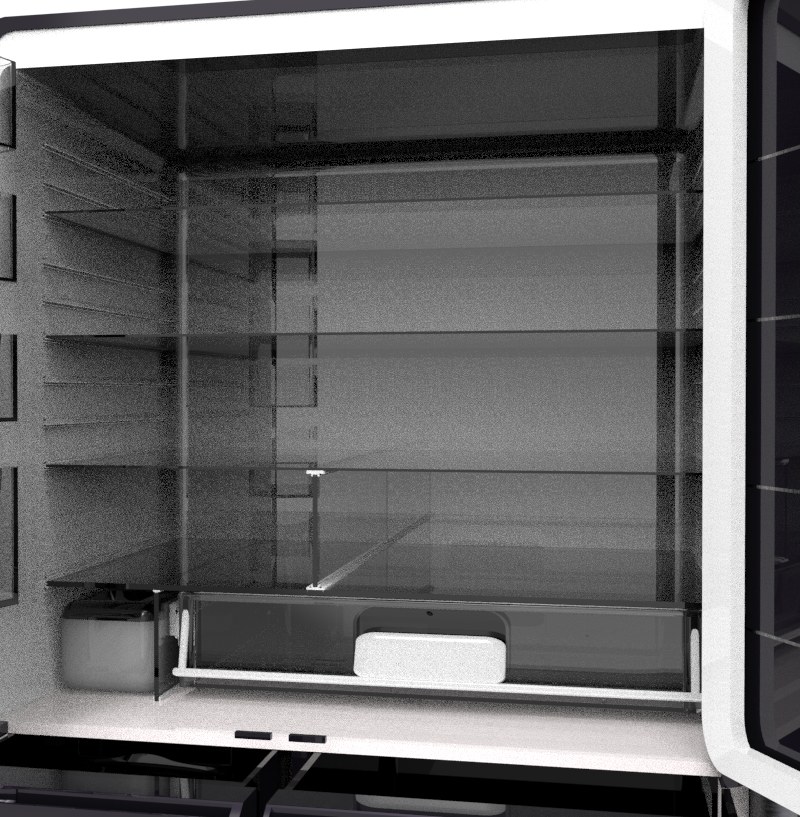
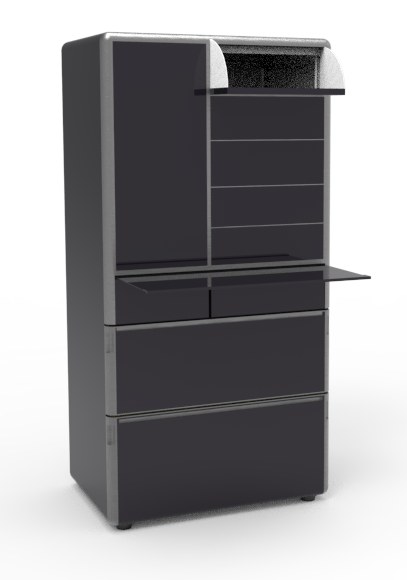
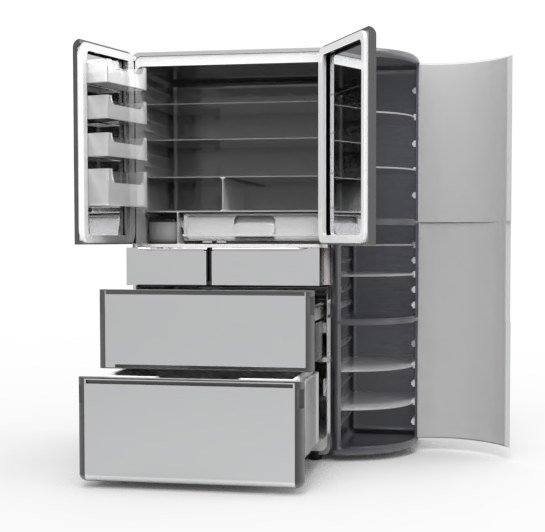
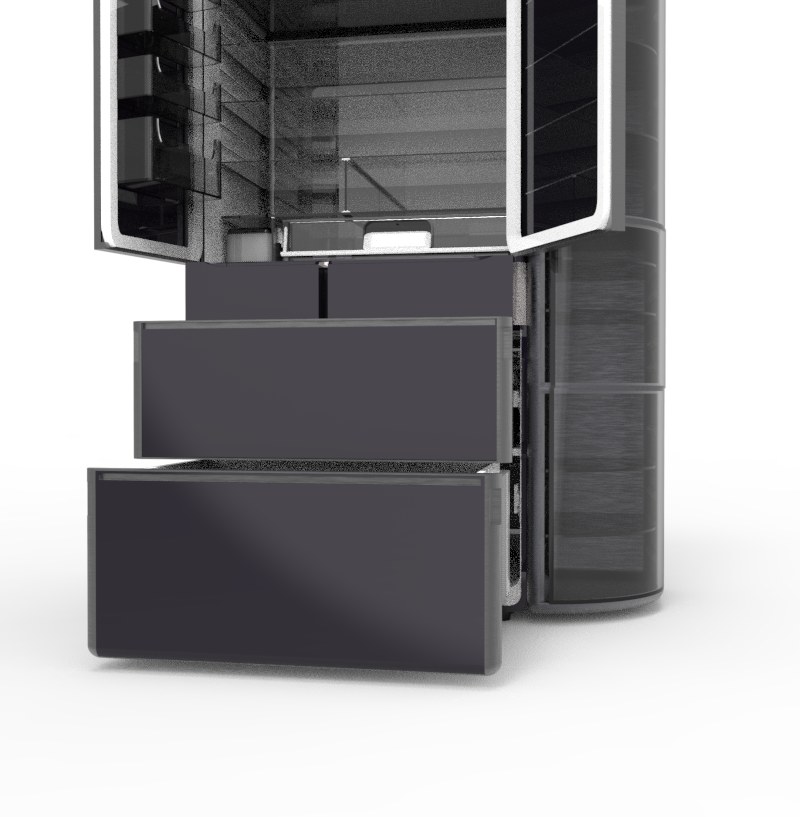
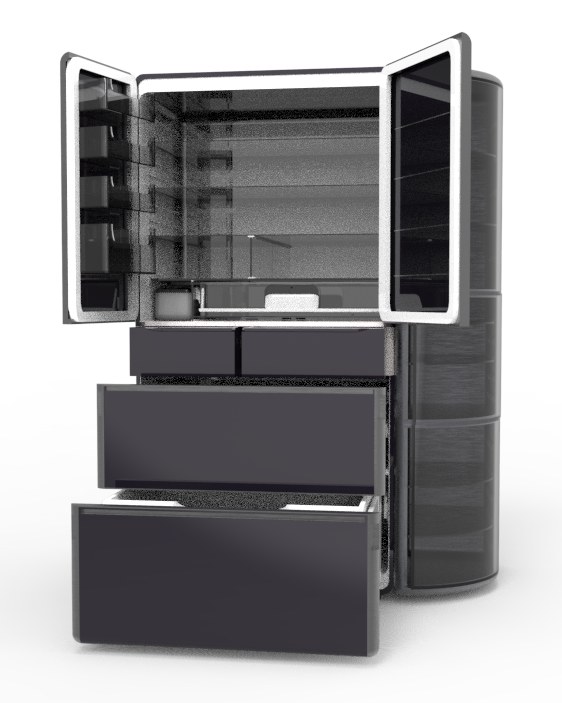
An interactive refrigerator that saves energy by dividing storage into modules. It pairs a see-through design with smaller openings, so you can put food in and take it out at the same time, find items at a glance, and keep food fresher and more hygienic.
Vacuum Pump
Vacuum Fresh
Liquid Nitrogen
Modular Build
Mirror Glass
Crystal Finish
Smart AI
Connected Home
01
See Inside Before You Open.
Glass doors and clear shelves let you locate every item precisely. A vacuum crisper layer keeps fresh food fresher for longer.
02
Four Small Doors. Less Cold Lost.
The right door holds four small doors that open on their own, so you only open what you need. A fold-out shelf lets you put in and take out at the same time.
03
A Module for Every Member.
A side cabinet that can be combined or used on its own. The top holds wine and cosmetics; the bottom holds kids’ snacks they can reach themselves.
04
Quick Freeze. Kept Clean.
A quick-freeze chamber locks in freshness, while a platinum catalyst helps keep the drawers hygienic.
05
Tap to Open. Control from Your Phone.
Touch the tap points and the doors open automatically. Set the temperature from the companion app.
Colours
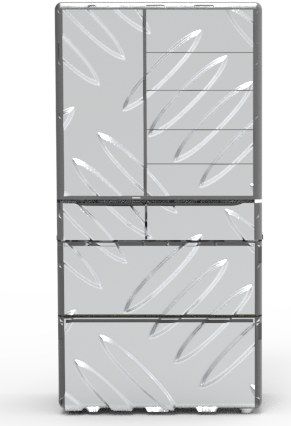
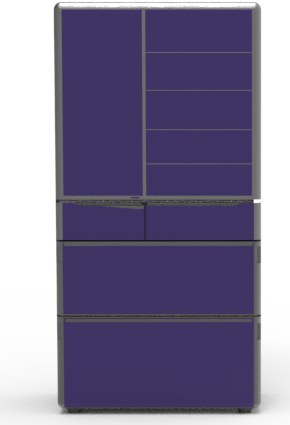
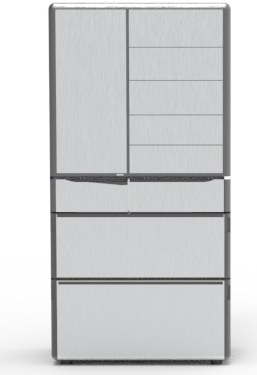
Three finishes. Fingerprint-free mirror glass.
Snow Peak SilverPatterned metallic
Wildflower VioletDeep purple glass
Sea Foam WhiteBrushed light finish
Dimensions
Sized for the Family. Scaled to the Body.
186cmHeight
89cmWidth
74cmDepth
124cmWidth with side module
Anatomy
Sixteen Parts. One System.
01Double-layer insulation
02Outward-opening divider
03Storage rack
04Tap point (doors)
05Shelf divider
06Ice maker
07Water outlet
08Automatic door opener
09Tap point (drawers)
10Quick-freeze chamber
11Platinum catalyst
12Wine cabinet
13Cosmetics fridge
14Kids’ fridge
15Fridge compartment
16Modular wine cabinet
Open Less. Waste Less. Made for the Whole Family.Module Visualization Interactive Refrigerator — a product design concept.
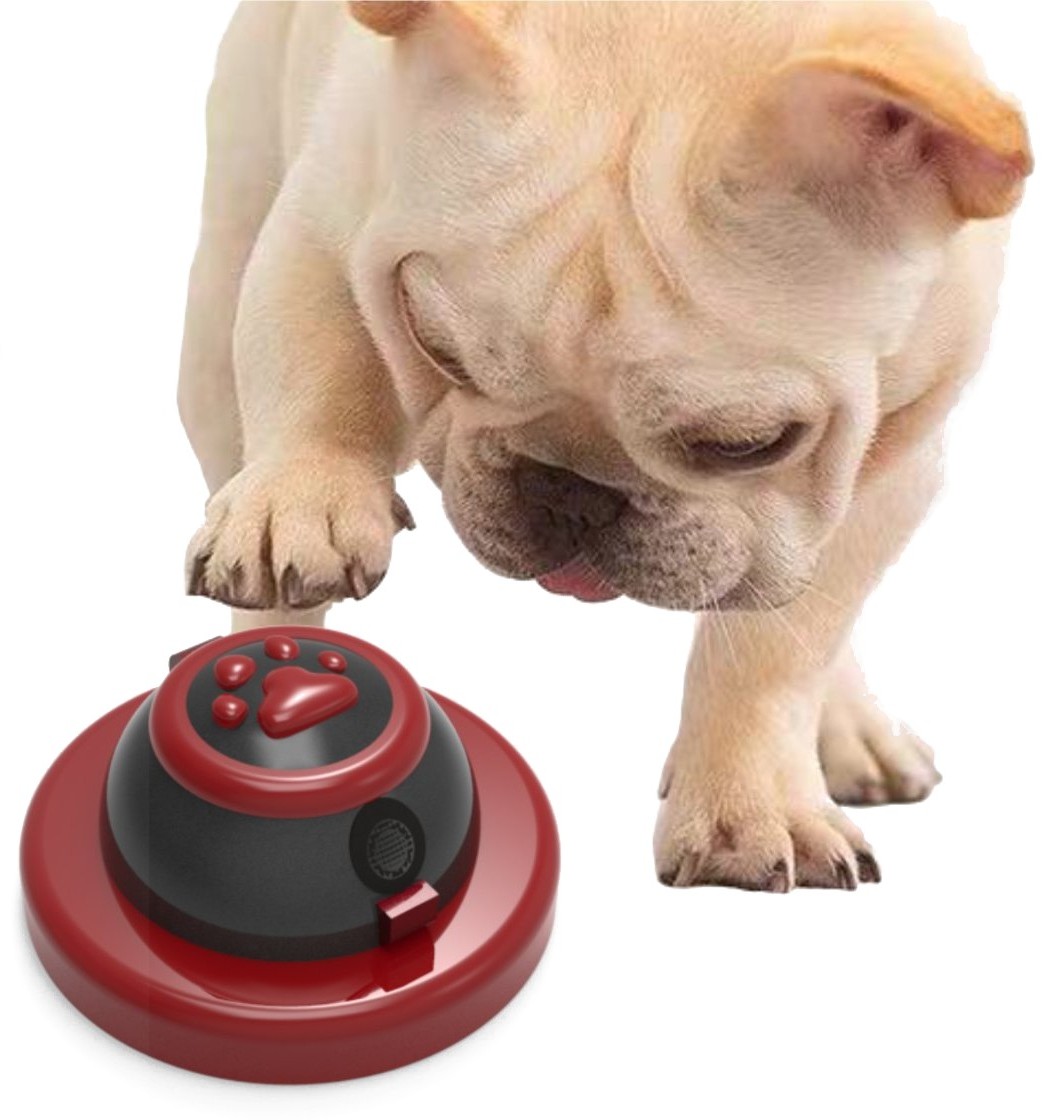
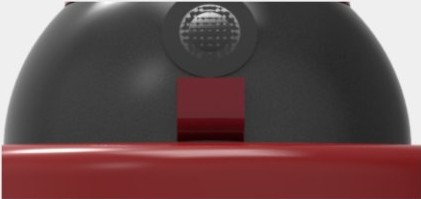
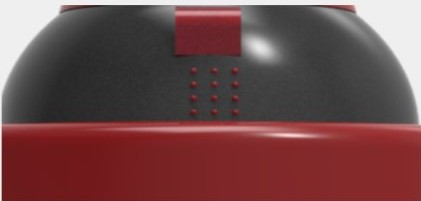
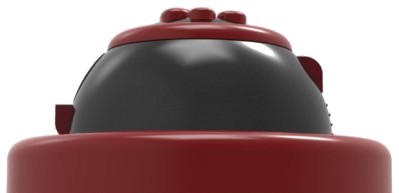
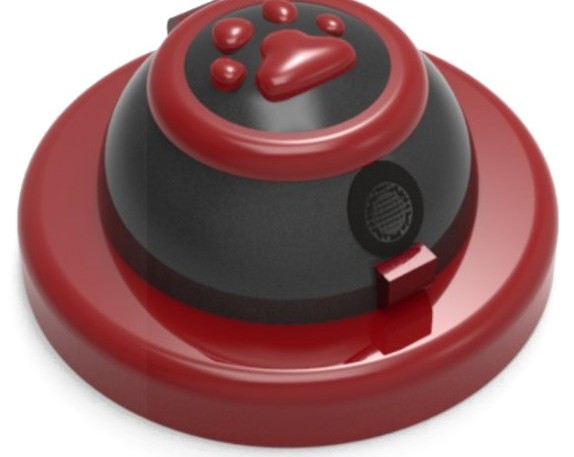
This is a training bell for dogsPaw button /Design01
The idea
People want more from their dogs than company and comfort. They want real conversation, a look into how their dog thinks, and a fun way to teach new skills.
Press the paw and a built-in random command system speaks a voice cue. If the dog follows it, the camera catches the move and pops out a treat as a reward.
DetailsDesign02
HOW IT WORKS
Three ways Doggie-GO! turns training into play, day or night.
Listen01
Hear it. Do it. Ring for a reward.
Your dog acts on the voice command, then presses the bell to earn a reward.
Watch02
A camera that sees. Even after dark.
The camera recognises your dog’s moves, and infrared sensing keeps the game going at night.
Reward03
Treats that fly. Energy well spent.
Kibble and snacks launch out when your dog gets it right, burning off energy and keeping them company.
DETAILS
Of Doggie-GO
123
DESIGN
— Design 03
01
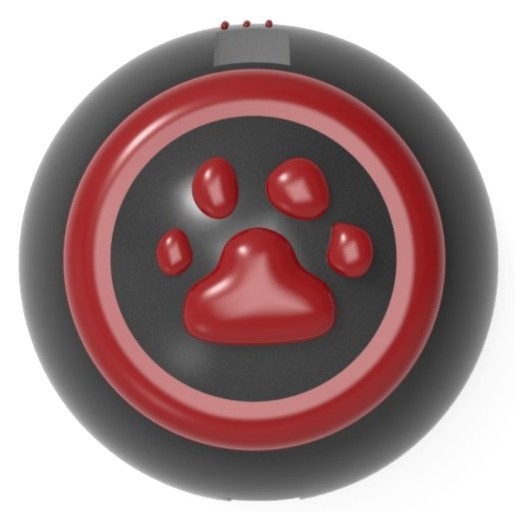
Paw buttonThe cute paw is the key. One press and a random voice command plays.
02
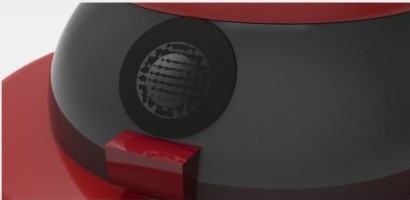
Soft LED ringWraps the round button and loops each command in your chosen language, so you always know what was asked.
03
Camera + infraredCaptures your dog’s action and rewards it, by day or by night.
FOUR FINISHES
Colour — 04
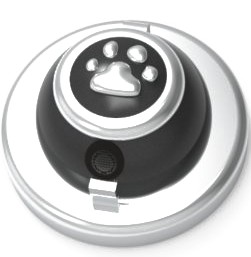
RedA
SilverB
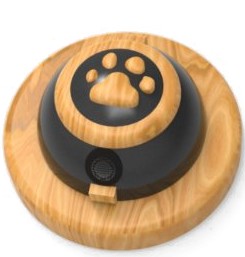
Wood GrainC
YellowD
GOOD DOG.
Doggie-GO! — a design for pets and people to communicate.
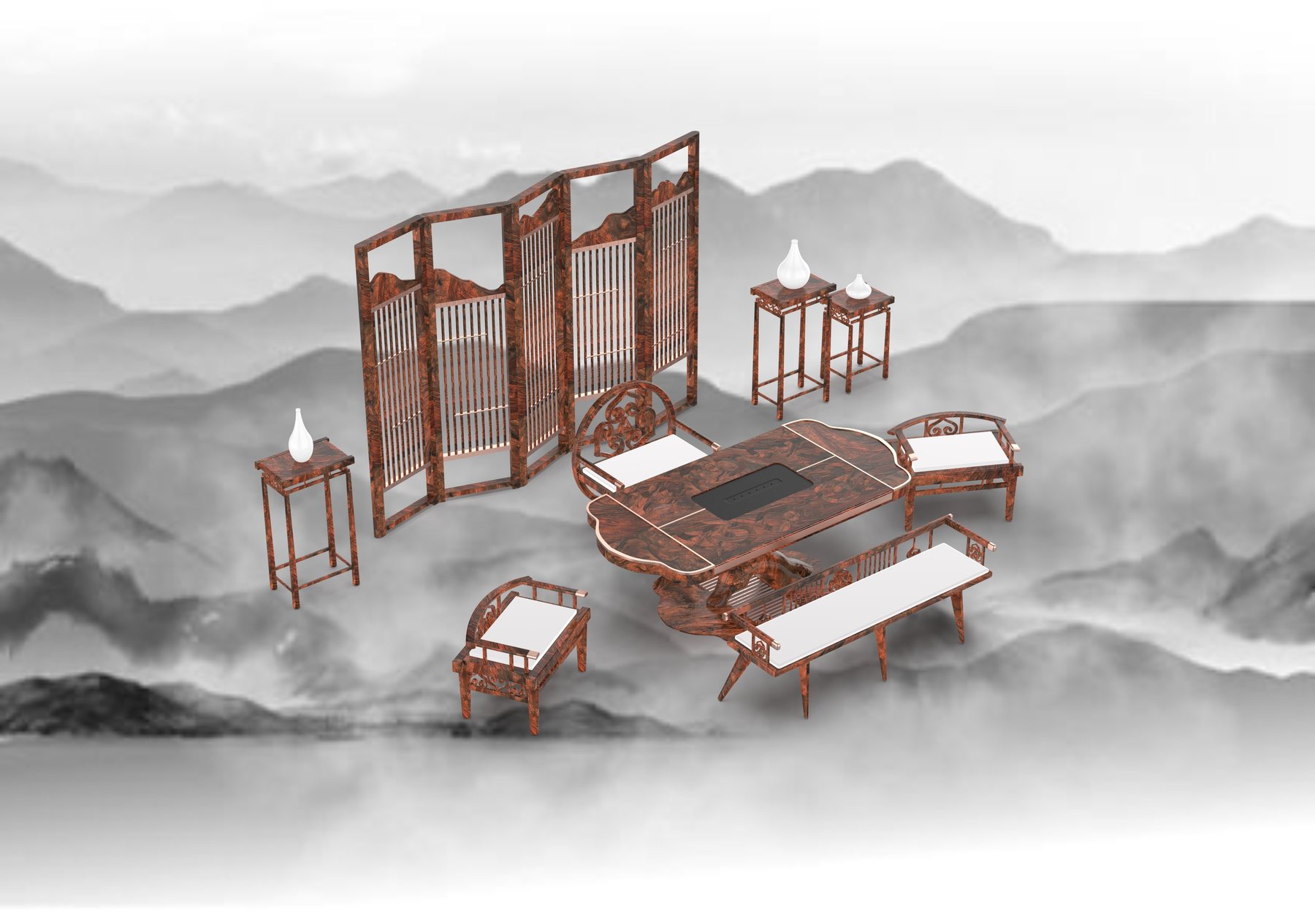
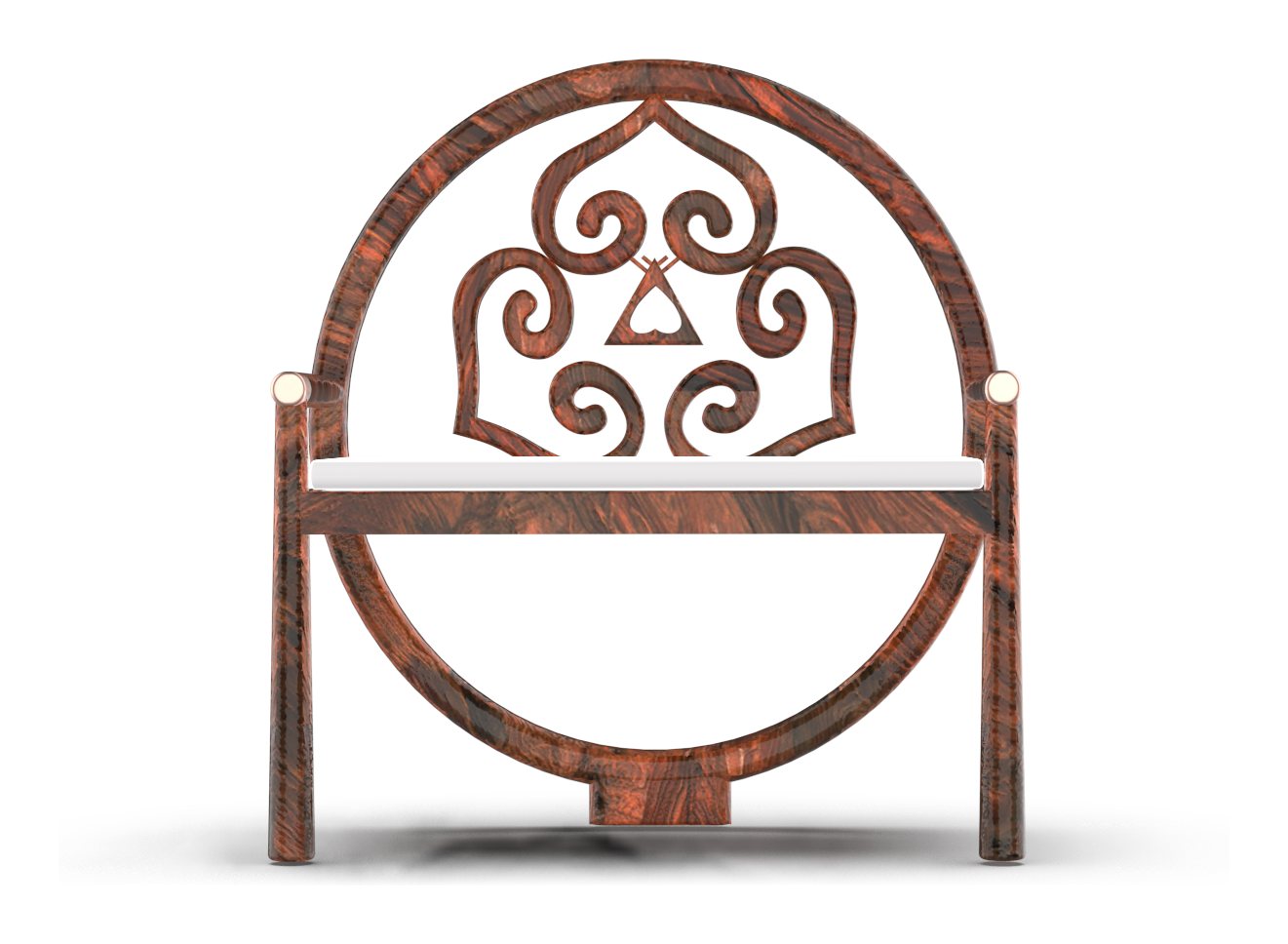
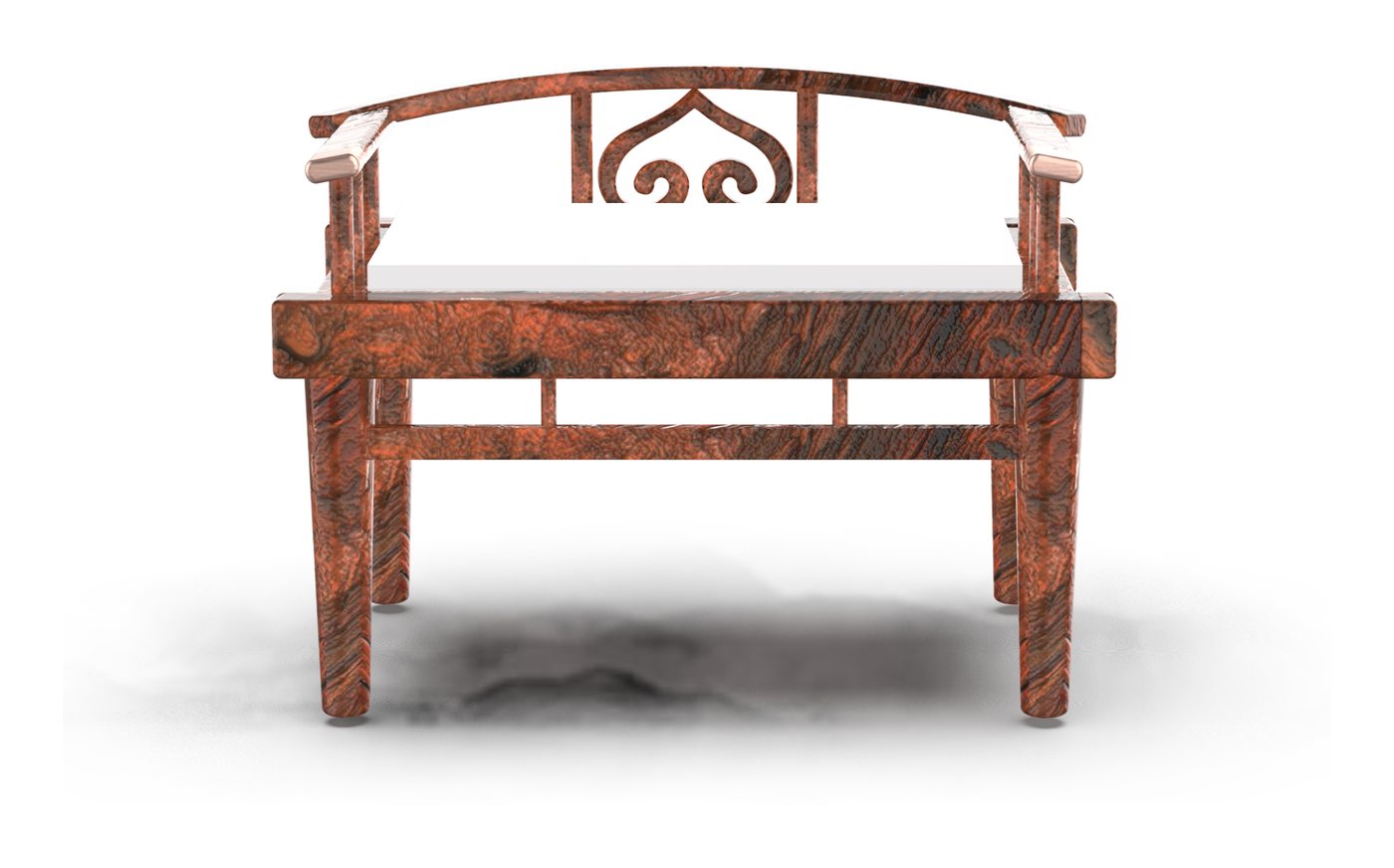
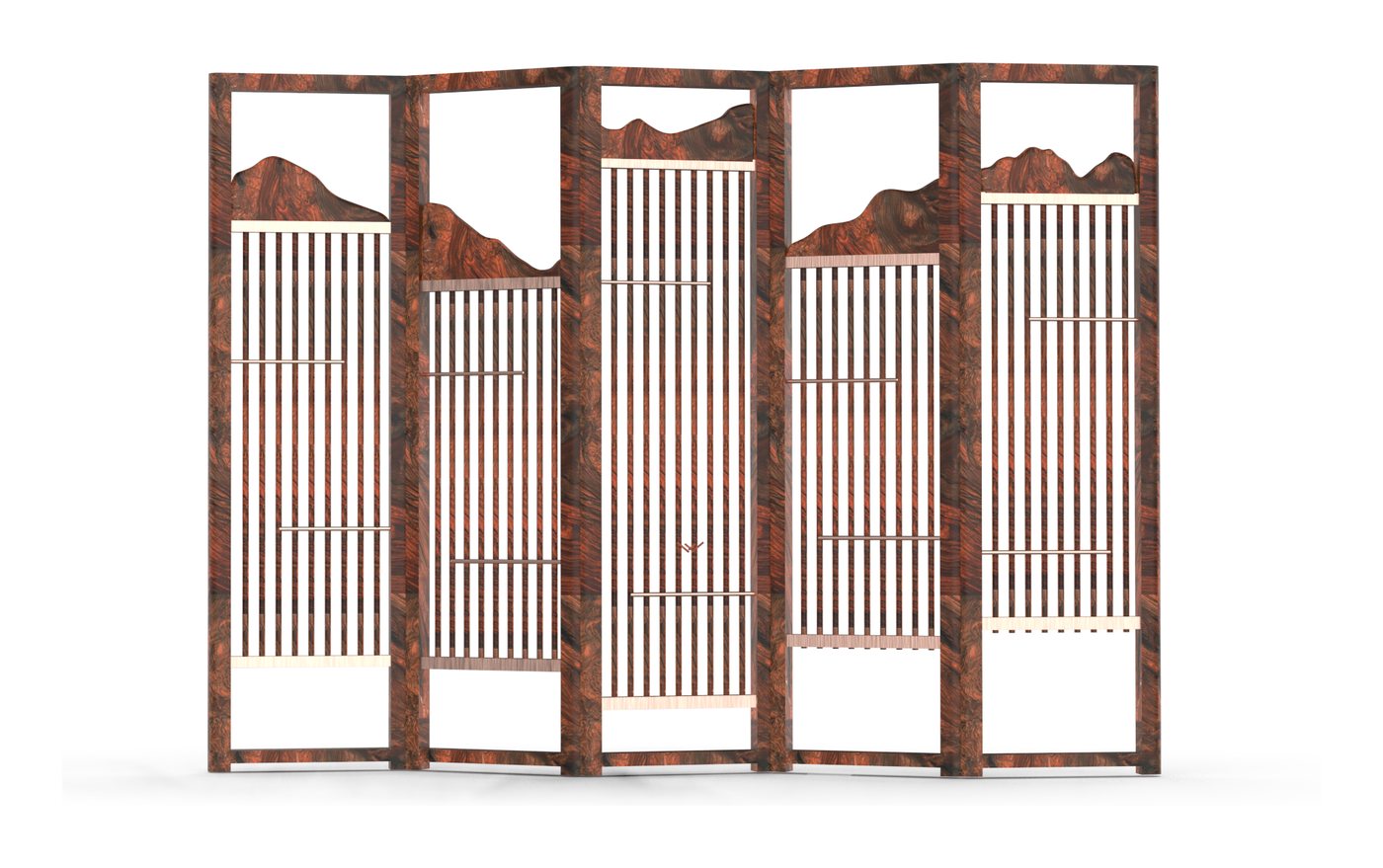
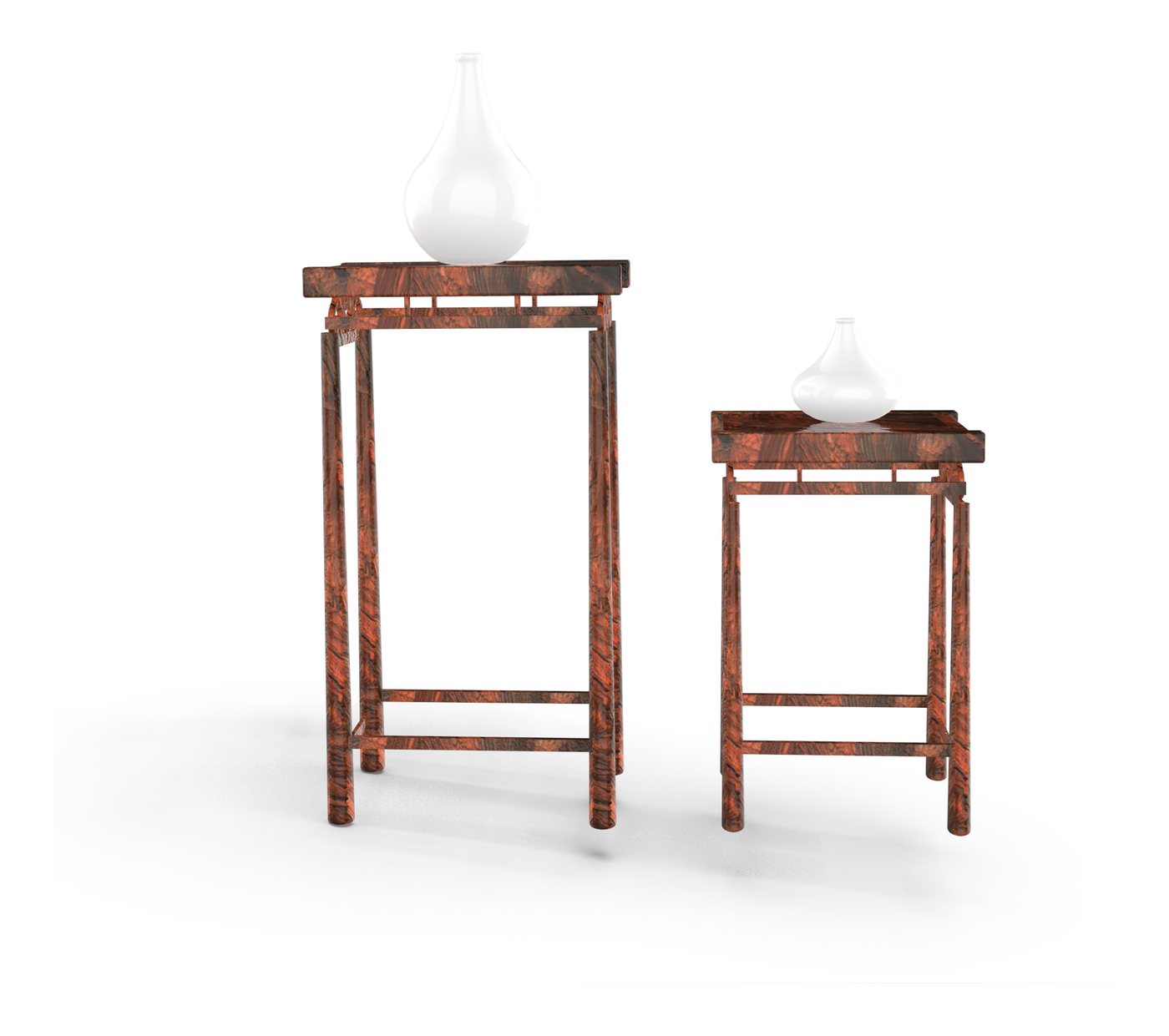
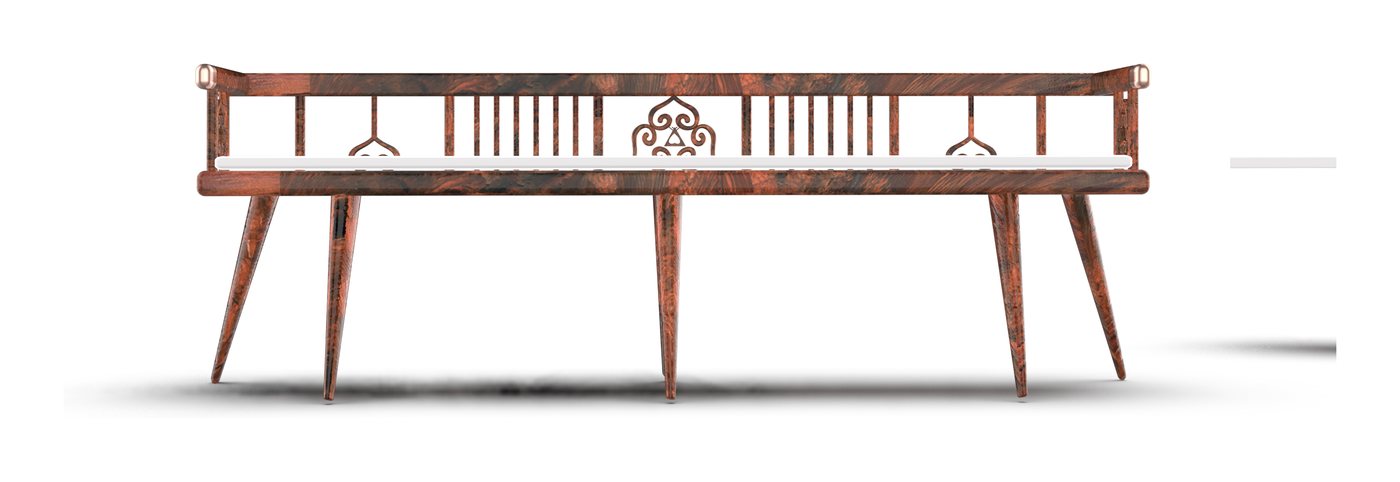
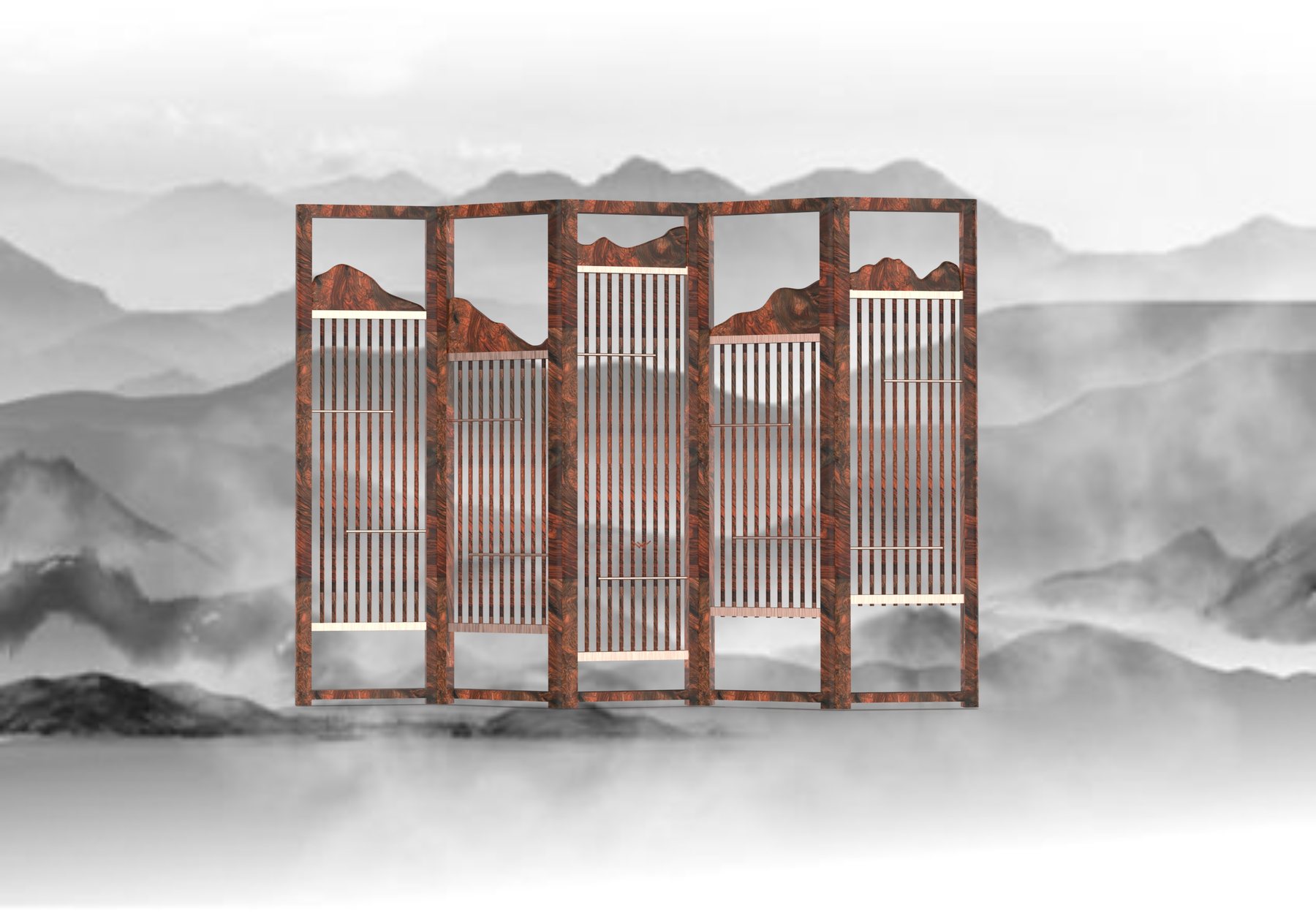
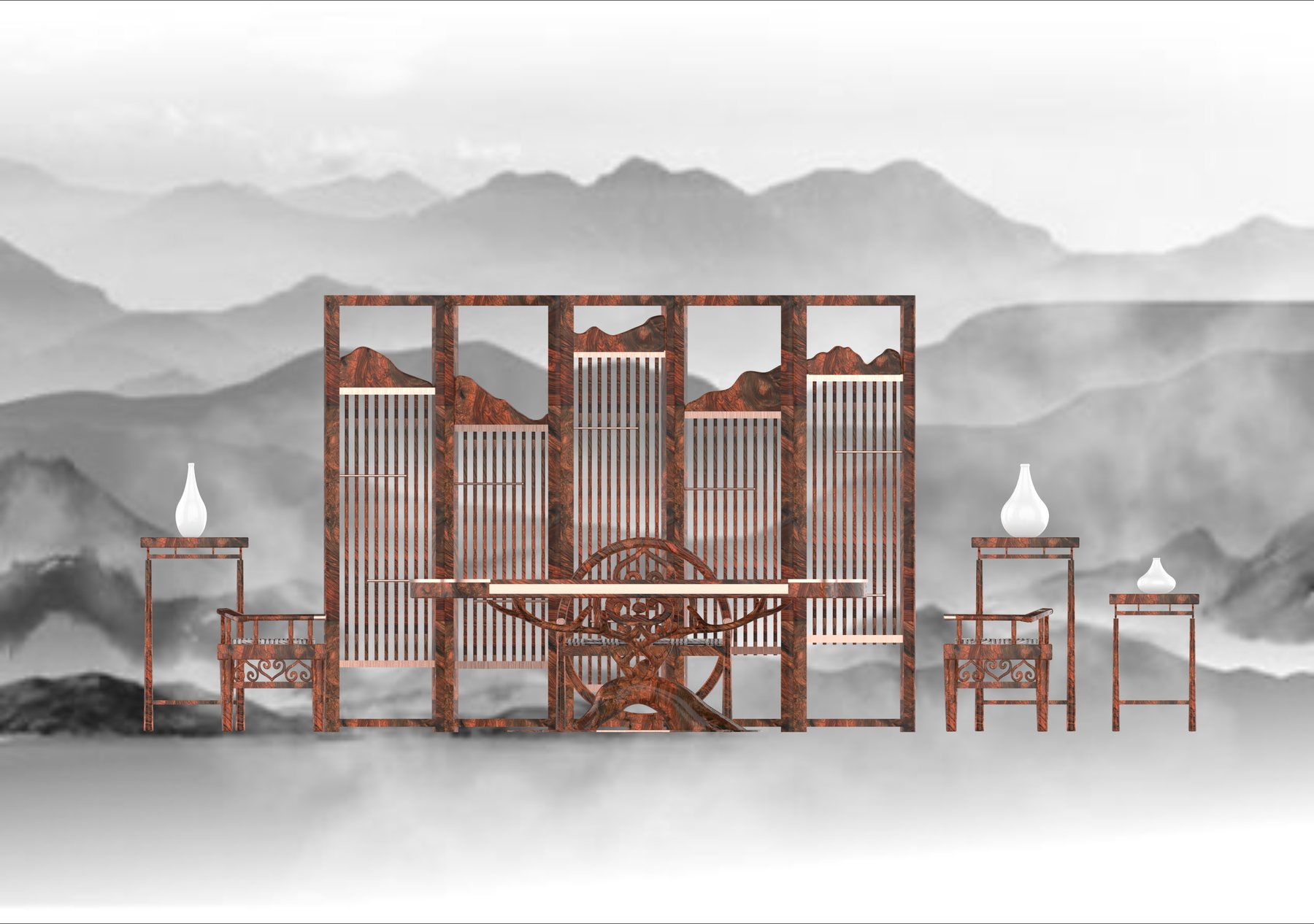
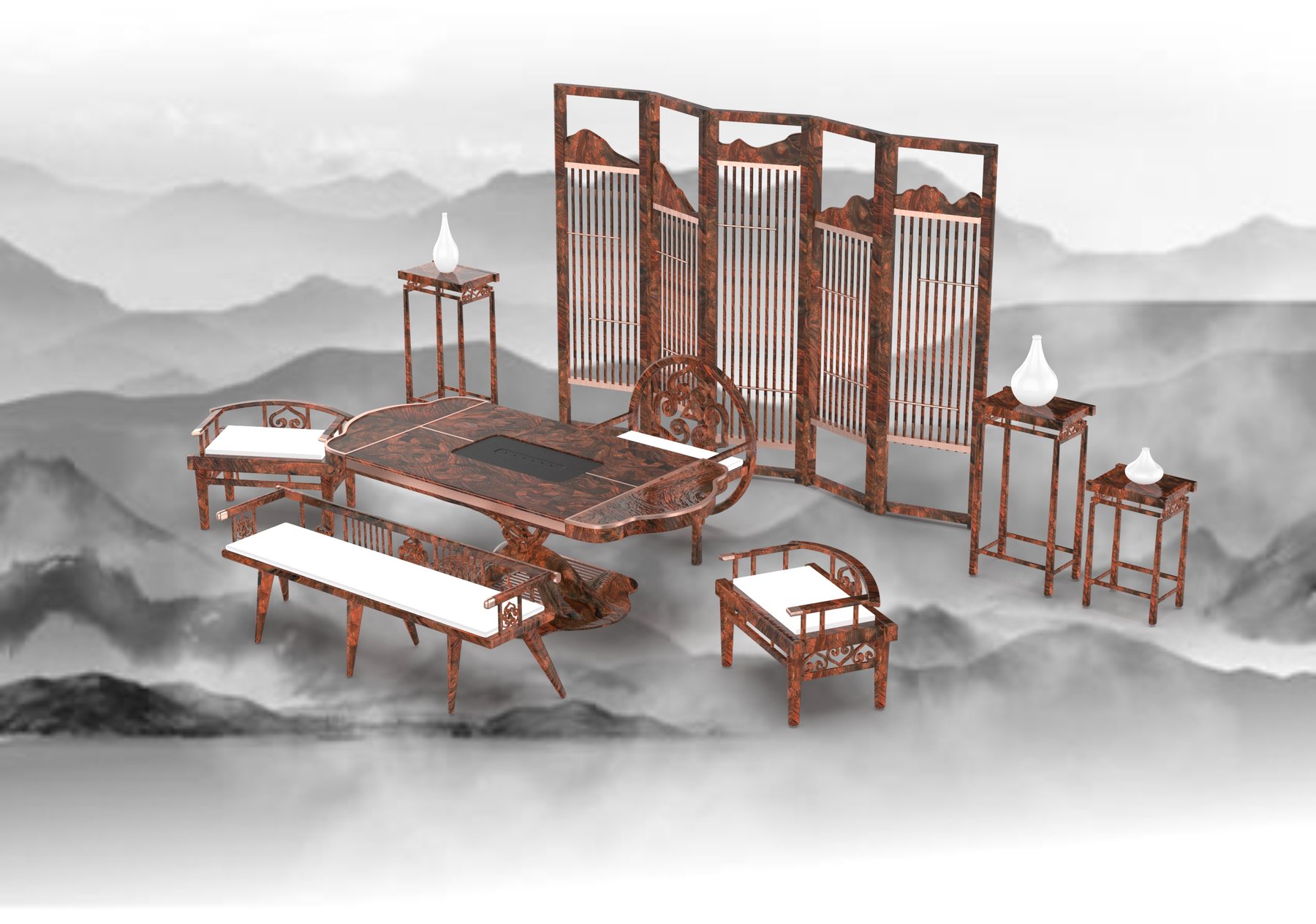
Rosewood furniture for tea, shaped by the totems of the Oroqen people, the antlers of the reindeer they live alongside, and the mountains of Chinese ink painting.
The set draws on Oroqen totems and the nomadic hunting life they depend on. Totem and reindeer forms are extracted, abstracted and rebuilt into a new frame, then joined with the tea culture of Chinese furniture.
Rosewood, the deer-head hat and ink landscapes carry one idea: respect for every living thing, and a balance in which people and nature thrive together. The Oroqen, one of China’s smallest ethnic groups, live in the bitter cold of the Greater and Lesser Khingan Mountains. Through hunting and a deep reverence for nature, they have endured to this day.
The verse
萨满英姿白桦根 The shaman stands tall; the birch holds its roots.
雪原熊舞舞雄浑 On the snowfield, the bear dance moves with power.
Three Sources. One Spirit.
Inspiration · 创意来源
Deer-Head Hat 鹿头帽The Oroqen hunter’s headdress, and the source of the antler forms throughout the set.
Shan Shui 山水画Ink-wash mountains, traced into the silhouettes of the screen panels.
Rosewood 红木Warm, deeply figured timber that brings the forest indoors.
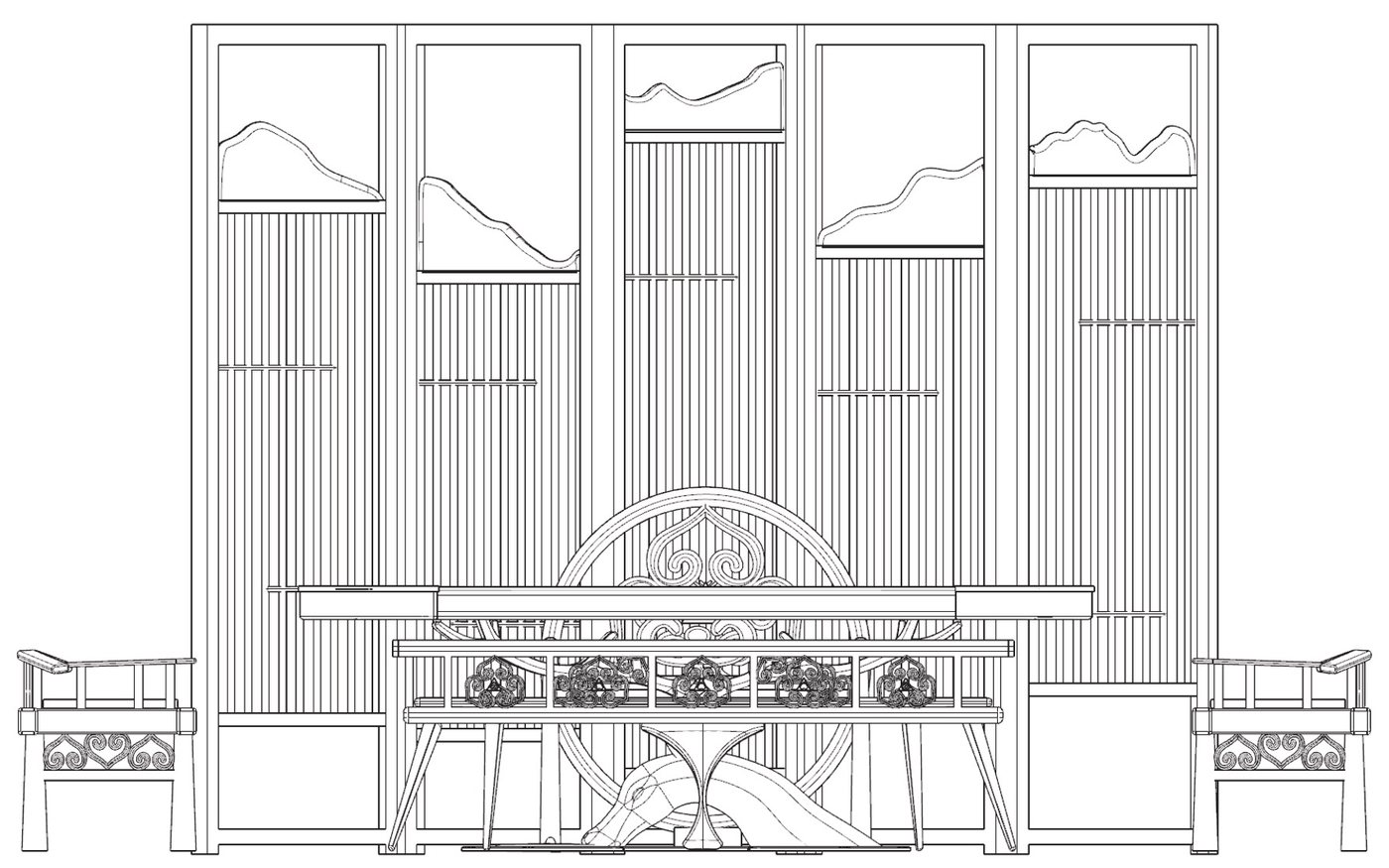
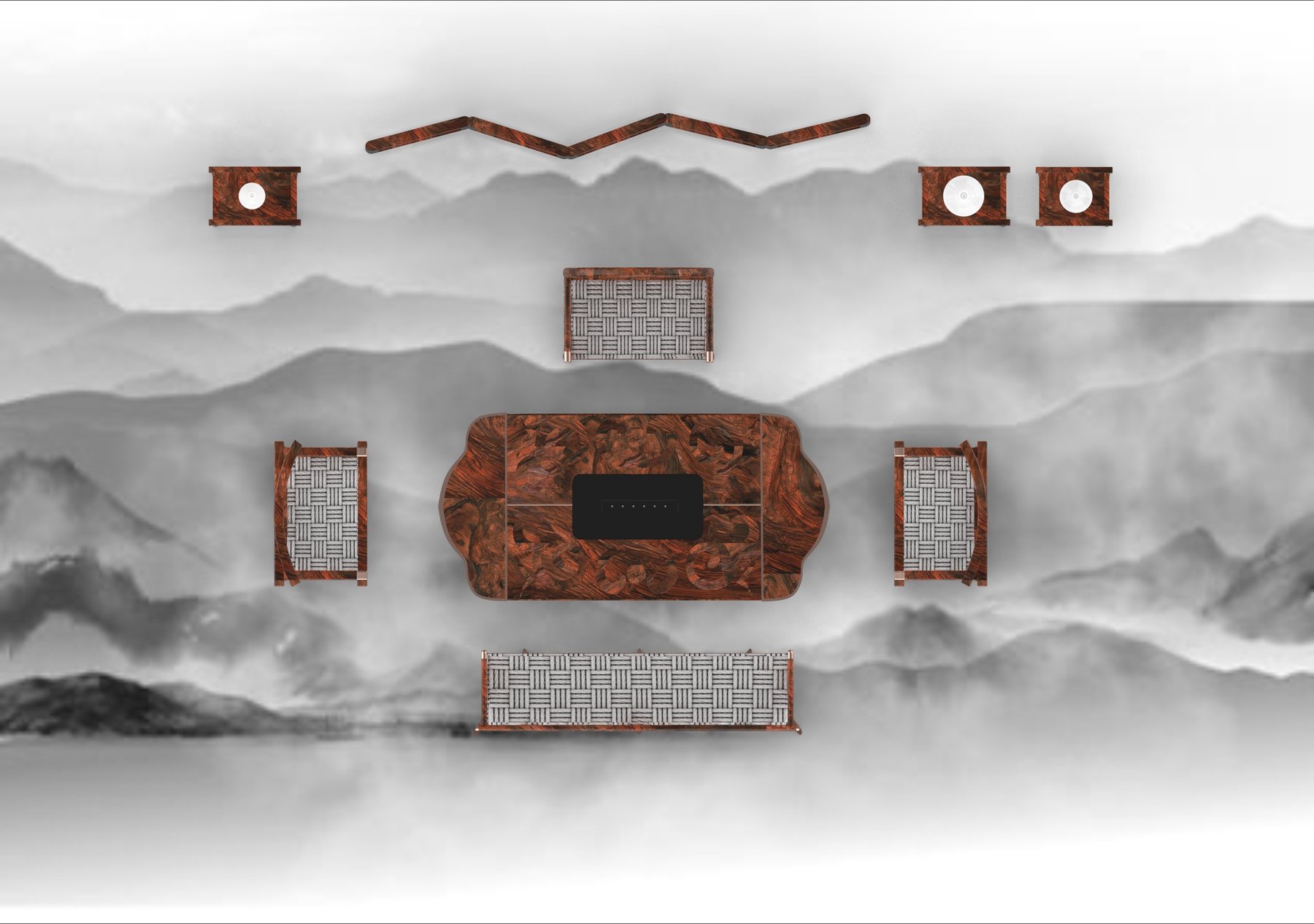
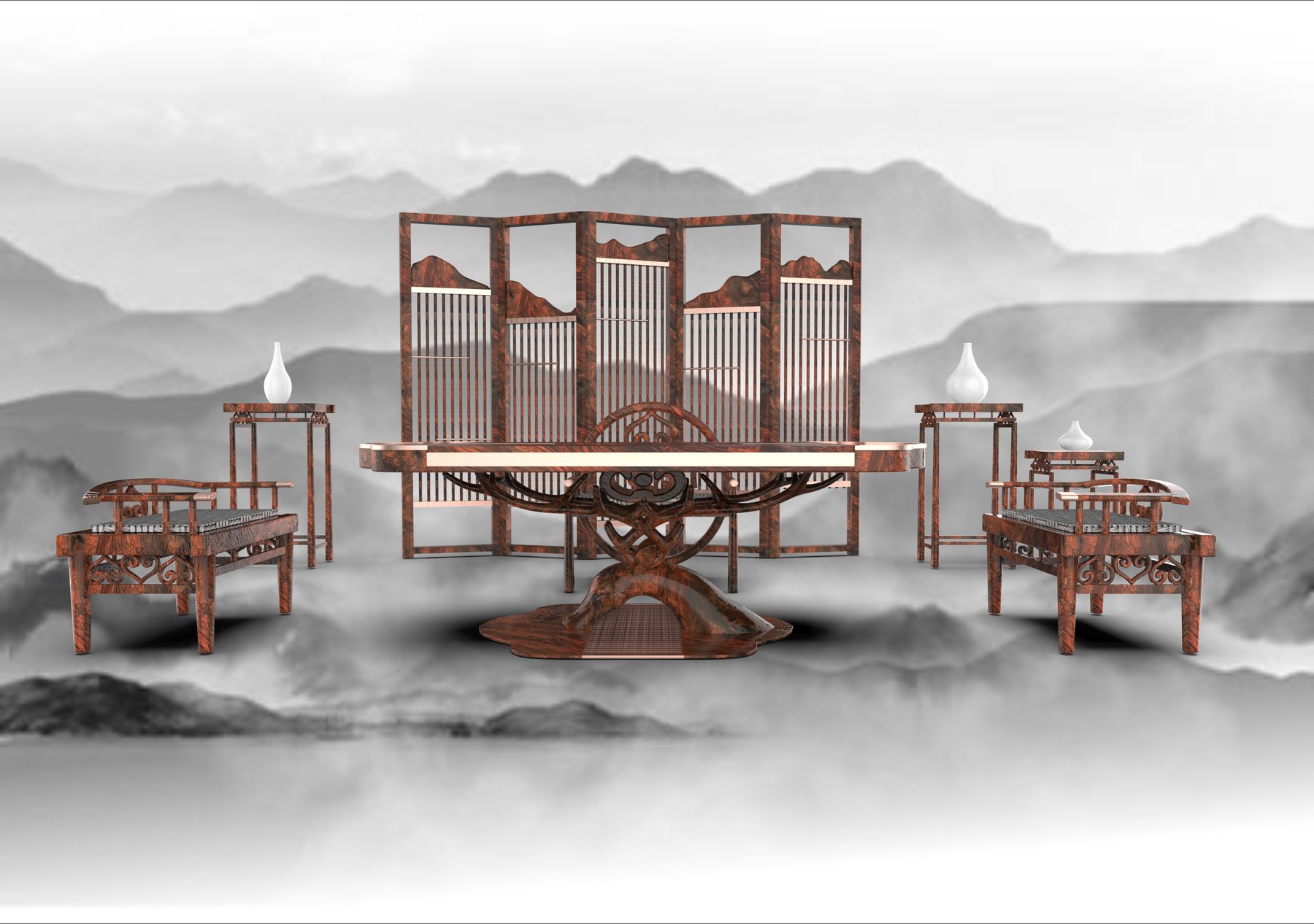
Six Pieces. One Tea Ceremony.
The Collection · 产品细节
Tea Table 主茶台01
Main Chair 主椅02
Side Chair 副椅03
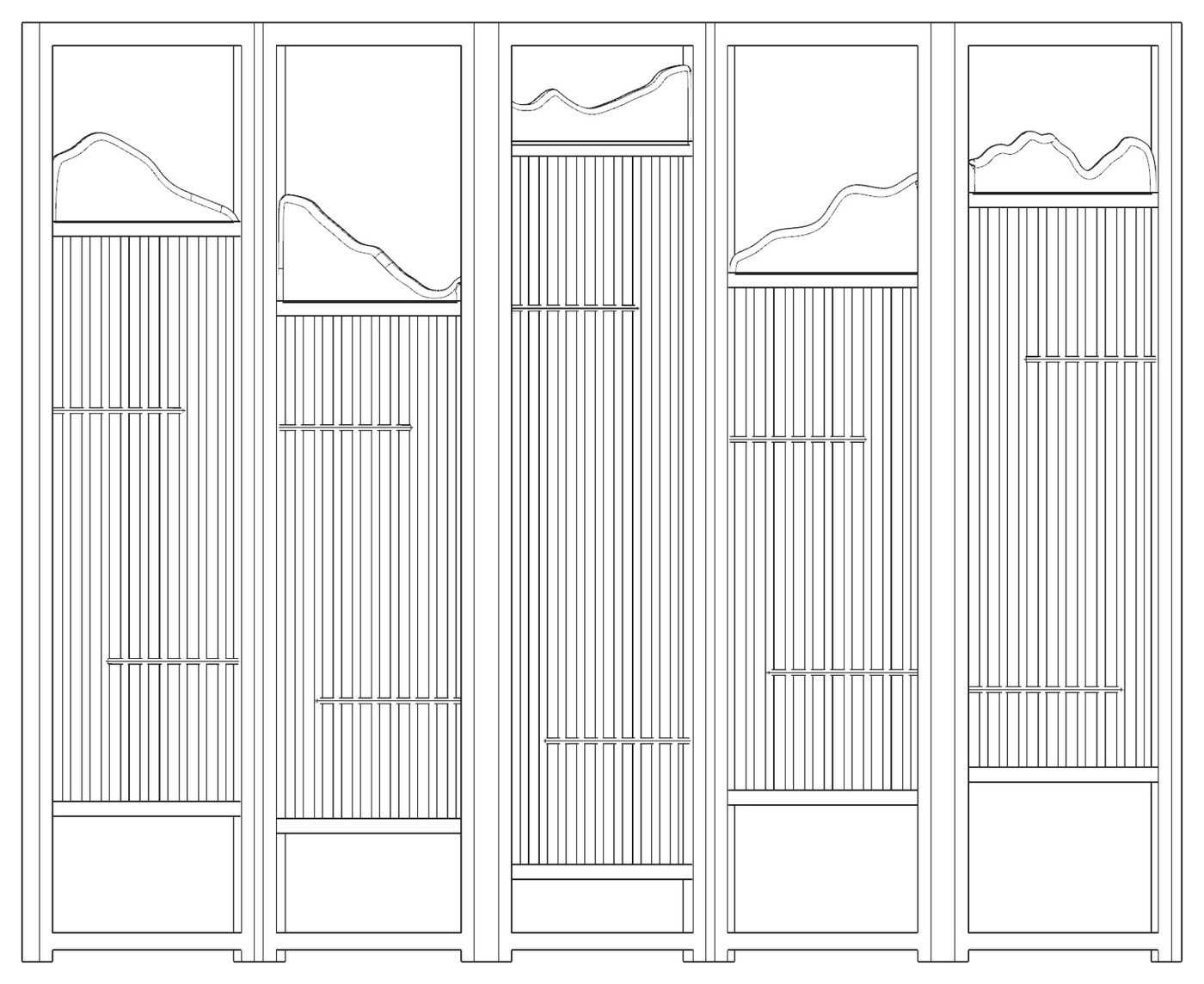
Folding Screen 屏风04
Display Stands 置物架05
Long Bench 长凳06
01
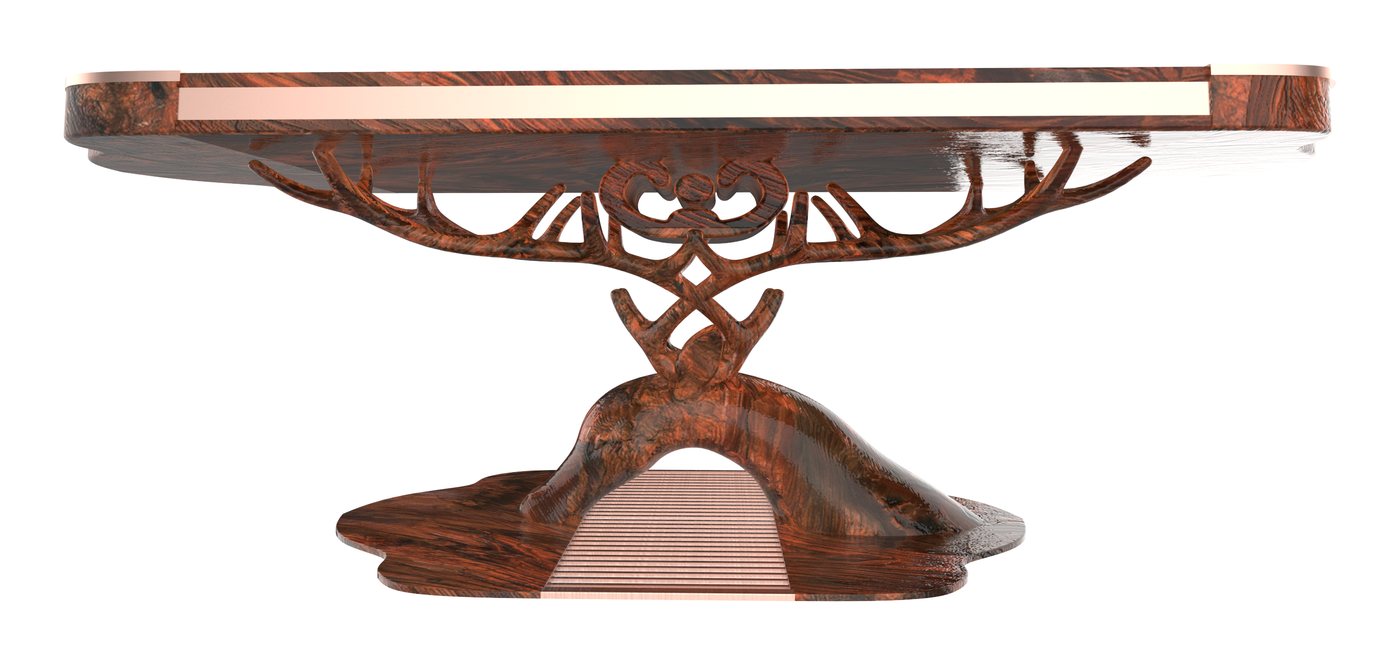
Rooted in Antlers.
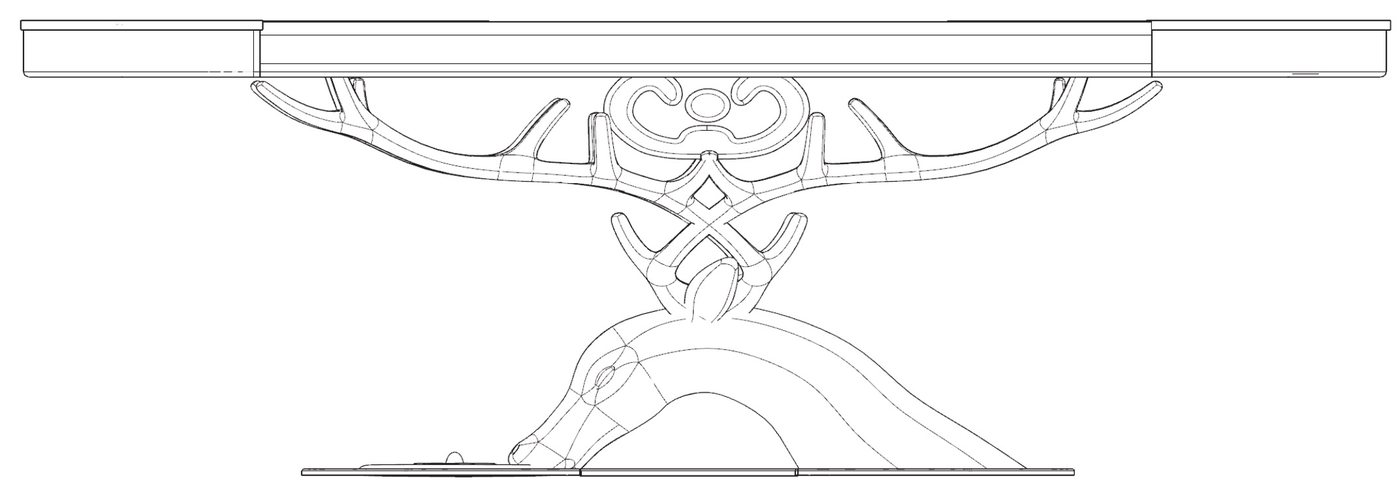
The tea table grows from a carved base where reindeer antlers and birch roots twist together, holding the long rosewood top above the floor like a branch.
02
Mountains on Every Panel.
Each panel of the five-fold screen is crowned with an ink-painting ridge line, and fine vertical slats let light through like mist between peaks.
03
A Totem to Lean On.
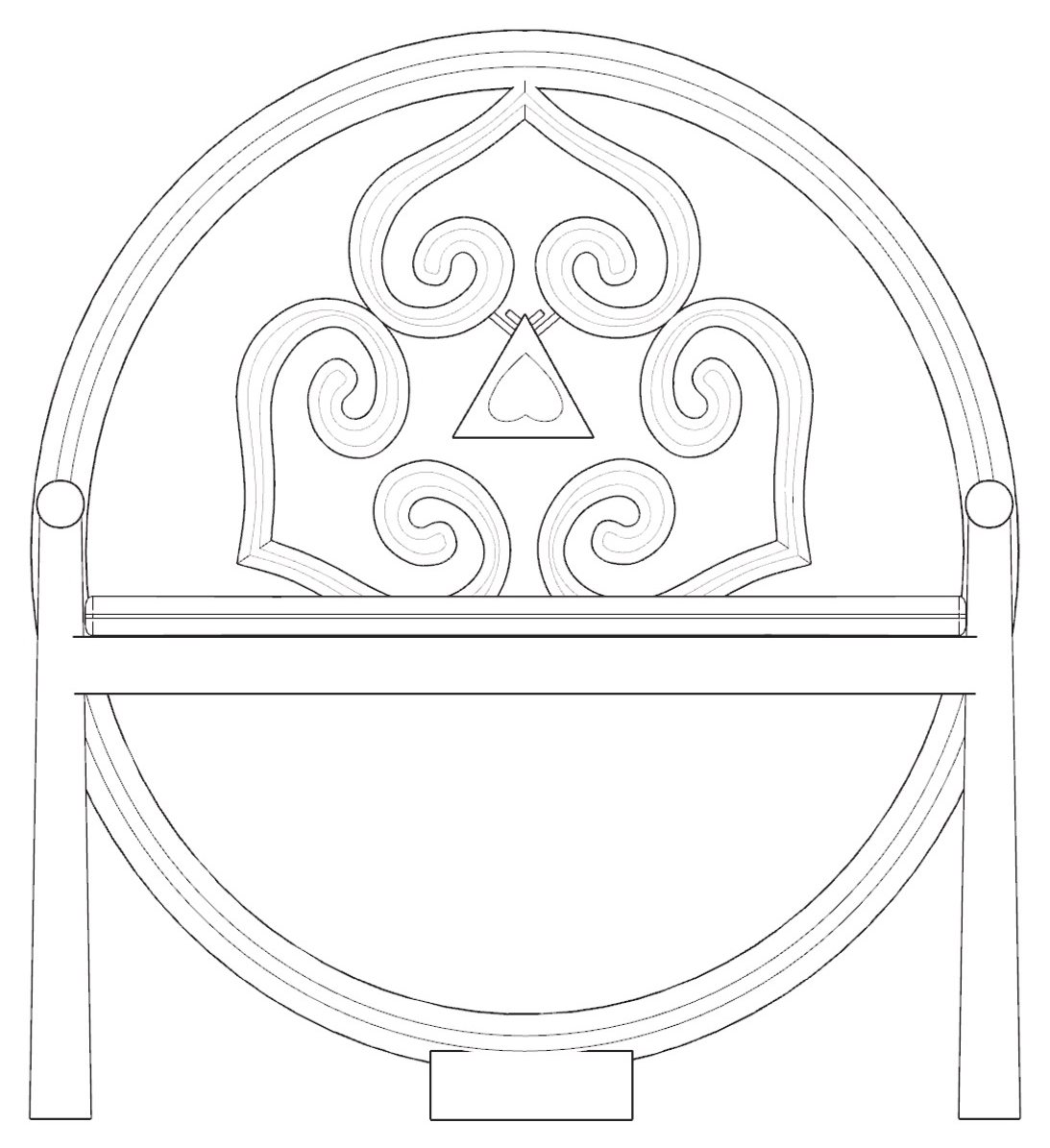
The main chair’s full-circle back frames a carved scroll drawn from Oroqen totems, turning the host’s seat into the centrepiece of the room.
Line by Line. Piece by Piece.
Drawings · 线稿
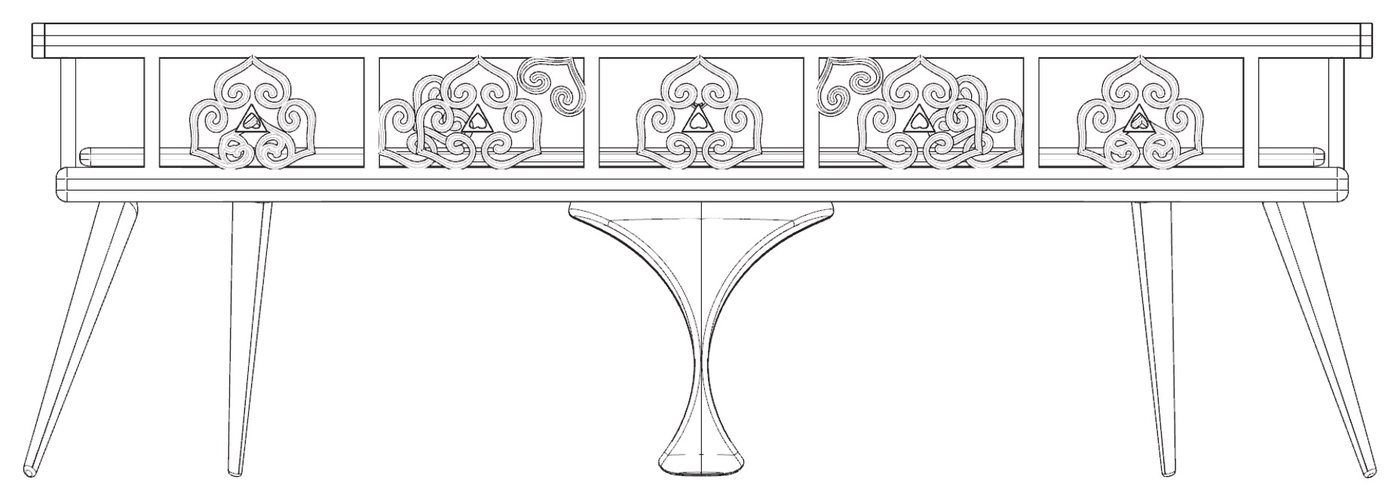
Full set — front elevation
Folding screen
Main chair
Tea table
Side chair
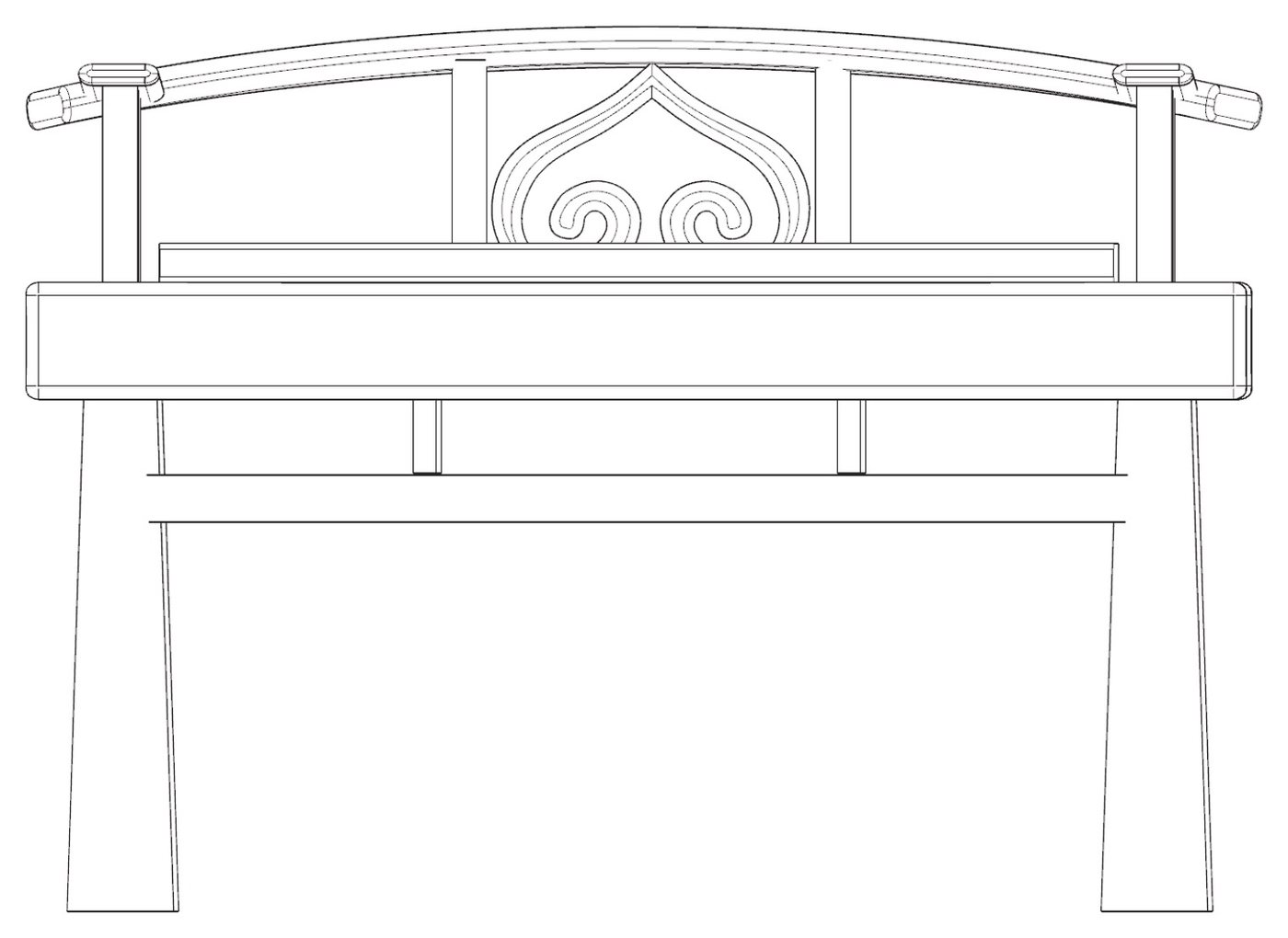
Long bench
Craftsmanship · 制作工艺
Carved from Whole Wood.
Every piece is carved from solid natural timber. The result is a distinctive, finely made set that carries the beauty of raw wood, as if you were sitting among the forests of the Greater Khingan.
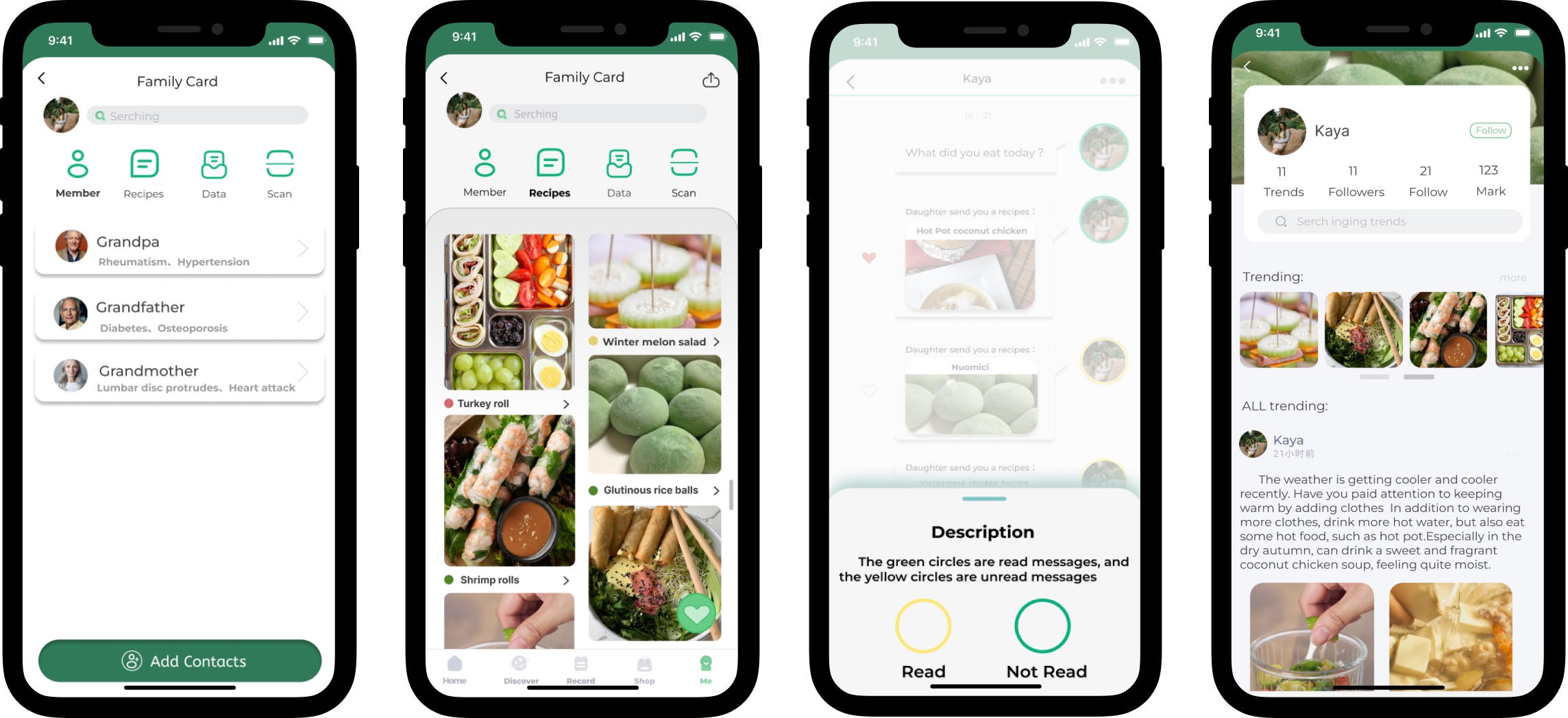
Boohee is a health and nutrition app that offers food nutrition data, calorie search and customized recipes. As a UX design intern, I redesigned its disease management section and introduced a Family Card, so users can see which foods suit different conditions and look after their family's health together.
Problem
Boohee's Chronic Disease Management section can't tell users which foods suit their condition. People with diabetes or high blood pressure can add their condition, but when they search for food, nothing shows what they can eat, what to eat in moderation, and what to avoid.
Challenge
During my UX design internship at Boohee, from June to August 2022, I owned the redesign of the app's disease management section. The work had to fit a mature, live product: new features needed to stay consistent with Boohee's existing design system, while showing how foods affect different conditions and letting family members manage each other's health.
Deliverables include: App Store review analysis, a user journey map, a family persona, competitor and SWOT analysis, brainstorming, design charrettes, information architecture, a component set and a high-fidelity prototype.
Solution
A Family Card lets users link family members, see their health data in one place, and send them recipes that suit each person's condition.
Features include:
Family Card — Invite family members and see their body data on one card
Condition-Aware Food Labels — Red, yellow and green marks show whether a food or recipe fits the selected condition
Recipe Sharing — Send suitable recipes to family members in a chat
Read Status for Older Users — Yellow and green frames show whether a recipe has been read
Research
App Store Review Analysis
To hear from people already using Boohee, I read through App Store reviews and highlighted comments about food, disease and family. Requests kept coming back: GI values for food, better exercise data, and a way to manage family members' health.
“Family management is fine, but it only covers children and parents, not spouses.”
Key Findings
Foods that people with a condition can't eat should have different colour markings.
Users hope family members can help each other check their health.
Some users like to use Boohee to decide their own recipes.
Users are concerned about their personal information leaking.
Insights
Food needs more status labels, so people with different conditions can use the app more easily.
Clear food categories help users keep track of their daily life and summarise it.
Users appreciate how easy the app is to use.
Users want to manage several family members' health on one device.
User Journey Map
I mapped a chronic disease patient's journey across five stages: Awareness, Preparation, Search, Receive and Completion. Without help, the emotional line dips lowest while searching for and receiving food. With customized and favorite recipes, the line stays higher at every stage.
“After falling ill, there are many foods that cannot be eaten.” The journey starts with worry, before any food is chosen.
Persona
Because the problem involves a whole household, I built a persona family instead of a single user. The Zhou family shows how one person's illness changes what everyone at the table eats.
Member
Age · Job
Health
Daughter, Lin
35 · Teacher
—
Father, Lin Feng
65 · Teacher
Diabetes
Mother, Yu Xia
60 · Nurse
High blood pressure
Family goal: The daughter can view her parents' health data, check what they eat, and follow their condition in real time.
“Which foods can we eat? How much can we eat in moderation? Eating the same few foods every day is too monotonous.”
“They are worried because they cannot know their parents' physical condition, such as what they eat every day and whether they take their medication on time.”
Competitor Analysis
I grouped Chinese chronic disease apps by focus, food classification, convenience or body data, then ran a SWOT analysis on four of them. Each covered only part of the problem. Two tracked diabetes only, one listed purine values only, and ClouDr offered consultations but no food guidance for any condition. Wentang was the only one with a family feature, and it was limited to diabetes.
App
Conditions
Food guidance
Family features
Wentang
Diabetes only
Food lookup, but no diet advice for the disease
Family members can check each other's data
Tang Yisheng
Diabetes only
Diet records and a food library
Not mentioned
ClouDr
Common diseases, online consultations
No food or recipe advice for any disease
Not mentioned
Food Purine Lookup
Gout
Purine values only; recipes are paid
No family monitoring
Boohee Family Card
Several chronic conditions
Red / yellow / green labels per condition
Shared card, body data, recipe sharing
Ideation
Brainstorming
I started with a mind map around chronic disease, branching into food choices, wearables, equipment management and services for family members. Of all the directions, disease and diet was the one most relevant to this project, so I took it forward.
Design Charrettes
In quick sketching rounds, I explored three ideas: customized food recommendations based on each person's condition, a community where users share recipes, and care for family, where younger users link their accounts with older relatives and Boohee recommends foods that fit their health data.
One sketch note became a core feature: “The food search will show whether the food is fit for consumption based on the selected health pattern, with red, yellow and green.”
I chose the Family Card idea to develop further, because its scope fit this project best.
Iteration
Information Architecture
In the current app, nine health items sit at the bottom of My profile in one flat list, from weight to sleep. I moved them under Record and grouped them by what people are managing: Weight, Chronic disease, Everyday wellness and Anti-aging. The four diet-related conditions, blood sugar, blood lipids, blood pressure and uric acid, now sit together under Chronic disease, so users and their families can find them in one place.
Version 1 (during the internship, 2022)
I moved the nine items under Record and grouped them into Weight, Chronic disease, Anti-aging and Preconception.
Looking back while building this portfolio, two groupings didn't hold up. Immunity isn't a chronic disease, and intestinal health and sleep had nothing to do with preconception, a group with no items of its own.
Version 2 (portfolio revision)
I moved immunity, intestinal health and sleep into a new Everyday wellness group and removed Preconception. Chronic disease now holds only the four conditions most tied to diet: blood sugar, blood lipids, blood pressure and uric acid.
Visual Language
Boohee is a mature, launched product, so I stayed close to its design system and built the new features in the same style. New components, like the family icon bar, recipe tools, chat messages and read-status markers, use Boohee's rounded-rectangle icons and fresh green palette.
Primary#12B57E#63D889
Secondary#B9E4D1#F5F6FA
Background#F5CF64#F9DCE9#CCFCF5
TypefaceRoboto
High-Fidelity Prototype
I built two clickable flows in Figma: one for inviting family members and linking their data, and one for finding and sharing recipes.
Family Card
The Family Card sits in the Me tab, next to Health Plan and Diet Plan. From it, users can:
Invite family members to form their own Family Card
See each member's body data on the card
Make sure the menus sent to family members are the healthiest and most suitable
Recommend healthy recipes for members with different conditions
Learn family members' tastes from the recipes they save and view
Each member's page shows heart rate, calories, oxygen level, temperature, PAI and activity count, so a daughter can check on her parents at a glance.
Key Function: Filter a Healthy Menu
Inside the Family Card, the Recipes tab helps families pick meals together.
The invite button stays at the bottom of the screen, so users can add family anytime
Users see several family members' health data at once and follow it in real time
Users choose healthy, varied menus and send them to family, who can also search for dishes they like
Yellow and green frames show whether a recipe has been read, which is easier for older family members who may struggle with small text
Each recipe carries a coloured dot, red, yellow or green, so the family can see at a glance whether it suits the selected condition.
Final Look
Results
The Boohee Family Card turns chronic disease management into something a family does together:
Family Card — family members and their body data in one place
Condition-aware recipes — red, yellow and green labels for each condition
Recipe sharing — chat-style messages with read status for older users
Clearer health records — nine scattered items regrouped into four under Record
The team's user testing of the Family Card came back positive. Before launch, Boohee shifted its strategy to focus entirely on weight loss and retired the chronic disease sections, so the feature was not built.
UX/UI design by Xiaoyun Zhou during a UX design internship at Boohee. Case study by Xiaoyun Zhou.